Blog
Singer Embroidery Machine: Needle Breaking Troubleshooting Guide

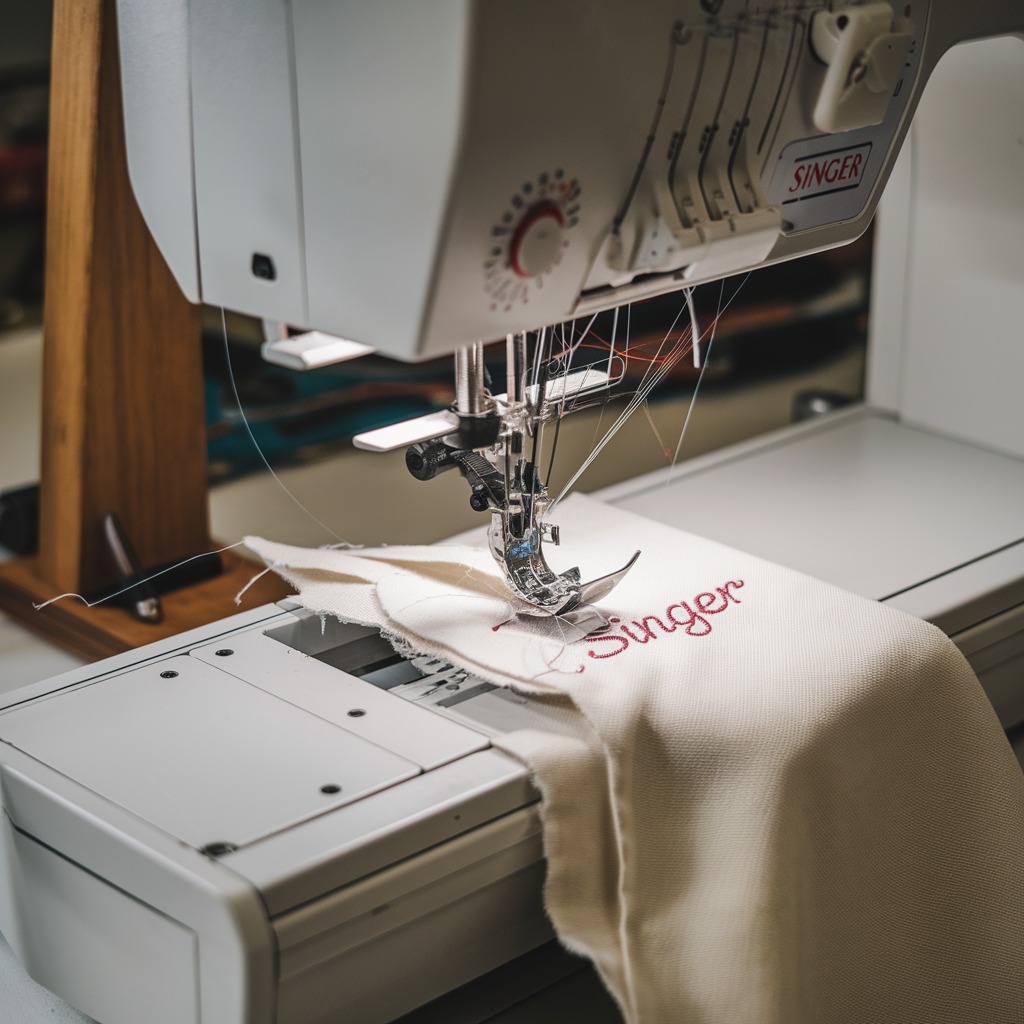
Quick answer: Needle breaking on a Singer embroidery machine is often due to using the wrong needle for the fabric/thread, improper needle insertion, a bent or dull needle, or machine misalignment.
Two-minute checks before you open anything
- Is the correct needle type and size installed for your fabric and thread?
- Is the needle fully inserted into the needle bar and tightened securely?
- Is the needle bent, dull, or damaged?
- Is the embroidery hoop clear of the needle's path?
- Is the machine speed appropriate for the material and design?
1. Incorrect Needle Selection or Thread Mismatch high likelihood
How to tell
Needle breaks when trying to penetrate fabric, especially thick materials or dense designs. Thread may shred or break frequently before the needle snaps. Stitches may appear uneven.
Fix
- Refer to your Singer machine manual or needle manufacturer's guide for recommended needle types and sizes based on your fabric weight and thread thickness.
- For thicker fabrics (e.g., denim, multiple layers), use a larger needle (e.g., a higher size number like 90/14 or 100/16).
- For finer fabrics, use a smaller needle (e.g., 70/10 or 75/11).
- Ensure the needle type is appropriate for embroidery (e.g., embroidery-specific needles often have a slightly rounded point and larger eye).
- Match thread thickness to needle eye size to prevent excessive friction. Thicker threads require larger needle eyes.
Parts involved: Needles & needle bars → Threads & supplies →
2. Bent, Dull, or Damaged Needle high likelihood
How to tell
Needle breaks unexpectedly, often with a snapping sound. Stitches may be uneven, skipped, or fabric may be snagged before breakage. Visually inspect the needle for any bends, burrs, or a dull point.
Fix
- Turn off the machine and raise the needle to its highest position.
- Loosen the needle clamp screw and carefully remove the old needle.
- Inspect the needle for any visible damage. Even a slight bend can cause breakage.
- Insert a new, sharp, undamaged needle of the correct type and size. Ensure the flat side of the needle shank faces the back of the machine (or as specified in your manual) and it is pushed all the way up into the needle bar.
- Tighten the needle clamp screw securely.
Parts involved: Needles & needle bars →
Parts you may need for Singer
In stock, tested before dispatch, Buyer Protection on every order. Part types for this problem: Needles & needle bars, Rotary hooks & bobbin cases, Presser feet & sewing parts, Hoops & frames.
 Bobbin Case & 2 Metal Bobbins for Brother, Janome, Singer, Babylock...$ 5.59View part →
 11PCS Low Shank Presser Foot Kit Set for Singer Brother Janome Kenm...$ 23.49View part →
 PET-121 40WT 120D/2 Polyester Embroidery Thread 4000M Spool, 80 Mad...$ 17.49View part →
 Flying Tiger DBx1 Industrial Lockstitch Needles, 100 pcs/box, Sizes...$ 10.99View part →
 PET-80 80 Madeira Colors Embroidery Thread Set - Premium 40WT Polye...$ 15.99View part →40 Weight 120D/2 Polyester Embroidery Thread 4000M PET-121 for Brot...$ 17.49View part →
All Singer parts → Needles & Needle Bars → Rotary Hooks & Bobbin Cases → Presser Feet & Sewing Parts →
3. Improper Needle Insertion medium likelihood
How to tell
Needle breaks upon initial penetration or during stitching, often hitting the needle plate or rotary hook. The needle may feel loose in the needle clamp.
Fix
- Turn off the machine and raise the needle bar to its highest position.
- Loosen the needle clamp screw.
- Remove the needle and re-insert it, ensuring the flat side of the needle shank is oriented correctly (typically facing the back of the machine, but check your specific Singer model's manual).
- Push the needle firmly upwards until it cannot go any further into the needle bar.
- While holding the needle in place, securely tighten the needle clamp screw. Do not overtighten, but ensure it is snug.
Parts involved: Needles & needle bars → Screws, springs & small parts →
4. Needle Hitting an Obstruction medium likelihood
How to tell
Needle breaks suddenly with a distinct 'clunk' or 'snap' when it encounters a hard object. This often occurs at specific points in the design or when the hoop moves.
Fix
- Before starting embroidery, ensure the fabric is taut and flat within the hoop, with no puckering or loose threads.
- Verify that the embroidery hoop is correctly seated and secured on the machine's carriage.
- Check the embroidery area for any foreign objects like pins, clips, buttons, zippers, or thick seams that the needle might strike.
- If the design is very dense or has many layers of stitches, consider using a larger needle size to reduce deflection.
- Ensure the stabilizer is appropriate for the fabric and design to prevent fabric flagging (lifting) which can cause the needle to hit the presser foot or needle plate incorrectly.
Parts involved: Hoops & frames → Presser feet & sewing parts → Threads & supplies →
5. Excessive Machine Speed low likelihood
How to tell
Needle breaks more frequently when the machine is running at its highest speed, especially on thick fabrics, dense designs, or when the machine vibrates excessively.
Fix
- Access the speed control settings on your machine's control panel.
- Reduce the embroidery speed, especially when working with thicker fabrics, multiple layers, or complex, dense designs.
- For very delicate fabrics or intricate details, consider running the machine at a slower speed to minimize stress on the needle.
Parts involved: Control panels & displays →
6. Machine Misalignment or Component Wear low likelihood
How to tell
Needle consistently breaks in the same manner (e.g., hitting the needle plate hole, hitting the rotary hook). This may occur even with new, correctly inserted needles. You might observe scoring marks on the needle plate or hook.
Fix
- Turn off the machine and remove the needle plate.
- Inspect the needle plate hole for any burrs or damage that could be deflecting the needle.
- Carefully inspect the rotary hook for any signs of damage or misalignment. The needle tip should pass precisely through the hook's scarf area without striking it.
- Check that the needle bar is not bent or loose. Gently try to wiggle the needle bar; there should be minimal play.
- If you suspect misalignment of the needle bar, rotary hook, or needle plate, consult your Singer service manual for adjustment procedures or contact a qualified technician. These adjustments are precise and often require specialized tools.
Misalignment issues often require professional adjustment or replacement of worn components.
Parts involved: Needles & needle bars → Rotary hooks & bobbin cases → Presser feet & sewing parts → Head & mechanical parts →
Frequently asked questions
What is the best needle for Singer embroidery machines?
The 'best' needle depends on your fabric and thread. Generally, use embroidery-specific needles (e.g., Organ or Schmetz embroidery needles) with a slightly rounded point and larger eye. Match the needle size (e.g., 75/11 for general embroidery, 90/14 for heavier fabrics) to your material and thread thickness.
How often should I change the needle on my Singer embroidery machine?
Change your needle after every 8-10 hours of embroidery time, or after completing a large project. Change it immediately if you notice any signs of damage, dullness, skipped stitches, or fabric snags, or if it breaks.
Can old thread cause needle breakage?
Yes, old or poor-quality thread can contribute to needle breakage. Degraded thread can be brittle, fray easily, and create excessive friction in the needle eye, leading to heat buildup and stress on the needle. Always use fresh, high-quality embroidery thread.
Why does my needle keep hitting the bobbin case?
If your needle is hitting the bobbin case, it indicates a timing issue or a bent needle bar/rotary hook. This is a serious problem that requires immediate attention. Stop the machine, check for a bent needle, and if the issue persists, it likely requires professional adjustment of the machine's timing or replacement of damaged components.
Did this guide fix your machine?
Rate it - it helps other operators find the right fix.
Not sure which part is failing?
Need the logo stitched too?
Get your logo digitized by the people who know this machine
Upload the artwork, see the stitch count and the exact price in 10 seconds, then order with a free sew-out preview. $1 per 1,000 stitches, $10 minimum, 24-hour delivery. Vector conversion from $12.
After the fix
Fixed it? Keep the rest of the shop moving.
OS 360 is the shop software from the team behind this parts store. Every job keeps its status, deadline and owner while a Singer head is down, restock alerts fire for needles, hooks and bobbins before you run dry, and quotes, invoices and payment live in one place.
- Jobs with status, deadline and owner - nothing slips during downtime
- Inventory with restock alerts, this store one click away
- Instant quotes, invoices and one place to collect payment