Blog
Tajima TMBR-SC Digitally Controlled Presser Foot Errors

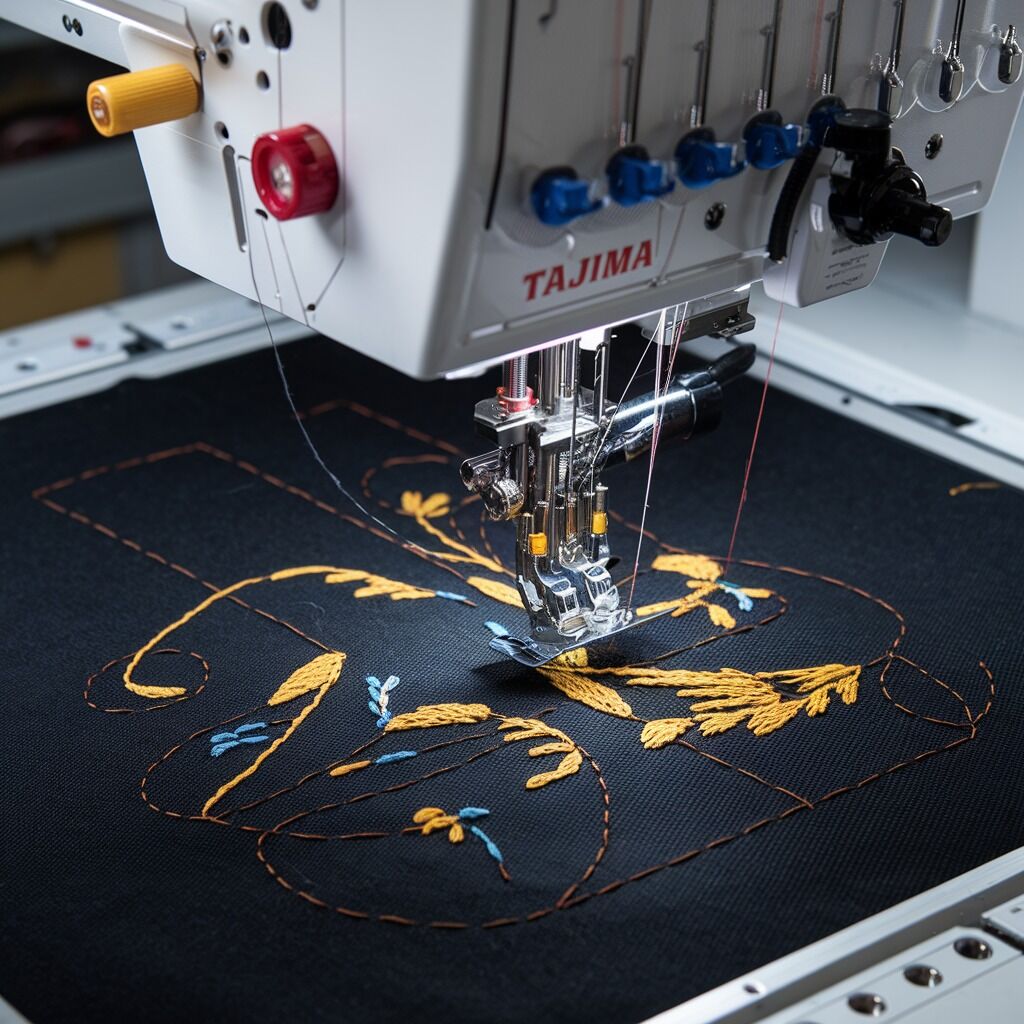
Quick answer: Digitally controlled presser foot errors on the Tajima TMBR-SC often stem from incorrect settings, obstructions, dirty sensors, or software glitches. Start by checking machine settings, cleaning the presser foot area, and ensuring proper hooping and material use.
The Tajima TMBR-SC features an advanced digitally controlled presser foot for precise embroidery. When this system malfunctions, it can lead to various issues from uneven stitching to machine stoppage. This guide provides practical steps to diagnose and resolve common presser foot errors, helping you restore optimal machine performance.
Two-minute checks before you open anything
- Verify presser foot height settings on the control panel match your fabric thickness.
- Inspect the presser foot area for any lint, thread, or debris.
- Ensure fabric is correctly hooped and taut, without wrinkles.
- Check if the presser foot sensor is clean and unobstructed.
- Confirm you are using the correct needle type and size for your fabric.
1. Incorrect Presser Foot Settings or Calibration high likelihood
How to tell
The presser foot does not adjust correctly to fabric thickness, applies uneven pressure, or fails to lower/engage. This can lead to uneven stitching, fabric damage, skipped stitches, or the machine not starting.
Fix
- Access the presser foot height settings on the machine's control panel. Manually adjust the height to match the fabric thickness.
- If pressure is uneven, manually adjust the presser foot pressure via the control panel. Lighter fabrics require less pressure, thicker fabrics more.
- Perform a presser foot calibration through the machine's control settings. Refer to your machine's operation manual for the exact procedure.
- If available, use the presser foot override function on the control panel to manually control its position or pressure.
No parts typically need replacement for this issue, but understanding control panel functions is key.
Parts involved: Control panels & displays →
2. Obstructions or Debris in Presser Foot Area high likelihood
How to tell
The presser foot jams mid-stitch, does not lower, or drags on the fabric/hoop. You may see visible lint, thread, or debris around the presser foot.
Fix
- Power off the machine. Carefully inspect the area under and around the presser foot, needle plate, and feed dogs for any debris, lint, or broken thread.
- Use tweezers or a small brush to remove any obstructions.
- Ensure the fabric is properly hooped and aligned. Loose or improperly hooped fabric can cause bunching and obstructions.
Regular cleaning prevents accumulation. No specific parts are usually needed unless debris has caused damage.
Parts involved: Presser feet & sewing parts → Screws, springs & small parts →
Parts you may need for Tajima TMBR
In stock, tested before dispatch, Buyer Protection on every order. Part types for this problem: Control panels & displays, Presser feet & sewing parts, Screws, springs & small parts, Sensors & switches.
 TAJIMA SWF KN/GN Presser Foot 93MM 97MM 100MM for High-Speed Embroi...$ 3.99View part →
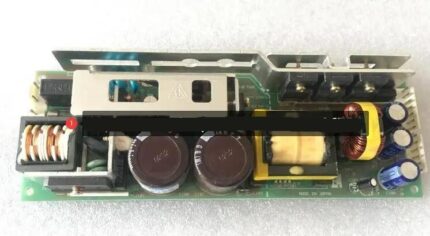 Tajima PB0025A1PW00 Power Supply 150W 24V for TEHX-C1501, TMEZ, TMA...$ 140.99View part →
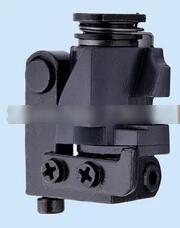 Tajima EF053202S000 Needle Bar Reciprocator Assembly for TMFX, TFMX...$ 18.49View part →
 Tajima 080210470S24 Needle Bar Reciprocator for Tajima China Embroi...$ 3.49View part →
 40 Weight 120D/2 Polyester Embroidery Thread 4000M PET-121 for Brot...$ 17.49View part →
 TAJIMA DU-10 XY Driver Board EH5404000000 MP-117-1-A for TME-HC, TM...$ 140.49View part →
All Tajima TMBR parts → Control Panels & Displays → Presser Feet & Sewing Parts → Screws, Springs & Small Parts →
3. Dirty or Malfunctioning Presser Foot Sensor medium likelihood
How to tell
The presser foot does not adjust automatically, lifts too early, or has a delayed response. The machine may display an error related to the presser foot sensor.
Fix
- Locate the presser foot sensor (refer to your machine manual for its exact position).
- Gently clean the sensor surface with a soft, lint-free cloth or a cotton swab, ensuring no dust or debris obstructs its view.
- If cleaning does not resolve the issue, the sensor may be faulty. A technician may be needed to diagnose and replace it.
A faulty sensor would require replacement. Ensure the replacement is compatible with your TMBR-SC model.
Parts involved: Sensors & switches →
4. Software/Firmware Glitches or Outdated Version medium likelihood
How to tell
The presser foot exhibits erratic behavior, delayed response, fails to lower between color changes, or lifts prematurely without a clear mechanical cause. This can occur after power fluctuations or without apparent reason.
Fix
- Perform a system reboot of the machine. Power off the machine, wait 30 seconds, then power it back on.
- If issues persist, consider resetting the machine to factory settings (note: this will erase custom settings, so back up if possible). Refer to your machine manual for the reset procedure.
- Check your machine's current firmware version via the control panel. Compare it to the latest version available from Tajima's official support channels. Update the firmware if an update is available, following manufacturer instructions carefully.
No physical parts are usually replaced for software issues, but updates can prevent future problems.
Parts involved: Circuit boards & electronics → Control panels & displays →
5. Incorrect Needle Type or Size low likelihood
How to tell
When embroidering thick fabrics, the presser foot might not rise high enough, leading to fabric bunching or needle damage. Skipped stitches or thread breaks may also occur.
Fix
- Ensure you are using the correct needle type (e.g., sharp point for woven, ballpoint for knits) and size appropriate for your fabric thickness and thread weight.
- Replace any bent or damaged needles immediately.
Always keep a supply of various needle types and sizes suitable for your common projects.
Parts involved: Needles & needle bars → Threads & supplies →
6. Loose Wiring or Connection Issues low likelihood
How to tell
The presser foot fails to lower, or its movement is inconsistent. This might be accompanied by error codes related to the presser foot motor or sensor, or intermittent functionality.
Fix
- Power off the machine. Carefully inspect all visible wiring and connectors leading to the presser foot mechanism and its associated sensors/motors.
- Gently reseat any loose connectors. Do not force connections.
- If wiring appears frayed or damaged, a technician should be called for repair or replacement.
Damaged wiring requires professional repair or replacement to ensure safety and proper function.
Parts involved: Cables & wiring → Sensors & switches → Motors & drivers →
7. Mechanical Wear or Lack of Lubrication low likelihood
How to tell
Delayed presser foot movement, stiffness, or inconsistent operation. You may hear unusual noises or feel resistance when manually moving the presser foot mechanism (if possible).
Fix
- Perform regular maintenance as outlined in your Tajima TMBR-SC manual. This includes cleaning and lubricating specified moving parts of the presser foot mechanism.
- Use only recommended machine oil. Apply sparingly to pivot points and sliding surfaces.
- If wear is significant (e.g., worn bushings, bent components), a technician will be required for diagnosis and part replacement.
Regular lubrication extends part life. Worn mechanical parts may require specific replacement components from Tajima.
Parts involved: Lubrication & maintenance → Shafts, bearings & bushings → Head & mechanical parts → Screws, springs & small parts →
Stop and call a technician if
- If the presser foot sensor is confirmed faulty after cleaning and troubleshooting.
- If wiring is visibly damaged or frayed.
- If mechanical components of the presser foot mechanism are bent, broken, or excessively worn.
- If software updates or factory resets do not resolve the issue, indicating a deeper electronic or mechanical problem.
- If you are uncomfortable performing any of the inspection or cleaning steps yourself.
Prevent it coming back
- Regularly clean the presser foot area, needle plate, and sensors to prevent debris buildup.
- Always ensure fabric is properly hooped and taut, avoiding wrinkles or slack.
- Use the correct needle type and size for your fabric and thread.
- Perform routine lubrication and maintenance as specified in your Tajima TMBR-SC manual.
- Keep your machine's firmware updated to the latest version.
- Test new settings or materials on scrap fabric before starting a main project.
Frequently asked questions
Why is my Tajima TMBR-SC presser foot not lowering?
First, check your machine's settings to ensure the presser foot is engaged. Inspect for any obstructions like thread or lint. If clear, try rebooting the machine or recalibrating the presser foot. Also, check for loose wiring or a dirty sensor.
How do I adjust the presser foot height on my TMBR-SC?
The presser foot height is adjusted through the machine's control panel. Navigate to the presser foot settings menu and manually fine-tune the height according to your fabric thickness. Refer to your machine's manual for specific menu navigation.
What causes the presser foot to jam mid-stitch?
Presser foot jamming is usually caused by debris (lint, thread) under or around the foot, or improperly hooped fabric. Clear any obstructions and ensure your fabric is taut and correctly aligned in the hoop.
Should I update my TMBR-SC's firmware for presser foot issues?
Yes, if your machine's presser foot is exhibiting erratic or delayed responses, especially without a clear mechanical cause, checking for and installing the latest firmware update can often resolve software-related glitches.
Did this guide fix your machine?
Rate it - it helps other operators find the right fix.
Not sure which part is failing?
Need the logo stitched too?
Get your logo digitized by the people who know this machine
Upload the artwork, see the stitch count and the exact price in 10 seconds, then order with a free sew-out preview. $1 per 1,000 stitches, $10 minimum, 24-hour delivery. Vector conversion from $12.
After the fix
Fixed it? Keep the rest of the shop moving.
OS 360 is the shop software from the team behind this parts store. Every job keeps its status, deadline and owner while a TMBR-SC head is down, restock alerts fire for needles, hooks and bobbins before you run dry, and quotes, invoices and payment live in one place.
- Jobs with status, deadline and owner - nothing slips during downtime
- Inventory with restock alerts, this store one click away
- Instant quotes, invoices and one place to collect payment