Tajima TMBR-SC Series: Puckering or Distorted Embroidery Designs – Common Errors and Solutions


Tajima TMBR-SC Series: Puckering Embroidery Designs – Common Errors and Solutions
The Tajima TMBR-SC Series (Single-Head with Digitally Controlled Presser Foot) offers advanced embroidery precision, making it popular for creating high-quality designs. However, puckering or distorted embroidery designs can sometimes occur, affecting the outcome of your work. These issues often stem from improper fabric handling, tension, or settings. Let’s explore the common causes of puckering and distortion, along with practical solutions to fix them.
Common Causes of Puckering or Distorted Embroidery Designs
1. Improper Hooping Technique
Incorrectly hooping the fabric is a leading cause of puckering in embroidery designs. If the fabric is too loose or too tight in the hoop, it can lead to tension problems during stitching, causing the fabric to gather or pucker.
Solution:
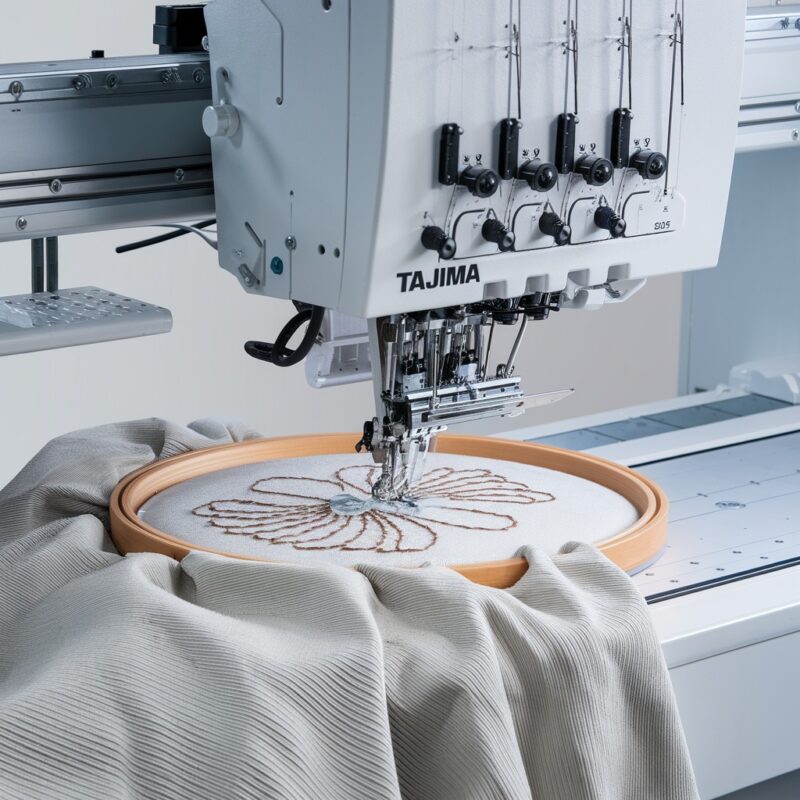
- Ensure that the fabric is evenly hooped and taut, but not overstretched. The fabric should lay flat in the hoop without any wrinkles or sagging.
- Use the appropriate hoop size for your fabric and design to maintain even tension throughout the embroidery process.
- For delicate or stretchy fabrics, consider using a stabilizer to prevent shifting or distortion during stitching.
2. Incorrect Tension Settings
Thread tension plays a significant role in how well your design is stitched. If the tension is too tight, it can pull the fabric, causing puckering. Conversely, if it’s too loose, the design may look distorted or uneven.
Solution:
- Adjust the thread tension according to the fabric type. For thinner fabrics, loosen the tension to avoid pulling. For thicker fabrics, increase the tension slightly to ensure smooth stitching.
- Test the tension on a scrap piece of fabric similar to the one being used for the actual design. Make small adjustments until the stitches are balanced on both sides of the fabric.
- Regularly check the bobbin tension as well, ensuring that it matches the upper thread tension for optimal results.
3. Fabric Type and Weight
Certain fabrics, especially lightweight or stretchy materials, are more prone to puckering or distortion. Fabrics like silk, satin, or thin cotton can easily wrinkle or gather if not handled properly during the embroidery process.
Solution:
- Use a stabilizer that matches the fabric type. For lightweight fabrics, a cutaway or tearaway stabilizer can provide the necessary support to prevent puckering.
- For stretchy fabrics, consider using an iron-on or adhesive stabilizer to keep the fabric from shifting during stitching.
- Always test your design on a small section of fabric to see how it handles the stitching and make adjustments to the stabilizer as needed.
PROMOTIONAL SECTION
The All-in-One Solution For All Your Embroidery Business!
Enjoy $0.90 / 1000 Stitches Logo Digitizing
Monthly Cash Back, Free Delivery on Store-wide Products, Dedicated Account Manager, Exclusive Client Dashboard Panel, Bonus Credit & much more.
SIGN UP TODAY & GET FIRST 3 ORDER ABSOLUTELY FREE

Unlock game-changing benefits: expert digitizing services, technical embroidery guidance, seamless management of your business essentials, and free delivery on storewide products—all just for signing up with us. Don’t let these exclusive perks pass you by!

No Credit Card Required
Stay secure with no need to share your credit or debit card details! Experience 100% safe payment methods, including the option to purchase credits for your future orders. Plus, enjoy free credit as a bonus with every credit purchase and more exclusive benefits.

A Game-Changing Advantage
Imagine having a dedicated account manager by your side, ready to handle all your embroidery needs with precision and care. Whether it’s managing your digitizing orders, delivering essential embroidery supplies based on your every embroidery order, or sourcing those hard-to-find spare parts like motors, circuit boards, or sensors, we’ve got you covered. This incredible service ensures your business runs seamlessly, all at no extra cost or monthly fee.
It’s not just support—it’s the ultimate embroidery partnership you didn’t know you were missing for a $0 charge!
Exclusive Client Dashboard Panel
Get Free Account Setup (T&C Applied) and enjoy exclusive benefits: unlimited free estimate requests, streamlined order management, complimentary edit requests, 24/7 access to our ticket system, fast 6-12 hour turnaround times, round-the-clock email and live chat support, and 1-year free design file backup and more.

Recurring Monthly Cashback
Experience out of the box services with Cashback on monthly basis along with discount vouchers on Shop for Registered customers up to 60% on supplies, accessories, spare parts & sensors & Circuit boards and add extra value to your embroidery business.

Free Delivery on all Shop Products
Enjoy free delivery on embroidery supplies, accessories, spare parts, sensors & circuit boards, and store-products, delivered straight to your doorstep! Unlock this exclusive benefits by registering with us for all your digitizing needs. (Embroidery Machine Not Included)
4. Design Density
Overly dense embroidery designs can cause fabric puckering or distortion. If too many stitches are placed in a small area, the fabric can gather or pull, especially on thinner or lighter materials.
Solution:
- Review the stitch density of the design in your embroidery software. Reduce the density if necessary, particularly in areas with overlapping stitches or heavy fills.
- Space out the stitches evenly across the design, or use underlay stitching to create a smoother foundation for the top stitches.
- If the design is particularly dense, use a stronger stabilizer to support the extra stitches and prevent puckering.
5. Uneven Presser Foot Pressure
With the Tajima TMBR-SC’s digitally controlled presser foot, improper settings can cause uneven pressure on the fabric, leading to puckering or distortion. If the presser foot is too high or too low, it can affect the stitch quality.
Solution:
- Adjust the presser foot height according to the fabric thickness. For thicker materials, raise the presser foot slightly to prevent excess pressure. For thinner fabrics, lower it enough to keep the fabric secure without distorting it.
- Run a few test stitches on a sample fabric to ensure the presser foot is applying the correct amount of pressure for smooth stitching.
6. Poor Quality Threads
Using low-quality threads can contribute to puckering and distortion. Inferior threads may break more easily or create uneven tension, affecting the overall stitch quality and fabric handling.
Solution:
- Always use high-quality embroidery threads that match the fabric and design requirements. Good-quality threads are less likely to break or tangle, leading to smoother stitching.
- Check the thread type as well. For delicate fabrics, use finer threads, while thicker fabrics may require stronger, more durable threads.
7. Machine Speed
Running the machine at too high a speed can increase the chances of fabric distortion, especially on sensitive fabrics or intricate designs. High speeds may cause the fabric to move or shift, resulting in misalignment and puckering.
Solution:
- Lower the machine speed, especially when working with delicate or difficult fabrics. Slowing down the machine allows for more precise stitching and better control over the fabric’s movement.
- For intricate designs or those with a lot of detail, a slower speed will help ensure accuracy and reduce the risk of puckering.
8. Stabilizer Type and Layering
Even when using a stabilizer, the wrong type or an inadequate number of layers can still lead to puckering or distortion, particularly with tricky fabrics or intricate designs.
Solution:
- For delicate or stretchy fabrics, consider using two layers of stabilizer. You can mix a tearaway with a cutaway stabilizer to provide extra support while still keeping the fabric flexible.
- A water-soluble topping can also be added to prevent puckering in the top layer of the fabric. This is especially useful for fabrics like velvet or terry cloth, where the fibers can cause the stitches to sink into the material.
- Experiment with different stabilizer weights. Thicker stabilizers offer more support for dense designs, while lighter stabilizers are better for delicate materials. Test different combinations of scrap fabric to find what works best for your project.
9. Thread Quality and Needle Compatibility
The compatibility between your thread and needle is another factor that can impact the smoothness of your embroidery. Poor thread quality or the wrong needle size can lead to tension issues, causing puckering or uneven stitching.
Solution:
- Make sure the thread weight is appropriate for both the design density and the fabric. Heavier fabrics may require thicker threads, while lightweight fabrics perform better with finer threads.
- Use embroidery-specific threads for the best results. These threads are designed to run smoothly through the machine, reducing the likelihood of tension problems.
- Ensure the needle size and type match the thread and fabric. For instance, use a ballpoint needle for knit fabrics to prevent the needle from tearing through the fibers. A sharp needle works better for woven fabrics.
- Check that your needle is not bent or worn out. A damaged needle can tug at the fabric, creating puckering or distortion.
10. Fabric Preparation
Some fabrics naturally have a tendency to wrinkle or pucker, even before embroidery begins. Inadequate fabric preparation can lead to distortion as the stitches are applied.
Solution:
- Always pre-wash and iron your fabric before starting an embroidery project. Pre-washing helps remove any sizing or chemicals from the fabric that could affect the embroidery process. Ironing smooths out any wrinkles, providing a clean surface for the machine.
- For fabrics prone to shrinkage, pre-washing ensures that any shrinkage occurs before embroidery, preventing puckering when the fabric is laundered later.
- If you are using fabric that tends to stretch (like jersey or knit), applying a fusible stabilizer before hooping can prevent unwanted movement during stitching.
11. Design Software Adjustments
Sometimes, the problem lies not with the fabric, thread, or stabilizer, but with the embroidery design itself. Certain designs are too dense or have too many intricate details that can lead to puckering or distortion.
Solution:
- In your embroidery software, reduce the stitch density, especially in heavily stitched areas. This will help distribute the stitches more evenly and prevent the fabric from being pulled too tightly.
- Increase the underlay stitching. Underlay stitches provide a base that supports the top layer of stitches, helping to prevent puckering in dense designs.
- Avoid designs with large, solid fill areas on lightweight fabrics, or split these areas into smaller sections to reduce the amount of fabric pulling.
- Test stitch your design on similar fabric with the same settings before working on the final piece to ensure the design runs smoothly.
12. Machine Maintenance
Regular maintenance of your embroidery machine is crucial for producing high-quality, distortion-free designs. If your machine is not well-maintained, it may cause tension issues, uneven stitching, or fabric shifting during embroidery.
Solution:
- Keep your machine clean by regularly removing dust, lint, and thread remnants from the bobbin case, needle plate, and thread path. Use a small brush or compressed air to clean these areas.
- Lubricate your machine as per the manufacturer’s recommendations. A well-oiled machine operates more smoothly and reduces the chances of fabric distortion.
- Ensure your machine is properly calibrated, especially the presser foot height and thread tension settings. Incorrect calibration can lead to fabric puckering.
- Regularly change your needles and threads to avoid using worn-out supplies that can cause stitching problems.
13. Digitally Controlled Presser Foot Adjustments
The digitally controlled presser foot on the Tajima TMBR-SC Series offers precision, but incorrect settings can still lead to puckering or uneven stitching.
Solution:
- Adjust the presser foot pressure based on the fabric type and thickness. For thicker fabrics, you may need to slightly increase the pressure to hold the fabric steady. For thinner fabrics, reduce the pressure to avoid crushing or distorting the material.
- Use the presser foot height adjustment feature to fine-tune how the foot interacts with the fabric. Make sure that the fabric moves smoothly under the foot without too much or too little resistance.
- Monitor the foot’s performance during test runs. If the fabric seems to drag or bunch, make small adjustments to the foot height and pressure settings.
14. Re-hooping the Fabric
If the fabric shifts during the embroidery process, it can result in puckering or misalignment of the design. Even with proper preparation, re-hooping might be necessary if you notice signs of movement.
Solution:
- Stop the machine if you notice any puckering or shifting and re-hoop the fabric. Be careful to align the fabric exactly where it was to avoid further misalignment.
- If you are using a multi-part design that requires re-hooping multiple times, mark the fabric and hoop to ensure alignment remains consistent throughout the process.
- Use spray adhesive or basting stitches to secure the fabric before re-hooping, especially for large designs or projects with multiple re-hooping.
Conclusion
Puckering or distorted embroidery designs can be frustrating, but with the right techniques and machine settings, these issues can be minimized or eliminated. The Tajima TMBR-SC Series offers advanced features like a digitally controlled presser foot, but understanding how to adjust these settings along with your stabilizer, fabric preparation, and design can ensure professional-quality embroidery results.
By taking the time to troubleshoot each aspect of your project, you can prevent puckering, maintain even stitch quality, and produce flawless embroidery designs every time.