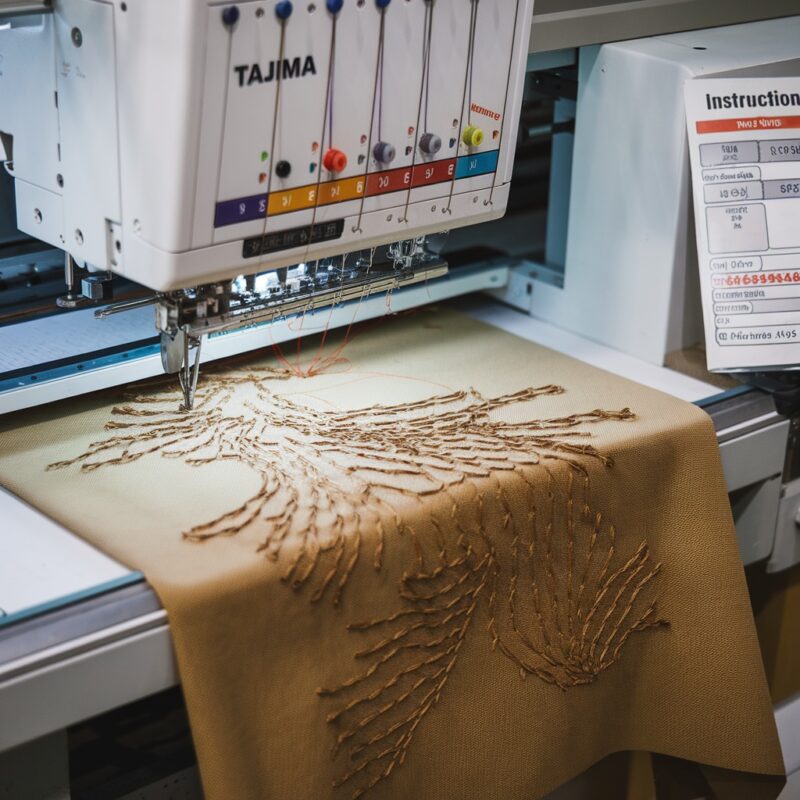
Tajima TMBP-SC Series: Design Misalignment or Shifting – Causes and Solutions


Tajima TMBP-SC Series: Design Misalignment or Shifting – Causes and Solutions
Embroidery design misalignment or shifting can be a frustrating issue when working with the Tajima TMBP-SC Series (Single-Head Compact) embroidery machine. This problem occurs when the design doesn’t stitch where it should on the fabric, resulting in distorted, uneven, or misplaced patterns. Misalignment can ruin the overall quality of your project, especially on more detailed or multi-layer designs. Fortunately, there are several common causes and solutions to fix this issue and prevent it from happening again.
1. Loose Hooping or Improper Fabric Tension
One of the most common causes of design misalignment is incorrect hooping or insufficient fabric tension. If the fabric isn’t tightly hooped, it can shift during stitching, resulting in designs that don’t align properly.
Solution:
- Ensure the fabric is properly and tightly hooped. The fabric should be taut with no wrinkles or slack, but it shouldn’t be stretched excessively to avoid distorting the design.
- Check that the hoop is locked securely into the machine. Even a small shift in the hoop can cause significant misalignment.
- For slippery or stretchy fabrics, consider using a stabilizer to provide extra support and prevent fabric movement during stitching.
2. Incorrect Stabilizer Use
Using the wrong type of stabilizer or not using enough stabilizer can cause the fabric to shift during embroidery. Without proper support, the fabric may move, stretch, or bunch up, causing the design to misalign.
Solution:
- Use the correct type of stabilizer for the fabric. A tear-away stabilizer is ideal for woven fabrics, while a cutaway stabilizer works well for knits and stretch fabrics.
- For lightweight or slippery fabrics, consider using a sticky stabilizer or spray adhesive to secure the fabric in place.
- If the design is dense or large, you may need to use multiple layers of stabilizer to provide enough support for the fabric throughout the stitching process.
3. Improper Machine Calibration
Sometimes, the machine itself can be the cause of design misalignment. If the Tajima TMBP-SC machine isn’t calibrated correctly, the needle may not align with the design, leading to shifting or misaligned stitches.
Solution:
- Ensure your machine is properly calibrated before starting any project. Follow the user manual’s instructions for calibration, particularly focusing on needle position and hoop alignment.
- Regularly check for any mechanical issues that may affect alignment, such as worn-out gears, belts, or parts that need maintenance.
- Perform a test run on a scrap piece of fabric before embroidering your final project to ensure the machine is stitching in the correct position.
PROMOTIONAL SECTION
The All-in-One Solution For All Your Embroidery Business!
Enjoy $0.90 / 1000 Stitches Logo Digitizing
Monthly Cash Back, Free Delivery on Store-wide Products, Dedicated Account Manager, Exclusive Client Dashboard Panel, Bonus Credit & much more.
SIGN UP TODAY & GET FIRST 3 ORDER ABSOLUTELY FREE

Unlock game-changing benefits: expert digitizing services, technical embroidery guidance, seamless management of your business essentials, and free delivery on storewide products—all just for signing up with us. Don’t let these exclusive perks pass you by!

No Credit Card Required
Stay secure with no need to share your credit or debit card details! Experience 100% safe payment methods, including the option to purchase credits for your future orders. Plus, enjoy free credit as a bonus with every credit purchase and more exclusive benefits.

A Game-Changing Advantage
Imagine having a dedicated account manager by your side, ready to handle all your embroidery needs with precision and care. Whether it’s managing your digitizing orders, delivering essential embroidery supplies based on your every embroidery order, or sourcing those hard-to-find spare parts like motors, circuit boards, or sensors, we’ve got you covered. This incredible service ensures your business runs seamlessly, all at no extra cost or monthly fee.
It’s not just support—it’s the ultimate embroidery partnership you didn’t know you were missing for a $0 charge!
Exclusive Client Dashboard Panel
Get Free Account Setup (T&C Applied) and enjoy exclusive benefits: unlimited free estimate requests, streamlined order management, complimentary edit requests, 24/7 access to our ticket system, fast 6-12 hour turnaround times, round-the-clock email and live chat support, and 1-year free design file backup and more.

Recurring Monthly Cashback
Experience out of the box services with Cashback on monthly basis along with discount vouchers on Shop for Registered customers up to 60% on supplies, accessories, spare parts & sensors & Circuit boards and add extra value to your embroidery business.

Free Delivery on all Shop Products
Enjoy free delivery on embroidery supplies, accessories, spare parts, sensors & circuit boards, and store-products, delivered straight to your doorstep! Unlock this exclusive benefits by registering with us for all your digitizing needs. (Embroidery Machine Not Included)
4. Machine Vibration or Movement
Excessive vibration or movement of the machine during stitching can cause the hoop to shift, leading to misaligned designs. This is particularly common with larger, more complex designs that require a lot of movement from the machine.
Solution:
- Place your embroidery machine on a stable, flat surface to minimize vibration. Uneven or unstable surfaces can cause the machine to shake during operation, resulting in misalignment.
- Avoid running the machine at excessively high speeds for intricate or large designs. Slower speeds help reduce vibration and ensure more accurate stitching.
- Check the machine‘s feet or stand to make sure they are not loose or unstable. Tighten any loose parts that may cause the machine to move during stitching.
5. Incorrect Thread Tension
Thread tension issues can also lead to design misalignment. If the thread tension is too tight or too loose, the fabric may pull or bunch up, causing the design to shift from its intended position.
Solution:
- Ensure that both the upper thread and bobbin thread tensions are balanced. Uneven tension can distort the fabric and pull the design out of place.
- Perform a tension test before starting your project by stitching a few sample lines on a scrap piece of fabric. Adjust the tension until the stitches look even on both the top and bottom.
- If you are using thicker or specialty threads, make sure to adjust the tension accordingly to match the thread type.
6. Fabric Shifting in the Hoop
Sometimes, even when the fabric is properly hooped, it can shift slightly during stitching, especially with designs that require multiple color changes or long runs of stitching. This can cause misalignment, particularly with multi-color or layered designs.
Solution:
- Use embroidery clips or a basting stitch to secure the fabric to the stabilizer and hoop. This extra step can prevent fabric shifting during stitching.
- If you’re stitching a large or complex design, stop periodically to check that the fabric is still tight in the hoop and hasn’t shifted.
- Use a sticky stabilizer or adhesive spray to secure the fabric and prevent movement during stitching.
7. Hooping Too Close to the Edge
Hooping fabric too close to its edge can cause it to shift or become loose during stitching. The closer the design is to the edge, the more likely the fabric is to slip, causing misalignment.
Solution:
- Avoid hooping your fabric too close to the edges. Ensure there’s enough fabric around the design area to be securely hooped.
- If your design is near the edge, consider using a larger hoop to provide more stability or securing the fabric with extra clips or tape.
- For small or awkwardly shaped items, consider floating the fabric over the stabilizer instead of hooping directly, using an adhesive stabilizer to keep it in place.
8. Thread Breaks or Machine Stoppages
Frequent thread breaks or unexpected machine stoppages can sometimes cause the design to misalign, especially if the machine moves slightly when restarting.
Solution:
- Ensure the machine is properly threaded and the tension is set correctly to avoid thread breaks. Poor tension or incorrect threading can lead to breaks and stoppages.
- If the machine stops mid-design, make sure to carefully align the needle with the last stitch before restarting. Misalignment at this stage can cause the rest of the design to be stitched out of place.
- Use high-quality thread and ensure the needle is in good condition to minimize the chances of thread breaks.
9. Inconsistent Design Digitization
If the design has not been digitized correctly for the fabric or the machine, it can lead to misalignment or shifting. Designs with poor underlay, incorrect stitch densities, or improper start and stop points can result in misaligned stitching.
Solution:
- Ensure that the design is properly digitized for the type of fabric you are working with. Light fabrics may need less dense designs, while thicker fabrics require stronger underlay and proper stitch density.
- Review the design in your embroidery software before stitching it out to ensure that the starting points and underlays are correct.
- If necessary, re-digitize the design or make adjustments to prevent misalignment issues during stitching.
10. Needle Deflection or Damage
A bent or damaged needle can cause deflection during the embroidery process, leading to design misalignment or shifting. When the needle doesn’t penetrate the fabric at the correct angle, it can result in uneven stitching or displacement of the design.
Solution:
- Regularly inspect the needle for signs of wear, bending, or dullness. If the needle is damaged, replace it with a new one.
- Use the correct needle size and type for the fabric you’re embroidering. For example, use a ballpoint needle for knits and a sharp needle for woven fabrics.
- Ensure that the needle is inserted correctly and securely in the machine. A loose or improperly placed needle can cause it to deflect during stitching, leading to alignment issues.
11. Incorrect Design Placement in Software
Design misalignment can sometimes occur if the design was not placed correctly in the embroidery software before being sent to the machine. Misplaced designs will naturally be stitched in the wrong position on the fabric.
Solution:
- Double-check the design placement in your embroidery software before sending it to the machine. Make sure that the design is centered and aligned with the correct stitching area on the fabric.
- Use the software’s preview function to visualize how the design will be placed on the hoop and fabric. This helps catch any misalignment issues before stitching.
- If your machine supports it, use a laser pointer or alignment grid to verify the design position on the fabric before starting the stitching process.
12. Fabric Stretching or Distortion
Certain fabrics, especially stretchy or thin materials, can stretch or distort during stitching, leading to design misalignment. This is especially common with knit fabrics or delicate materials that don’t hold tension well in the hoop.
Solution:
- For stretchy or thin fabrics, use a cutaway stabilizer that provides firm support throughout the embroidery process. A cutaway stabilizer will prevent the fabric from stretching and keep the design aligned.
- Consider using a water-soluble topping for fabrics with textures (like towels or knits) to prevent the stitches from sinking into the fabric and distorting the design.
- Avoid pulling or stretching the fabric excessively when hooping. It should be taut but not distorted, which can change the shape and placement of the design.
13. Machine Firmware or Software Issues
Sometimes, design misalignment or shifting can occur due to outdated or buggy machine firmware or embroidery software. If the machine is not processing the design file correctly, the embroidery may be out of alignment.
Solution:
- Ensure that your machine‘s firmware is up to date. Manufacturers often release updates that fix software bugs and improve machine performance.
- Regularly update your embroidery software to the latest version to ensure compatibility with your machine and design files.
- If the misalignment continues, try re-uploading the design file to the machine or using a different file format to see if that resolves the issue.
14. Large or Complex Designs
Large or intricate designs can sometimes cause misalignment, especially if the design requires multiple color changes or a high stitch count. These designs can put a lot of stress on the fabric, hoop, and stabilizer, leading to slight shifts during the stitching process.
Solution:
- Break down large or complex designs into smaller sections. This will reduce the chance of shifting and allow you to carefully monitor the stitching as it progresses.
- Ensure that the fabric is adequately supported with a strong stabilizer. You may also want to reinforce the hooping by adding extra clamps or adhesive spray to prevent any movement.
- Slow down the machine speed when working on complex designs to ensure precision and minimize the chances of the fabric shifting mid-stitch.
15. Multi-Hooping Alignment Issues
If your project requires multiple hooping (for larger designs or continuous patterns), alignment can become challenging. Misalignment between the hooping can result in visible gaps or overlapping sections in the final design.
Solution:
- Use precise placement techniques, such as alignment marks or software tools, to ensure that each hooping is accurately aligned with the previous one.
- Some embroidery machines and software offer multi-hooping alignment tools that guide you in positioning the fabric correctly for each section. Take advantage of these features to avoid misalignment.
- Test the alignment on a sample piece before stitching the final project to ensure everything lines up as expected.
16. Misaligned Hoops
Another cause of design shifting can be related to the embroidery hoop itself. If the hoop is misaligned on the machine, even if the fabric is properly hooped, the design may shift or be misplaced during stitching.
Solution:
- Ensure that the hoop is securely attached to the machine and that it’s properly aligned with the needle path. Any misalignment in the hoop placement can cause the design to stitch out incorrectly.
- Double-check the hoop’s position using the machine’s alignment features, if available, before starting the embroidery.
- If the hoop is damaged or worn out, consider replacing it to ensure it holds the fabric firmly in place and aligns properly with the machine.
17. Thread Trimming During Embroidery
Some embroidery machines, including the Tajima TMBP-SC, have an automatic thread trimming feature. However, excessive or improper thread trimming can cause the fabric to shift slightly, leading to misalignment in the design.
Solution:
- If your machine’s thread trimming feature is causing misalignment, you can disable the automatic trimming and manually trim threads between color changes or sections.
- Ensure the machine is trimming the threads at the correct length to prevent issues with the fabric moving or being pulled during the trimming process.
- Slow down the machine when it reaches sections that require trimming to ensure minimal fabric movement.
18. Incorrect Machine Foot Height
If the presser foot is not set at the correct height for the fabric and stabilizer being used, it can cause the fabric to move around during stitching, resulting in design misalignment.
Solution:
- Adjust the presser foot height based on the thickness of the fabric and stabilizer. The foot should apply enough pressure to hold the fabric in place but should not be so tight that it restricts movement.
- Test the foot height on a scrap piece of fabric to ensure that the fabric remains steady during stitching without shifting.
Conclusion
Design misalignment or shifting on your Tajima TMBP-SC Series (Single-Head Compact) machine can often be avoided by ensuring proper hooping, stabilizer use, and machine maintenance. By addressing the common causes such as loose fabric, incorrect thread tension, machine vibration, or faulty software, you can maintain precision and produce high-quality, aligned embroidery designs. With the right techniques and attention to detail, you’ll be able to prevent design shifting and achieve professional-looking results with every project.