Blog
Tajima TMBP-SC: Fixing Uneven Stitch Quality

Quick answer: Uneven stitch quality on a Tajima TMBP-SC is most commonly caused by incorrect thread tension, a worn or dull needle, or improper hooping. Check these first to quickly resolve the issue.
Uneven stitch quality is a common issue that can detract from the professional appearance of embroidery on your Tajima TMBP-SC machine. This guide provides practical, step-by-step troubleshooting to diagnose and resolve the problem, ensuring your machine produces consistent and high-quality stitches.
Two-minute checks before you open anything
- Check upper and bobbin thread tension for balance.
- Inspect the needle for wear, dullness, or damage.
- Verify the fabric is hooped tautly and evenly, without wrinkles.
- Ensure the correct needle size and type are used for the fabric and thread.
- Check for lint or debris in the thread path and bobbin case.
1. Incorrect Thread Tension high likelihood
How to tell
Stitches appear inconsistent in length, coverage is uneven, or thread bunches on the fabric surface. The upper thread may be too tight or the bobbin thread too loose, or vice versa, causing the threads to not meet in the middle of the fabric layers.
Fix
- Check the upper thread tension dial and the bobbin case tension. Refer to your machine's manual for recommended starting points.
- Adjust the upper thread tension dial. Turn clockwise to increase tension, counter-clockwise to decrease.
- Adjust the bobbin case tension screw. Turn clockwise in small increments (e.g., 1/8 turn) to increase tension, counter-clockwise to decrease. Be careful not to overtighten.
- Perform a tension test by embroidering a simple satin stitch or zigzag pattern on a scrap piece of fabric. The upper and bobbin threads should meet precisely in the middle of the fabric layers, forming a balanced stitch.
- Continue adjusting in small increments until clean, even stitches are achieved with no thread loops on the top or bottom, and no fabric puckering.
- If using thicker or specialty threads, adjust tension accordingly to accommodate their diameter and friction properties.
Parts involved: Thread path & tension → Rotary hooks & bobbin cases →
2. Worn or Dull Needle high likelihood
How to tell
Skipped stitches, thread fraying, or incomplete stitches. The needle may not penetrate the fabric cleanly, creating resistance or damaging the fabric fibers.
Fix
- Visually inspect the needle point for any signs of bending, burrs, or dullness. Run a finger gently over the tip (away from the point) to feel for roughness.
- Replace the needle immediately if any wear or damage is detected. Needles should be replaced regularly, especially after large embroidery runs or intricate designs.
- Ensure the correct needle system (e.g., DBxK5) and size (e.g., 75/11, 90/14) are being used for your specific fabric and thread type. Refer to your manual or thread manufacturer guidelines.
- Always insert the new needle correctly, with the scarf facing the rotary hook, and ensure it is pushed all the way up into the needle bar clamp before tightening the set screw.
Parts involved: Needles & needle bars →
Parts you may need for Tajima TMBP
In stock, tested before dispatch, Buyer Protection on every order. Part types for this problem: Thread path & tension, Rotary hooks & bobbin cases, Needles & needle bars, Hoops & frames.
 Tajima Magnetic Hoops for TEMX 1501, TFMX-C1201, SAI, TMEZ-S1501C E...$ 63.49View part →
 Sewtalent Magnetic Embroidery Hoops for Tajima TFMX-C1501 Machine -...$ 64.29View part →
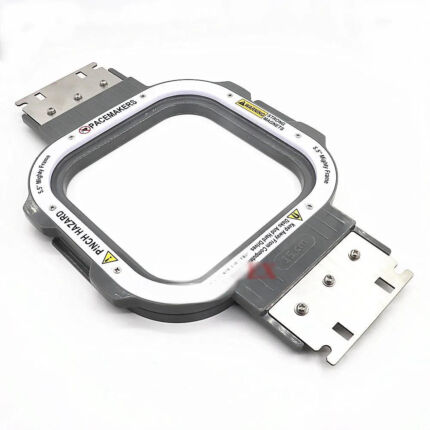 Tajima Magnetic Embroidery Hoop 150x150mm 5.5x5.5 Inches Length 355...$ 72.49View part →
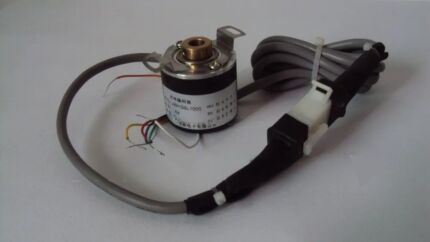 EF6600000000 JHX-G8L1000 1000P/R Rotary Encoder for Chinese Tajima ...$ 92.49View part →
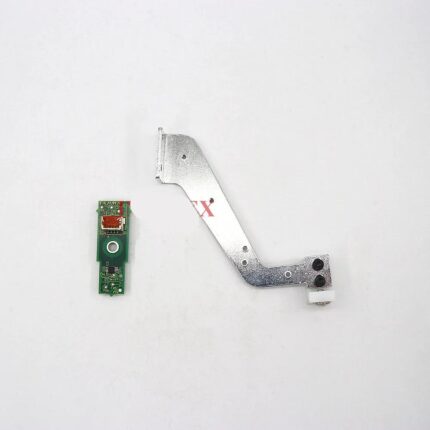 Tajima ICS131 0J2603200000 Thread Break Sensor & Bracket for TFMX, ...$ 97.09View part →
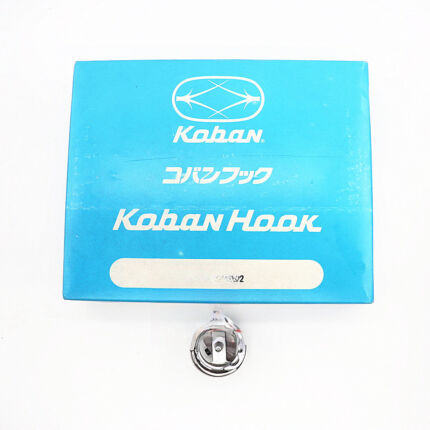 Koban KHS20-RYP2 Rotary Hook Jumbo 2.0X with Trimmer for Tajima TMA...$ 67.49View part →
All Tajima TMBP parts → Thread Path & Tension → Rotary Hooks & Bobbin Cases → Needles & Needle Bars →
3. Improper Hooping Technique high likelihood
How to tell
Fabric shifts or stretches during embroidery, leading to distorted designs, skipped stitches, or uneven stitch density. Wrinkles or slack in the hooped fabric are visible.
Fix
- Ensure the fabric is hooped tautly, like a drum, but not overly stretched or distorted. The fabric should be flat and free of wrinkles or creases within the hoop.
- Use an appropriate stabilizer for your fabric type and design density. For lightweight fabrics, use a tear-away or wash-away; for stretchy fabrics, use a cutaway.
- For difficult fabrics or dense designs, consider using additional layers of stabilizer or a temporary adhesive spray to prevent shifting.
- Verify that the hoop is securely attached to the machine's hoop arms and that there is no movement or play.
Parts involved: Hoops & frames → Threads & supplies →
4. Incorrect Needle Size medium likelihood
How to tell
Using a needle that is too large for fine thread or fabric can create large holes or skipped stitches. A needle that is too small for thick thread can cause thread breakage, shredding, or stitches that bunch or do not form correctly.
Fix
- Select the needle size based on the type and weight of your fabric and the thickness of your thread. Consult a needle chart or your machine's manual.
- For lightweight fabrics and fine threads, use smaller needle sizes (e.g., 65/9, 75/11).
- For heavier fabrics and thicker threads, use larger needle sizes (e.g., 90/14, 100/16).
- Ensure the needle point type (e.g., sharp, ballpoint) is also appropriate for the fabric to prevent damage.
Parts involved: Needles & needle bars →
5. Poor Thread Quality or Type medium likelihood
How to tell
Frequent thread breaks, tangling, shredding, or inconsistent stitch appearance despite correct tension settings. The thread may appear fuzzy or have uneven thickness.
Fix
- Always use high-quality embroidery threads specifically designed for industrial embroidery machines. Avoid generic sewing threads.
- Ensure the thread type (e.g., polyester, rayon, metallic) is compatible with your design, fabric, and machine settings.
- Avoid mixing different brands or types of thread within the same design, as they may have varying friction and tension characteristics.
- Inspect the thread spool for nicks, damage, or improper winding that could cause snagging.
Parts involved: Threads & supplies →
6. Bobbin Issues medium likelihood
How to tell
Loops on the top of the fabric, thread bunching on the underside, or inconsistent lower thread appearance. This indicates incorrect bobbin tension or improper bobbin winding/placement.
Fix
- Ensure the bobbin is wound evenly and smoothly. Unevenly wound bobbins can cause inconsistent tension.
- Check that the bobbin is inserted correctly into the bobbin case, following the thread path specified by the bobbin case design.
- Verify the bobbin case tension. If the bobbin case is dropped, the bobbin should unwind slightly but not freely. Adjust the small screw on the bobbin case in very small increments (e.g., 1/8 turn) to achieve balanced tension with the upper thread.
- Use only high-quality bobbins designed for your Tajima TMBP-SC machine. Substandard bobbins can lead to inconsistent feeding.
Parts involved: Rotary hooks & bobbin cases →
7. Dirty or Malfunctioning Tension Discs medium likelihood
How to tell
The upper thread does not flow smoothly through the tension unit, leading to inconsistent tension. Lint, dust, or thread debris may be visible between the tension discs, or the discs may appear damaged.
Fix
- Regularly clean the upper thread tension discs. Lift the presser foot to open the discs, then use a thin piece of fabric or a specialized tension disc cleaner to remove any lint, dust, or wax buildup.
- Inspect the tension discs for any signs of wear, nicks, or damage. Damaged discs can abrade the thread or prevent proper tension application.
- Ensure the thread is correctly seated between the tension discs and flows freely through the entire thread path without obstruction.
Parts involved: Thread path & tension →
8. Inconsistent Fabric Feed / Presser Foot Pressure low likelihood
How to tell
Fabric shifts, bunches, or wrinkles during stitching, leading to uneven stitch formation. This can be more noticeable with certain fabric types.
Fix
- Adjust the presser foot pressure according to the fabric type. For thicker fabrics, more pressure may be needed to keep the fabric flat. For lighter or delicate fabrics, reduce pressure to avoid marking or stretching.
- Refer to your machine's manual for instructions on adjusting presser foot pressure, as the mechanism can vary.
- Ensure the fabric is moving smoothly through the machine without getting caught or bunched up. If available, consider using a walking foot attachment for very thick or slippery fabrics to ensure even feeding.
Parts involved: Presser feet & sewing parts → Hoops & frames →
9. Poorly Maintained Machine low likelihood
How to tell
General inconsistent machine performance, unusual noises, or visible buildup of lint, dust, or dried oil. Stitch quality degrades over time without specific identifiable causes.
Fix
- Perform regular cleaning of the machine, focusing on the needle area, rotary hook, bobbin case, and entire thread path. Use compressed air and brushes to remove lint and debris.
- Lubricate all moving parts as instructed in your Tajima TMBP-SC user manual. Pay attention to the rotary hook, needle bar, and other specified oiling points. Use only recommended machine oil.
- Check for any loose screws or components, especially around the needle plate and presser foot assembly, and tighten as necessary.
- Ensure all machine settings, including timing and calibration, are correct. If unsure, consult the manual or a qualified technician.
Regular maintenance involves consumable supplies like oil and cleaning tools, as well as ensuring existing parts are functioning correctly.
Parts involved: Lubrication & maintenance → Head & mechanical parts → Rotary hooks & bobbin cases → Thread path & tension →
10. Incorrect Design Digitization low likelihood
How to tell
Uneven stitch quality is consistent across multiple machines or when using the same design, but other designs stitch correctly. Issues like improper stitch angles, excessive stitch density, or problematic underlay patterns are observed in the design software.
Fix
- Review the embroidery design in your digitizing software. Check stitch density, underlay patterns, and stitch angles.
- Adjust stitch density if it is too high for the fabric or thread type. Slightly reducing density can improve stitch quality for intricate designs.
- Ensure the design is properly digitized for the specific fabric and thread you are using. Different fabrics require different underlay and pull compensation.
- If the design has too many overlapping stitches or sharp angles that cause issues, consider re-digitizing or making adjustments.
- Test the revised design on a scrap piece of fabric to verify consistent stitch quality.
While not a physical machine part, the design file (stored on USB/memory) directly impacts machine output.
Parts involved: Floppy, USB & memory →
11. Uneven Machine Speed low likelihood
How to tell
Stitching at inconsistent speeds leads to gaps, irregular stitch lengths, or skipped stitches. Very high speeds can also cause thread breaks or fabric shifting.
Fix
- Set the machine to a consistent speed appropriate for the design complexity, fabric, and thread type. Use the speed control on the machine's control panel.
- For detailed or dense designs, slower speeds generally yield better stitch quality and reduce stress on the machine and thread.
- For simpler patterns, a faster speed may be acceptable, but always monitor stitch quality.
- If uneven stitching is observed, try reducing the machine's speed and observe the result.
Parts involved: Control panels & displays → Motors & drivers →
Stop and call a technician if
- If uneven stitching persists after checking all common causes and performing basic maintenance.
- If you suspect a mechanical issue with the machine's timing, such as needle bar height or rotary hook timing.
- If the machine displays error codes related to motor function or electronic components.
- If you are uncomfortable performing any of the more advanced diagnostic or adjustment steps.
Prevent it coming back
- Regularly clean the machine, especially the thread path, needle area, and bobbin case, to prevent lint and debris buildup.
- Perform routine lubrication of all specified moving parts according to your Tajima TMBP-SC user manual.
- Always use high-quality needles, threads, and bobbins appropriate for your fabric and design.
- Change needles frequently, especially after extensive use or when switching to dense designs or challenging materials.
- Ensure proper hooping techniques are consistently applied, with appropriate stabilizers for the fabric type.
- Periodically check and adjust thread tension (both upper and bobbin) to maintain balance.
Frequently asked questions
Why is my Tajima TMBP-SC suddenly producing uneven stitches?
Sudden uneven stitches are most often due to a recently changed variable: a new needle, a different thread, a bobbin issue, or a shift in thread tension. Check these common culprits first.
How often should I change the needle on my Tajima TMBP-SC?
Needles should be changed regularly, typically after 6-8 hours of continuous embroidery, or more frequently for dense designs, metallic threads, or if you notice any signs of wear or dullness.
Can fabric choice affect stitch quality?
Yes, fabric choice significantly impacts stitch quality. The fabric's weave, stretch, and weight dictate the appropriate needle size, thread type, stabilizer, and hooping technique required for optimal results.
What is the 'tension test' for embroidery machines?
A tension test involves embroidering a simple design (like a satin stitch block or an 'I' shape) on a scrap piece of fabric. You then examine the top and bottom of the stitch to ensure the upper and bobbin threads are meeting perfectly in the middle of the fabric layers, indicating balanced tension.
Did this guide fix your machine?
Rate it - it helps other operators find the right fix.
Not sure which part is failing?
Need the logo stitched too?
Get your logo digitized by the people who know this machine
Upload the artwork, see the stitch count and the exact price in 10 seconds, then order with a free sew-out preview. $1 per 1,000 stitches, $10 minimum, 24-hour delivery. Vector conversion from $12.
After the fix
Fixed it? Keep the rest of the shop moving.
OS 360 is the shop software from the team behind this parts store. Every job keeps its status, deadline and owner while a TMBP-SC head is down, restock alerts fire for needles, hooks and bobbins before you run dry, and quotes, invoices and payment live in one place.
- Jobs with status, deadline and owner - nothing slips during downtime
- Inventory with restock alerts, this store one click away
- Instant quotes, invoices and one place to collect payment