Digitally Controlled Presser Foot Malfunction in Tajima TMAR-V1512: Common Errors and Solutions

Digitally Controlled Presser Foot Malfunction in Tajima TMAR-V1512: Common Errors and Solutions
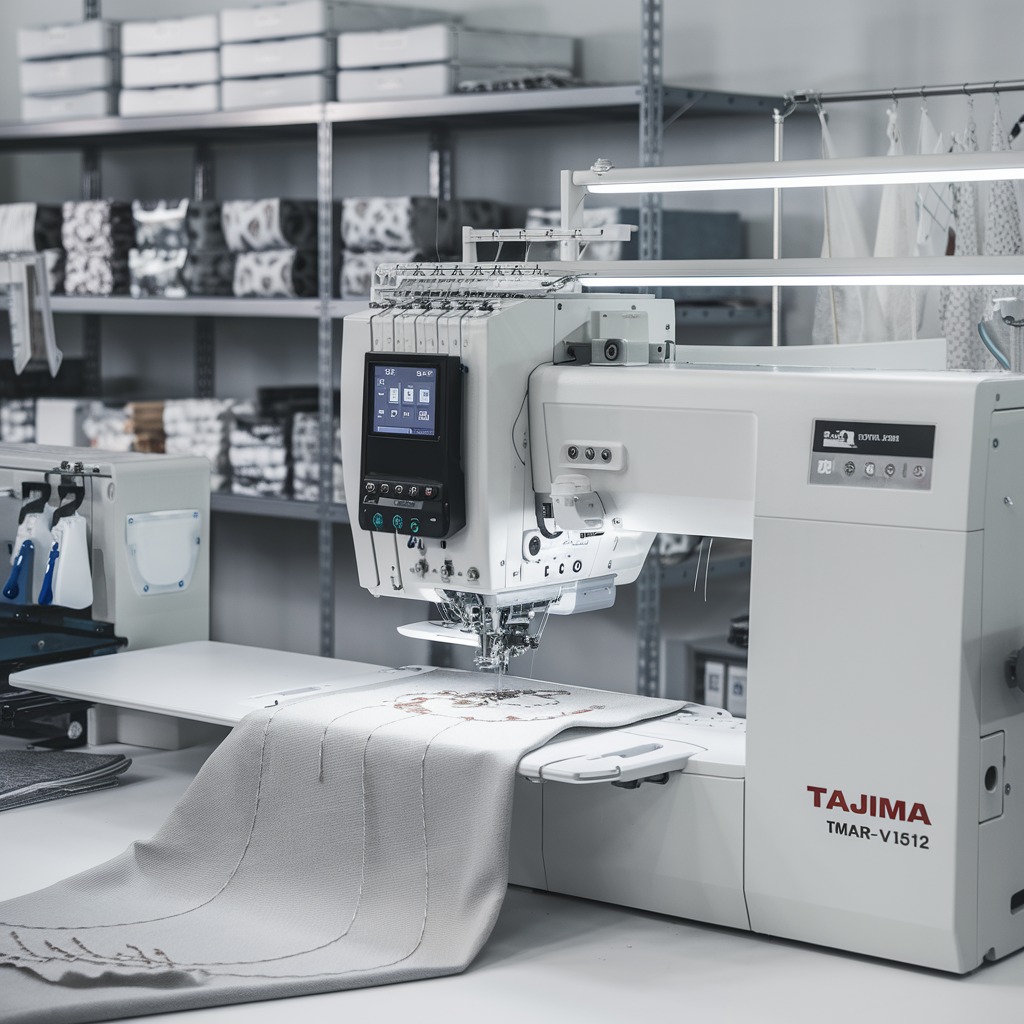
The Tajima TMAR-V1512 Series is renowned for its multi-head embroidery capabilities and digitally controlled presser foot, which ensures precise fabric handling. However, like any advanced feature, the presser foot can sometimes experience malfunctions. These issues can disrupt embroidery quality and productivity. Let’s explore common presser foot malfunctions and practical solutions to address them.

Common Errors in Digitally Controlled Presser Foot and Solutions
1. Presser Foot Fails to Adjust Properly
When the presser foot does not adjust to fabric thickness as expected, it can lead to thread tension issues or fabric puckering.
Solution:
- Ensure the fabric thickness settings are correctly inputted into the machine’s control panel.
- Update the machine‘s firmware to the latest version to prevent software-related glitches.
- Check for dust or lint buildup around the presser foot mechanism and clean it regularly.
2. Uneven Pressure on Fabric
Inconsistent pressure can result in distorted designs or skipped stitches.
Solution:
- Calibrate the digitally controlled presser foot using the machine‘s diagnostics mode.
- Inspect the presser foot mechanism for wear or damage and replace faulty parts.
- Ensure the machine is positioned on a stable surface to avoid vibration-related issues.
3. Presser Foot Jamming or Sticking
A jammed presser foot can halt the embroidery process and potentially damage the fabric.
Solution:
- Power off the machine and manually release the presser foot.
- Inspect for obstructions, such as tangled threads or debris, and remove them.
- Lubricate the presser foot mechanism as per the manufacturer’s guidelines.
4. Delayed Response During Speed Changes
The presser foot may fail to adjust quickly enough when switching between high and low speeds.
Solution:
- Reduce machine speed when working on thick or multi-layered fabrics.
- Check the machine‘s sensors to ensure they function correctly and recalibrate if needed.
- Consult the user manual for recommended settings when handling speed adjustments.
5. Frequent Error Codes Related to the Presser Foot
Error codes, such as “Presser Foot Not Found” or “Adjustment Error,” can occur.
Solution:
- Refer to the error code guide in the manual and reset the machine.
- Ensure the presser foot is securely attached and properly aligned.
- Contact a certified technician if the issue persists after troubleshooting.
6. Difficulty in Handling Delicate or Specialty Fabrics
The digitally controlled presser foot may struggle with fabrics like silk, satin, or leather.
Solution:
- Use a fabric-specific presser foot attachment if available.
- Lower the foot pressure in the control panel to accommodate delicate fabrics.
- Test on a fabric sample before starting the embroidery process.
7. Excessive Noise During Operation
The presser foot may produce unusual or excessive noise during embroidery, signaling a potential issue.
Solution:
- Inspect for loose screws or components in the presser foot assembly and tighten them securely.
- Lubricate the presser foot mechanism to minimize friction, following the manufacturer’s recommended lubrication points.
- Check for misaligned parts and realign them as necessary.
8. Irregular Fabric Feeding
Improper fabric feeding can distort the design and result in skipped stitches or puckering.
Solution:
- Ensure that the presser foot is exerting even pressure across the fabric.
- Verify that the feed dogs beneath the fabric are functioning correctly and free of debris.
- Adjust the presser foot height for the fabric being used, especially for thicker or stretch materials.
9. Difficulty Handling Embroidery Hoops
If the presser foot interferes with the embroidery hoop movement, it can lead to uneven stitches or design misalignment.
Solution:
- Confirm that the embroidery hoop is properly secured and aligned before starting the design.
- Adjust the presser foot height to ensure sufficient clearance for the hoop.
- Test different hoop sizes to find one that works best with your specific design and fabric type.
10. Reduced Sensitivity of Presser Foot Sensors
Sensors that control the presser foot’s responsiveness may become less sensitive over time, leading to performance inconsistencies.
Solution:
- Clean the sensor area to remove dust or lint that might obstruct its functionality.
- Recalibrate the sensors using the machine‘s diagnostics menu.
- If recalibration fails, replace the sensor with an original part from the manufacturer.
11. Error During Automatic Presser Foot Adjustment
When the machine fails to automatically adjust the presser foot height or pressure, designs can become uneven or distorted.
Solution:
- Restart the machine to reset its settings and clear any temporary glitches.
- Update the machine‘s software to ensure compatibility with all automatic features.
- Switch to manual adjustment temporarily and contact technical support for further assistance.
12. Fabric Slippage Due to Inconsistent Pressure
Fabric slipping during embroidery can affect design placement and cause irregular stitching.
Solution:
- Use stabilizers appropriate for the fabric type to keep the material secure during embroidery.
- Lower the presser foot pressure slightly for slippery fabrics like silk or satin.
- Avoid over-tightening the embroidery hoop, as this can exacerbate slippage.
13. Presser Foot Fails to Lift at the End of the Design
The presser foot might not lift automatically after completing a design, causing difficulty in removing the fabric.
Solution:
- Check the machine settings to ensure the automatic lift function is enabled.
- Inspect the presser foot mechanism for obstructions and clear them if necessary.
- Manually lift the presser foot using the control panel or foot pedal as a temporary measure.
Tips to Avoid Presser Foot Issues Long-Term
- Use Genuine Parts and Accessories:
- Always use presser foot attachments and parts provided or recommended by Tajima to ensure compatibility.
- Keep the Machine Environment Clean:
- Provide Operator Training:
- Train operators to recognize the signs of presser foot malfunctions and perform routine maintenance checks.
- Log Errors and Resolutions:
- Maintain a log of common issues and their resolutions to streamline future troubleshooting efforts.
Conclusion
The Tajima TMAR-V1512 Series offers cutting-edge technology with its digitally controlled presser foot, enhancing embroidery precision and efficiency. However, malfunctions can arise if the system isn’t maintained or configured correctly. You can ensure smooth operations and consistent embroidery quality by addressing issues such as jamming, irregular fabric feeding, or sensor failures.
Staying proactive with maintenance, keeping the machine clean, and promptly addressing errors will help you get the most out of your embroidery machine and meet high production standards with ease.