Common Errors in Skipped Stitches on Singer Futura XL-580 and Solutions


Common Errors in Skipped Stitches on Singer Futura XL-580 and Solutions
Skipped stitches are a common issue when using the Singer Futura XL-580 embroidery machine, and they can disrupt your embroidery projects, causing design flaws. Skipped stitches occur when the needle fails to pick up the bobbin thread, resulting in incomplete or uneven stitching. Let’s explore the common causes of this problem and how to fix them.
Causes and Solutions for Skipped Stitches on Singer Futura XL-580
1. Incorrect Needle Type
The wrong needle type or size can lead to skipped stitches, especially when working with different fabric types.
Solution: Ensure that you are using the correct needle for the fabric and thread you’re working with. For embroidery projects, use embroidery needles, as they are designed to handle decorative stitching without skipping. For delicate fabrics, consider using a finer needle.
2. Dull or Bent Needle
A dull or bent needle can struggle to catch the bobbin thread, resulting in skipped stitches.
Solution: Replace the needle with a new one, especially if you’ve been using the same needle for multiple projects. Regularly inspect needles for damage and replace them every 8–10 hours of stitching to prevent wear-related issues.
3. Tension Imbalance
Incorrect upper or lower thread tension can cause stitches to skip, as the needle may not pick up the bobbin thread properly.
Solution: Adjust the thread tension settings based on your fabric type. Use a test stitch on a scrap piece of fabric before beginning your main project. Ensure the upper thread and bobbin tension are balanced, so the needle moves smoothly through the fabric.

4. Incorrect Threading
Improper threading of the machine can affect the stitching process and lead to skipped stitches.
Solution: Re-thread both the upper thread and the bobbin thread carefully. Follow the threading path shown in your machine’s manual to ensure the thread is properly routed. Double-check that the thread is sitting correctly in the tension disks.
5. Dirty or Clogged Machine
Dust, lint, or debris in the needle plate or bobbin area can obstruct the needle‘s movement, causing skipped stitches.
Solution: Regularly clean the machine, particularly the needle plate, bobbin area, and surrounding parts. Remove any built-up lint or thread fragments that may obstruct the movement of the needle and bobbin.
6. Incorrect Fabric Type or Thickness
Thick or dense fabrics may prevent the needle from penetrating the material properly, resulting in skipped stitches.
Solution: For thick fabrics, use a heavier needle and ensure the machine’s settings are appropriate for the fabric. For fine fabrics, use lighter needles and reduce the machine speed to allow better control.
7. Hoop Tension Issues
If the fabric is not properly hooped, it may move during embroidery, causing skipped stitches.
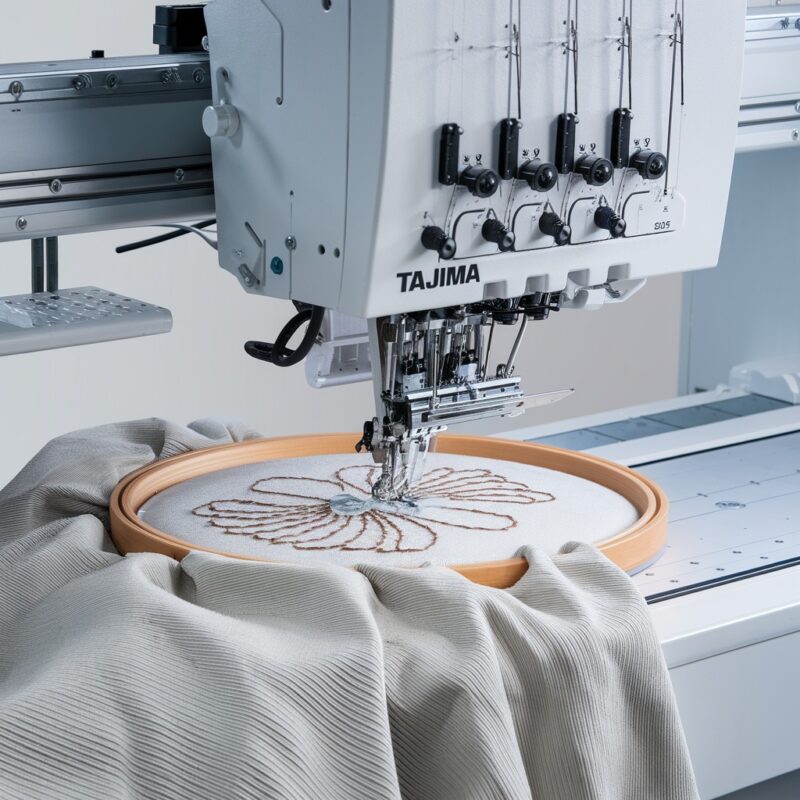
Solution: Ensure the fabric is securely hooped, with no loose sections. The fabric should be taut but not stretched, allowing for smooth needle penetration and consistent stitching.
8. Bobbin Issues
An improperly wound or inserted bobbin can also lead to skipped stitches.
Solution: Ensure the bobbin is wound evenly and inserted correctly into the bobbin case. Use the correct type of bobbin for your machine, and make sure the thread is feeding smoothly from the bobbin case.
9. Presser Foot Pressure
Inadequate presser foot pressure may result in fabric slippage, leading to skipped stitches.
Solution: Adjust the presser foot pressure according to the fabric thickness. For thicker fabrics, increase the pressure to keep the fabric steady during stitching.
10. Incorrect Needle Position
If the needle is not installed at the correct height or angle, it can fail to pick up the bobbin thread, leading to skipped stitches.
Solution: Ensure that the needle is inserted all the way into the needle clamp, with the flat side facing the correct direction (typically toward the back). Check your machine’s manual for guidance on proper needle placement.
11. Thread Quality
Low-quality or incompatible thread can contribute to skipped stitches, as it may not feed smoothly through the machine.
Solution: Use high-quality embroidery thread that is compatible with your machine. Avoid using old, weak, or damaged threads, as these can break or jam, leading to skipped stitches. Polyester or rayon threads tend to work well with most embroidery machines.
12. Bobbin Thread Not Catching
If the upper thread fails to catch the bobbin thread, this can cause the machine to skip stitches.
Solution: Double-check your bobbin threading. Ensure the bobbin is wound tightly and evenly, and that it’s inserted correctly into the bobbin case. Test your machine by manually turning the handwheel to see if the upper thread is catching the bobbin thread correctly.
13. Machine Speed Too Fast
Running the machine at a high speed can sometimes cause it to miss stitches, especially on complex designs or dense fabrics.
Solution: Slow down the machine’s stitching speed, especially for intricate designs or when working with thicker fabrics. This will give the machine more time to form each stitch properly.
14. Software or Firmware Glitches
Occasionally, skipped stitches may be caused by software or firmware glitches in your machine.
Solution: If your Singer Futura XL-580 is connected to embroidery software, ensure that you are using the latest version of the software. Check for any available updates or patches for your machine’s firmware and apply them as needed.
15. Hoop Stabilization
If your fabric moves or shifts within the hoop during the embroidery process, it can lead to skipped stitches, as the needle cannot form a proper stitch.
Solution: Always use a high-quality stabilizer appropriate for your fabric. Ensure the fabric is hooped securely, without any wrinkles or looseness. Consider using double or thicker stabilizers for dense designs or heavy fabrics to prevent fabric shifting.
16. Feed Dog Issues
The feed dogs are responsible for moving the fabric through the machine. If the feed dogs are not functioning properly, this can result in uneven fabric feeding and skipped stitches.
Solution: Check the feed dogs to ensure they are properly raised and functioning. If they are dirty or clogged with lint, clean them thoroughly. Ensure the feed dogs are working smoothly to prevent any interruptions in fabric feeding.
17. Incorrect Thread Tension Setting for Decorative Stitches
Sometimes, the tension settings that work for regular stitching are not suitable for decorative embroidery stitches, leading to skipped stitches.
Solution: For decorative embroidery, ensure that the thread tension is properly adjusted. You may need to loosen the upper thread tension slightly to accommodate the thicker or more intricate stitches used in embroidery designs. Test on a scrap fabric to find the perfect tension setting.
18. Loose Needle Plate or Presser Foot
A loose needle plate or presser foot can cause vibration or movement in the fabric, leading to skipped stitches.
Solution: Make sure the needle plate and presser foot are securely attached and tightened. If either of these components is loose, tighten the screws to eliminate any movement during stitching.
Preventing Skipped Stitches: Tips for Smooth Embroidery
- Use High-Quality Threads: Poor-quality thread can break or tangle, leading to skipped stitches. Invest in good-quality embroidery threads for consistent results.
- Regular Machine Maintenance: Regularly oil and clean your machine to keep it running smoothly and prevent any mechanical issues that might cause skipped stitches.
- Check for Software Updates: If your machine uses computer software for embroidery, ensure it’s updated to the latest version to avoid compatibility issues that could affect stitch quality.
- Regular Cleaning and Oiling: Skipped stitches can often be avoided by keeping your machine in top condition. Regularly clean the needle plate, feed dogs, and bobbin area to remove dust, lint, and thread debris. Lubricate your machine according to the manufacturer’s instructions to keep it running smoothly.
- Use the Right Embroidery Software: If your machine is connected to computer software for design input, always make sure the design is properly digitized for embroidery. Some designs may require adjustments to minimize skipped stitches.
- Check Machine Calibration: Occasionally, a machine might need recalibration, especially if it has been used for a long time. Consult with a professional or your machine’s manual for recalibration instructions.