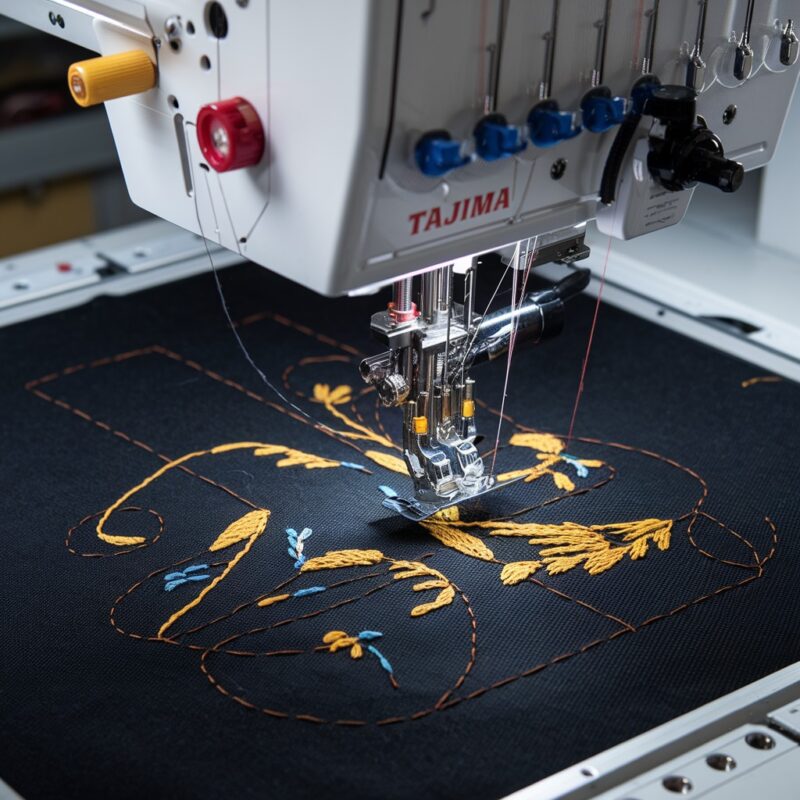
Errors in Machine Freezing or Slowing Down on the Singer Futura XL-550


Errors in Machine Freezing or Slowing Down on the Singer Futura XL-550
The Singer Futura XL-550 embroidery machine is known for its versatility and ease of use. However, users may occasionally encounter issues where the machine freezes or slows down, interrupting embroidery projects and leading to frustration. In this blog, we’ll explore the common causes of these problems and offer solutions to keep your embroidery running smoothly.
1. Outdated Firmware
One of the most common reasons for a Singer Futura XL-550 to freeze or slow down is outdated firmware. If the machine’s software isn’t up to date, it may not function correctly, leading to issues such as freezing during embroidery.
Solution:
- Check the Singer website or your machine‘s manual for any available firmware updates.
- Follow the instructions to update the machine to the latest version, which often resolves freezing and performance issues.
2. Overloaded Design File
Large or complex embroidery designs with high stitch counts or intricate details can overload the machine, causing it to freeze or slow down.
Solution:
- Use design software to simplify or reduce the complexity of your design, especially if it’s larger than what the machine can comfortably handle.
- Break up large designs into smaller sections that can be embroidered separately.
- Ensure the file size of your design is within the recommended limits for the Singer Futura XL-550.
3. Full Memory Cache
If the machine’s memory is full or almost full, it can slow down and even freeze during operation.
Solution:
- Clear the machine’s memory regularly by removing old or unused designs.
- Transfer designs to your computer or external storage to free up space on the machine.

4. Thread Tension Issues
Incorrect thread tension, particularly if the thread is too tight, can cause the machine to struggle, resulting in slower stitching or freezing as it works harder to feed the fabric through.
Solution:
- Check and adjust the thread tension settings based on the type of fabric and thread you’re using.
- Make sure that the thread is not tangled or caught in the tension disks.
5. Mechanical Obstructions
Debris, lint, or small fabric pieces trapped in the bobbin case or feed dogs can cause mechanical friction, slowing down or freezing the machine.
Solution:
- Clean the machine regularly, paying special attention to the bobbin area, feed dogs, and any moving parts.
- Use a soft brush or compressed air to remove dust and debris that may be hindering the machine’s movement.
6. Software Compatibility Issues
Freezing or slowing down may also be caused by compatibility issues between your embroidery design software and the Singer Futura XL-550 machine.
Solution:
- Make sure the design software you are using is compatible with the Singer Futura XL-550.
- If compatibility is an issue, try using the recommended software or export your design into a compatible file format.
7. Needle Problems
A bent or dull needle can cause stitching irregularities that lead to machine slowdown, especially when it struggles to penetrate the fabric.
Solution:
- Check the needle for signs of wear, dullness, or bending.
- Replace the needle with one appropriate for the fabric type and weight you are working with.
8. Incorrect Stabilizer
Using the wrong stabilizer, or not enough stabilizer, can cause puckering, fabric movement, or machine strain, which can lead to freezing or slow operation.
Solution:
- Match the stabilizer to the fabric and embroidered design.
- Use a heavier stabilizer for more intricate designs or for fabrics that are prone to movement during stitching.
9. Overheating
Embroidery machines can slow down or freeze if they are overheating due to extended use.
Solution:
- Turn off the machine and allow it to cool down after extended embroidery sessions.
- Ensure proper ventilation around the machine to prevent it from overheating.
10. Electrical Issues
Power fluctuations or an improper electrical supply can cause the machine to freeze or slow down.
Solution:
- Plug your machine into a dedicated power source to avoid electrical interference.
- Consider using a surge protector to shield the machine from power spikes that may cause performance issues.
11. Bobbin Case Problems
If the bobbin case is not properly inserted or if there is damage to it, this can lead to freezing or slowdowns in the machine’s operation. An ill-fitted bobbin case can cause tension issues or thread tangling, leading to interruptions in the stitching process.
Solution:
- Inspect the bobbin case for damage or wear.
- Ensure that the bobbin is wound evenly and correctly placed in the bobbin case.
- Clean the bobbin area regularly to remove any lint or thread bits.
12. Tangled Bobbin Thread
Tangled or improperly wound bobbin thread can also be a source of the machine freezing or slowing down. When the thread tangles in the bobbin area, it can create resistance, causing the machine to stop.
Solution:
- Rewind the bobbin thread evenly to avoid tangling.
- Ensure the bobbin thread is correctly threaded in the machine.
- Check the bobbin tension and adjust as necessary.
13. Incorrect Threading
Incorrect threading of the upper thread path can lead to thread bunching, tension issues, or machine jamming, resulting in freezing or slow movement.
Solution:
- Re-thread the machine from the beginning, following the manual carefully to ensure the thread is correctly placed through each guide.
- Use the correct thread type for the fabric and project.
14. Software Glitches or Corruption
Sometimes, the machine’s software can encounter glitches or corruption in its memory, leading to slow or frozen operation.
Solution:
- Try resetting the machine to its factory settings by referring to the manual.
- If the problem persists, contact Singer support for assistance with diagnosing software issues or consider reinstalling the software.
15. Inadequate Lubrication of Moving Parts
Embroidery machines have many moving parts that require proper lubrication. Over time, a lack of oil or built-up friction can cause the machine to slow down or stop working altogether.
Solution:
- Refer to your machine’s manual for specific instructions on oiling the moving parts.
- Use high-quality sewing machine oil and apply sparingly in the recommended areas.
16. Power Supply and Voltage Issues
An unstable power supply or low voltage can cause the machine to function poorly. If the machine is not receiving the correct voltage, it may slow down or freeze.
Solution:
- Ensure that the machine is plugged into a stable power source with the recommended voltage.
- If your area experiences frequent power fluctuations, consider using a voltage stabilizer or surge protector to avoid machine damage.
17. Overworked Motor
Prolonged use of the machine without breaks can cause the motor to overheat or wear out. This can slow down the machine or cause it to stop entirely.
Solution:
- Avoid running the machine for long periods without giving it time to cool down.
- If you notice overheating, turn off the machine and let it rest before continuing your project.
- Consider having the motor serviced if the problem persists.
18. Broken or Worn Parts
If any of the internal parts are broken or worn down, the machine may slow or freeze as it struggles to operate.
Solution:
- Regularly inspect your machine for any signs of wear or damage.
- Replace worn-out parts like the feed dogs, bobbin case, or tension disks if necessary.
- If internal parts are damaged, consult a technician for repairs.
19. Overloaded Embroidery Hoop
Using a fabric that is too thick for the hoop or an overstuffed hoop can cause the machine to jam or struggle to move the fabric.
Solution:
- Ensure that the fabric fits comfortably within the hoop and is not too thick for the machine to handle.
- Use an appropriate hoop size for your design and fabric type.
20. The Machine Needs Professional Servicing
If all else fails and the freezing or slowdowns continue, it might be time for professional servicing. Machines need regular tune-ups, and over time, small issues can accumulate that require expert attention.
Solution:
- Schedule regular maintenance with a professional sewing machine technician.
- Keep your machine serviced annually to ensure smooth operation and prevent unexpected breakdowns.
Conclusion
While encountering freezing or slowing down on your Singer Futura XL-550 can be frustrating, these issues can usually be resolved with regular maintenance, proper design file management, and appropriate use of materials. By following these troubleshooting steps, you can help ensure that your machine operates smoothly and efficiently, allowing you to focus on creating beautiful embroidery designs.