Blog
Pfaff Embroidery Machine Skipped Stitches: Troubleshooting & Repair Guide

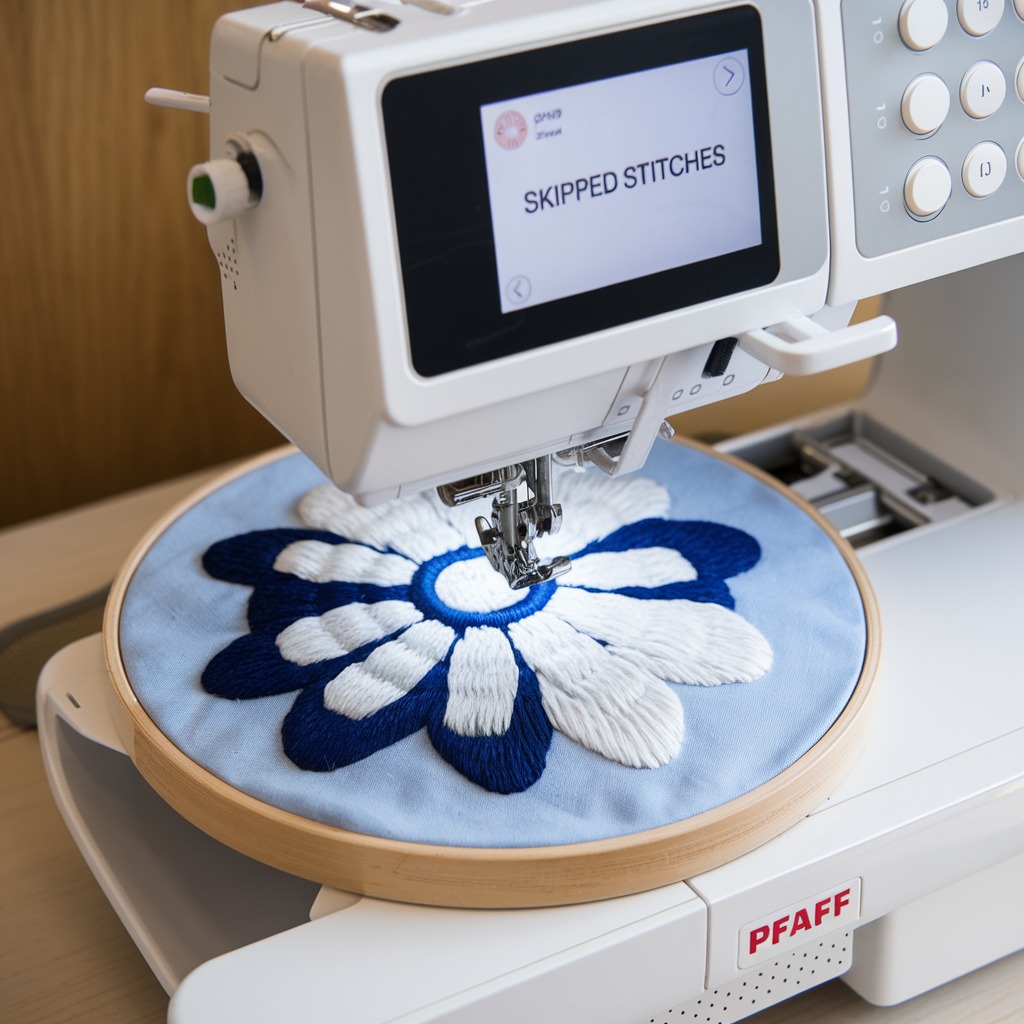
Quick answer: Skipped stitches on a Pfaff embroidery machine are most commonly caused by an incorrect, dull, or bent needle, improper thread tension, or fabric that is not hooped tautly. Systematically check these areas first, ensuring all components are clean and correctly installed.
Skipped stitches are a common and frustrating issue for Pfaff embroidery machine operators, leading to imperfect designs and wasted materials. As a technician, understanding the root causes and implementing precise, practical solutions is key to maintaining optimal machine performance. This guide provides a systematic approach to diagnosing and resolving skipped stitches, focusing on concrete steps and real-world likelihood of each cause.
Two-minute checks before you open anything
- Is the correct needle type and size installed for your fabric and thread?
- Is the needle new, sharp, and straight?
- Are both the upper and bobbin threads correctly threaded through all guides and tension discs?
- Is the fabric hooped tautly, without stretching, and secure?
- Is the bobbin case clean and free of lint or damage?
1. Incorrect Needle Type or Size high likelihood
How to tell
Skipped stitches occur, especially when changing fabric types or thread weights. The needle may struggle to penetrate the fabric cleanly.
Fix
- Consult your Pfaff machine's manual or needle guide to determine the correct needle type (e.g., embroidery, sharp, ballpoint) and size (e.g., 75/11, 90/14) for your specific fabric and thread combination.
- Replace the currently installed needle with the recommended type and size. Ensure the needle's flat shank faces the back of the machine when inserting.
Parts involved: Needles & needle bars →
2. Dull or Bent Needle high likelihood
How to tell
The needle makes a popping sound as it penetrates the fabric, or struggles to go through. Visually inspect the needle tip for dullness, burrs, or a slight bend. Even minor damage can cause skipped stitches.
Fix
- Always replace the needle after 8-10 hours of embroidery or after completing a large project.
- Immediately replace any needle that appears dull, bent, or damaged. Ensure the new needle is inserted correctly with the flat shank facing the back.
Parts involved: Needles & needle bars →
Parts you may need for Pfaff
In stock, tested before dispatch, Buyer Protection on every order. Part types for this problem: Needles & needle bars, Thread path & tension, Rotary hooks & bobbin cases, Hoops & frames.
 Flying Tiger HAX1 15x1 Sewing Machine Needles 100-Pack for Brother ...$ 10.49View part →
 60WT 75D/2 PET-75 Thin Polyester Embroidery Thread 4000M for Brothe...$ 12.49View part →
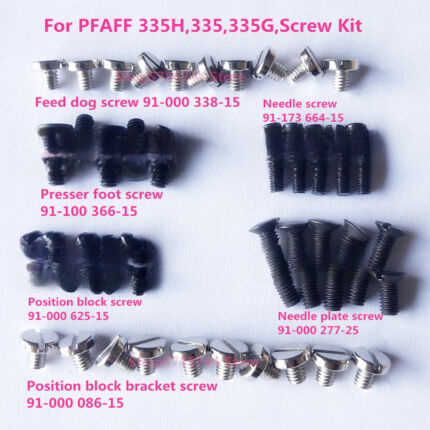 PFAFF 335H, 335, 335G Needle Plate, Feed Dog, Needle, Presser Foot,...$ 18.09View part →
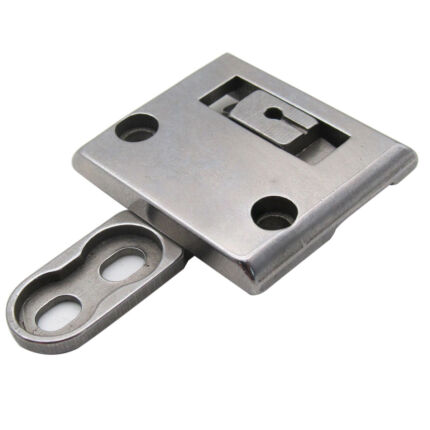 CKPSMS 46498S 46497S Throat Plate & Feed Dog Set for Pfaff 335 Sewi...$ 19.49View part →
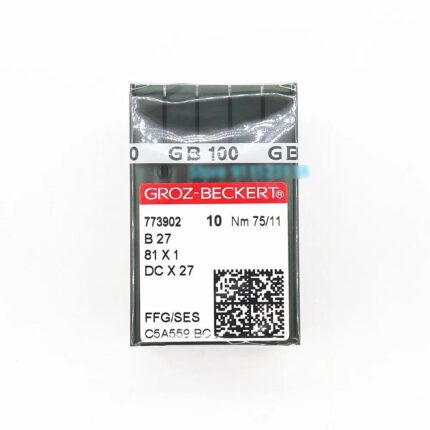 Groz-Beckert B27 DCX27 81X1 FFG/SES Industrial Sewing Needles Nm 75...$ 28.29View part →
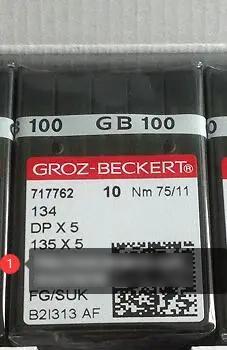 Groz-Beckert 134 DPX5 135X5 Industrial Sewing Needles 100-Pack for ...$ 26.29View part →
All Pfaff parts → Needles & Needle Bars → Thread Path & Tension → Rotary Hooks & Bobbin Cases →
3. Incorrect Thread Tension (Upper or Bobbin) high likelihood
How to tell
Stitches appear unbalanced, too loose, or too tight on either the top or bottom of the fabric. Gaps in stitching are visible. A test stitch on scrap fabric will show loops on one side or the other.
Fix
- Perform a test stitch on a scrap piece of the same fabric and stabilizer.
- Adjust the upper thread tension dial incrementally (usually a numbered dial on the machine's front). Turn clockwise to increase tension, counter-clockwise to decrease.
- For bobbin tension, refer to your Pfaff manual. Some bobbin cases have a small screw for adjustment; others are factory set. Ensure the bobbin is wound evenly and inserted correctly.
- Re-thread both the upper and bobbin threads completely, ensuring they pass smoothly through all guides and tension discs without snagging.
Parts involved: Thread path & tension → Rotary hooks & bobbin cases →
4. Thread Path Obstructions or Incorrect Threading high likelihood
How to tell
The thread does not move smoothly, snags, or breaks. Skipped stitches occur randomly. Visually inspect the entire thread path.
Fix
- Completely unthread the machine (upper and bobbin).
- Re-thread the upper thread carefully, ensuring it passes through every guide, tension disc, and the take-up lever. Listen for the 'click' as it seats into the tension discs.
- Ensure the bobbin is correctly inserted into its case and the bobbin case is properly seated in the machine's hook assembly. Pull the bobbin thread to confirm it moves freely.
- Check for any lint, debris, or tangled thread in the thread guides or tension discs. Use a small brush or compressed air to clean if necessary.
Parts involved: Thread path & tension →
5. Fabric Not Properly Hooped high likelihood
How to tell
The fabric shifts or puckers during stitching. The fabric may appear loose or wrinkled within the hoop. The needle may push the fabric down instead of penetrating cleanly.
Fix
- Ensure the fabric is hooped tautly, like a drum, but without stretching or distorting the fabric's weave.
- Use appropriate stabilizer for your fabric and design. The stabilizer should be hooped with the fabric or adhered securely.
- Check that the hoop's tension screw is tightened sufficiently to hold the fabric securely throughout the embroidery process.
- Ensure the hoop is correctly attached to the machine's embroidery unit and locked into place.
Parts involved: Hoops & frames → Threads & supplies →
6. Dirty or Worn Bobbin Case medium likelihood
How to tell
Bobbin thread does not feed smoothly, leading to inconsistent stitches or skipped stitches. The bobbin case may have visible lint, dust, or burrs/scratches.
Fix
- Remove the bobbin case and bobbin. Use a small brush and/or compressed air to thoroughly clean out any lint, dust, or thread bits from the bobbin case area and the rotary hook assembly.
- Inspect the bobbin case for any burrs, nicks, or scratches, especially around the thread exit path. If damaged, replace the bobbin case.
- Ensure you are using high-quality bobbins that are wound evenly and fit correctly in the bobbin case. Unevenly wound bobbins can cause tension issues.
Parts involved: Rotary hooks & bobbin cases → Lubrication & maintenance →
7. Incompatible Thread and Fabric medium likelihood
How to tell
Skipped stitches occur despite correct needle and tension settings, especially when using unusual thread/fabric combinations. The thread may not form proper loops with the bobbin thread.
Fix
- Match your thread type and weight to your fabric type. For example, use lighter embroidery thread (e.g., 60wt) for delicate fabrics and standard 40wt for most general embroidery.
- Always perform a test stitch on a scrap piece of the same fabric and stabilizer to ensure compatibility before starting your main project.
Parts involved: Threads & supplies →
8. Incorrect Presser Foot Height medium likelihood
How to tell
Fabric does not feed smoothly, or the needle pushes the fabric down excessively before stitching. Skipped stitches occur, particularly on fabrics of varying thickness.
Fix
- Refer to your Pfaff machine's manual for instructions on adjusting the presser foot height. This adjustment mechanism varies by model.
- Adjust the presser foot height according to the thickness of your fabric. For thicker materials, raise the foot slightly; for lighter fabrics, lower it to provide adequate pressure without impeding fabric movement.
Parts involved: Presser feet & sewing parts →
9. Machine Speed Too High medium likelihood
How to tell
Skipped stitches occur more frequently at higher machine speeds, especially with intricate designs, fine threads, or delicate fabrics.
Fix
- Reduce the embroidery machine's speed setting, particularly for detailed designs, fine threads, or fabrics prone to shifting.
- Gradually increase speed only after confirming consistent stitch quality at a lower speed.
Parts involved: Motors & drivers →
10. Incorrect Needle Plate low likelihood
How to tell
Skipped stitches occur, and the needle may hit the needle plate opening, or the fabric may be pushed into the opening. This is relevant for machines with interchangeable needle plates.
Fix
- Ensure the correct needle plate for embroidery is installed. For most embroidery, a straight-stitch needle plate (with a small, round needle hole) is recommended as it provides better fabric support around the needle.
- Refer to your Pfaff manual for instructions on changing needle plates and identifying the correct one for embroidery.
Parts involved: Presser feet & sewing parts →
11. Overloaded Embroidery Design low likelihood
How to tell
Skipped stitches occur in areas of the design with very high stitch density or very small, complex elements packed closely together. The machine may struggle to form stitches in these areas.
Fix
- If possible, simplify the design by reducing stitch density in problematic areas using embroidery software.
- For very large or complex designs, consider splitting the design into smaller sections to be embroidered separately, reducing the load on the machine at any given time.
Parts involved: Floppy, USB & memory →
12. Faulty Feed Dogs low likelihood
How to tell
Fabric does not move smoothly or consistently, leading to uneven stitch formation and skipped stitches. Visually inspect feed dogs for damage or obstructions.
Fix
- Ensure the feed dogs are properly engaged (raised) for embroidery, unless your machine specifically requires them to be lowered for free-motion embroidery (which is less common for machine embroidery).
- Clean any lint, thread bits, or debris from around and between the feed dog teeth using a small brush.
- Inspect the feed dog teeth for damage or wear. If damaged, they may need replacement by a technician.
Parts involved: Presser feet & sewing parts → Lubrication & maintenance →
13. Machine Timing Issues low likelihood
How to tell
Skipped stitches occur consistently across different projects and settings, even after checking all other common causes. The needle and hook may not be meeting at the correct point to form a stitch.
Fix
- Machine timing adjustments are complex and require specialized tools and knowledge. This issue typically requires professional service.
- Regular cleaning and oiling according to your Pfaff manual can help prevent timing issues caused by wear and tear.
Parts involved: Head & mechanical parts → Shafts, bearings & bushings → Rotary hooks & bobbin cases →
14. Software or Machine Settings Issue low likelihood
How to tell
Skipped stitches occur only with specific design files or after a software update. Error messages related to the design file or machine operation may appear.
Fix
- Ensure the embroidery design file is correctly formatted and compatible with your specific Pfaff machine model.
- If using embroidery software, check for any errors or warnings related to the design.
- Check your Pfaff machine's settings for any unusual configurations. Reset to factory defaults if unsure.
- Check the Pfaff support website for firmware or software updates for your machine model. Updating can resolve operational glitches.
Parts involved: Control panels & displays → Floppy, USB & memory → Circuit boards & electronics →
15. Excessive Thread Tension or Misalignment on Multi-Needle Machines low likelihood
How to tell
Skipped stitches occur on specific needles, especially when switching between them. Tension appears inconsistent across different needle heads.
Fix
- On multi-needle machines, ensure each needle head is threaded with the correct tension for its corresponding thread type.
- Adjust tension for each needle individually, performing test stitches for each head to ensure balanced tension.
Parts involved: Thread path & tension → Needles & needle bars →
Stop and call a technician if
- If you suspect machine timing issues, as this requires specialized knowledge and tools.
- If feed dogs are visibly damaged or worn and require replacement.
- If the issue persists after trying all common troubleshooting steps, indicating a deeper mechanical or electronic problem.
Prevent it coming back
- Always use the correct needle type and size for your fabric and thread.
- Replace needles regularly (every 8-10 hours of stitching or after large projects).
- Ensure both upper and bobbin threads are correctly threaded and tensioned.
- Hoop fabric tautly and securely, using appropriate stabilizer.
- Keep the bobbin case and hook area clean and free of lint.
- Perform regular cleaning and oiling according to your Pfaff machine's manual.
- Match thread type and weight to your fabric.
- Avoid running the machine at excessively high speeds, especially for intricate designs.
Frequently asked questions
Why do I get skipped stitches only on certain parts of my design?
Skipped stitches in specific areas often point to issues with design density, fabric hooping in that particular spot, or localized thread tension problems. Check if that area has high stitch count, if the fabric is securely taut there, or if the thread path is clear.
How often should I change my embroidery machine needle?
It's recommended to change your embroidery machine needle after every 8-10 hours of stitching or after completing a large, complex project. For heavy fabrics or metallic threads, change it even more frequently. A fresh, sharp needle is crucial for preventing skipped stitches.
Can using the wrong bobbin cause skipped stitches?
Yes, using the wrong type of bobbin (e.g., plastic instead of metal, or an incorrect size) or a poorly wound bobbin can lead to inconsistent bobbin thread tension and cause skipped stitches. Always use bobbins recommended by Pfaff for your machine model and ensure they are wound smoothly and evenly.
Did this guide fix your machine?
Rate it - it helps other operators find the right fix.
Not sure which part is failing?
Need the logo stitched too?
Get your logo digitized by the people who know this machine
Upload the artwork, see the stitch count and the exact price in 10 seconds, then order with a free sew-out preview. $1 per 1,000 stitches, $10 minimum, 24-hour delivery. Vector conversion from $12.
After the fix
Fixed it? Keep the rest of the shop moving.
OS 360 is the shop software from the team behind this parts store. Every job keeps its status, deadline and owner while a Pfaff head is down, restock alerts fire for needles, hooks and bobbins before you run dry, and quotes, invoices and payment live in one place.
- Jobs with status, deadline and owner - nothing slips during downtime
- Inventory with restock alerts, this store one click away
- Instant quotes, invoices and one place to collect payment