
Blog
Tajima TLMX Series: Common Problems & Fixes Guide

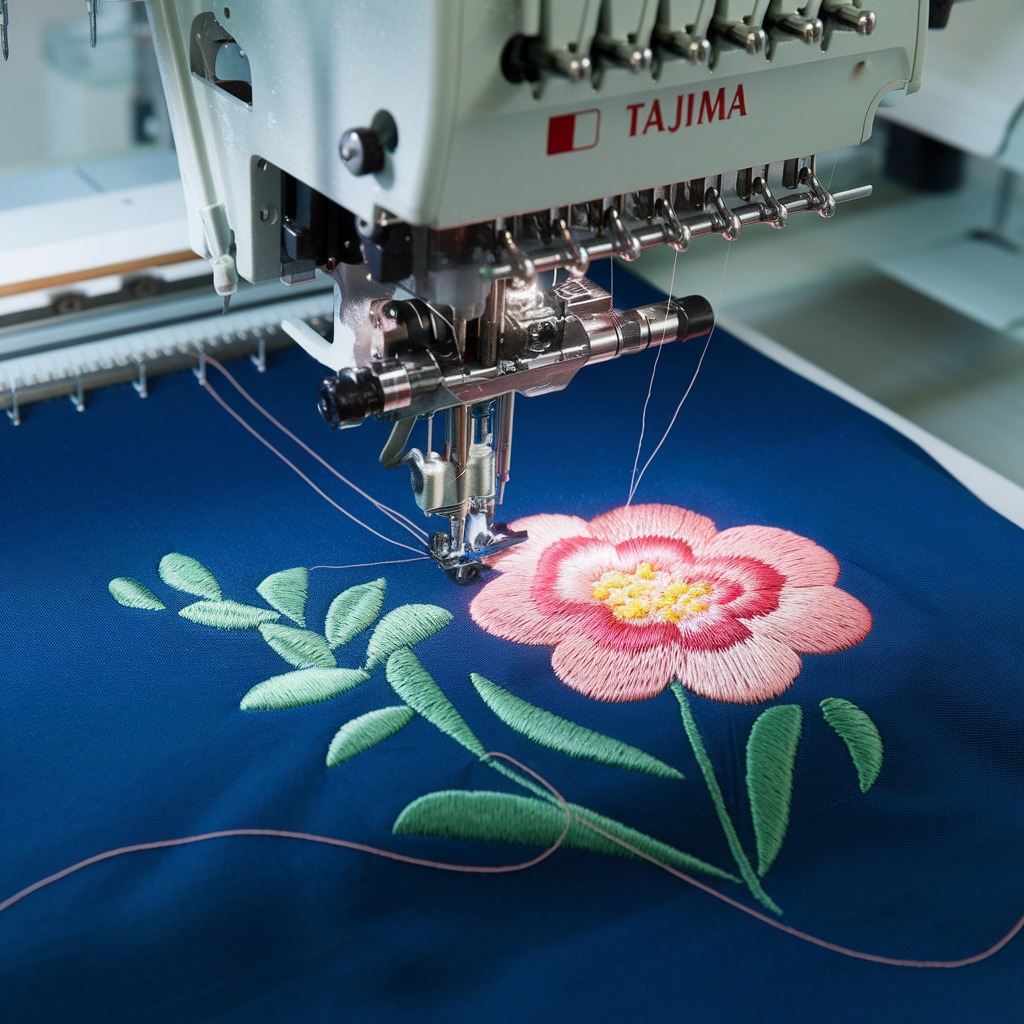
Quick answer: Common Tajima TLMX issues include frequent thread breaks, skipped stitches, and needle breaks, often due to improper threading, tension, worn needles, or mechanical adjustments. Regular maintenance and using the correct replacement parts are key to smooth operation.
The Tajima TLMX series is a workhorse in the embroidery industry, known for its reliability. However, like any complex machinery, operators may encounter common issues. This guide is designed to help you quickly diagnose and fix the most frequent problems, getting your TLMX machine back to peak performance. We'll cover symptoms, step-by-step solutions, and the specific replacement parts from 360 Digitizing Shop that can help.
Two-minute checks before you open anything
- Is the machine threaded correctly, both upper and bobbin?
- Is the needle new, correctly inserted, and the right type for the job?
- Are the tension settings appropriate for the thread and fabric?
- Is the rotary hook area clean and free of lint?
- Are there any visible obstructions or tangled threads?
1. Frequent Thread Breaks high likelihood
How to tell
The machine stops frequently with a 'thread break' error message, or you observe the thread snapping during embroidery. This can happen with upper or bobbin thread.
Fix
- Check upper thread path: Ensure the thread is correctly routed through all guides, tension discs, and the take-up lever. Look for snags or burrs on thread guides.
- Inspect needle: A bent, dull, or incorrect needle can cause thread breaks. Replace the needle if necessary.
- Adjust upper thread tension: Too much tension can snap the thread. Reduce tension incrementally until the thread forms a balanced stitch.
- Check bobbin thread: Ensure the bobbin is wound evenly and inserted correctly. Inspect the bobbin case for lint or damage. Adjust bobbin tension if needed.
- Clean the rotary hook area: Lint and debris can interfere with thread movement. Clean thoroughly.
- Inspect the thread hook spring: A weak or damaged Tajima 0C0220080000 EF0910000000 Spring Hook can cause tension issues.
Consider replacing the Tajima 0C0220080000 EF0910000000 Spring Hook, Tajima 516503010011 MX0521010000 Thread Guide Collar Ceramic Coil 1.8mm if damaged, or Onloyo 050260010020 Rotary Hook Bobbin:Regular.
Parts involved: Needles & needle bars → Thread path & tension → Rotary hooks & bobbin cases → Screws, springs & small parts →
2. Skipped Stitches or Poor Stitch Quality high likelihood
How to tell
Embroidery appears uneven, loose, or has gaps where stitches should be. The back of the embroidery may show loops or tangles.
Fix
- Replace the needle: A dull, bent, or incorrect needle is a primary cause. Ensure the needle is inserted correctly and fully seated.
- Check thread tension: Both upper and bobbin tension must be balanced. Adjust as needed.
- Clean the rotary hook: Lint and debris can prevent the hook from catching the thread loop properly.
- Inspect the needle bar reciprocator: Wear in the Tajima 080210360A79 UN25009400GN Needle Bar Reciprocator Set or Tajima 080210360A22 UN25009400GN Needle Bar Reciprocator GN[A] can affect needle timing and depth.
- Verify machine timing: If tension and needle checks don't resolve the issue, the machine's timing (needle bar to rotary hook) may be off. This often requires a technician.
Check the Tajima 080210360A79 UN25009400GN Needle Bar Reciprocator Set or Tajima 080210360A22 UN25009400GN Needle Bar Reciprocator GN[A], and Onloyo 050260010020 Rotary Hook Bobbin:Regular.
Parts involved: Needles & needle bars → Thread path & tension → Rotary hooks & bobbin cases → Head & mechanical parts →
Parts you may need for Tajima TLMX
In stock, tested before dispatch, Buyer Protection on every order. Part types for this problem: Needles & needle bars, Thread path & tension, Rotary hooks & bobbin cases, Screws, springs & small parts.
 Tajima 080210360A79 UN25009400GN Needle Bar Reciprocator Set for KN...$ 23.99View part →
 Tajima 0C0220080000 EF0910000000 Spring Hook for TMEG TMFD STNE TFK...$ 5.49View part →
 Onloyo 512153010013 Stepped Screw No.1 9/64*7 for Tajima Sequin, De...$ 6.59View part →
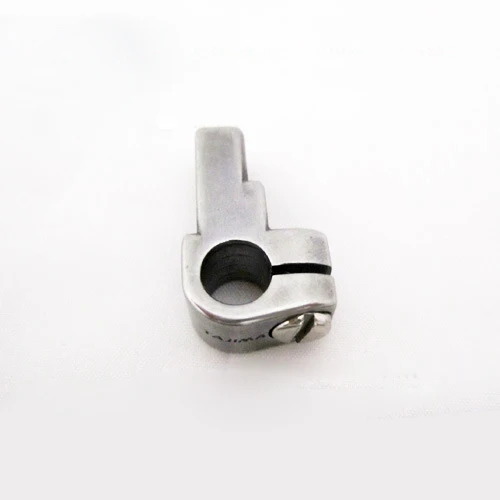 Tajima 090420060017 Stopper Lower Dead Point Needle Bar Connecting ...$ 0.00View part →
 Tajima Needle Bar Guide 090450036011, 090450049011, 09045005Y011 fo...$ 0.00View part →
 Onloyo 509179010000 EF0206000001 Oil-Bushing Bobbin Shaft Sleeve fo...$ 32.49View part →
All Tajima TLMX parts → Needles & Needle Bars → Thread Path & Tension → Rotary Hooks & Bobbin Cases →
3. Needle Breaks medium likelihood
How to tell
The needle snaps during embroidery, often with a loud 'pop' sound. This can damage the needle plate or rotary hook.
Fix
- Use the correct needle size and type: Ensure the needle matches the fabric and thread being used.
- Check for bent needles: Replace any bent needles immediately.
- Verify needle insertion: Make sure the needle is inserted correctly, fully seated, and facing the right direction.
- Inspect the needle bar reciprocator and guide: Wear or damage to the Tajima 080210360A79 UN25009400GN Needle Bar Reciprocator Set, Tajima 080210360A22 UN25009400GN Needle Bar Reciprocator GN[A], or Tajima Needle Bar Guide can cause misalignment.
- Check for hoop contact: Ensure the hoop is not too high or shifting during embroidery, causing the needle to strike it.
- Inspect the rotary hook: A damaged or misaligned rotary hook can cause the needle to strike it.
- Check for burrs on the needle plate: Smooth any rough edges that could deflect the needle.
Inspect the Tajima 080210360A79 UN25009400GN Needle Bar Reciprocator Set, Tajima 080210360A22 UN25009400GN Needle Bar Reciprocator GN[A], Tajima Needle Bar Guide, and Onloyo 507605030044 EF0618030000 Needle Retention Compression Spring 0.5mm.
Parts involved: Needles & needle bars → Head & mechanical parts → Rotary hooks & bobbin cases → Screws, springs & small parts →
4. Machine Not Starting / Error Codes (General) medium likelihood
How to tell
The machine displays an error code on the control panel, refuses to start, or stops unexpectedly.
Fix
- Note the error code: Refer to your machine's operation manual for specific error code meanings and troubleshooting steps.
- Check for simple obstructions: Ensure no thread is tangled in the rotary hook, needle bar, or pantograph.
- Power cycle the machine: Turn the machine off, wait 30 seconds, then turn it back on.
- Check emergency stop button: Ensure it is not engaged.
- Inspect sensors: Errors related to thread breaks, sequin device, or pantograph movement might point to sensor issues. Check the Onloyo 0J4204400000 0J4200800012 Electromagnetic Induction Substrate A (Magnetic Sensor A) or Onloyo 0J2602300A23 TC Sensor Substrate Thread Break Sensor.
If an error code points to a sensor, consider the Onloyo 0J4204400000 0J4200800012 Electromagnetic Induction Substrate A (Magnetic Sensor A) or Onloyo 0J2602300A23 TC Sensor Substrate Thread Break Sensor.
Parts involved: Sensors & switches → Control panels & displays → Circuit boards & electronics →
5. Sequin Device Malfunctions low likelihood
How to tell
Sequins are not being applied correctly, are misaligned, or the device is jamming. Error codes related to the sequin device may appear.
Fix
- Check sequin device settings: Ensure the correct sequin size and application parameters are set in the machine's software.
- Inspect sequin material: Use high-quality sequins that are not bent or stuck together.
- Clean the sequin device: Remove any debris or adhesive residue that might be causing jams.
- Check for loose or damaged components: Inspect the Onloyo 512153010013 Stepped Screw No.1 9/64*7 and other small parts for proper seating and function.
- Verify sensor operation: The sequin device relies on sensors for proper timing. Check for issues with the Onloyo 0J4204400000 0J4200800012 Electromagnetic Induction Substrate A (Magnetic Sensor A) or Tajima 0J4201400000 FG7210000000 Slit Rotary Disk ME20-100.
Inspect the Onloyo 512153010013 Stepped Screw No.1 9/64*7, Onloyo 0J4204400000 0J4200800012 Electromagnetic Induction Substrate A (Magnetic Sensor A), and Tajima 0J4201400000 FG7210000000 Slit Rotary Disk ME20-100.
Parts involved: Screws, springs & small parts → Sensors & switches → Head & mechanical parts →
Maintenance schedule
| When | What to do | Why |
|---|---|---|
| Daily | Clean the rotary hook, bobbin case, needle plate, and under the needle plate. Wipe down the machine exterior. | Prevents lint buildup that causes thread breaks and poor stitch quality. |
| Weekly | Lubricate the rotary hook and other specified points as per your machine manual. Check for loose screws. | Ensures smooth operation and reduces wear on critical components. |
| Monthly | Clean the entire thread path, including tension discs and thread guides. Inspect for burrs or damage. Check needle bar guides for wear. | Maintains consistent thread flow and prevents thread breaks. |
| Quarterly/Bi-Annually | Perform a thorough inspection of all mechanical parts, including needle bar reciprocators, springs, and sensors. Check belts for tension and wear. Consult your machine manual for specific lubrication points and intervals. | Identifies potential issues before they become major problems and extends machine lifespan. |
Stop and call a technician if
- If the machine timing (needle bar to rotary hook) is suspected to be off.
- For persistent error codes that do not clear after basic troubleshooting and part replacement.
- If there are unusual grinding noises or severe mechanical binding.
- For electrical issues or control panel malfunctions not resolved by power cycling.
- If you are uncomfortable performing complex mechanical adjustments or diagnostics.
Prevent it coming back
- Perform daily cleaning of the rotary hook, needle plate, and thread path.
- Use high-quality needles appropriate for your fabric and thread type, and replace them regularly (e.g., every 8-10 hours of sewing).
- Ensure proper upper and bobbin thread tension for every design and material.
- Regularly check for burrs or rough spots on thread guides and tension discs.
- Keep your machine well-lubricated according to the manufacturer's manual.
- Use stable, well-hooped garments to prevent needle strikes and fabric shifting.
Frequently asked questions
Why does my Tajima TLMX keep breaking needles?
Needle breaks are often caused by using the wrong needle size/type for the fabric, a bent or dull needle, incorrect needle insertion, or machine timing issues. Check for obstructions, ensure the needle is fully seated, and inspect the needle bar reciprocator and guide for wear.
How do I fix thread breaks on my TLMX machine?
First, re-thread the machine carefully, ensuring the thread is in all guides and tension discs. Check for burrs on thread path components, replace the needle, and adjust upper and bobbin thread tension. Clean the rotary hook area thoroughly.
What does a 'thread break sensor' error mean on my Tajima TLMX?
This error indicates the machine detected a thread break. After fixing the thread break, ensure the Onloyo 0J2602300A23 TC Sensor Substrate Thread Break Sensor is clean and functioning correctly. Sometimes, simply re-threading and restarting the design will clear the error.
When should I call a technician for my Tajima TLMX?
Call a technician if you suspect major timing issues, persistent error codes not resolved by basic troubleshooting, unusual noises from inside the machine, or if you are uncomfortable performing mechanical adjustments beyond simple part replacement.
Did this guide fix your machine?
Rate it - it helps other operators find the right fix.
Not sure which part is failing?
Need the logo stitched too?
Get your logo digitized by the people who know this machine
Upload the artwork, see the stitch count and the exact price in 10 seconds, then order with a free sew-out preview. $1 per 1,000 stitches, $10 minimum, 24-hour delivery. Vector conversion from $12.
After the fix
Fixed it? Keep the rest of the shop moving.
OS 360 is the shop software from the team behind this parts store. Every job keeps its status, deadline and owner while a TLMX head is down, restock alerts fire for needles, hooks and bobbins before you run dry, and quotes, invoices and payment live in one place.
- Jobs with status, deadline and owner - nothing slips during downtime
- Inventory with restock alerts, this store one click away
- Instant quotes, invoices and one place to collect payment





