
Blog
Tajima TMBP Series: Common Problems & Fixes Guide


Quick answer: Common Tajima TMBP issues include thread breaks, skipped stitches, needle breaks, and poor stitch quality. Most can be resolved by checking thread path, tension, needle condition, bobbin, and cleaning the machine. Refer to this guide for detailed steps and relevant replacement parts.
The Tajima TMBP series is a workhorse in the embroidery industry, known for its reliability and precision. However, like all complex machinery, operators may encounter common issues that can interrupt production. This guide provides practical, step-by-step troubleshooting for the most frequently reported problems, helping you get your TMBP machine back to peak performance quickly. We'll cover how to identify the problem, concrete steps to fix it, and the specific replacement parts that might be involved, all from the perspective of an experienced technician.
Two-minute checks before you open anything
- Is the machine powered on and plugged in securely?
- Is the emergency stop button disengaged?
- Is the fabric hooped correctly and taut?
- Is the correct needle inserted and fully seated?
- Is the machine threaded correctly (upper and bobbin)?
- Are the thread tensions set appropriately for your materials?
- Are there any visible obstructions in the needle area or rotary hook?
- Are all safety covers closed?
1. Frequent Thread Breaks high likelihood
How to tell
The machine stops frequently with a 'thread break' error message, or you observe loose, broken threads during embroidery. Stitches may appear incomplete or missing.
Fix
- Re-thread the machine completely, ensuring the thread passes correctly through all guides and tension discs.
- Check the upper and bobbin thread tension. Adjust tension discs for the upper thread and the bobbin case tension screw for the bobbin thread.
- Inspect the needle for burrs, bends, or dullness. Replace if necessary, ensuring it's the correct type and size for your fabric and thread.
- Clean the thread path, including tension discs, thread guides, and the area around the needle bar and rotary hook, removing any lint or debris.
- Verify the bobbin is wound correctly and inserted properly into the bobbin case. Check the bobbin case for damage or lint buildup.
- Examine the thread break sensor for cleanliness and proper function. Clean any lint from the sensor eye.
Consider replacing the Tajima ICS131 0J2603200000 Thread Break Sensor & Bracket if the sensor is faulty. A worn Koban KHS20-RYP2 Rotary Hook Jumbo can also contribute to thread issues.
Parts involved: Thread path & tension → Needles & needle bars → Rotary hooks & bobbin cases → Sensors & switches →
2. Skipped Stitches or Looping high likelihood
How to tell
Stitches are missing from the design, or loops appear on the top or bottom of the fabric. The embroidery looks uneven or sparse.
Fix
- Check and adjust upper and bobbin thread tension. Looping on top usually indicates loose bobbin tension or tight upper tension, while looping on the bottom suggests loose upper tension.
- Replace the needle. A bent, dull, or incorrect needle can cause skipped stitches. Ensure the needle scarf is facing the rotary hook.
- Clean the bobbin case and rotary hook area thoroughly. Lint and debris can interfere with proper stitch formation.
- Ensure the fabric is hooped correctly and taut, without wrinkles. Improper hooping can lead to fabric movement and skipped stitches.
- Verify the presser foot is set at the correct height and is not bent or damaged. It should hold the fabric firmly during stitching.
- Check the timing of the needle bar and rotary hook. This is an advanced step and may require a technician if you're unsure.
A new Koban KHS20-RYP2 Rotary Hook Jumbo can resolve many looping issues. Inspect the Tajima EF0613220000 EF0613210000 090460040020 090460040031 Presser Foot Bushing Guide Collar for wear.
Parts involved: Needles & needle bars → Thread path & tension → Rotary hooks & bobbin cases → Presser feet & sewing parts → Head & mechanical parts →
Parts you may need for Tajima TMBP
In stock, tested before dispatch, Buyer Protection on every order. Part types for this problem: Rotary hooks & bobbin cases, Needles & needle bars, Thread path & tension, Presser feet & sewing parts.
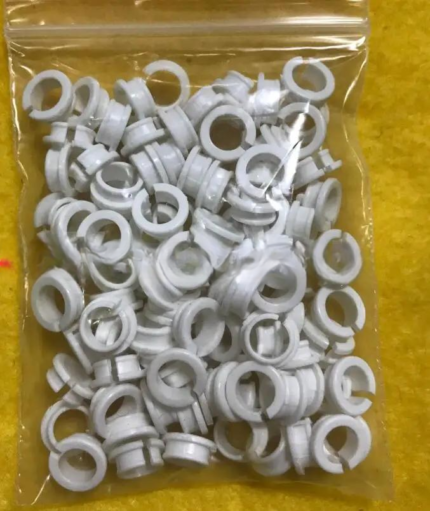 Tajima EF0613220000 EF0613210000 090460040020 090460040031 Presser ...$ 18.09View part →
 Tajima Magnetic Embroidery Hoop 150x150mm 5.5x5.5 Inches Length 355...$ 83.09View part →
 EF6600000000 JHX-G8L1000 1000P/R Rotary Encoder for Chinese Tajima ...$ 92.49View part →
 Tajima W20-16 Timing Belt Pulley CX0170000000 501440030000 S5M 20mm...$ 39.29View part →
 Tajima ICS131 0J2603200000 Thread Break Sensor & Bracket for TFMX, ...$ 97.09View part →
 Tajima 080210370A11 U89400000000 KN[A] Needle Bar Reciprocator Asse...$ 199.49View part →
All Tajima TMBP parts → Rotary Hooks & Bobbin Cases → Needles & Needle Bars → Thread Path & Tension →
3. Needle Breaks Frequently medium likelihood
How to tell
Needles snap or bend repeatedly during embroidery, often accompanied by a loud 'clunk' sound. This can damage the rotary hook.
Fix
- Use the correct needle type and size for your fabric and thread. Ensure it's inserted correctly and fully seated.
- Check hooping: the fabric must be taut and secure in the hoop. Loosely hooped fabric can cause needle deflection.
- Inspect the design for excessive stitch density or small, tight areas that put stress on the needle. Adjust digitization if needed.
- Verify the needle bar timing and depth. If the needle is hitting the rotary hook or needle plate, timing is off.
- Check the presser foot for proper height and alignment. If it's too low or misaligned, it can impede needle movement.
- Examine the rotary hook for damage from previous needle breaks. A burr on the hook point can cause further needle breaks.
A damaged Koban KHS20-RYP2 Rotary Hook Jumbo is a common cause. Consider replacing the Tajima 080210370A11 U89400000000 KN[A] Needle Bar Reciprocator Assembly or Embroidery Machine Needle Bar Drive Reciprocator if there's excessive play or damage in the needle bar mechanism.
Parts involved: Needles & needle bars → Hoops & frames → Rotary hooks & bobbin cases → Presser feet & sewing parts → Head & mechanical parts →
4. Poor Stitch Quality (Puckering, Gaps, Registration Issues) medium likelihood
How to tell
Embroidery appears distorted, fabric puckers, design elements don't align correctly, or stitches are inconsistent.
Fix
- Check and adjust thread tension (upper and bobbin). Incorrect tension is a primary cause of poor stitch quality.
- Ensure proper hooping. The fabric should be drum-tight without stretching or distortion. Use appropriate backing.
- Verify the needle is sharp, correctly sized, and inserted properly. A dull or bent needle can pull fabric.
- Clean the thread path, rotary hook, and bobbin area. Lint buildup can affect stitch consistency.
- Inspect the presser foot for damage or incorrect height. It needs to hold the fabric securely.
- Check for any loose screws or worn components in the head or frame drive system that could cause movement or vibration.
A Tajima Magnetic Embroidery Hoop 150x150mm can improve hooping stability. Worn Tajima EF0613220000 EF0613210000 090460040020 090460040031 Presser Foot Bushing Guide Collar can affect fabric hold. Check the Tajima Upper Thread Plate Holder Assembly for any damage affecting thread flow.
Parts involved: Thread path & tension → Hoops & frames → Needles & needle bars → Rotary hooks & bobbin cases → Presser feet & sewing parts → Head & mechanical parts →
5. Machine Not Trimming Thread (Cutter Issues) medium likelihood
How to tell
Threads are not cut automatically between color changes or at the end of a design. Excess thread tails are left.
Fix
- Clean the cutter mechanism. Lint and thread scraps can jam the blades. Use compressed air and a small brush.
- Inspect the cutter blades for dullness or damage. If they are worn, they may need replacement.
- Check the cutter timing and adjustment. The blades need to engage and disengage at the correct moment.
- Verify the cutter solenoid is functioning. Listen for a click when the cutter should activate. Check its wiring.
- Ensure the machine's software settings for trimming are enabled and correctly configured.
If blades are dull or the mechanism is faulty, consider replacing the Tajima High-Speed Plastic Cutter Assembly FD Motor.
Parts involved: Cutters & trimmers → Solenoids & magnets → Cables & wiring →
6. Machine Making Unusual Noises or Vibrations low likelihood
How to tell
Grinding, squealing, knocking, or excessive vibration during operation. This can indicate mechanical wear or misalignment.
Fix
- Identify the source of the noise. Carefully observe the machine during operation to pinpoint the area.
- Check for loose screws or components, especially around the head, needle bars, and frame drive.
- Inspect belts and pulleys for wear, tension, or damage. Loose or worn belts can slip and cause noise.
- Lubricate moving parts according to the manufacturer's manual. Lack of lubrication can cause friction and noise.
- Examine bearings and bushings for wear. Worn bearings can cause grinding or squealing sounds.
- Check the rotary hook area for obstructions or damage. A damaged hook can cause knocking sounds.
Inspect Tajima W20-16 Timing Belt Pulley CX0170000000, Tajima W25-60 Timing Pulley, Tajima W35-16 Timing Pulley, Tajima W50-16[S] Synchronous Drive Wheel, Tajima 16 Tooth 15 Axis 2cm Pulley, Genuine Japanese MBL S5M1420 Timing Belt, MBL 250S5M600 SPTG W25-S5M 600/G Timing Belt, MBL S5M1165 Timing Belt, MBL S5M1225 Main Shaft Motor Belt for wear. Check Tajima EF0613220000 EF0613210000 090460040020 090460040031 Presser Foot Bushing Guide Collar for wear.
Parts involved: Belts, pulleys & gears → Shafts, bearings & bushings → Rotary hooks & bobbin cases → Head & mechanical parts → Lubrication & maintenance → Screws, springs & small parts →
7. Machine Not Responding or Error Codes low likelihood
How to tell
The machine fails to start, freezes, or displays generic error codes without clear mechanical issues.
Fix
- Power cycle the machine: turn it off, wait 30 seconds, then turn it back on.
- Check all cable connections, especially power and data cables, for looseness or damage.
- Consult your machine's manual for specific error code meanings and troubleshooting steps.
- Ensure the emergency stop button is not engaged.
- Verify that the design file is not corrupted. Try loading a different, known-good design.
- Check for any physical obstructions preventing movement of the head or frame.
A faulty Tajima Card Reader Display Belt could affect display or data transfer. A failing EF6600000000 JHX-G8L1000 1000P/R Rotary Encoder could cause movement errors.
Parts involved: Cables & wiring → Control panels & displays → Circuit boards & electronics → Floppy, USB & memory →
Maintenance schedule
| When | What to do | Why |
|---|---|---|
| Daily | Clean the needle area, thread path, and rotary hook. Check for lint buildup. | Prevents thread breaks, skipped stitches, and maintains stitch quality. |
| Weekly / Every 40-50 production hours | Thoroughly clean under the needle plate, bobbin case, and tension assemblies. Inspect needles. | Removes hidden lint, prevents wear, and ensures consistent performance. |
| Monthly / Every 200 production hours | Lubricate specified points on the machine head and frame drive. Check belt tension. | Reduces friction, prevents premature wear of moving parts, and maintains smooth operation. Refer to your manual for specific lubrication points and type of oil. |
| Quarterly / Every 500 production hours | Inspect all belts and pulleys for wear or damage. Check for loose screws or connections. | Identifies potential failures before they occur, preventing costly downtime and repairs. |
| Annually / Every 2000 production hours | Professional technician inspection and service. | Ensures optimal machine health, addresses complex issues, and performs preventative maintenance beyond operator capabilities. |
Stop and call a technician if
- If you suspect a major electrical fault or circuit board issue.
- If the machine's timing (needle bar to rotary hook) is significantly off and you are not experienced in adjusting it.
- If there is persistent grinding or knocking noise that you cannot diagnose or fix with basic troubleshooting.
- If the machine displays critical error codes that are not resolved by power cycling or basic checks.
- For complex mechanical repairs involving major disassembly of the machine head or frame drive system.
Prevent it coming back
- Perform daily and weekly cleaning routines to remove lint and debris from the thread path, needle area, and rotary hook.
- Use high-quality needles, threads, and backing appropriate for your fabric and design.
- Ensure proper hooping techniques, making sure fabric is taut and secure without distortion.
- Regularly check and adjust thread tension (upper and bobbin) to prevent stitch quality issues.
- Lubricate moving parts according to the manufacturer's recommended schedule and lubrication points.
- Inspect needles regularly for dullness, bends, or burrs and replace them proactively.
- Keep your machine's software and firmware updated as recommended by Tajima (if applicable).
- Avoid running designs with excessive stitch density or very small, complex details without proper digitization adjustments.
Frequently asked questions
How often should I clean my Tajima TMBP machine?
Daily cleaning of the needle area, rotary hook, and thread path is recommended. A more thorough cleaning, including under the needle plate and tension assemblies, should be done weekly or after every 40-50 hours of operation. Always refer to your machine's manual for specific cleaning intervals.
What type of needles should I use for my Tajima TMBP?
The Tajima TMBP series typically uses DBxK5 or DPx5 needles. The specific size (e.g., 75/11, 80/12, 90/14) depends on your fabric type and thread weight. Always match the needle to your materials for best results and to prevent damage.
My machine is making a grinding noise. What should I check first?
First, power off the machine and check for any obstructions in the rotary hook area or under the needle plate. Then, inspect all belts for wear or looseness. Lubricate moving parts as per your manual. If the noise persists, it could indicate worn bearings or a damaged rotary hook, requiring further investigation or a technician.
Why is my TMBP machine skipping stitches only on certain designs?
If skipping only occurs on specific designs, the issue might be related to the design's digitization. Check for very dense areas, small details, or incorrect stitch angles that could be stressing the needle or fabric. Try re-digitizing or adjusting the design. Also, ensure proper hooping and backing for that specific design.
Did this guide fix your machine?
Rate it - it helps other operators find the right fix.
Not sure which part is failing?
Need the logo stitched too?
Get your logo digitized by the people who know this machine
Upload the artwork, see the stitch count and the exact price in 10 seconds, then order with a free sew-out preview. $1 per 1,000 stitches, $10 minimum, 24-hour delivery. Vector conversion from $12.
After the fix
Fixed it? Keep the rest of the shop moving.
OS 360 is the shop software from the team behind this parts store. Every job keeps its status, deadline and owner while a TMBP head is down, restock alerts fire for needles, hooks and bobbins before you run dry, and quotes, invoices and payment live in one place.
- Jobs with status, deadline and owner - nothing slips during downtime
- Inventory with restock alerts, this store one click away
- Instant quotes, invoices and one place to collect payment





