Common Errors in the Singer Futura XL-550: Machine Not Recognizing the Embroidery Unit and Solutions

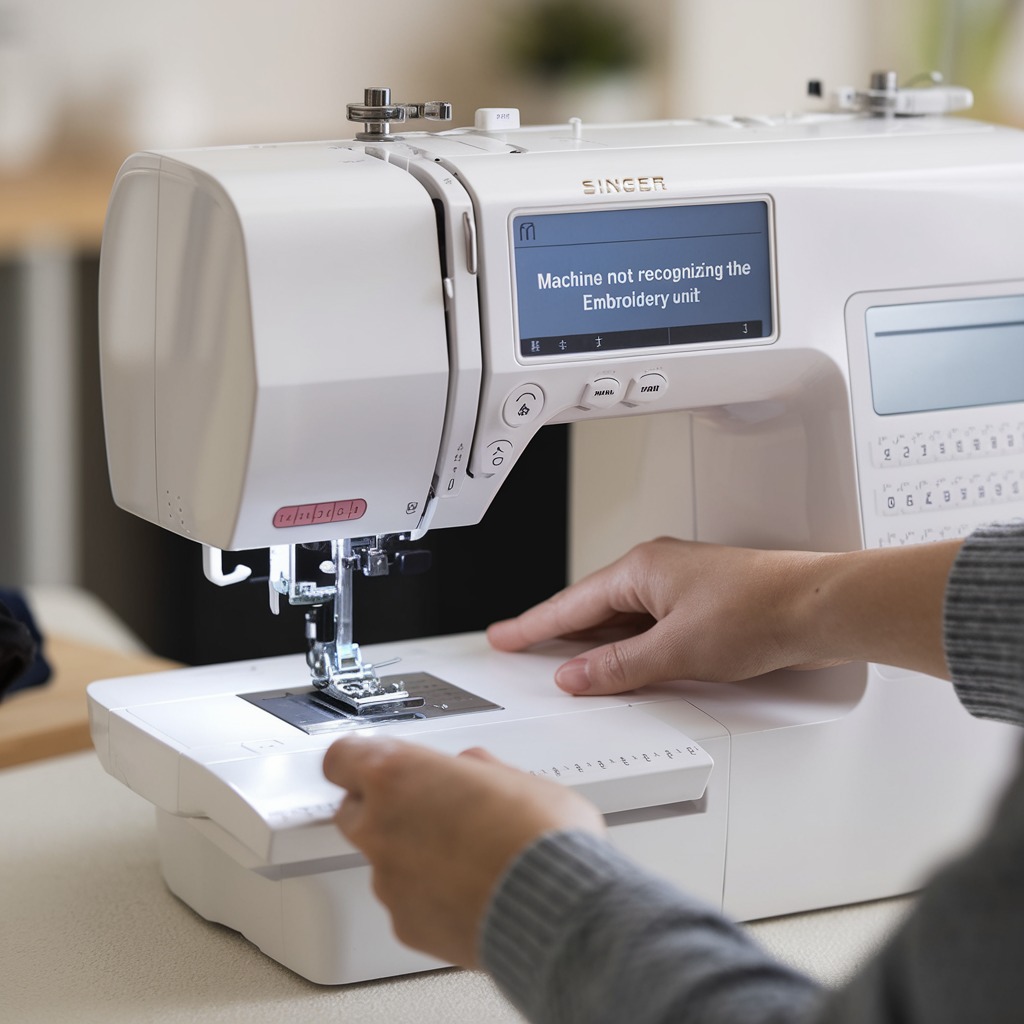
Errors in the Singer Futura XL-550: Machine Not Recognizing the Embroidery Unit and Solutions
The Singer Futura XL-550 embroidery machine is widely known for its versatility, but one issue that some users encounter is when the machine fails to recognize the embroidery unit. This problem can disrupt your embroidery projects and cause frustration. Fortunately, there are several troubleshooting steps you can follow to address this error and get back to creating beautiful designs.
Common Causes and Solutions for Machines Not Recognizing the Embroidery Unit
1. Loose Connection of the Embroidery Unit
One of the most common reasons the Singer Futura XL-550 does not recognize the embroidery unit is due to a loose connection between the machine and the unit itself. This can happen over time due to regular usage or even improper attachment.
Solution:
- Turn off the machine and detach the embroidery unit.
- Reattach the unit carefully, ensuring it clicks securely into place.
- Turn the machine back on and check whether the error is resolved.
2. Debris or Dust in the Connection Port
Dust, lint, or small debris can sometimes accumulate in the connection port between the embroidery unit and the machine, preventing a proper connection.
Solution:
- Gently clean the connection ports on both the machine and the embroidery unit using a small brush or compressed air.
- Avoid using any liquid cleaners as these could damage the electronics.
3. Outdated Software or Firmware
Sometimes, the machine‘s firmware or the embroidery software may be outdated, causing the machine to fail to recognize the embroidery unit.
Solution:
- Visit the Singer website and check for any available firmware updates for the Futura XL-550.
- Install any updates and restart the machine to ensure the software is up to date.
4. Faulty Embroidery Unit or Connection Cable
If the above solutions don’t work, the issue might be a faulty embroidery unit or a damaged connection cable between the unit and the machine. The cable could wear out over time, or the internal components of the embroidery unit may malfunction.
Solution:
- Inspect the cable for any visible signs of damage or wear. If damaged, replace the cable with an appropriate Singer-approved replacement.
- If the embroidery unit itself is faulty, it may need to be serviced or replaced by a professional technician.
5. Incorrect Machine Mode
The Singer Futura XL-550 must be in the correct mode to recognize the embroidery unit. If the machine is in sewing mode, it will not detect the embroidery attachment.
Solution:
- Ensure that the machine is set to embroidery mode by switching modes through the on-screen settings before attaching the embroidery unit.
6. The Machine Needs to be Reset
Sometimes, resetting the machine can help resolve connection issues with the embroidery unit.
Solution:
- Turn off the machine and unplug it from the power source.
- Wait a few minutes before plugging it back in and turning the machine on.
- Reconnect the embroidery unit and see if the machine recognizes it.
7. Driver Installation Issues (PC Connection)
Since the Singer Futura XL-550 relies on a computer connection for design transfers, a missing or corrupted driver on the computer could prevent the embroidery unit from being detected.
Solution:
- Check that all drivers for the machine and the Futura software are properly installed on your PC.
- Reinstall the drivers if necessary, and restart both the machine and the computer.
8. USB Cable or Port Issues
The Singer Futura XL-550 relies on a USB connection between the embroidery machine and your computer for transferring designs and controlling the embroidery process. If there’s an issue with the USB cable or port, the machine might not recognize the embroidery unit.
Solution:
- Test the USB cable on another device to check if it works properly.
- Try using a different USB cable or port on your computer.
- Avoid using USB hubs, as these can sometimes interfere with direct connections. Always plug the cable directly into the computer.
9. Machine’s Internal Settings
In some cases, certain settings on the Futura XL-550 may have been accidentally changed, preventing the embroidery unit from being detected.
Solution:
- Reset the machine to its factory settings through the settings menu. This will ensure any accidental changes are reverted back to defaults.
- Refer to the user manual for instructions on resetting the machine.
10. Software Compatibility Issues
If the embroidery software being used on your computer is outdated or incompatible with the current operating system, this could prevent the embroidery unit from being recognized.
Solution:
- Ensure that the Futura software is compatible with your current operating system.
- If you have recently updated your computer’s OS, check the Singer website for any corresponding updates or patches for the Futura software.
11. Embroidery Unit Misalignment or Malfunction
Sometimes the embroidery unit itself may be slightly misaligned or malfunctioning internally, preventing a proper connection.
Solution:
- Carefully inspect the embroidery unit for any visible damage or signs of wear, such as bent metal or broken components.
- If any parts appear to be malfunctioning or broken, consider taking the machine to a professional for repairs or purchasing a replacement embroidery unit.
12. Check Computer Specifications
The Futura XL-550 requires a compatible computer to run embroidery designs smoothly. If your computer’s specifications are below the required threshold, the machine may struggle to recognize the embroidery unit or may freeze during operation.
Solution:
- Double-check the computer specifications against the recommended requirements for the Futura software.
- Consider upgrading your computer’s RAM or processor if needed.
13. Corrupted Embroidery Design Files
Sometimes, corrupted or improperly formatted embroidery design files can cause the machine to malfunction, including not recognizing the embroidery unit.
Solution:
- Test the machine with a default or sample embroidery file to see if it recognizes the unit.
- If the problem occurs with a specific design file, try reformatting or recreating the file using the Futura software.
14. Professional Service or Replacement Parts
If all troubleshooting steps fail, it may be necessary to seek professional help. Sometimes, intricate internal issues or part failures may not be fixable at home.
Solution:
- Contact a certified Singer technician or service center to inspect your machine and embroidery unit for internal malfunctions.
- In some cases, the embroidery unit itself might need to be replaced.
Conclusion
When maintained properly, the Singer Futura XL-550 is a robust and reliable machine, but errors such as the failure to recognize the embroidery unit can be frustrating. You can identify and resolve most issues by following these comprehensive troubleshooting steps. Whether it’s cleaning out dust, checking connections, updating software, or ensuring proper system requirements, these solutions will keep your machine running smoothly and your embroidery projects on track.