
Screen printing shops throughout the Greater Austin metro area frequently receive blurry JPEGs, low-res screenshots, or raster graphics from clients. Printing these images directly results in jagged lines and messy color separations that ruin film positives and screen burning.
360 Digitizing Solutions provides fast, precise vector art conversion to transform low-quality customer artwork into scalable vector files. We manually redraw every line and separate colors cleanly so your shop can move straight to film production without prepress delays.
Real Work, Not Stock Photos
Real vector proofs from real client orders — no stock art, ever.


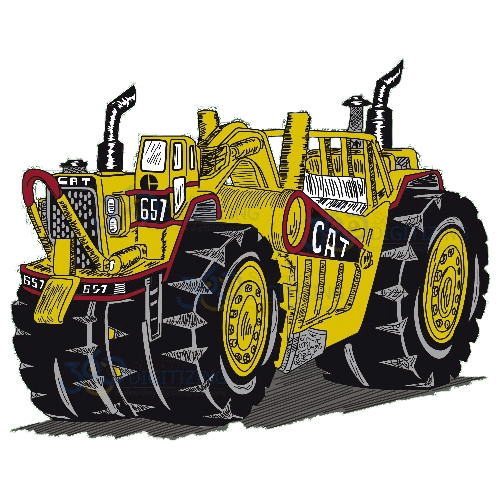
Why Screen Printing Companies in Austin Choose Manual Work
Clean Color Separations
We isolate spot colors precisely, creating clean vector paths that make film positive output and screen burning straightforward.
100% Manual Redraws
Our designers re-create your customer’s artwork line by line to ensure crisp edges, smooth curves, and perfect line weights.
Simple $12 Starting Price
Keep prepress expenses predictable with manual vector art conversion starting at just $12 per design.
Manual Vector Conversion vs Auto-Trace
Why Screen Printing Companies clients get hand-built files, not software output.
| What Matters | Auto-Trace | 360 Digitizing — Manual Work |
|---|---|---|
| Edge Sharpness | Auto-tracing leaves jagged pixel steps and distorted curves on lower-resolution source images. | Manual redraws yield perfectly smooth vector paths and razor-sharp line work suitable for high-mesh screens. |
| Color Separation | Automated tools merge similar tones into thousands of unwanted gradient shapes. | Manual conversion separates exact spot colors cleanly for efficient film output and screen preparation. |
| Small Text & Details | Automated software blurs fine text into unreadable shapes. | Every letter form and fine detail is manually recreated for crisp screen printing. |
| Node & Path Efficiency | Generates thousands of unnecessary vector nodes that slow down RIP software and cutters. | Optimized, clean vector paths ensure smooth RIP processing and fast prepress workflows. |
| Production Readiness | Requires extensive manual cleanup by your prepress team before burning screens. | Delivered fully print-ready so your production crew can burn screens immediately. |
How It Works
Upload Your Artwork
Submit your low-res customer logo or artwork file online through our portal.
Hand-Built by a Vector Specialist
A skilled graphic designer manually redraws every line, node, and color separation layer.
Review Digital Proof
Inspect your proof online to ensure all color separations and vector paths match your specs.
Download Print-Ready Files
Receive your finalized EPS, AI, PDF, or SVG vector files ready for film output and screen printing.
Supporting Austin’s Growing Apparel & Merch Industry
Screen printing businesses across the Greater Austin area handle high volumes of custom apparel orders for local events, corporate merch, and retail brands. Meeting tight customer production schedules requires a streamlined prepress workflow that avoids artwork bottlenecks.
Our remote vector conversion service acts as an extension of your prepress team, handling tedious artwork redraws so your staff can focus on screen preparation and press runs. We deliver reliable digital artwork files directly to your shop online.
Eliminating Prepress Bottlenecks for Screen Printers
When customers send low-resolution web images, manual vector conversion is essential to achieve clean spot color separations. Automated trace tools generate messy nodes and unwanted color blends that waste expensive screen mesh and film.
Our experienced vector artists manually rebuild artwork to guarantee crisp lines, accurate spot colors, and smooth vector paths. This attention to detail eliminates print alignment errors and keeps your screen burning process moving efficiently.
Seamless Remote Art Department Support
By operating fully online, we provide flexible vector art services to screen printing shops across the Austin metro area without requiring local overhead. You upload files through our secure portal and receive production-ready vector formats ready for your RIP software.
Whether you need a simple single-color logo vectorization or complex multi-color spot separations, our manual redraw process delivers consistent print quality for every job.
Every Format You Actually Need.
One order — delivered production-ready for print, cut or engrave.
Talk to a Real Human — Right Now
Design consultation, order help, revisions — our support team is on live chat and email 24/7. No bots, no ticket black holes: answers while you’re still thinking about the question.
OS 360 | Pro
Once your file is done, it doesn’t just land in your inbox — every order here is booked, produced and delivered on OS 360 Pro, the platform that runs our own shop.
- Guided order form — size, fabric and format captured right
- Live production status — no “did you get my file?” emails
- Proofs, revisions and downloads in one dashboard
- ISA, your built-in AI assistant, on call 24/7





Frequently Asked Questions
How much does vector art conversion cost?
Vector art conversion starts at $12 for standard manual redraws. Complex multi-color artwork or highly intricate designs are quoted transparently based on detail level.
What is your turnaround time for vector art?
We offer fast standard turnaround times to keep your screen printing jobs on schedule, with rush options available when you face tight client deadlines. You will receive your completed vector files quickly through our digital portal.
What vector file formats do you deliver?
We supply production-ready vector files in AI, EPS, PDF, and SVG formats. These files are fully compatible with major RIP software, separation plug-ins, and film output devices.
What is your policy on file revisions?
If your converted vector file requires adjustments to match your original artwork specifications, we perform minor revisions quickly and free of charge. Your satisfaction with the print-ready proof is guaranteed.
Why is manual vector conversion better than auto-tracing for screen printing?
Auto-tracing software creates thousands of random nodes and muddy color boundaries that ruin film positives and screen burning. Manual vector redraws ensure sharp edges, precise line weights, and clean spot color separations required for screen printing.
How do screen printing shops in Austin get started?
Getting started is simple and entirely digital. Create an account on our online portal, upload your low-res logo file, and specify your preferred file formats and separation needs.



