
When you send a low-resolution JPEG, screenshot, or blurry logo to a print shop, you need a clean vector file to produce a sharp final product. Many online tools and budget services rely on automated trace filters to rush through this step. This page breaks down the exact technical differences between automated software and genuine human craftsmanship.
Understanding how vector paths, node counts, and color separations actually work will save your shop time, materials, and frustrated customers. We examine the mechanics behind both methods so you can make an informed choice for your next run.
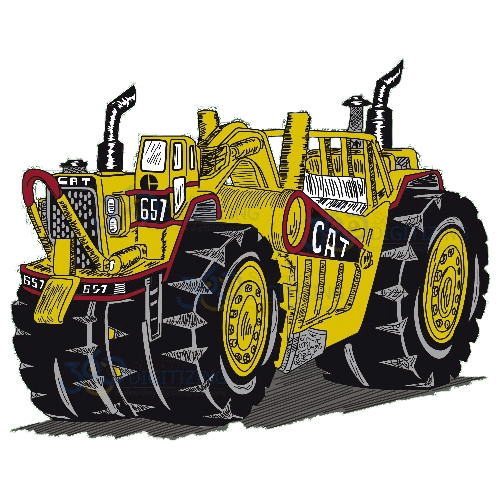
Real Work, Not Stock Photos
Real vector proofs from recent client orders.


WHY 360
Files That Print Clean — Guaranteed
- Expert vector artists — every shape hand-redrawn, never auto-traced
- Quality control at every step — each file is checked before delivery
- Proof before payment — pay upon satisfaction
- Unlimited free revisions until you approve
- Delivered in AI, EPS, PDF, SVG and CDR
- 100% money-back guarantee
Every Format You Actually Need.
One order — delivered production-ready for print, cut or engrave.
Manual Vector Art Conversion vs Auto-Trace / AI Vectorization
The real comparison, aspect by aspect — not just a claim.
| What Actually Matters | Auto-Digitizing / Auto-Trace | 360 Digitizing — Manual Work |
|---|---|---|
| Node & Path Count | Generates hundreds of chaotic anchor points from pixel noise, creating jagged curves that are frustrating to edit. | A real artist draws each shape with the absolute minimum number of anchor points for clean, smooth, easily editable curves. |
| Color Accuracy & Separation | Often merges similar shades and creates unwanted gradients or pixelated banding that ruins clean spot-color output. | Each color is built as a distinct, editable spot-color or CMYK swatch that matches the original design intent for screen printing. |
| Text & Font Integrity | Treats letters like standard pixel shapes, causing warped letterforms and rough edges, especially on small source files. | Letters are completely rebuilt as crisp, outlined geometric shapes that remain sharp and clear at any size. |
| Edge Quality on Low-Res Art | Traces the pixelation directly, baking blur and jagged artifact lines straight into the final vector output. | An experienced artist interprets the original design intent to reconstruct crisp, clean edges from blurry or pixelated source art. |
| Scalability & File Size | Creates massive file bloat with overlapping shapes and thousands of hidden paths that bog down design software. | Delivers lightweight, optimized files that scale smoothly from a tiny business card to a massive wall billboard with zero quality loss. |
| Print-Readiness | Outputs a generic vector shape with zero regard for production methods, leading to plate errors or ink bleed on press. | Built with actual production requirements in mind, accounting for screen printing limits, engraving tolerances, and clean cut lines. |
| Revisions & Error Fixing | Requires manual cleanup of hundreds of rogue nodes, often taking longer to fix than redrawing the art from scratch. | Backed by unlimited free revisions until the file is completely accurate and approved for production. |
How Manual Vector Conversion Actually Works
Upload Your Artwork
Submit your low-res image, sketch, or blurry logo through our secure order portal along with any specific notes.
Hand-Redrawn by Artist
A real vector artist manually traces and builds your file from scratch using professional design software—no auto-trace.
Review the Proof
Examine the clean vector proof and request any adjustments you need through our customer portal.
Approved & Delivered
Once you are fully satisfied, download your production-ready files in AI, EPS, PDF, SVG, and CDR formats.
Why Manual Wins
100% Manual Redraws
Every single file is hand-built by a real vector artist with zero automated tracing shortcuts used on paid orders.
Unlimited Free Revisions
We keep working on your vector file until you are completely satisfied and give final approval for production.
All Major Formats Included
Receive your finished artwork delivered in AI, EPS, PDF, SVG, and CDR formats, ready for any output method.
Understanding Anchor Points and Node Bloat
When automated tracing software analyzes a raster image, it treats pixels as individual contrast boundaries. If a logo has blurry edges or compression artifacts, the software generates a separate anchor point for every single pixel irregularity. This creates a massive web of redundant nodes that makes the file difficult to scale or edit. A manual vector artist looks at the same file and recognizes the underlying geometric intent. They place only the necessary anchor points to create smooth, clean curves, resulting in a lightweight file that opens quickly and edits easily in any vector software.
The Impact on Color Separations and Printing
Screen printing and spot-color applications require distinct, isolated color fills to generate accurate film positives. Auto-trace algorithms frequently misinterpret subtle gradients, drop-shadows, and compression noise as unique color swatches. This introduces unwanted banding, stray spots, and merged colors that ruin a screen setup. Manual vector conversion builds each color as a clean, solid, independent shape matched to the original art. This meticulous separation process ensures your shop floor produces crisp, vibrant prints without unexpected ink blending or registration errors.
Preserving Sharp Typography and Letterforms
Typography is one of the biggest casualties of automated vectorization. Software views letters simply as complex shapes rather than distinct alphanumeric characters, often rounding corners, distorting serifs, and thickening stems unevenly. When scaled down, auto-traced text becomes muddy and unreadable. A skilled vector artist completely rebuilds text elements using clean geometric outlines or matching professional fonts. This guarantees that your typography stays razor-sharp and legible whether it is printed on a small pen or a large trade show banner.
Reconstructing Low-Resolution and Blurry Source Art
Printers frequently receive terrible source files from clients, such as tiny website screenshots, scanned business cards, or low-DPI phone pictures. Automated tracing tools simply fail on these files because they cannot invent missing pixel data cleanly; they just trace the existing blur. A professional human artist uses context clues and graphic design experience to interpret what the logo is supposed to look like. They manually rebuild sharp lines, balanced symmetry, and correct proportions, turning a worthless pixelated image into a professional vector asset.
Why True Scalability Requires Human Oversight
The core promise of vector art is infinite scalability without quality loss. However, an auto-traced file loaded with overlapping shapes, intersecting lines, and stray nodes will often fail when scaled up for large-format printing or vehicle wraps. RIP software and vinyl cutters frequently crash or produce jagged edges when processing files with hidden paths. Hand-drawn vector art is constructed with clean layering and zero hidden debris, allowing the file to scale effortlessly from a postage stamp to a billboard while maintaining pristine edge definition.
Who This Page Is For
👤 First-Time Customer
Need a Reliable Vector File for a New Project?
If you have a customer logo trapped in a low-resolution format like a JPEG or screenshot, you need clean vector art before you can print, cut, or engrave. We take the guesswork out of file prep by having a real artist build your art correctly from day one.
- Starts at just $12 with all major production formats included.
⚠️ Software Switcher
Burned by Auto-Trace Software Quality Issues?
If you have ever tried using an instant auto-trace tool only to find a mess of thousands of tiny nodes and ruined color gradients on the press, you know the frustration. Switching to manual conversion eliminates hidden path errors and saves your shop valuable production time.
- Zero software auto-tracing means clean paths and accurate color spots every time.
💬 WE’RE HERE, EVERY STEP
Talk to a Real Human — Right Now
Design consultation, order help, revisions — our support team is on live chat and email 24/7. No bots, no ticket black holes: answers while you’re still thinking about the question.
👑 Our Flagship Platform
OS 360 | Pro
Once your file is done, it doesn’t just land in your inbox — every order here is booked, produced and delivered on OS 360 Pro, the platform that runs our own shop.
- Guided order form — size, fabric and format captured right
- Live production status — no “did you get my file?” emails
- Proofs, revisions and downloads in one dashboard
- ISA, your built-in AI assistant, on call 24/7





Frequently Asked Questions
What is auto-digitizing and auto-trace software?
Auto-trace software is an automated tool inside design programs that attempts to convert raster pixels into vector paths using algorithmic contrast detection. While fast, it cannot understand design intent, leading to messy paths and incorrect colors.
Why is auto-trace cheaper but riskier for print shops?
Automated software requires zero labor cost, allowing companies to offer instant results very cheaply. However, the hidden cost lands on your production floor when bad vector paths cause misprints, wasted substrates, and delayed job delivery.
When, if ever, is auto-trace acceptable to use?
Auto-trace can occasionally work for high-resolution, high-contrast black-and-white silhouettes where minor edge imperfections do not matter. For multi-color logos, gradients, and custom typography, it almost always fails.
How can you tell if a vector file was auto-generated?
Open the file in vector editing software and inspect the outline view. If you see thousands of erratic anchor points clustered around smooth curves and overlapping shapes filled with random tiny fragments, it was auto-traced.
What does ‘manual conversion’ actually mean in production?
Manual conversion means a real human graphic artist recreates your artwork from scratch using professional vector tools. They build clean layers, smooth paths, and correct color separations tailored specifically for your production method.
How much does manual vector art conversion cost?
Our professional manual vector art conversion starts at just $12 per design, with all major industry-standard formats included and no hidden fees.
What is your turnaround approach for vector orders?
We process orders fast with 24/7 support availability, ensuring your files are worked on promptly without sacrificing the meticulous human attention required for top-tier quality.
What is your revision and guarantee policy?
We offer unlimited free revisions on every order. Your dedicated artist will keep adjusting the file until you are completely satisfied and approve the artwork for production.
Get It Done Right The First Time
100% manual work, unlimited revisions until you approve, 24/7 support.



