
Running a successful print shop in the Greater Austin area means balancing high customer expectations with tight production schedules. When clients drop off low-resolution raster images that refuse to separate into clean spot colors, your press halts and deadlines slip.
We help local apparel decorators solve this bottleneck by turning messy client artwork into production-ready embroidery files and vector separations. Our remote digital service plugs right into your shop’s workflow without the need for in-person meetings.
Real Work, Not Stock Photos
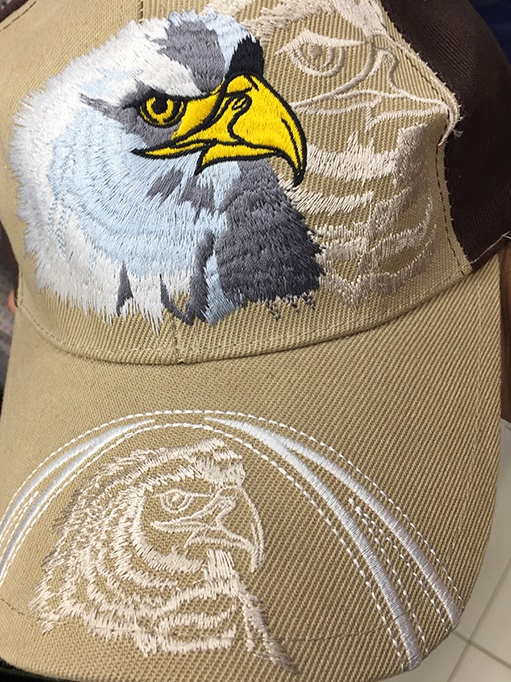
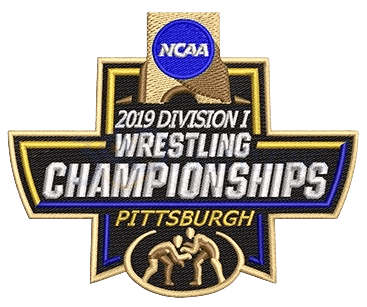
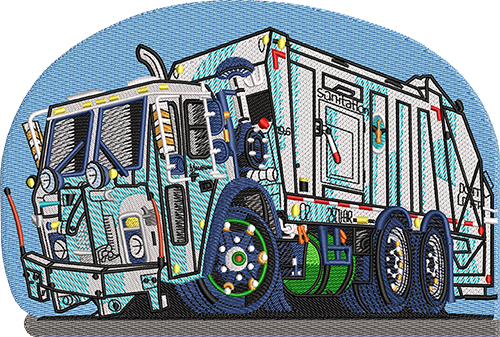
Real digitized logos from real client orders — no stock art, ever.



Why Screen Printing Companies in Austin Choose Manual Work
Manual Precision
Every file is hand-traced by experienced artists to ensure clean stitch paths and proper density for your garments.
Clear Pricing
Pay strictly $1 USD per 1,000 stitches with a flat $10 minimum per design, keeping your shop’s margins predictable.
Online Delivery
Upload, review proofs, and download your finished production files entirely through our digital client portal.
Manual Digitizing vs Auto-Digitizing
Why Screen Printing Companies clients get hand-built files, not software output.
| What Matters | Auto-Digitizing | 360 Digitizing — Manual Work |
|---|---|---|
| Color Separation | Automated tools often leave jagged edges and muddy gradient traps that ruin screen printing screens. | Human artists build clean vector spot colors that separate easily for traditional screen printing. |
| Stitch Quality | Auto-digitizing software generates excessive thread breaks, birdnesting, and random jump stitches. | Carefully planned underlay and stitch direction minimize thread breaks and fabric puckering on textiles. |
| Text Clarity | Small lettering becomes illegible blobs when processed by basic software algorithms. | Manual letter tracing preserves sharp angles and readable text even at small scales. |
| File Optimization | Produces bloated files with unnecessary color changes and inefficient stitch sequencing. | Optimized stitch counts reduce machine run time and save thread on every single garment run. |
| Revision Control | Requires starting over with a new software preset when the output fails to run correctly. | Human digitizers can quickly adjust density, pull compensation, or density based on fabric type. |
How It Works
Upload Artwork
Submit your customer’s low-res artwork, vector files, or sketches directly through our online ordering portal.
Hand-Built by a Real Person
Our expert team manually converts your art into precise embroidery formats or clean vector separations.
Review Proof
Check the digital proof and stitch simulation to confirm sizing, placement, and color details.
Approved File Delivered
Download your finalized production file and send the job straight to your embroidery machine or printing press.
Supporting Austin’s Growing Apparel Industry Remotely
The Greater Austin area hosts a vibrant community of promotional product distributors, custom apparel decorators, and local merchandise brands. From South Austin music merch to tech-campus corporate wear, local print shops constantly handle demanding client requests. Because our operations are entirely online, you get fast access to expert digitizers without wasting time driving across town for meetings.
Solving the Low-Resolution Client Artwork Challenge
Every shop owner knows the frustration of receiving a blurry JPEG from a client who expects a crisp print or clean embroidery stitch-out. Automated trace tools often fail to separate complex color layers or generate erratic stitch paths that cause thread breaks on heavy garments. By relying on our remote manual digitizing service, your shop bypasses tedious prep work and receives reliable production files ready for the press or machine.
Streamlining Production Without Adding Overhead
Hiring a full-time in-house digitizer or vector artist increases payroll overhead that smaller regional shops might not need. Outsourcing your overflow work to our remote team gives you scalable capacity during peak seasons. You simply upload files when orders spike and pay predictable rates based on actual stitch counts, protecting your bottom line while keeping your production schedule on track.
Every Format. Every Machine.
One order — delivered in whatever your machines speak.
Tajima • Brother • Barudan • Melco • Janome • Ricoma • Happy • ZSK • SWF — and every machine in between.
Talk to a Real Human — Right Now
Design consultation, order help, revisions — our support team is on live chat and email 24/7. No bots, no ticket black holes: answers while you’re still thinking about the question.
OS 360 | Pro
Once your file is done, it doesn’t just land in your inbox — every order here is booked, produced and delivered on OS 360 Pro, the platform that runs our own shop.
- Guided order form — size, fabric and format captured right
- Live production status — no “did you get my file?” emails
- Proofs, revisions and downloads in one dashboard
- ISA, your built-in AI assistant, on call 24/7





Frequently Asked Questions
How much do your embroidery digitizing and vector services cost?
Our pricing is straightforward at $1 USD per 1,000 stitches, with a $10 minimum per design. There are no hidden subscription fees or surprise setup costs.
What is your turnaround approach?
We focus on efficient digital delivery with quick processing times, and rush options are available when you need files completed for urgent client deadlines.
What file formats do you deliver for embroidery and screen printing?
We deliver all standard embroidery machine formats including DST, EXP, PES, and JEF, as well as vector formats like AI, EPS, and PDF for screen printing.
What is your revision policy if a design needs adjustments?
We work closely with your shop to make necessary adjustments to stitch density, pull compensation, or color separations until the file runs smoothly.
Why does manual work matter specifically for screen printing companies?
Screen printing requires clean spot-color vector separations without hidden gradients or muddy edges. Manual redrawing ensures your films burn cleanly and press accurately.
How do I get started with submitting my first design?
Simply create an account on our online portal, upload your customer artwork files, specify your fabric type and dimensions, and submit your order.



