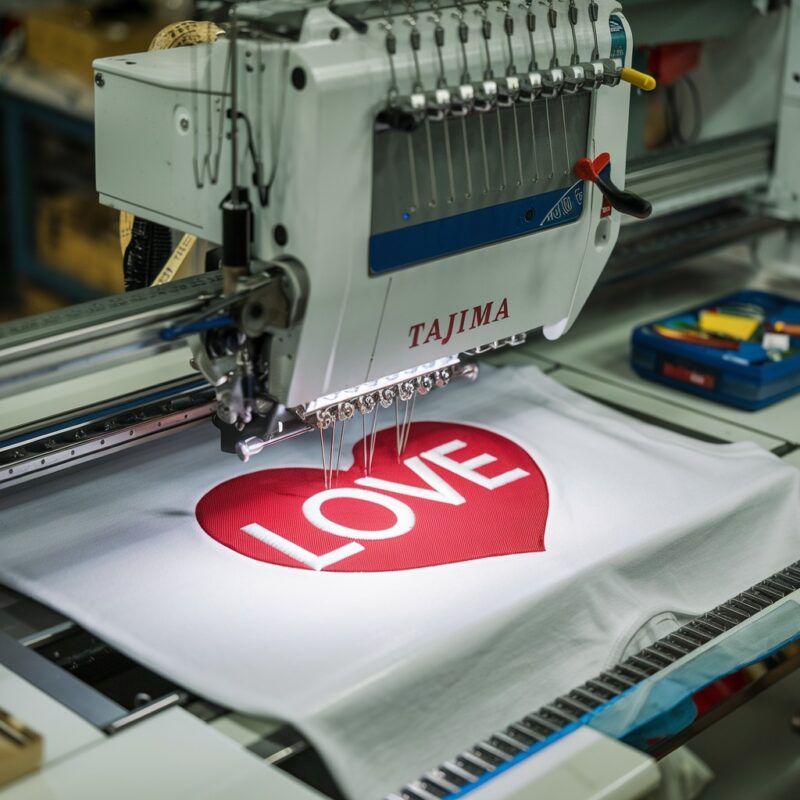
Tackling Machine Freezing or Slowing Down Issues in Tajima TFMX-C Series


Tackling Machine Freezing or Slowing Down Issues in Tajima TFMX-C Series (High-Speed Single-Head)
The Tajima TFMX-C Series is known for its exceptional speed and precision. However, users occasionally face issues like machine freezing or slowing down, which can disrupt workflows and productivity. Let’s explore the common causes of these problems and how to resolve them effectively.
Common Causes of Machine Freezing or Slowing Down
1. Excessive Dust or Debris
Accumulated lint, thread fragments, or dust can obstruct the moving parts of the machine, reducing its efficiency.
Solution:
- Regularly clean the machine, focusing on thread paths, bobbin cases, and the needle plate area.
- Use a soft brush or compressed air to remove debris.
2. Overloaded Memory
Storing too many large embroidery files on the machine can slow down its processing.
Solution:
- Transfer unused designs to external storage to free up memory.
- Keep only the designs you plan to use frequently on the machine.
3. Outdated Software or Firmware
Operating the machine on outdated software can cause glitches and slow response times.
Solution:
- Regularly update the machine’s software or firmware as recommended by Tajima.
- Contact your dealer or visit Tajima’s official website for updates.

4. High Design Complexity
Overly intricate designs with a high density of stitches can strain the machine’s processing capacity.
Solution:
- Simplify complex designs using embroidery software before loading them.
- Reduce stitch density and eliminate unnecessary overlaps.
5. Insufficient Lubrication
Dry or poorly lubricated machine components can cause friction, leading to freezing or slow operation.
Solution:
- Apply machine oil to the recommended parts, such as the hook assembly and needle bar.
- Follow the lubrication schedule in the user manual.
6. Power Supply Issues
Fluctuations in voltage or insufficient power can cause the machine to stall.
Solution:
- Use a voltage stabilizer or uninterrupted power supply (UPS) to ensure consistent power.
- Check that the power supply matches the machine’s requirements.
7. Faulty Sensors
Malfunctioning sensors may incorrectly signal the machine to stop or operate at a reduced speed.
Solution:
- Inspect and clean sensors regularly.
- Replace damaged sensors with genuine Tajima parts.
8. Worn-Out Belts or Gears
With frequent use, belts and gears may wear out or become misaligned, causing a slowdown in the machine‘s operations.
Solution:
- Regularly inspect belts and gears for signs of wear or looseness.
- Replace worn-out parts promptly with genuine Tajima components.
- Ensure proper alignment during installation.
9. Excessive Heat Build-Up
Continuous operation of the machine without breaks can lead to overheating, causing the system to slow down or freeze.
Solution:
- Allow the machine to rest after prolonged use.
- Use a fan or place the machine in a well-ventilated area to manage heat levels.
10. Improper Thread Tension Settings
Excessively tight thread tension can increase friction, causing the machine to struggle during embroidery.
Solution:
- Adjust the thread tension based on the type of thread and fabric used.
- Perform a test run to ensure the tension settings are optimal.
11. Heavy or Bulky Materials
Thicker fabrics or multi-layered materials may strain the machine, leading to slower operations.
Solution:
- Use appropriate needles and threads designed for heavy fabrics.
- Adjust the presser foot pressure to accommodate the material thickness.
- Slow down the stitching speed when working with heavy fabrics.
12. Digital Connectivity Issues
Modern Tajima models like the TFMX-C Series often rely on digital connections for design transfer and operations. Connectivity issues can cause delays or freezing.
Solution:
- Check the USB ports and cables for damage or loose connections.
- For wireless setups, ensure a stable internet connection.
- Update or reinstall the machine‘s communication drivers if needed.
When to Call a Professional Technician
While many issues can be resolved with routine maintenance and adjustments, some problems require expert assistance. Contact a certified Tajima technician if:
- The machine continues to freeze despite implementing solutions.
- Unusual noises accompany the slowdown or freezing.
- There are error codes you can’t resolve through the manual.
Case Study: Real-Life Resolution
Scenario: A user experiences the machine freezing intermittently during high-speed operation on a bulk order.
Diagnosis: The issue was traced to both a clogged bobbin case and outdated firmware.
Resolution:
- The bobbin case and surrounding areas were thoroughly cleaned.
- The firmware was updated to the latest version available.
- The operator reduced the stitching speed slightly for smoother performance.
After these adjustments, the machine resumed optimal operation without further interruptions.
Pro Tips for Longevity
- Maintain a Cleaning Schedule: Develop a weekly routine to clean lint and debris.
- Track Maintenance Logs: Document when parts are replaced or serviced to ensure timely upkeep.
- Educate Operators: Train users on proper machine handling and troubleshooting basics.
Conclusion
Freezing or slowing down in the Tajima TFMX-C Series (High-Speed Single-Head) can stem from various mechanical, digital, or operational factors. By combining preventive measures with regular maintenance and troubleshooting, you can enhance the machine’s performance and minimize downtime. Remember, staying proactive is the best way to keep your high-speed embroidery machine running at peak efficiency.