
Blog
Tajima TME-DC Series: Common Problems & Fixes Guide

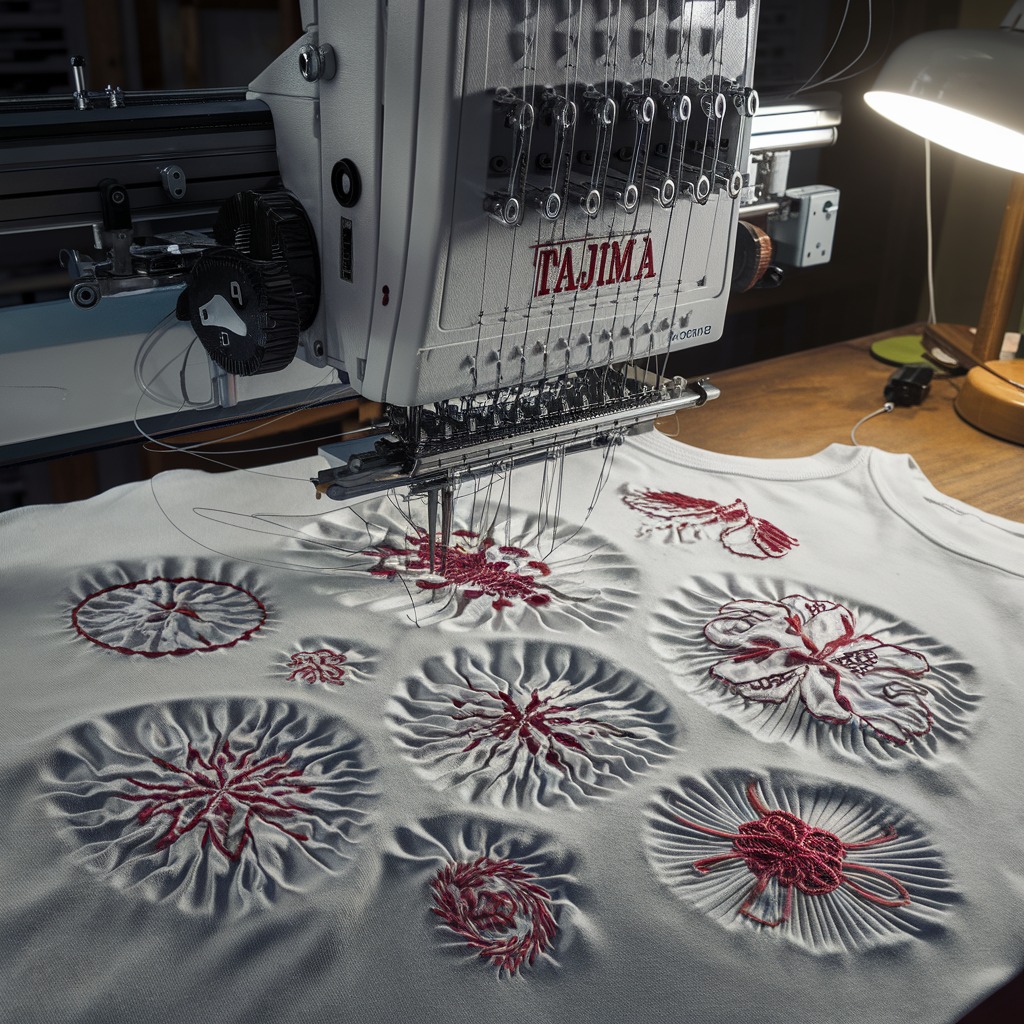
Quick answer: Common problems on Tajima TME-DC machines include frequent thread breaks, issues reading design files, and erratic head movement. Solutions often involve checking thread path, replacing needles or rotary hooks, inspecting USB readers or floppy emulators, and verifying driver boards or mechanical components.
The Tajima TME-DC series embroidery machines are workhorses in the industry, known for their reliability. However, like any complex machinery, they can encounter issues over time. This guide is designed to help operators quickly diagnose and resolve the most common problems you might face with your TME-DC, getting you back to embroidering with minimal downtime. We'll cover everything from simple thread breaks to more complex electronic and mechanical issues, providing clear steps and identifying the parts you might need.
Two-minute checks before you open anything
- Is the machine threaded correctly?
- Is the needle new, sharp, and inserted correctly?
- Is the bobbin wound correctly and inserted properly?
- Are the thread tensions (top and bobbin) set appropriately?
- Is the rotary hook area clean and free of lint/debris?
- Are all cables and power cords securely connected?
- Is the design file compatible and loaded correctly?
- Are there any physical obstructions preventing movement?
1. Frequent Thread Breaks or Poor Stitch Quality high likelihood
How to tell
You experience frequent thread breaks, skipped stitches, loose loops on the top or bottom of the fabric, or 'bird's nesting' under the hoop. Stitches may appear uneven or inconsistent.
Fix
- Check the needle: Ensure it's the correct size and type for your thread and fabric, inserted correctly, and not bent, dull, or burred. Replace if necessary.
- Inspect the thread path: Make sure the thread is correctly routed through all guides, tension discs, and the take-up lever. Clear any lint or debris.
- Adjust thread tension: Start by re-threading the machine and adjusting the top thread tension. Check bobbin tension; it should pull smoothly with slight resistance.
- Clean and inspect the rotary hook: Remove the bobbin case and clean out any lint or thread bits from the rotary hook area. Check the hook point for damage or burrs. A damaged hook can snag thread.
- Verify bobbin case: Ensure the bobbin is wound correctly and the bobbin case is inserted properly and free from damage.
- Check the take-up lever: Ensure it moves freely and is not bent or obstructed. A faulty take-up lever can cause inconsistent thread delivery.
A worn or damaged rotary hook is a common culprit for persistent thread breaks. Consider replacing it if cleaning and adjustments don't resolve the issue.
Parts involved: Needles & needle bars → Thread path & tension → Rotary hooks & bobbin cases → Head & mechanical parts →
2. Machine Not Reading Designs / Data Transfer Issues medium likelihood
How to tell
The machine displays error messages like 'NO DESIGN', 'READ ERROR', or fails to load patterns from your USB drive or floppy disk. Designs may appear corrupted or incomplete.
Fix
- Check the file format: Ensure your design file is in a format compatible with the Tajima TME-DC (e.g., .DST).
- Verify USB drive/floppy disk: Try a different USB drive or floppy disk. Ensure the storage device is properly formatted (FAT16/FAT32 for USB, standard floppy format).
- Inspect the USB linker/floppy emulator: Ensure the device is securely connected to the machine's port. Check for any loose cables or damage to the unit itself. If using a floppy emulator, ensure it's properly configured.
- Restart the machine: Power cycle the embroidery machine and the USB linker/floppy emulator.
- Try a different port/cable: If available, try connecting the USB linker to a different port on the machine or using a different cable.
If data transfer issues persist across multiple USB drives/floppies, the USB linker or floppy emulator itself is likely faulty. We stock the Tajima 9ZJ4040A0000 USB Linker External Reader, TAJIMA KP-BS-T-113 USB Reader, SFRM72-FU USB Floppy Emulator, and Tajima Gotek SFRM72-FU USB Floppy Emulator for TME-DC machines.
Parts involved: Floppy, USB & memory → Cables & wiring →
Parts you may need for Tajima
In stock, tested before dispatch, Buyer Protection on every order. Part types for this problem: Rotary hooks & bobbin cases, Needles & needle bars, Thread path & tension, Belts, pulleys & gears.
 TAJIMA DU-10 XY Driver Board EH5404000000 MP-117-1-A for TME-HC, TM...$ 156.49View part →
 Hirose HSH-7.94ATR(MTQ) KHS12-RYP Rotary Hook for Tajima, Barudan, ...$ 18.09View part →
 Koban KHS12-RYP Rotary Hook with Trimmer for Tajima, Barudan, SWF, ...$ 37.29View part →
 Gotek SFRM72-FU Floppy Drive Emulator USB Reader for Tajima, Baruda...$ 59.29View part →
 Groz-Beckert DBXK5 FG/SUK Embroidery Needles (100 Pcs) for Tajima, ...$ 33.99View part →
 HAYA MGP BC-DBZ(1)-NBL KF220440 ME0503000NBL Bobbin Case (50 Pcs) f...$ 66.29View part →
All Tajima parts → Rotary Hooks & Bobbin Cases → Needles & Needle Bars → Thread Path & Tension →
3. Erratic Head Movement or X-Y Axis Problems medium likelihood
How to tell
The embroidery head moves erratically, gets stuck, makes grinding noises, or fails to move to the correct position. Stitches may be misaligned or distorted.
Fix
- Check for obstructions: Ensure there are no physical obstructions preventing the head or frame from moving freely (e.g., loose fabric, tools, thread tangles).
- Inspect belts and pulleys: Check the X and Y axis drive belts for proper tension and wear. Look for any loose pulleys or gears. Refer to your manual for correct tensioning.
- Lubricate moving parts: Apply appropriate machine oil to the X and Y axis guide rails and other moving mechanical components as recommended in your machine's manual. Lack of lubrication can cause stiffness and wear.
- Check motor connections: Ensure all motor cables are securely connected to the X and Y axis motors and the main control board.
- Inspect driver boards: If movement is completely absent or highly erratic, the X-Y driver board may be faulty. This often requires professional diagnosis.
Persistent X-Y axis issues, especially with error codes related to motor drivers, often point to a failing driver board. We carry the Tajima DU-10 XY Driver Board MP-117-6 for TME-DC and Tajima DU-10 Driver Board MP117 0J2201000090 for TME-DC models.
Parts involved: Motors & drivers → Belts, pulleys & gears → Lubrication & maintenance → Circuit boards & electronics →
4. Take-Up Lever Malfunction low likelihood
How to tell
The take-up lever is visibly bent, broken, or not moving in sync with the needle bar, leading to severe thread tension issues, looping, or constant thread breaks specifically at the needle eye.
Fix
- Inspect the take-up lever: Carefully examine the take-up lever for any signs of bending, cracks, or damage. Ensure it's not obstructed by thread or debris.
- Check the drive mechanism: Observe the take-up lever's movement. If it's not moving correctly, the issue might be with its internal drive crank rod or gear. This often requires removing the head cover for inspection.
- Replace damaged components: If the take-up lever itself or its drive components are bent or broken, they will need to be replaced.
A common wear part in the take-up lever assembly is the drive crank rod gear. We stock the Tajima ME0530000000 Take-Up Lever Drive Crank Rod Gear for TME-DC machines.
Parts involved: Head & mechanical parts → Belts, pulleys & gears → Screws, springs & small parts →
5. General Electronic Malfunctions / Error Codes low likelihood
How to tell
The machine displays various unexplained error codes, experiences intermittent power loss, unresponsive control panel buttons, or unexpected shutdowns without a clear mechanical cause.
Fix
- Power cycle the machine: Turn off the machine completely, wait a few minutes, then power it back on.
- Check power connections: Ensure the power cable is securely plugged into both the machine and the wall outlet. Check for any signs of damage to the power cord.
- Inspect internal connections: With the machine powered off and unplugged, carefully open the control panel or access covers (if comfortable and knowledgeable) and check for any loose ribbon cables or connectors on the main circuit boards.
- Note error codes: If specific error codes appear, consult your machine's operator manual for their meaning and recommended troubleshooting steps.
- Consider board replacement: If multiple electronic issues persist and are not resolved by basic checks, a main control board or specific interface board may be failing.
For complex electronic issues, a failing main board or interface board is a possibility. We carry the Tajima 6-T.C.6C 6-T.C.6B EG7203020000 EG7203030000 PF4-57921-30-00 0J2600300000 Board Card which is compatible with TME-DC models.
Parts involved: Circuit boards & electronics → Cables & wiring → Control panels & displays →
Maintenance schedule
| When | What to do | Why |
|---|---|---|
| Daily | Clean rotary hook area, needle plate, and tension discs. | Prevents lint buildup that causes thread breaks and poor stitch quality. |
| Daily/Weekly | Oil needle bars and rotary hook. | Ensures smooth operation of critical moving parts and reduces wear. |
| Weekly/Monthly | Inspect and clean thread guides and take-up lever area. | Removes hidden lint and ensures proper thread path. |
| Monthly/Quarterly | Grease X-Y axis rails and other specified lubrication points. | Maintains smooth frame movement and prevents wear on drive components. |
| Annually | Professional service and calibration. | Ensures optimal machine performance, checks for hidden wear, and performs necessary adjustments. |
Stop and call a technician if
- If you encounter persistent error codes that are not resolved by basic troubleshooting or manual instructions.
- If you suspect a major electronic component failure (e.g., main board, motor driver board) and are not comfortable performing advanced diagnostics or replacements.
- If mechanical issues persist after cleaning, lubrication, and basic part replacement, indicating a deeper alignment or timing problem.
- For any repairs that require specialized tools, calibration, or in-depth knowledge of the machine's internal mechanics beyond your comfort level.
Prevent it coming back
- Perform daily cleaning: Remove lint and thread bits from the rotary hook, needle plate, and tension discs.
- Follow lubrication schedule: Regularly oil needle bars, rotary hook, and other moving parts as specified in your machine's manual.
- Use quality supplies: Always use high-quality needles, thread, and bobbins suitable for your machine and project.
- Inspect needles regularly: Replace needles at the first sign of dullness, bending, or burrs, typically after 4-8 hours of continuous use or at the start of a new project.
- Check thread path: Ensure thread is correctly routed through all guides and tensioners before starting each project.
- Keep workspace clean: Prevent dust and debris from accumulating around and inside the machine.
- Regularly back up designs: Ensure your design files are backed up and stored on reliable media to prevent data loss.
Frequently asked questions
Why does my Tajima TME-DC keep breaking thread?
Frequent thread breaks are usually due to incorrect tension, a dull or bent needle, a damaged rotary hook, or improper threading. Start by re-threading, changing the needle, and cleaning the rotary hook area. Adjust tensions as needed.
My TME-DC won't read my USB designs. What should I do?
First, ensure your design file is in a compatible format (.DST) and your USB drive is properly formatted (FAT16/FAT32). Check that your USB linker or floppy emulator is securely connected and functioning. Try a different USB drive or linker if possible.
How often should I lubricate my Tajima TME-DC?
Refer to your machine's operator manual for the exact lubrication schedule. Typically, daily or weekly oiling of needle bars and rotary hook, and monthly or quarterly greasing of other moving parts like X-Y rails, is recommended. Regular lubrication prevents wear and ensures smooth operation.
What does a 'READ ERROR' mean on my Tajima TME-DC?
A 'READ ERROR' usually indicates a problem with the machine's ability to read design data from the storage device (floppy disk or USB). This can be caused by a corrupted file, an incompatible file format, a faulty storage device, or a malfunctioning USB linker/floppy emulator.
Can I upgrade my Tajima TME-DC to use USB instead of floppy disks?
Yes, many Tajima TME-DC machines can be upgraded with a USB floppy emulator or an external USB linker. These devices replace the old floppy drive, allowing you to load designs from a USB flash drive. We stock several compatible options like the SFRM72-FU USB Floppy Emulator and various USB Linker/Reader models.
Did this guide fix your machine?
Rate it - it helps other operators find the right fix.
Not sure which part is failing?
Need the logo stitched too?
Get your logo digitized by the people who know this machine
Upload the artwork, see the stitch count and the exact price in 10 seconds, then order with a free sew-out preview. $1 per 1,000 stitches, $10 minimum, 24-hour delivery. Vector conversion from $12.
After the fix
Fixed it? Keep the rest of the shop moving.
OS 360 is the shop software from the team behind this parts store. Every job keeps its status, deadline and owner while a Tajima head is down, restock alerts fire for needles, hooks and bobbins before you run dry, and quotes, invoices and payment live in one place.
- Jobs with status, deadline and owner - nothing slips during downtime
- Inventory with restock alerts, this store one click away
- Instant quotes, invoices and one place to collect payment





