Blog
Tajima Machine Not Recognizing Embroidery Unit

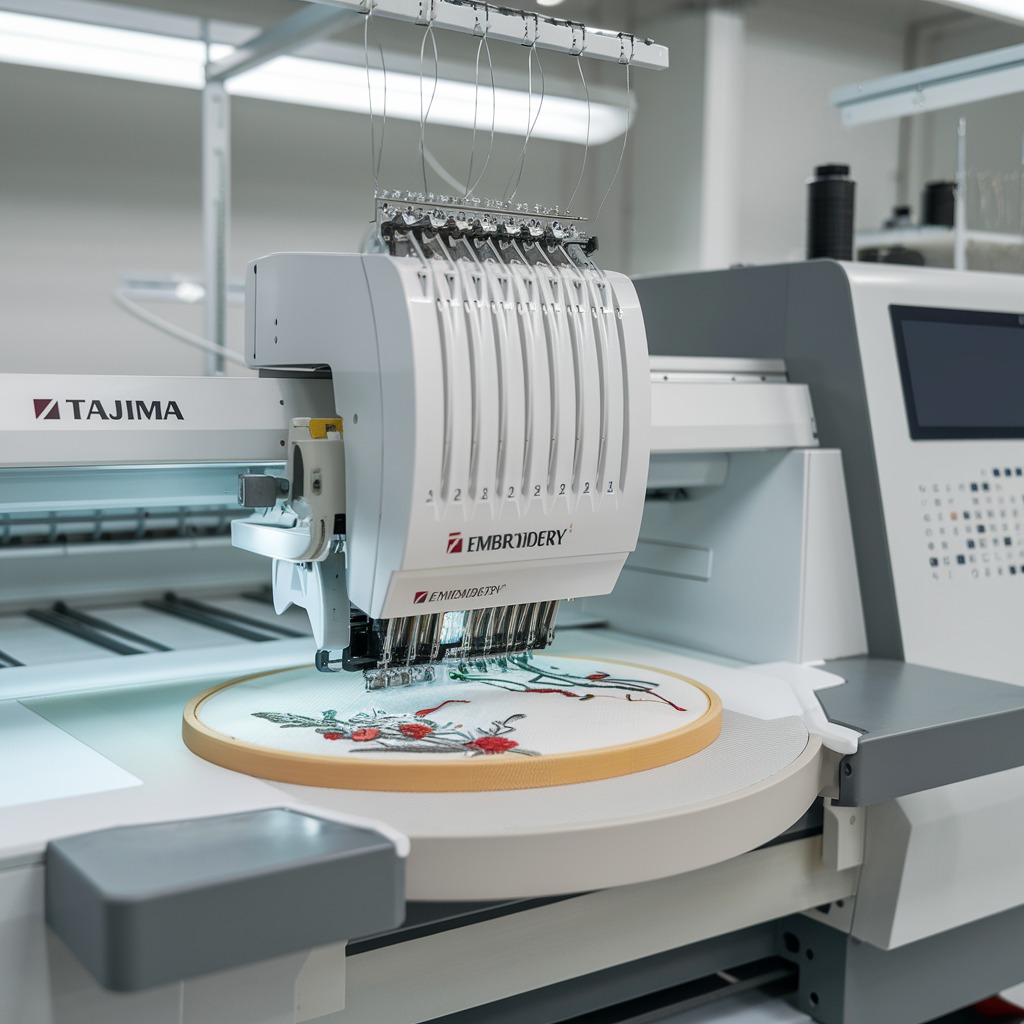
Quick answer: If your Tajima embroidery machine isn't recognizing the embroidery unit, first check all physical connections, ensure proper power supply, and inspect connectors for dirt or damage. Restart the machine and consider firmware updates.
When your Tajima embroidery machine fails to recognize the embroidery unit, it can halt production and cause frustration. This guide provides practical, step-by-step troubleshooting for common causes, helping you diagnose and resolve the issue quickly.
Two-minute checks before you open anything
- Ensure the embroidery unit is securely attached to the main machine.
- Verify the machine is plugged into a functioning power outlet and the power cord is undamaged.
- Inspect and gently clean the connectors on both the embroidery unit and the machine.
- Restart the machine.
- Check for and install any available firmware updates.
1. Loose or Improper Connection high likelihood
How to tell
The embroidery unit may feel loose or wobbly when attached, or the machine displays a general connection error without specific details.
Fix
- Power off the Tajima machine completely.
- Carefully disconnect the embroidery unit from the main machine.
- Inspect the connection points on both the unit and the machine for any visible damage, bent pins, or debris.
- Firmly re-attach the embroidery unit, ensuring it clicks or locks into place securely.
- Power on the machine and check for recognition.
The connection mechanism often involves specific connectors and sometimes securing screws or latches.
Parts involved: Cables & wiring → Screws, springs & small parts →
2. Dirty Connectors high likelihood
How to tell
The connection appears secure, but the machine still fails to recognize the unit. Visible dust, lint, or debris may be present on the connector pins or sockets.
Fix
- Power off the Tajima machine completely.
- Disconnect the embroidery unit.
- Using a soft, lint-free cloth or a small, soft brush (like a clean paintbrush), gently clean the electrical contact pins and sockets on both the embroidery unit and the main machine.
- Avoid using abrasive materials or liquids that could leave residue.
- Reconnect the unit firmly and power on the machine.
The electrical contacts are crucial for communication.
Parts involved: Cables & wiring →
Parts you may need for Tajima
In stock, tested before dispatch, Buyer Protection on every order. Part types for this problem: Cables & wiring, Screws, springs & small parts, Circuit boards & electronics, Floppy, USB & memory.
 TAJIMA DU-10 XY Driver Board EH5404000000 MP-117-1-A for TME-HC, TM...$ 140.49View part →
 Gotek SFRM72-FU Floppy Drive Emulator USB Reader for Tajima, Baruda...$ 59.29View part →
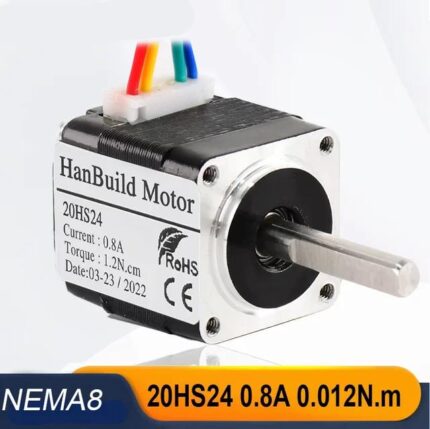 20HS24 NEMA 8 Stepper Motor for Tajima, Barudan, Brother, Happy, Ri...$ 55.29View part →
 Nema23 23HS5628 Stepper Motor 165 Oz-in 2.8A for Tajima, Barudan, C...$ 24.99View part →
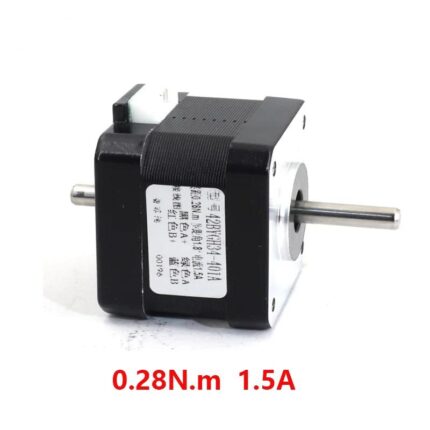 Nema 17 Double Shaft Stepper Motor for Tajima Barudan Brother PR Ja...$ 25.49View part →
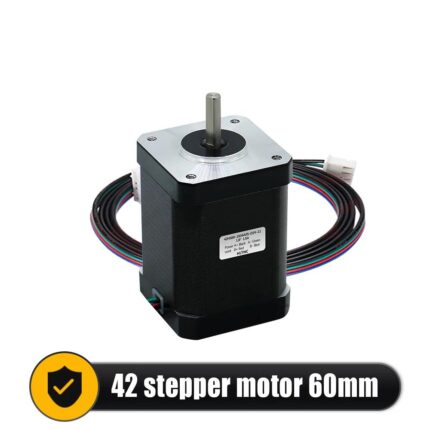 42HS60 Nema 17 Stepper Motor for CNC 3018 3040 6040, 3D Printers, L...$ 33.49View part →
All Tajima parts → Cables & Wiring → Screws, Springs & Small Parts → Circuit Boards & Electronics →
3. Power Supply Issues medium likelihood
How to tell
The machine may power on, but the embroidery unit itself shows no signs of life (no indicator lights, no movement), or the machine displays a power-related error code. Other electrical devices connected to the same outlet might also be intermittent.
Fix
- Ensure the Tajima machine's power cord is securely plugged into a functioning wall outlet. Avoid using power strips or extension cords if possible, as they can sometimes cause voltage drops.
- Inspect the power cord for any visible damage, cuts, or frayed wires.
- If using a power strip, try plugging the machine directly into a known good wall outlet.
- Check the circuit breaker for the outlet to ensure it hasn't tripped.
The main power cord is essential for delivering power to the entire machine, including the embroidery unit.
Parts involved: Cables & wiring →
4. Incorrect Installation medium likelihood
How to tell
The unit physically attaches but doesn't seem to align perfectly, or there's unusual resistance during attachment. The machine gives a general error or no recognition.
Fix
- Power off the Tajima machine.
- Refer to your specific Tajima machine's operator manual for the precise installation procedure for the embroidery unit.
- Carefully remove the unit and re-install it, paying close attention to alignment guides, locking mechanisms, and any specific sequence of steps outlined in the manual.
- Ensure all securing screws or latches are engaged correctly.
- Power on the machine and test.
Proper mechanical alignment and securing of the unit are critical for electrical contact and stability.
Parts involved: Screws, springs & small parts →
5. Outdated Firmware medium likelihood
How to tell
The machine and unit are physically connected and appear functional, but the machine's software fails to establish communication. This can occur after a new unit is attached or if the machine's main board firmware hasn't been updated in a long time. No specific error code might be displayed, or a general communication error.
Fix
- Note your current firmware version (usually found in the machine's system information menu).
- Visit the official Tajima support website for your specific machine model.
- Check for available firmware updates for your machine. Download the latest version and the accompanying update instructions.
- Follow the manufacturer's instructions precisely to update the machine's firmware. This often involves using a USB drive.
- After updating, restart the machine and re-attempt recognition of the embroidery unit.
The main circuit board holds the firmware, and a USB drive is typically used for updates.
Parts involved: Circuit boards & electronics → Floppy, USB & memory →
6. Software Glitches low likelihood
How to tell
The issue is intermittent, or occurs suddenly without any physical changes. A simple restart sometimes temporarily resolves the problem. No specific hardware fault is apparent.
Fix
- Power off the Tajima machine completely, wait 30 seconds, then power it back on.
- If the issue persists, consult your operator manual for instructions on how to perform a 'soft reset' or 'factory reset' of the machine's software settings. Be aware that a factory reset may erase custom settings, so back up any important data if possible.
- After a reset, reconfigure any necessary settings and attempt to recognize the embroidery unit.
The machine's main circuit board manages software operations.
Parts involved: Circuit boards & electronics →
7. Faulty Embroidery Unit low likelihood
How to tell
All other troubleshooting steps have been exhausted, and the machine still fails to recognize the unit. If you have access to another known-good embroidery unit, testing it on your machine would confirm if the original unit is faulty.
Fix
- If all previous steps fail, the embroidery unit itself may have an internal fault.
- Contact a qualified Tajima service technician for further diagnosis or replacement of the embroidery unit.
A faulty unit could involve internal circuit boards, motors, sensors, or wiring specific to the unit.
Parts involved: Circuit boards & electronics → Motors & drivers → Sensors & switches → Cables & wiring →
Stop and call a technician if
- If all troubleshooting steps have been exhausted and the embroidery unit is still not recognized.
- If the machine displays persistent error codes that you cannot resolve using the manual.
- If you suspect internal damage to the embroidery unit or the main machine's electronics.
Prevent it coming back
- Perform regular maintenance checks on your machine and embroidery unit.
- Keep all electrical connectors clean and free of dust or debris.
- Stay up to date with firmware updates for your specific Tajima machine model.
- Always refer to your machine's operator manual for correct installation and usage procedures.
Frequently asked questions
Why is my Tajima machine not recognizing the embroidery unit?
Common reasons include loose or dirty connections, power supply issues, incorrect installation, outdated firmware, or software glitches. Less commonly, the embroidery unit itself may be faulty.
How do I clean the connectors on my Tajima embroidery unit?
Power off the machine, disconnect the unit, and gently clean the electrical contact pins and sockets on both the unit and the machine using a soft, lint-free cloth or a small, soft brush. Avoid liquids or abrasive materials.
Can outdated firmware cause recognition issues?
Yes, outdated firmware can lead to compatibility problems between the main machine and the embroidery unit. Regularly check the Tajima website for updates specific to your machine model.
What should I do if my Tajima machine displays an error code related to the embroidery unit?
Refer to your Tajima machine's operator manual for a list of error codes and their specific meanings. The manual will provide recommended troubleshooting steps for each code.
Did this guide fix your machine?
Rate it - it helps other operators find the right fix.
Not sure which part is failing?
Need the logo stitched too?
Get your logo digitized by the people who know this machine
Upload the artwork, see the stitch count and the exact price in 10 seconds, then order with a free sew-out preview. $1 per 1,000 stitches, $10 minimum, 24-hour delivery. Vector conversion from $12.
After the fix
Fixed it? Keep the rest of the shop moving.
OS 360 is the shop software from the team behind this parts store. Every job keeps its status, deadline and owner while a Tajima head is down, restock alerts fire for needles, hooks and bobbins before you run dry, and quotes, invoices and payment live in one place.
- Jobs with status, deadline and owner - nothing slips during downtime
- Inventory with restock alerts, this store one click away
- Instant quotes, invoices and one place to collect payment