Hikone Embroidery Machine: Common Errors in Puckering or Distorted Embroidery Designs and Solutions

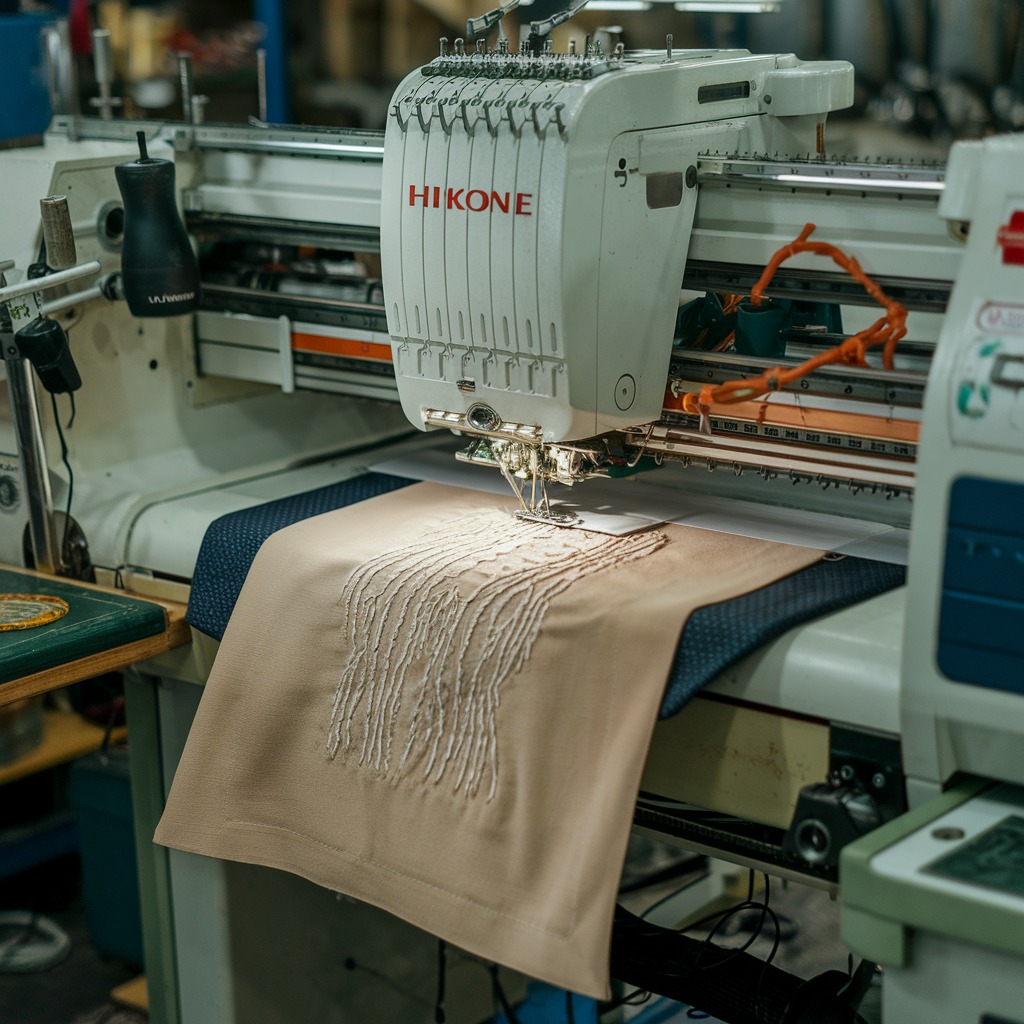
Hikone Embroidery Machine: Common Errors in Puckering or Distorted Embroidery Designs and Solutions
Puckering or distorted embroidery designs are common issues that can occur when using Hikone embroidery machines. These issues not only affect the appearance of the finished product but also can damage the fabric over time. Identifying the causes of puckering and distortion in embroidery designs is key to avoiding these problems and ensuring high-quality stitching.
Common Causes of Puckering or Distorted Embroidery Designs in Hikone Machines
- Improper Tension Settings
Incorrect tension in either the upper thread or the bobbin can result in puckering. The fabric may gather, or the design may become distorted if the tension is too tight or loose. - Hooping Issues
If the fabric is not properly hooped or stretched tightly enough, it can move or pucker during embroidery. Uneven hooping can also result in a misalignment of the design. - Incorrect Stabilizer Use
Using the wrong type of stabilizer or no stabilizer at all can lead to fabric puckering. Without proper stabilization, the fabric may shift or stretch, especially on delicate or stretchy materials.
- Incompatible Fabric Type
Some fabrics, such as lightweight or stretchy fabrics, are more prone to puckering during embroidery. Using the wrong thread or needle for the fabric type can also exacerbate this issue. - Thread Issues
Low-quality or mismatched thread types can cause tension problems and lead to puckering or uneven embroidery designs. Threads that are too thick for the fabric may pull on the material, causing distortion. - Excessive Stitch Density
Designs with high stitch density may lead to puckering, especially on lightweight fabrics. Too many stitches in a small area can overwork the fabric, causing it to stretch or pucker.

Solutions for Puckering or Distorted Embroidery Designs
- Adjust Tension Settings
Check and adjust the tension settings for both the upper thread and bobbin. Test the tension on a scrap piece of fabric to ensure that the stitches lie flat without pulling or gathering the material. Aim for balanced tension that is appropriate for the fabric and design. - Hoop the Fabric Correctly
Make sure the fabric is hooped tightly and evenly without stretching it out of shape. The fabric should be taut but not overstretched, as this can lead to distortion once the hoop is removed. Use a suitable hoop size for the design to prevent shifting during stitching. - Use the Right Stabilizer
Choose the appropriate stabilizer based on the fabric type. For lightweight or stretchy fabrics, use a heavier stabilizer to provide extra support. Cutaway stabilizers work well for delicate fabrics, while tear-away stabilizers can be used for sturdier materials. - Match the Fabric, Thread, and Needle
Ensure that you are using the correct needle and thread for the fabric type. For thin or delicate fabrics, a finer needle and lighter thread are ideal to avoid pulling on the material. Test different combinations on a sample before starting the actual design. - Use High-Quality Thread
Opt for high-quality embroidery thread to prevent tension inconsistencies. Poor-quality thread can cause tension fluctuations that result in puckering or design distortion. Choose a thread that is suitable for the fabric and design for smooth and even stitching. - Reduce Stitch Density
For designs with high stitch density, reduce the number of stitches to prevent the fabric from being overworked. You can adjust the design in your embroidery software to ensure that the stitch count matches the fabric’s capacity to handle dense embroidery.
Preventive Measures
- Test Designs First: Always test your design on a piece of fabric that is similar to your final material. This helps you identify any tension, hooping, or density issues before starting on the actual project.
- Choose the Right Embroidery Design: Some designs may be too intricate or dense for certain fabrics. Select designs that are appropriate for the fabric you’re working with, and make adjustments if needed.
- Regular Machine Maintenance: Keep your Hikone embroidery machine clean and well-maintained to prevent thread tension issues and ensure smooth stitching. Regularly clean the bobbin area, needle plate, and thread path.
Conclusion
Puckering or distorted embroidery designs are common issues that can be avoided with proper tension adjustments, correct hooping, and the use of appropriate stabilizers. By matching your fabric with the right thread and needle, and reducing stitch density when necessary, you can ensure that your Hikone embroidery projects turn out perfectly. Always test your designs on similar fabrics and follow best practices for hooping and stabilizing to prevent these issues in the future.