Hikone Embroidery Machine: Common Errors in Machine Freezing or Slowing Down and Solutions

Hikone Embroidery Machine: Common Errors in Machine Freezing or Slowing Down and Solutions
Hikone embroidery machines are known for their reliability and precision. However, over time or due to certain issues, they may freeze or slow down during operation. This can interrupt your workflow and affect the quality of your embroidery projects. Understanding the underlying causes of these performance issues and implementing effective solutions is essential for maintaining smooth operations.
Common Causes of Machine Freezing or Slowing Down in Hikone Machines
- Overloaded Memory or Complex Design
One of the most common reasons for an embroidery machine freezing or slowing down is processing overly complex designs with too many stitches or colors. If the design exceeds the machine’s memory or processing capacity, it may slow down or stop altogether. - Thread or Bobbin Issues
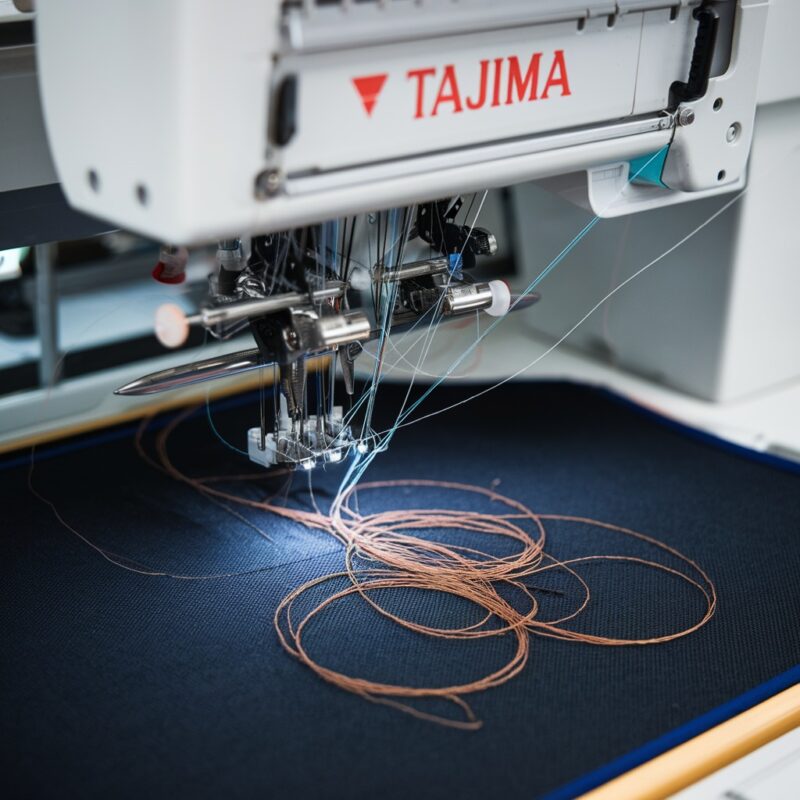
Incorrect thread tension, improperly wound bobbins, or low-quality threads can cause the machine to jam, freeze, or slow down. Threads that get caught or tangled can create excessive friction, forcing the machine to halt. - Needle Problems
A dull or damaged needle can slow down the machine as it struggles to penetrate the fabric properly. A bent or broken needle might cause the machine to stop entirely. - Lack of Maintenance
If the machine has not been cleaned or lubricated properly, accumulated dust, lint, and debris can cause friction and slow the machine‘s operation. A lack of oil in the moving parts can cause the machine to seize up or slow down.
- Tension Imbalance
Improperly adjusted thread tension can cause the machine to slow down as it struggles to pull the threads through smoothly. This can also lead to frequent thread breakage or skipping of stitches. - Motor or Electrical Issues
A weak or failing motor or problems with the machine’s power supply can cause it to slow down or freeze intermittently. Over time, wear and tear on the motor or electrical components can affect machine performance. - Software Glitches or Outdated Firmware
Sometimes, machine freezing can be caused by software glitches or outdated firmware. These technical issues may cause the machine to freeze when processing commands.
Solutions for Machine Freezing or Slowing Down in Hikone Machines
- Simplify the Design
If your machine is freezing due to a complex design, try simplifying the design by reducing the number of stitches, colors, or pattern complexity. You can also break the design into smaller sections to prevent memory overload. - Use High-Quality Threads and Bobbins
Always use high-quality, properly wound bobbins and threads to avoid jams and tangles. Check for thread compatibility with your machine and maintain appropriate thread tension to ensure smooth operation. - Replace or Adjust the Needle
Check the needle for signs of wear or damage. Replace dull or bent needles to ensure the machine can operate smoothly. Make sure you are using the correct needle size and type for the fabric and design you are working on. - Perform Regular Maintenance
Keep your machine well-maintained by cleaning it regularly and removing lint, dust, and debris. Lubricate the moving parts as recommended by the manufacturer to reduce friction and ensure smooth operation. - Adjust Thread Tension
Ensure that the thread tension is balanced. Follow the user manual for your machine to adjust the tension correctly. This will help prevent thread jams and improve machine speed. - Check the Motor and Electrical Components
If you suspect a motor or electrical issue, consult a professional technician to inspect your machine. Replacing worn-out motor components or fixing electrical issues can restore the machine’s full operational speed. - Update Firmware and Software
If your machine is experiencing freezing due to software glitches, check for any firmware updates provided by Hikone. Updating the software can resolve bugs and improve overall machine performance.
Preventive Tips
- Test Run on Scrap Fabric: Before starting your final project, run a test design on scrap fabric to ensure the machine operates smoothly without slowing down.
- Store Design Files Properly: Organize your embroidery files and avoid overloading the machine’s memory with unnecessary designs. Delete or offload designs when not needed.
- Regularly Inspect Electrical Connections: Ensure that your machine‘s power source is stable and inspect power cords for any signs of damage. This can prevent interruptions in performance.
Conclusion
While machine freezing or slowing down can be a frustrating issue, there are straightforward solutions to keep your Hikone embroidery machine running smoothly. By ensuring proper machine maintenance, using quality threads and needles, and staying updated on software, you can prevent most of these common performance problems.