
Blog
Tajima TMCE Series: Common Problems & Fixes Guide


Quick answer: Most Tajima TMCE issues like thread breaks, skipped stitches, or data transfer errors can be resolved by checking thread path, needle, rotary hook, tension settings, or the USB linker. Regular maintenance is key to preventing problems.
The Tajima TMCE series is a robust workhorse for embroidery, particularly well-suited for specialized tasks like towel embroidery. However, like all complex machinery, it can encounter issues. This guide provides common problems reported by operators, along with practical, step-by-step solutions to get your machine back up and running. We focus on fixes you can perform yourself, highlighting the replacement parts we stock to help you maintain your TMCE.
Two-minute checks before you open anything
- Is the machine plugged in and powered on?
- Is the emergency stop button disengaged?
- Is the thread correctly loaded and tensioned?
- Is the needle inserted correctly and not bent or dull?
- Is the bobbin wound properly and inserted correctly?
- Is the fabric hooped securely with backing?
- Are there any visible thread tangles or obstructions in the needle area or rotary hook?
1. Frequent Thread Breaks high likelihood
How to tell
The machine stops unexpectedly, displaying a thread break error, or you notice the thread has snapped during embroidery.
Fix
- Check the thread path for any tangles, knots, or burrs. Ensure the thread unwinds smoothly from the spool.
- Inspect the needle for bends, burrs, or dullness. Replace if necessary, ensuring it's the correct type and size for your thread and fabric (e.g., Organ PH-C120 Crocheted Towel Embroidery Needle for Tajima TMCE TCMX Machines).
- Verify thread tension. Start by re-threading the machine completely, ensuring the thread is seated correctly in all tension discs and the Thread Block (Tajima 050320350000 Thread Block). Adjust the main tension knob slightly.
- Clean the rotary hook area. Remove any lint or thread fragments that may be obstructing its movement. Check the bobbin case for damage.
- Ensure the bobbin is wound correctly and inserted properly. A poorly wound bobbin can cause upper thread breaks.
- Check the Tajima Tension Base Adjustment Board (Tajima 0J2600900021 Tension Base Adjustment Board for TMCE, TMFX, TMBU, TFMX-II) for proper function and adjustment, especially if using specialty threads or materials like towels.
Consider replacing your needle with an Organ PH-C120 Crocheted Towel Embroidery Needle for Tajima TMCE TCMX Machines. Inspect the Tajima 050320350000 Thread Block and the Onloyo 050260010020 Rotary Hook Bobbin:Regular for Tajima TMLH TLMX TMCE TCMX Embroidery Machines. If tension issues persist, the Tajima 0J2600900021 Tension Base Adjustment Board might need adjustment or replacement.
Parts involved: Needles & needle bars → Thread path & tension → Rotary hooks & bobbin cases →
2. Skipped Stitches or Poor Stitch Quality high likelihood
How to tell
Embroidery appears uneven, stitches are missing, loops are visible on the fabric surface, or the design looks sparse.
Fix
- Replace the needle with a new, sharp needle appropriate for your fabric and thread (e.g., Organ PH-C120 Crocheted Towel Embroidery Needle for Tajima TMCE TCMX Machines).
- Check and adjust upper and bobbin thread tension. Ensure the bobbin thread pulls smoothly from the bobbin case.
- Verify that the fabric is hooped correctly and tautly, without wrinkles. Use appropriate backing for stability.
- Clean the rotary hook area thoroughly, removing any lint or debris that could interfere with stitch formation. Ensure the bobbin case is clean and undamaged.
- Confirm the correct needle depth and machine timing. This often requires a technician, but a quick check can be done by observing the needle bar movement relative to the rotary hook point.
A fresh Organ PH-C120 Crocheted Towel Embroidery Needle for Tajima TMCE TCMX Machines can often resolve this. Check the Onloyo 050260010020 Rotary Hook Bobbin:Regular for Tajima TMLH TLMX TMCE TCMX Embroidery Machines for wear or damage. Tension issues might point to the Tajima 0J2600900021 Tension Base Adjustment Board.
Parts involved: Needles & needle bars → Rotary hooks & bobbin cases → Thread path & tension →
Parts you may need for Tajima TMCE
In stock, tested before dispatch, Buyer Protection on every order. Part types for this problem: Needles & needle bars, Thread path & tension, Rotary hooks & bobbin cases, Floppy, USB & memory.
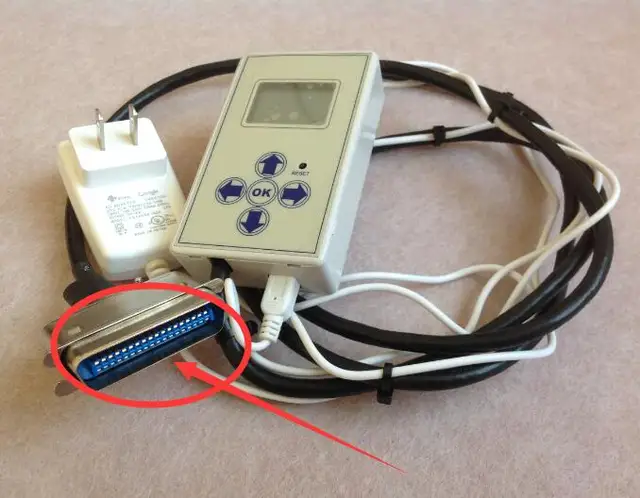 Tajima 9ZJ4040A0000 USB Linker External Reader for TMEG, TMEF, TMBE...$ 257.49View part →
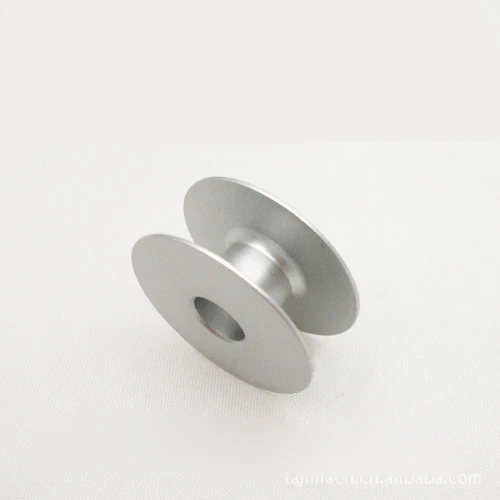 Onloyo 050260010020 Rotary Hook Bobbin:Regular for Tajima TMLH TLMX...$ 9.49View part →
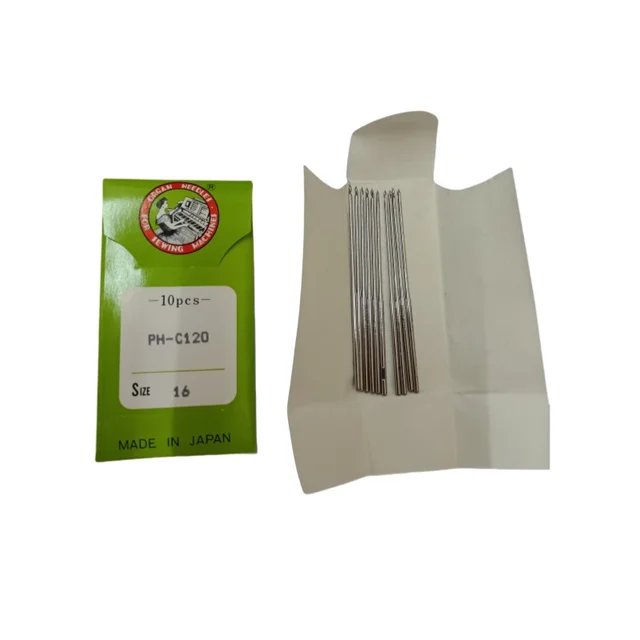 Organ PH-C120 Crocheted Towel Embroidery Needle for Tajima TMCE TCM...$ 69.29View part →
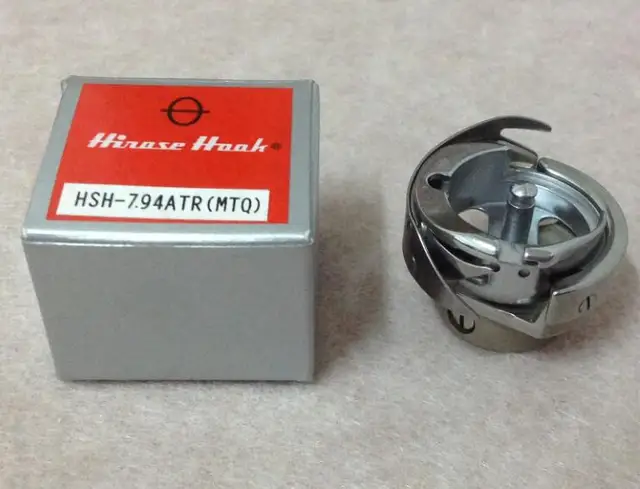 Hirose HSH-7.94ATR(MTQ) KHS12-RYP Rotary Hook for Tajima, Barudan, ...$ 18.09View part →
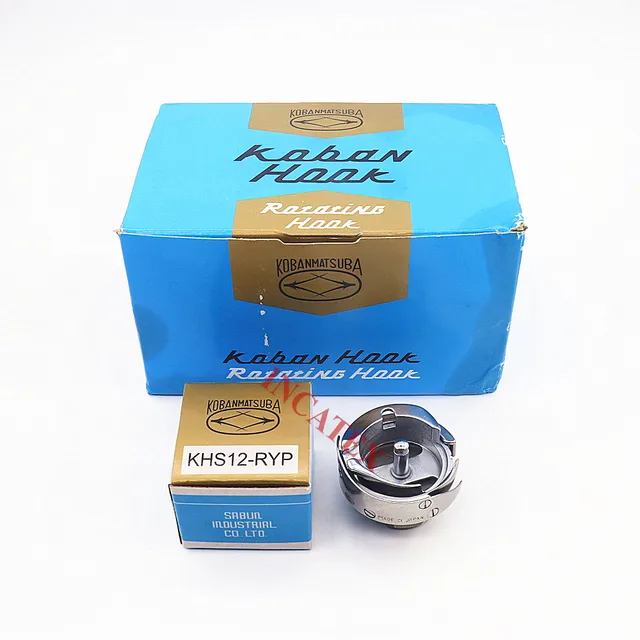 Koban KHS12-RYP Rotary Hook with Trimmer for Tajima, Barudan, SWF, ...$ 37.29View part →
 Gotek SFRM72-FU Floppy Drive Emulator USB Reader for Tajima, Baruda...$ 59.29View part →
All Tajima TMCE parts → Needles & Needle Bars → Thread Path & Tension → Rotary Hooks & Bobbin Cases →
3. Machine Not Reading Design Files / Data Transfer Issues medium likelihood
How to tell
The machine displays an error message like 'No Design', 'Read Error', or fails to load a design from the USB device or external reader.
Fix
- Ensure the design file is in the correct format (.DST is standard for Tajima) and is not corrupted. Try loading a different, known-good design.
- Check the USB drive or floppy disk for proper insertion and ensure it's not damaged. Try a different USB drive or disk.
- If using an external reader, ensure it is securely connected to the machine. Disconnect and reconnect the Tajima 9ZJ4040A0000 USB Linker External Reader for TMEG, TMEF, TMBE, TMCE, TME-600, TME-DC, TMFD, TMFX Machines.
- Restart the embroidery machine. Sometimes a simple reboot can clear temporary communication glitches.
- Inspect the cables connecting the external reader to the machine for any visible damage or loose connections.
The Tajima 9ZJ4040A0000 USB Linker External Reader for TMEG, TMEF, TMBE, TMCE, TME-600, TME-DC, TMFD, TMFX Machines is the primary component for data transfer. If issues persist, it may need replacement.
Parts involved: Floppy, USB & memory → Cables & wiring →
4. Needle Bar Not Moving / Head Malfunction low likelihood
How to tell
A specific needle bar or the entire head is stuck, not moving, or making unusual grinding noises.
Fix
- Turn off the machine immediately to prevent further damage.
- Manually check for any obstructions around the needle bar, such as broken needles, thread tangles, or fabric scraps.
- Inspect the Tajima Electromagnet Drive, Buckle Wire, Lock Wire, Fine Thread Sensor Accessory Kit for TFMX, TME, TMAR, TMCE, TMSE Series components. Ensure the electromagnets are not stuck and wires are intact.
- Check for loose screws or connections in the head assembly. Do not force any parts.
- If the issue is not immediately obvious or easily cleared, contact a qualified technician. This could indicate a more serious mechanical or electronic problem.
The Tajima Electromagnet Drive, Buckle Wire, Lock Wire, Fine Thread Sensor Accessory Kit for TFMX, TME, TMAR, TMCE, TMSE Series contains components critical to needle bar movement and thread detection. These may need inspection or replacement.
Parts involved: Solenoids & magnets → Head & mechanical parts → Sensors & switches →
Maintenance schedule
| When | What to do | Why |
|---|---|---|
| Daily | Clean rotary hook area and thread path. | Prevents lint buildup that can cause thread breaks and skipped stitches. |
| Weekly/Bi-weekly | Lubricate specified points (refer to manual) and perform a more thorough cleaning. | Ensures smooth operation of mechanical parts and extends machine lifespan. |
| Monthly | Inspect needles, presser feet, and thread guides for wear or damage. | Proactive replacement of worn parts prevents larger issues and maintains stitch quality. |
| Annually | Professional service and timing check. | Maintains optimal performance and addresses wear and tear not visible to the operator. |
Stop and call a technician if
- If the machine displays an error code that you cannot resolve with basic troubleshooting.
- If you suspect a timing issue or a major mechanical misalignment.
- If there is persistent grinding, knocking, or unusual noises that indicate internal damage.
- If electrical components, circuit boards, or motors appear to be faulty.
- If you are uncomfortable performing a specific repair or adjustment.
Prevent it coming back
- Perform daily cleaning of the rotary hook and thread path to remove lint and debris.
- Regularly lubricate moving parts according to your machine's manual.
- Use high-quality needles and threads appropriate for your fabric type.
- Ensure proper thread tension for both upper and bobbin threads.
- Hoop fabric correctly and tautly with appropriate backing.
- Inspect needles frequently for bends, burrs, or dullness and replace as needed.
- Keep your workspace clean and free of dust and thread scraps.
Frequently asked questions
Why does my Tajima TMCE keep breaking needles?
Needle breaks are often caused by a bent or dull needle, incorrect needle size for the fabric, improper hooping (fabric not taut), timing issues, or obstructions in the needle plate area. Always use a fresh, sharp needle and ensure proper tension.
How often should I clean my Tajima TMCE machine?
Daily cleaning of the rotary hook area and thread path is recommended, especially after heavy use or when changing thread colors. A more thorough cleaning and lubrication should be performed weekly or bi-weekly, depending on usage. Refer to your machine's manual for specific intervals.
What type of needle should I use for towel embroidery on my TMCE?
For towel embroidery on your Tajima TMCE, we recommend using a specialized needle like the Organ PH-C120 Crocheted Towel Embroidery Needle for Tajima TMCE TCMX Machines. These needles are designed to penetrate thick, looped fabrics without damaging the fibers, reducing thread breaks and improving stitch quality.
Did this guide fix your machine?
Rate it - it helps other operators find the right fix.
Not sure which part is failing?
Need the logo stitched too?
Get your logo digitized by the people who know this machine
Upload the artwork, see the stitch count and the exact price in 10 seconds, then order with a free sew-out preview. $1 per 1,000 stitches, $10 minimum, 24-hour delivery. Vector conversion from $12.
After the fix
Fixed it? Keep the rest of the shop moving.
OS 360 is the shop software from the team behind this parts store. Every job keeps its status, deadline and owner while a TMCE head is down, restock alerts fire for needles, hooks and bobbins before you run dry, and quotes, invoices and payment live in one place.
- Jobs with status, deadline and owner - nothing slips during downtime
- Inventory with restock alerts, this store one click away
- Instant quotes, invoices and one place to collect payment