
Blog
Tajima TEMX Series: Common Problems & Fixes Guide

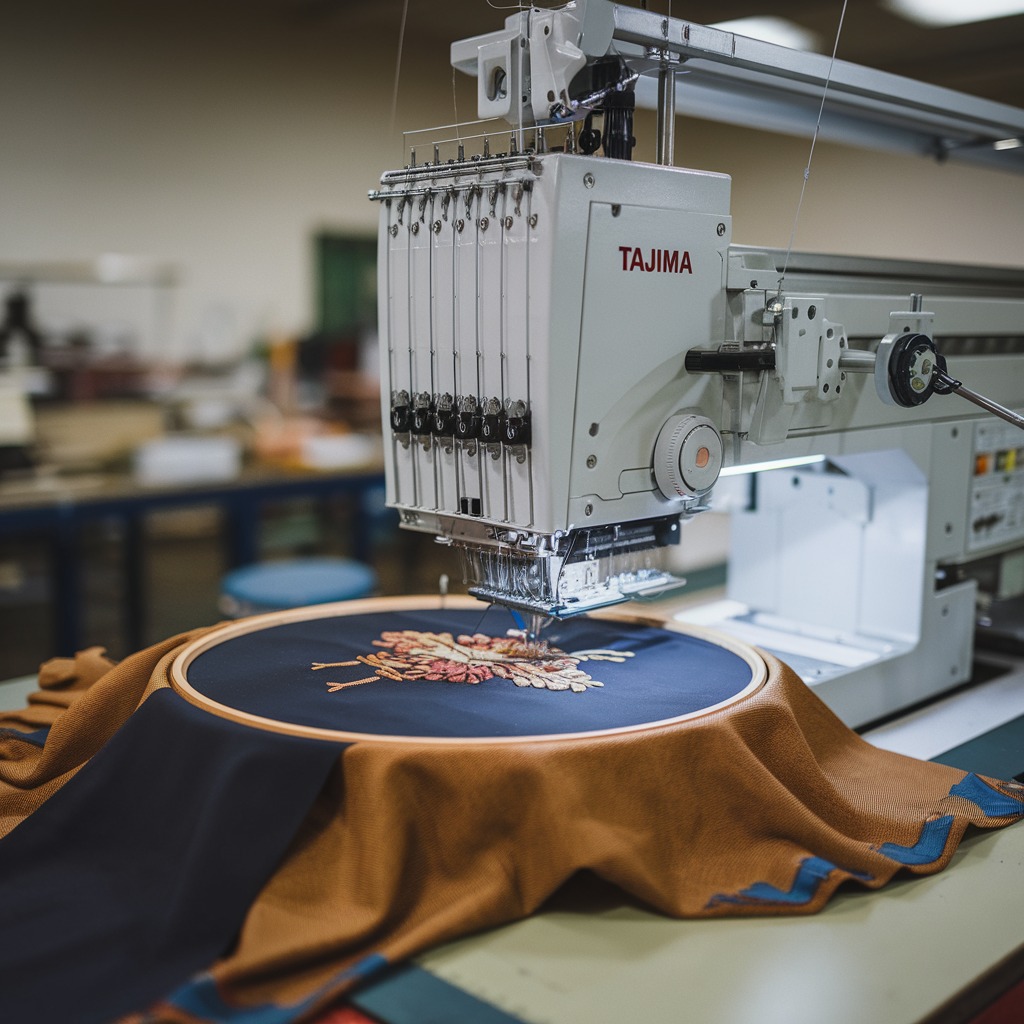
Quick answer: Common Tajima TEMX problems include frequent thread breaks, poor trimming, needle bar jams, and inconsistent machine speed. Solutions often involve checking thread path, needle, tension, cutter assembly, needle bar timing, and the potentiometer. Regular maintenance is key to preventing these issues.
The Tajima TEMX series embroidery machines are known for their reliability and performance, but like any complex machinery, they can encounter issues. This guide is designed to help operators quickly diagnose and resolve the most common problems experienced with TEMX machines. We'll cover frequent thread breaks, trimming malfunctions, needle bar issues, and speed inconsistencies, providing practical steps to get your machine back up and running efficiently. Always refer to your official Tajima TEMX operator's manual for detailed specifications and safety procedures.
Two-minute checks before you open anything
- Is the machine powered on and properly connected to a stable power source?
- Are all threads correctly threaded through the machine, from cone to needle?
- Is the bobbin correctly wound and inserted with proper tension?
- Is the correct needle type and size installed, and is it inserted correctly?
- Are the hoops securely attached and tight enough to prevent fabric movement?
- Is the fabric properly hooped without wrinkles or excessive tension?
- Are there any visible thread jams or obstructions in the needle area or rotary hook?
- Check the machine's display for any error codes and consult your manual.
1. Frequent Thread Breaks or Poor Stitch Quality high likelihood
How to tell
You experience repeated thread breaks, skipped stitches, loose loops on top or bottom, or generally uneven stitching. This often happens across multiple needles or specific ones.
Fix
- Inspect the entire thread path for any burrs, rough spots, or obstructions from the thread cone to the needle eye. Clean any lint or debris.
- Check the upper thread tension. Adjust it according to your thread type and fabric. Ensure tension discs are clean and move freely.
- Verify the needle is inserted correctly, facing forward, and is the correct type and size for your thread and fabric. Replace bent or dull needles.
- Clean the rotary hook area thoroughly. Remove any lint, thread bits, or debris. Check for nicks or burrs on the hook point or bobbin case.
- Ensure the bobbin is wound correctly and inserted with proper tension. Test with a new bobbin.
Parts involved: Needles & needle bars → Thread path & tension → Rotary hooks & bobbin cases → Screws, springs & small parts →
2. Machine Not Trimming or Poor Trimming Performance medium likelihood
How to tell
The machine fails to cut the thread during a trim command, leaves long tails, or produces an error related to the trimmer. You might hear unusual noises during trimming or see the knives not engaging fully.
Fix
- Check for thread jams around the trimmer mechanism. Clear any tangled threads or lint.
- Inspect the moving and fixed trimmer knives for wear, damage, or looseness. Replace if dull or chipped.
- Verify the trimmer timing. Refer to your machine's manual for specific adjustment procedures. Incorrect timing can lead to missed trims or damage.
- Ensure the thread tension is appropriate. If thread is too loose, it may not be presented correctly to the knives.
- Check the connecting rod for the scissors drive shaft for any looseness or damage that might prevent proper knife movement.
A worn or damaged Tajima 050320850S21 Connecting Rod Scissors Drive Shaft Assembly for TEMX TFMX Embroidery Machines can directly impact trimming performance.
Parts involved: Cutters & trimmers → Shafts, bearings & bushings → Solenoids & magnets →
Parts you may need for Tajima TEMX
In stock, tested before dispatch, Buyer Protection on every order. Part types for this problem: Needles & needle bars, Thread path & tension, Rotary hooks & bobbin cases, Screws, springs & small parts.
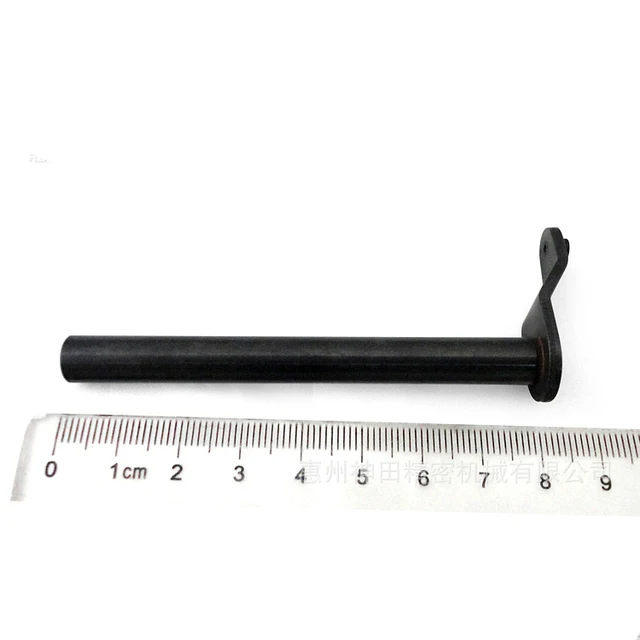 Tajima 050320850S21 Connecting Rod Scissors Drive Shaft Assembly fo...$ 0.00View part →
 Tajima Potentiometer 640900010001 640900010000 PB000100RV00 TFGN TF...$ 132.99View part →
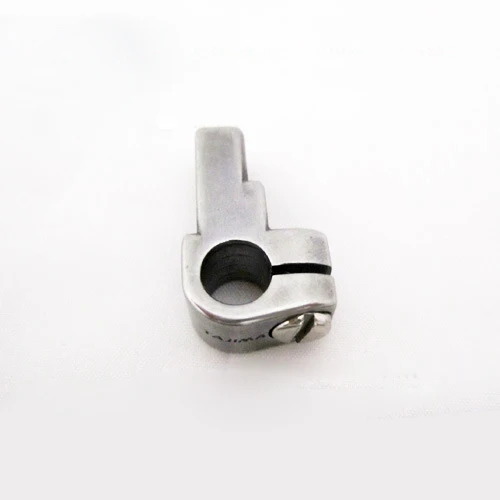 Tajima 090420060017 Stopper Lower Dead Point Needle Bar Connecting ...$ 0.00View part →
 TAJIMA DU-10 XY Driver Board EH5404000000 MP-117-1-A for TME-HC, TM...$ 156.49View part →
 Hirose HSH-7.94ATR(MTQ) KHS12-RYP Rotary Hook for Tajima, Barudan, ...$ 18.09View part →
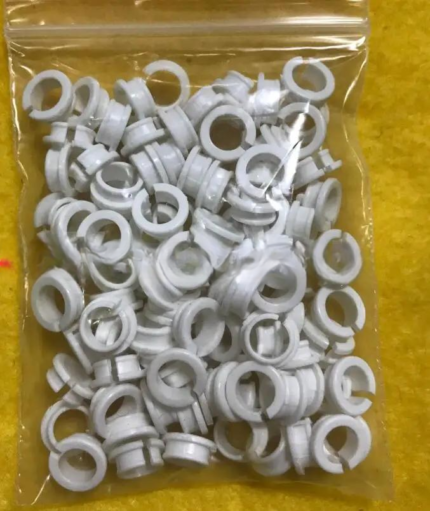 Tajima EF0613220000 EF0613210000 090460040020 090460040031 Presser ...$ 18.09View part →
All Tajima TEMX parts → Needles & Needle Bars → Thread Path & Tension → Rotary Hooks & Bobbin Cases →
3. Needle Bar Jams or Hits Needle Plate medium likelihood
How to tell
A needle bar gets stuck in the up or down position, makes a grinding noise, or the needle repeatedly hits the needle plate, causing needle breakage or damage to the plate.
Fix
- First, power off the machine immediately. Manually rotate the main shaft to see if the needle bar moves freely. Do not force it.
- Check for any obstructions in the needle bar path, such as thread tangles or debris.
- Inspect the needle bar stopper. If it's loose or damaged, the needle bar's lower dead point can be incorrect, causing it to hit the plate.
- Verify the needle bar height. If it's set too low, the needle will strike the plate. Adjust according to your machine's manual.
- Check the needle bar connecting stud for any signs of wear or damage that could affect its movement or positioning.
A faulty Tajima 090420060017 Stopper Lower Dead Point Needle Bar Connecting Stud for TMEG TMFD TMFX STNE TFKN STKN STKN-C TFGN TMEX TEMX TEHX TEJT TMLH TLMX is a common culprit for this issue.
Parts involved: Needles & needle bars → Head & mechanical parts → Screws, springs & small parts →
4. Inconsistent Machine Speed or Erratic Operation low likelihood
How to tell
The machine runs at an inconsistent speed, speeds up or slows down unexpectedly, or fails to reach the set speed. You might also notice jerky movements or error messages related to motor speed.
Fix
- Check all power connections to the machine and ensure stable power supply.
- Inspect the potentiometer (speed control knob) for any physical damage or loose connections. Sometimes, internal wear can cause erratic readings.
- Verify that the main motor and X/Y motors are clean and free from obstructions. Check motor cooling fans for proper operation.
- Examine motor encoder cables for damage or loose connections. A faulty encoder can send incorrect speed feedback.
- If the issue persists, it may indicate a problem with the motor driver board or the main control board. This usually requires professional diagnosis.
A worn or faulty Tajima Potentiometer 640900010001 640900010000 PB000100RV00 TFGN TFKN STKN TEMX is a common cause for speed control issues.
Parts involved: Motors & drivers → Circuit boards & electronics → Sensors & switches → Cables & wiring →
Maintenance schedule
| When | What to do | Why |
|---|---|---|
| Daily | Clean rotary hook, needle plate, and thread path. | Removes lint and debris that can cause thread breaks and poor stitch quality. |
| Weekly | Clean under the needle plate, tension assemblies, and inspect trimmer knives. | Ensures smooth operation of critical components and identifies wear early. |
| Monthly | Lubricate specified points (refer to manual) and check for loose screws. | Reduces friction, prevents wear, and maintains machine stability. |
| Quarterly | Inspect belts, pulleys, and main shafts for wear or damage. | Prevents major mechanical failures and ensures consistent machine movement. |
Stop and call a technician if
- If you encounter persistent error codes that you cannot resolve with basic troubleshooting.
- If you suspect a problem with the main control board, motor driver, or other complex electronic components.
- If you are unable to resolve mechanical issues after following troubleshooting steps, especially those involving timing adjustments or internal component replacement.
- If you hear grinding noises or experience severe machine jams that could indicate major internal damage.
Prevent it coming back
- Perform daily cleaning of the rotary hook, needle plate, and thread path to remove lint and debris.
- Regularly inspect needles and replace them at the first sign of dullness or bending.
- Use high-quality threads and bobbins suitable for your machine and project.
- Ensure proper upper and bobbin thread tension settings for each job.
- Follow the manufacturer's recommended lubrication schedule using the specified lubricants.
- Check for loose screws or worn parts during routine maintenance and address them promptly.
- Keep your work area clean and free of dust and fabric scraps.
Frequently asked questions
Why does my Tajima TEMX keep breaking needles?
Needle breakage on a Tajima TEMX can be caused by several factors: incorrect needle type or size for the fabric/thread, a bent or dull needle, incorrect needle bar height, loose hoop, fabric flagging (moving up and down with the needle), or timing issues with the rotary hook. Always check these areas first.
How often should I clean my Tajima TEMX machine?
For optimal performance, clean your Tajima TEMX machine daily, especially the rotary hook area, needle plate, and thread path, to remove lint and thread debris. A more thorough weekly cleaning, including under the needle plate and tension assemblies, is also recommended. Refer to your machine's manual for specific cleaning schedules and lubrication points.
My TEMX machine is making a strange noise. What should I do?
Unusual noises often indicate a mechanical issue. First, power off the machine. Check for any visible obstructions like tangled threads or loose parts. Manually rotate the main shaft to pinpoint the source of the noise. Common culprits include dry bearings, loose screws, worn gears, or issues within the rotary hook area. Do not operate the machine if the noise persists, and consult your manual or a technician.
Did this guide fix your machine?
Rate it - it helps other operators find the right fix.
Not sure which part is failing?
Need the logo stitched too?
Get your logo digitized by the people who know this machine
Upload the artwork, see the stitch count and the exact price in 10 seconds, then order with a free sew-out preview. $1 per 1,000 stitches, $10 minimum, 24-hour delivery. Vector conversion from $12.
After the fix
Fixed it? Keep the rest of the shop moving.
OS 360 is the shop software from the team behind this parts store. Every job keeps its status, deadline and owner while a TEMX head is down, restock alerts fire for needles, hooks and bobbins before you run dry, and quotes, invoices and payment live in one place.
- Jobs with status, deadline and owner - nothing slips during downtime
- Inventory with restock alerts, this store one click away
- Instant quotes, invoices and one place to collect payment





