
Blog
Barudan BEVT Series Embroidery Machine: Common Problems & Fixes

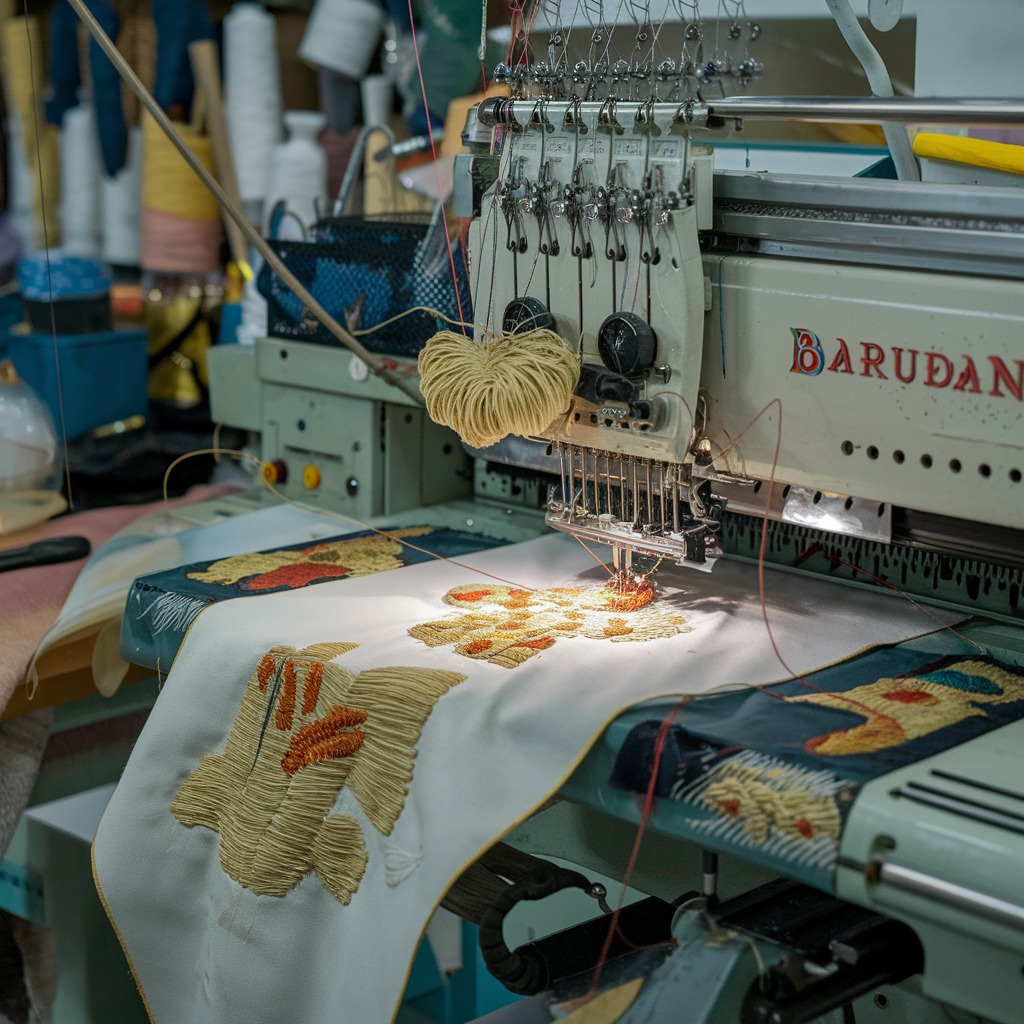
Quick answer: Most Barudan BEVT series embroidery machine problems, such as thread breaks, skipped stitches, or machine freezing, can be resolved by checking thread path, needle condition, tension settings, and ensuring proper maintenance. For electronic issues, consider replacing components like the USB floppy emulator or stepper motors.
The Barudan BEVT series embroidery machines are workhorses in the industry, known for their reliability. However, like any complex machinery, they can encounter issues over time. This guide provides common problems reported by operators, how to identify them, and practical steps to fix them, helping you get your BEVT back to peak performance. We'll also highlight relevant replacement parts available from 360 Digitizing Shop.
Two-minute checks before you open anything
- Is the machine plugged in and powered on?
- Are all emergency stop buttons disengaged?
- Is the thread correctly loaded and tensioned?
- Is the needle inserted correctly and not bent or dull?
- Is the bobbin correctly wound and inserted?
- Is the fabric properly hooped and secured?
- Are there any visible obstructions or tangled threads?
1. Frequent Thread Breakage high likelihood
How to tell
The machine stops frequently with a 'thread break' error, or you observe the thread snapping during embroidery. This can happen with upper thread or bobbin thread.
Fix
- Inspect the entire thread path (from spool to needle) for any burrs, rough spots, or obstructions. Clean or smooth as necessary.
- Check the needle for bends, burrs, or dullness. Replace the needle if any damage is found. Ensure the needle is inserted correctly and fully seated.
- Verify upper thread tension. It should be firm enough to pull the thread smoothly but not so tight that it snaps. Adjust the tension knobs incrementally.
- Check bobbin tension. The bobbin case should drop slowly when held by the thread. Adjust the bobbin case screw if needed.
- Ensure the thread is appropriate for the fabric and needle size being used.
- Clean the rotary hook area of any lint or debris. Check for burrs on the hook point.
- Confirm the needle bar is not loose or misaligned. A loose Barudan HT230290 Needle Bar Driver Fixing Base Block can cause erratic needle movement leading to breaks.
A worn or damaged Barudan HT230290 Needle Bar Driver Fixing Base Block can contribute to needle bar instability and thread breaks.
Parts involved: Needles & needle bars → Thread path & tension → Rotary hooks & bobbin cases → Head & mechanical parts → Lubrication & maintenance →
2. Skipped Stitches or Uneven Stitch Quality high likelihood
How to tell
Embroidery appears incomplete with gaps in the stitching, or stitches are inconsistent in length or tension, leading to a messy appearance.
Fix
- Replace the needle with a new, correct size and type for your fabric and thread. Ensure it's inserted with the scarf facing the rotary hook.
- Check upper and bobbin thread tension. Adjust as needed to achieve balanced stitches.
- Inspect the rotary hook for damage or lint accumulation. Clean thoroughly and ensure it's properly lubricated.
- Verify the presser foot height and pressure are correctly set for the fabric thickness.
- Ensure the fabric is properly hooped, taut, and stable. Loose hooping is a common cause of poor stitch quality.
- Check the timing between the needle and the rotary hook. Incorrect timing will cause skipped stitches. Refer to your machine's manual for timing adjustments (often found in sections like '04A-1 Needle bar A(Z12)' and '08 Drive').
Parts involved: Needles & needle bars → Thread path & tension → Rotary hooks & bobbin cases → Presser feet & sewing parts → Hoops & frames → Head & mechanical parts →
Parts you may need for Barudan BEVT
In stock, tested before dispatch, Buyer Protection on every order. Part types for this problem: Rotary hooks & bobbin cases, Needles & needle bars, Thread path & tension, Presser feet & sewing parts.
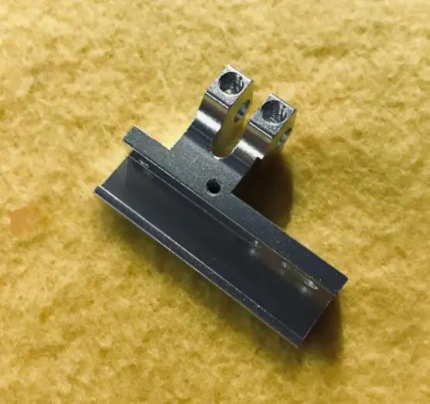 Barudan HT230290 Needle Bar Driver Fixing Base Block for BEAT, BEVT...$ 28.09View part →
 SFRM72-FU USB Floppy Emulator for Tajima, Barudan, Happy, ZSK, Brot...$ 65.09View part →
 IHSS57-36-10-RC/EC Nema23 1.2Nm Integrated Stepper Motor Driver for...$ 226.49View part →
 Hirose HSH-7.94ATR(MTQ) KHS12-RYP Rotary Hook for Tajima, Barudan, ...$ 18.09View part →
 Industrial BC-DBZ(1)-NBL6 Bobbin Case for Barudan TZ1 LE2, Brother ...$ 8.49View part →
 Koban KHS12-RYP Rotary Hook with Trimmer for Tajima, Barudan, SWF, ...$ 37.29View part →
All Barudan BEVT parts → Rotary Hooks & Bobbin Cases → Needles & Needle Bars → Thread Path & Tension →
3. Needle Breaking Frequently medium likelihood
How to tell
Needles snap or bend repeatedly during embroidery, often accompanied by a loud 'crack' sound.
Fix
- Ensure you are using the correct needle size and type for your fabric and thread combination. Thicker fabrics or dense designs require stronger needles.
- Check that the needle is inserted correctly and fully seated in the needle bar. A loose needle can break easily.
- Verify that the fabric is properly hooped and taut. Loose hooping allows the fabric to move excessively, causing needle deflection.
- Inspect the needle plate hole for burrs or damage. A damaged needle plate can snag the needle.
- Check the rotary hook for damage or misalignment. If the hook point is hitting the needle, it will cause breaks. This often indicates a timing issue.
- Examine the needle bar for any looseness or excessive play. A loose Barudan HT230290 Needle Bar Driver Fixing Base Block can lead to needle misalignment and breakage.
A faulty Barudan HT230290 Needle Bar Driver Fixing Base Block can cause the needle bar to wobble, leading to needle breaks.
Parts involved: Needles & needle bars → Hoops & frames → Rotary hooks & bobbin cases → Head & mechanical parts → Screws, springs & small parts →
4. Machine Freezes, Slows Down, or Won't Load Designs medium likelihood
How to tell
The machine's control panel becomes unresponsive, embroidery speed decreases significantly, or designs fail to load from the floppy drive/USB.
Fix
- Perform a hard reset by turning the machine off, waiting 30 seconds, and turning it back on.
- If using a floppy disk, try a different disk or clean the floppy drive head. Floppy drives are prone to failure.
- If using a USB floppy emulator, ensure the USB stick is formatted correctly (FAT32) and contains valid design files. Try a different USB stick.
- Check for any loose cables or connections, especially those related to the control panel or data transfer (refer to '11A Control A' and '11B Control B' sections of the parts book).
- Consider replacing an aging floppy drive with a modern SFRM72-FU USB Floppy Emulator for improved reliability and compatibility with USB drives.
- If the machine is generally sluggish or freezing, there might be an issue with the main control board or motor drivers. Consult a technician for advanced diagnostics.
The SFRM72-FU USB Floppy Emulator is a common upgrade to resolve issues with old floppy drives and improve design loading reliability.
Parts involved: Floppy, USB & memory → Control panels & displays → Cables & wiring → Circuit boards & electronics → Motors & drivers →
5. Bird's Nesting (Thread Tangles Under Fabric) medium likelihood
How to tell
A large, tangled mess of thread forms on the underside of the embroidery, often causing the machine to stop.
Fix
- Check the upper thread path for any obstructions or incorrect threading. Ensure the thread is seated properly in all tension discs and guides.
- Verify that the upper thread tension is not too loose. If the upper thread is too loose, the bobbin thread will pull it to the underside.
- Clean the bobbin case and rotary hook area thoroughly. Lint and debris can interfere with bobbin thread movement.
- Ensure the bobbin is wound evenly and inserted correctly into the bobbin case. Use good quality bobbins.
- Check the needle for damage or incorrect insertion. A damaged needle can disrupt stitch formation.
- Confirm the presser foot is set correctly and applying adequate pressure to hold the fabric down during stitching.
Parts involved: Thread path & tension → Rotary hooks & bobbin cases → Needles & needle bars → Presser feet & sewing parts → Lubrication & maintenance →
6. Color Change Malfunctions low likelihood
How to tell
The machine fails to change colors, changes to the wrong color, or makes grinding noises during a color change sequence.
Fix
- Check for any physical obstructions in the color change mechanism (refer to '07 Color change' section of the parts book). Remove any tangled thread or debris.
- Ensure the needle bars are moving freely and not binding. Lubricate moving parts as per your maintenance schedule.
- Inspect the color change sensor (if applicable) for cleanliness and proper alignment.
- Check the motor responsible for color change. Listen for unusual noises or signs of strain. A failing motor or driver, such as an IHSS57-36-10-RC/EC Nema23 Integrated Stepper Motor Driver, could be the cause if the color change motor is a stepper.
- Verify electrical connections to the color change motor and sensors are secure.
If the color change mechanism uses a stepper motor, a replacement IHSS57-36-10-RC/EC Nema23 Integrated Stepper Motor Driver might be needed if the existing driver fails.
Parts involved: Motors & drivers → Sensors & switches → Head & mechanical parts → Cables & wiring → Lubrication & maintenance →
Maintenance schedule
| When | What to do | Why |
|---|---|---|
| Daily | Clean the rotary hook area and oil the rotary hook. | Prevents lint buildup, ensures smooth stitching, and extends hook life. |
| Weekly | Clean the entire thread path, needle bar area, and under the needle plate. Oil all specified moving parts (e.g., take-up lever, needle bars). | Removes lint and debris that can cause thread breaks and skipped stitches, ensures smooth operation of mechanical components. |
| Monthly | Check and clean tension assemblies. Inspect belts for wear. Clean the control panel and exterior. | Maintains consistent thread tension, identifies potential belt issues before failure, and keeps the machine in good overall condition. |
| Annually | Professional service and calibration. | Ensures optimal performance, checks for wear on critical components, and performs timing adjustments. |
Stop and call a technician if
- If you encounter persistent error codes that are not resolved by basic troubleshooting.
- If there are grinding noises from internal mechanisms that indicate major mechanical failure.
- If the machine's main control board or motor drivers are suspected to be faulty.
- For complex timing adjustments or repairs to the pantograph drive system.
- If you are uncomfortable performing any of the recommended fix steps yourself.
Prevent it coming back
- Perform daily, weekly, and monthly cleaning and lubrication as outlined in your machine's manual.
- Use high-quality needles, threads, and bobbins appropriate for your projects.
- Ensure proper hooping techniques to prevent fabric movement and needle deflection.
- Regularly inspect the thread path for burrs or damage and smooth them if found.
- Keep your machine's environment clean and free of excessive dust and lint.
- Back up your design files regularly and ensure your USB sticks are in good condition if using an emulator.
Frequently asked questions
How often should I lubricate my Barudan BEVT machine?
Refer to your Barudan BEVT operator's manual for specific lubrication intervals and points. Generally, daily oiling of the rotary hook and weekly oiling of other moving parts (like needle bars and take-up levers) is recommended for machines in regular use. Over-oiling can attract lint, so follow guidelines carefully.
My Barudan BEVT machine is making a strange noise. What should I do?
First, stop the machine immediately. Identify the source of the noise. Common causes include loose screws, dry or worn bearings, thread tangled in moving parts, or issues with the rotary hook. Check for any visible obstructions or loose components. Lubricate as needed. If the noise persists or is mechanical, contact a technician.
Can I use any USB stick with the SFRM72-FU USB Floppy Emulator?
While most standard USB sticks work, it's best to use smaller capacity (e.g., 2GB or 4GB) USB 2.0 drives formatted to FAT32. Some newer, larger capacity USB 3.0 drives may not be compatible. Ensure your design files are in the correct format for your Barudan BEVT machine.
Why is my Barudan BEVT machine stitching crooked or distorted designs?
This is often due to improper hooping. Ensure your fabric and stabilizer are hooped tightly and evenly, without wrinkles or slack. Check that the hoop is securely attached to the pantograph. Other causes can include loose pantograph drive belts or issues with the pantograph's movement (refer to '10A Pantograph drive A' through '10H Pantograph drive H' sections).
From the Barudan BEVT-Z1501CII parts book
The assemblies involved in this problem, as the manufacturer lists them. Open a section to see every part number, which ones we stock, and get a price on the rest.
Did this guide fix your machine?
Rate it - it helps other operators find the right fix.
Not sure which part is failing?
Need the logo stitched too?
Get your logo digitized by the people who know this machine
Upload the artwork, see the stitch count and the exact price in 10 seconds, then order with a free sew-out preview. $1 per 1,000 stitches, $10 minimum, 24-hour delivery. Vector conversion from $12.
After the fix
Fixed it? Keep the rest of the shop moving.
OS 360 is the shop software from the team behind this parts store. Every job keeps its status, deadline and owner while a BEVT head is down, restock alerts fire for needles, hooks and bobbins before you run dry, and quotes, invoices and payment live in one place.
- Jobs with status, deadline and owner - nothing slips during downtime
- Inventory with restock alerts, this store one click away
- Instant quotes, invoices and one place to collect payment





