
Blog
Barudan BENS Series Embroidery Machine: Common Problems & Fixes


Quick answer: Most common Barudan BENS issues like thread breaks, skipped stitches, and machine freezing can be resolved by checking thread path, tension, needle condition, and ensuring proper machine maintenance. Floppy drive issues often require a USB emulator upgrade.
The Barudan BENS series embroidery machines are workhorses, known for their durability. However, like any complex machinery, they can encounter issues. This guide provides practical, step-by-step solutions for the most common problems reported by operators, helping you get your machine back to peak performance quickly. We focus on actionable fixes and identifying the parts you might need, drawing on common trade knowledge and our experience as a parts supplier.
Two-minute checks before you open anything
- Is the machine plugged in and powered on?
- Are all safety covers and doors closed?
- Is the emergency stop button disengaged?
- Is the needle inserted correctly and not bent or dull?
- Is the machine threaded correctly, both top and bobbin?
- Is the bobbin inserted correctly and wound properly?
- Are the hoops securely attached and the fabric taut?
- Are there any visible error messages on the display?
1. Frequent Thread Breakage high likelihood
How to tell
The machine stops frequently, displaying a thread break error, or you observe the thread snapping during embroidery.
Fix
- Re-thread the machine completely, ensuring the thread is correctly seated in all guides and tension discs.
- Check thread quality and age; old or poor-quality thread can break easily.
- Inspect the needle for burrs, bends, or dullness. Replace if necessary.
- Verify thread tension settings. Too tight tension is a common cause.
- Clean the thread path, including tension discs and thread guides, to remove lint or debris.
- Check the bobbin and bobbin case for proper winding and tension.
- Ensure the thread support clamp is clean and not snagging the thread. Replace if damaged.
- Inspect the rotary hook for burrs or damage that could fray thread.
Consider replacing worn HT270022 Thread Support Clamp or HT270021 Thread Support Clamp 10pcs if they are causing issues.
Parts involved: Thread path & tension → Needles & needle bars → Rotary hooks & bobbin cases → Screws, springs & small parts →
2. Skipped Stitches high likelihood
How to tell
The embroidery design has gaps where stitches should be, or the machine makes a 'clunking' sound as it tries to form a stitch but fails.
Fix
- Replace the needle with a new, correct size and type for your fabric and thread.
- Ensure the needle is inserted correctly, fully seated, and facing the right direction.
- Check thread tension; both top and bobbin tension can contribute to skipped stitches.
- Verify the rotary hook timing. Incorrect timing prevents the hook from catching the needle thread loop.
- Clean the bobbin area and rotary hook to remove lint or debris.
- Ensure the presser foot is set correctly and applying adequate pressure to the fabric.
Parts involved: Needles & needle bars → Thread path & tension → Rotary hooks & bobbin cases → Presser feet & sewing parts →
Parts you may need for Barudan BENS
In stock, tested before dispatch, Buyer Protection on every order. Part types for this problem: Thread path & tension, Needles & needle bars, Rotary hooks & bobbin cases, Screws, springs & small parts.
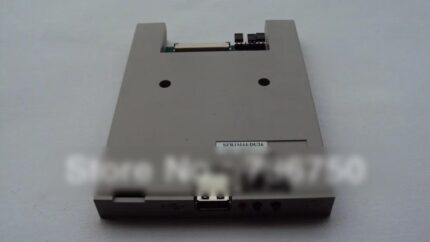 Unbranded SFR1M44-DU26 USB Floppy Emulator 1.44MB for Brother BE, B...$ 69.49View part →
 SFRM72-DU26 720KB USB Floppy Emulator for Barudan BENS Embroidery M...$ 64.29View part →
 Richpeace SFDR-III U-B1.44 BENSH-YN USB Floppy Emulator for BARUDAN...$ 471.29View part →
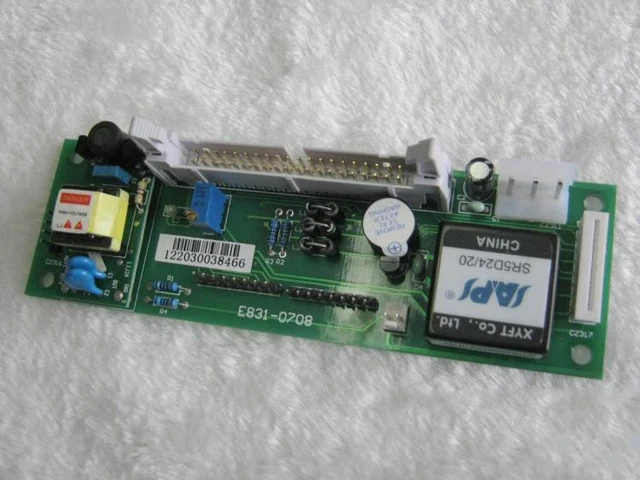 E831 Display Driver Board for Tajima TME TFMX TMAR, Barudan BEAT BE...$ 71.29View part →
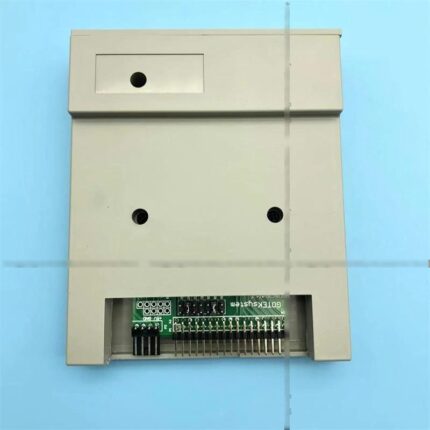 Gotek SFRM72-FU SFRM72-FU-EG Floppy Drive Emulator for Tajima TMFX ...$ 113.99View part →
 Barudan SFRM72-DU26 Gotek USB Floppy Drive Emulator for BENS, BEAT,...$ 68.49View part →
All Barudan BENS parts → Thread Path & Tension → Needles & Needle Bars → Rotary Hooks & Bobbin Cases →
3. Machine Freezing or Slowing Down medium likelihood
How to tell
The machine's display becomes unresponsive, the machine stops mid-design without an error, or operations become unusually slow.
Fix
- Turn the machine off, wait a few minutes, and restart it. This can clear temporary glitches.
- Ensure the machine's internal memory is not overloaded. Delete old designs if possible.
- Check for any physical obstructions or binding in moving parts that might cause the motor to struggle.
- If using a floppy disk, ensure it's not corrupted or damaged. Try a different disk.
- Consider upgrading to a USB floppy emulator for more reliable data transfer and storage.
A common upgrade is a USB Floppy Emulator. Options include: Unbranded SFR1M44-DU26 USB Floppy Emulator 1.44MB, SFRM72-DU26 720KB USB Floppy Emulator Thin Half Size, SFRM72-DU26 720KB USB Floppy Emulator, Richpeace SFDR-III U-B1.44 BENSH-YN USB Floppy Emulator, Gotek SFRM72-FU SFRM72-FU-EG Floppy Drive Emulator, or Barudan SFRM72-DU26 Gotek USB Floppy Drive Emulator.
Parts involved: Floppy, USB & memory → Circuit boards & electronics →
4. Uneven Stitch Quality / Puckering / Distorted Designs medium likelihood
How to tell
Stitches appear loose, tight, inconsistent, or the fabric gathers and distorts around the embroidery.
Fix
- Adjust top and bobbin thread tension. Test on scrap fabric.
- Ensure proper hooping. The fabric should be taut but not stretched in the hoop.
- Use appropriate stabilizer for the fabric and design density.
- Check needle size and type; a dull or incorrect needle can cause fabric damage.
- Clean the thread path and bobbin area to ensure smooth thread flow.
- Verify the presser foot height and pressure are suitable for the fabric thickness.
Parts involved: Thread path & tension → Hoops & frames → Needles & needle bars → Presser feet & sewing parts → Threads & supplies →
5. Machine Stops or Won't Sew medium likelihood
How to tell
The machine fails to start a design, stops abruptly without an error, or doesn't respond to the start command.
Fix
- Check for error messages on the display and consult your machine manual.
- Ensure all safety covers and doors are closed properly.
- Verify the emergency stop button is not engaged.
- Check thread sensors and bobbin sensors for lint or obstructions.
- Confirm the embroidery unit is correctly attached and recognized.
- Inspect cables and connections for looseness or damage.
- If the control panel is unresponsive, it might indicate an issue with the panel or its driver board.
If the display is blank or erratic, an E831 Display Driver Board might be needed. If the control panel itself is faulty, a Barudan BENYHE-ZQ-B04 NYHE-ZQ-B04 Automat Control Panel Box could be the solution.
Parts involved: Sensors & switches → Cables & wiring → Control panels & displays → Circuit boards & electronics →
6. Bird's Nesting (Thread Bunching Under Fabric) medium likelihood
How to tell
A mass of tangled thread forms on the underside of the fabric, often causing the machine to jam.
Fix
- This is almost always caused by incorrect top thread tension. Re-thread the machine and adjust top tension.
- Ensure the bobbin is inserted correctly and its tension is appropriate.
- Check for any obstructions in the thread path that might be preventing the top thread from feeding smoothly.
- Inspect the needle for damage; a bent or dull needle can contribute to nesting.
- Clean the bobbin case and rotary hook area thoroughly.
Parts involved: Thread path & tension → Rotary hooks & bobbin cases → Needles & needle bars →
7. Needle Breaking low likelihood
How to tell
Needles snap frequently during operation.
Fix
- Ensure the correct needle size and type are used for the fabric and design.
- Check for proper needle insertion – fully seated and correctly oriented.
- Verify the needle bar is not bent or loose.
- Inspect the rotary hook for damage or incorrect timing, which can cause the needle to strike it.
- Ensure the presser foot is not hitting the needle.
- Check for hoop movement or fabric shifting during embroidery.
Parts involved: Needles & needle bars → Rotary hooks & bobbin cases → Presser feet & sewing parts → Hoops & frames → Head & mechanical parts →
8. Embroidery Unit Not Recognized / Floppy Drive Errors low likelihood
How to tell
The machine displays an error related to the embroidery unit, or the floppy drive fails to read/write disks, or shows 'disk error'.
Fix
- Ensure the floppy disk is correctly inserted and not damaged.
- Clean the floppy drive head with a specialized cleaning disk.
- Check the cable connecting the floppy drive to the main board.
- If using an external embroidery unit, ensure it's securely connected and powered on.
- Consider replacing the old floppy drive with a modern USB Floppy Emulator for improved reliability and ease of use.
Upgrading to a USB Floppy Emulator is highly recommended. Compatible models include: Unbranded SFR1M44-DU26 USB Floppy Emulator 1.44MB, SFRM72-DU26 720KB USB Floppy Emulator Thin Half Size, SFRM72-DU26 720KB USB Floppy Emulator, Richpeace SFDR-III U-B1.44 BENSH-YN USB Floppy Emulator, Gotek SFRM72-FU SFRM72-FU-EG Floppy Drive Emulator, or Barudan SFRM72-DU26 Gotek USB Floppy Drive Emulator.
Parts involved: Floppy, USB & memory → Cables & wiring → Circuit boards & electronics →
Maintenance schedule
| When | What to do | Why |
|---|---|---|
| Daily | Clean the needle plate, bobbin area, and thread path. | Prevents lint buildup that can cause thread breaks and skipped stitches. |
| Weekly | Inspect needles, thread guides, and tension discs for wear or damage. Lightly oil rotary hook. | Early detection of worn parts prevents larger issues; lubrication ensures smooth operation. |
| Monthly | Thoroughly clean the entire machine, including under the needle plate and around the head. Check belts for tension. | Maintains machine performance and extends lifespan. Refer to your manual for specific lubrication points and intervals. |
| Annually | Professional service and calibration. | Ensures optimal performance, timing, and addresses wear on internal components. |
Stop and call a technician if
- If the machine displays persistent error codes that cannot be resolved with basic troubleshooting.
- If there are unusual grinding noises or mechanical binding that you cannot identify or safely fix.
- If the main control panel or display is completely unresponsive after basic resets.
- If you suspect a major electronic component failure (e.g., main board, motor driver).
- For complex timing adjustments (e.g., rotary hook timing) if you are not experienced.
Prevent it coming back
- Perform daily cleaning of the thread path, bobbin area, and needle plate.
- Use high-quality needles appropriate for your fabric and thread.
- Ensure proper thread tension for both top and bobbin threads.
- Hoop fabric correctly, ensuring it is taut but not overstretched.
- Regularly inspect thread guides, tension discs, and the rotary hook for burrs or damage.
- Keep your workspace clean and free of lint and debris.
- Back up your designs regularly and consider upgrading to a USB floppy emulator for reliable data handling.
Frequently asked questions
Why does my Barudan BENS machine keep breaking thread?
Frequent thread breaks are often due to incorrect tension (too tight), a burred or dull needle, poor thread quality, or debris in the thread path. Re-thread, change the needle, and clean the machine thoroughly.
My Barudan BENS machine is freezing or very slow. What should I do?
Try restarting the machine. If the problem persists, it could be a memory issue, a failing floppy drive, or a more serious electronic fault. Upgrading to a USB floppy emulator often resolves data-related slowdowns.
How can I prevent bird's nesting on my Barudan BENS?
Bird's nesting is almost always a top thread tension issue. Ensure your top thread is correctly threaded through all guides and tension discs, and that the tension is not too loose. Also, check bobbin tension and clean the bobbin area.
What causes skipped stitches on a Barudan BENS?
Skipped stitches are commonly caused by a dull or bent needle, incorrect needle insertion, improper thread tension, or incorrect rotary hook timing. Replace the needle first, then check tension and timing.
From the Barudan BEVT-Z1501CII parts book
The assemblies involved in this problem, as the manufacturer lists them. Open a section to see every part number, which ones we stock, and get a price on the rest.
- 01a Head Bed A36 parts · 4 in stock
- 01 A Head Bed A30 parts · 4 in stock
- Head Bed A30 parts · 4 in stock
- 02c Thread Cut C22 parts · 4 in stock
- 04b Needle Bar B35 parts · 3 in stock
- 02a Thread Cut A36 parts · 1 in stock
Reference book: Barudan BEVT-Z1501CII. Part numbers differ by model - search yours below and we will confirm fit.
Did this guide fix your machine?
Rate it - it helps other operators find the right fix.
Not sure which part is failing?
Need the logo stitched too?
Get your logo digitized by the people who know this machine
Upload the artwork, see the stitch count and the exact price in 10 seconds, then order with a free sew-out preview. $1 per 1,000 stitches, $10 minimum, 24-hour delivery. Vector conversion from $12.
After the fix
Fixed it? Keep the rest of the shop moving.
OS 360 is the shop software from the team behind this parts store. Every job keeps its status, deadline and owner while a BENS head is down, restock alerts fire for needles, hooks and bobbins before you run dry, and quotes, invoices and payment live in one place.
- Jobs with status, deadline and owner - nothing slips during downtime
- Inventory with restock alerts, this store one click away
- Instant quotes, invoices and one place to collect payment