
Blog
Barudan BENS Series Embroidery Machine Maintenance Guide

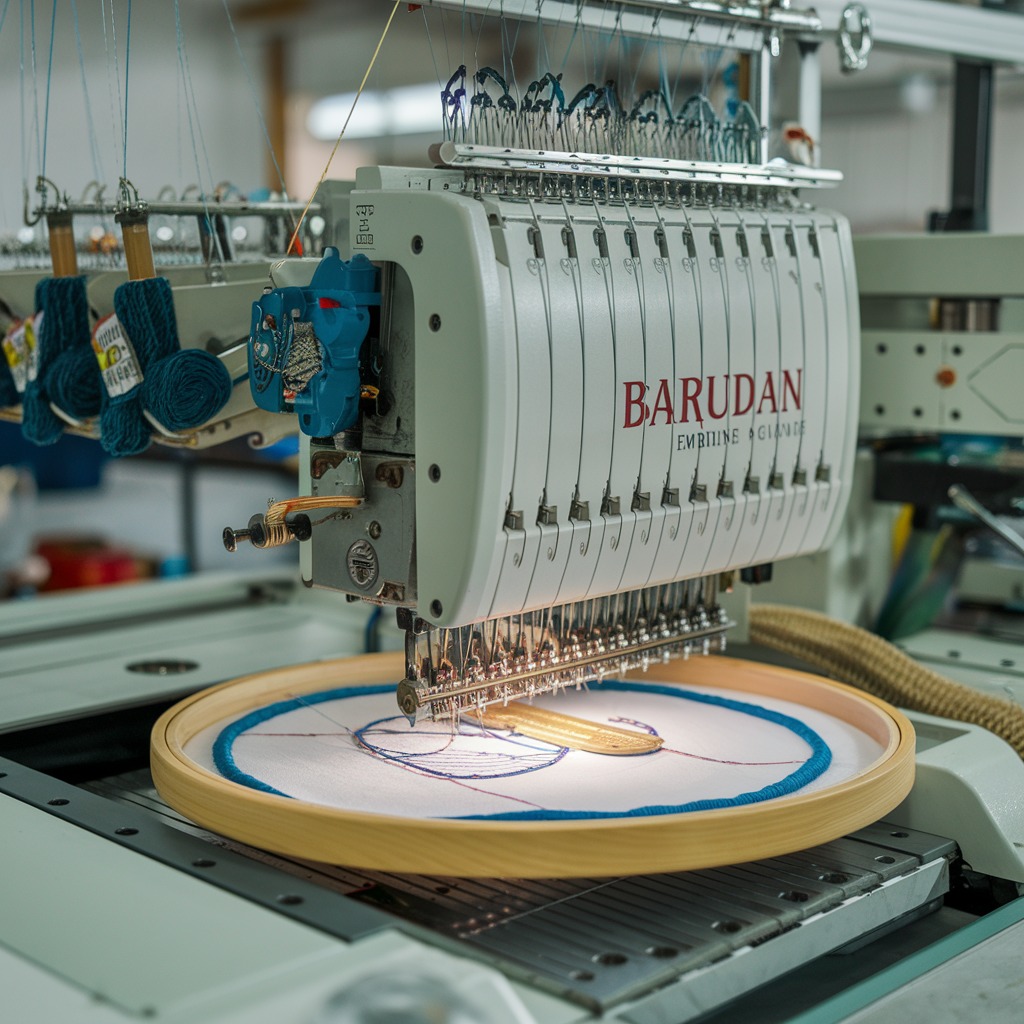
Quick answer: Regular maintenance of your Barudan BENS series embroidery machine is crucial for optimal performance and longevity. Focus on daily cleaning, weekly lubrication, and periodic inspection and replacement of wear parts like needles, thread path components, rotary hooks, and trimmers. Consult your machine's manual for specific lubrication points and intervals.
The Barudan BENS series embroidery machines are workhorses, known for their reliability and stitch quality. To keep your machine operating at its peak performance and extend its lifespan, regular and thorough maintenance is essential. This guide provides a comprehensive overview of maintenance tasks, common wear parts, and troubleshooting tips tailored for the Barudan BENS series, helping you minimize downtime and maintain excellent embroidery results.
Two-minute checks before you open anything
- Check for loose threads or lint buildup in the bobbin area and under the needle plate.
- Inspect the needle for dullness or bends before starting a new project.
- Ensure the bobbin is wound correctly and inserted properly.
- Verify that all thread guides are threaded correctly and tension discs are clean.
- Listen for any unusual noises during operation.
1. Needles high likelihood
How to tell
Frequent thread breaks, skipped stitches, dull or bent needle points, poor stitch quality, or unusual noise during stitching.
Fix
- Visually inspect the needle point for dullness, burrs, or bends.
- Ensure the needle is inserted correctly and securely.
- Replace the needle with a new, appropriate size and type for your material and thread. Always change needles after a certain number of hours or if any issues arise, even if they don't look visibly damaged.
Parts involved: Needles & needle bars →
2. Thread Path Components (Tension Discs, Thread Guides, Thread Support Clamps) high likelihood
How to tell
Thread fraying, inconsistent thread tension, frequent thread breaks, lint buildup, or visible grooves/burrs on guides or discs. Specifically, for Thread Support Clamps, thread slipping or incorrect tension application.
Fix
- Inspect all thread guides, tension discs, and the thread support clamp for burrs, nicks, or excessive wear. Pay close attention to areas where the thread makes contact.
- Clean any lint or debris from the tension discs and thread path.
- If burrs are found, they can sometimes be polished with very fine sandpaper or a Dremel tool, but replacement is often the best solution for optimal performance.
- Replace worn components. For Thread Support Clamps, use parts like ONLOYOY HT270022 Thread Support Clamp for BENSH YN/YS Barudan Embroidery Machines or HT270021 Thread Support Clamp 10pcs for Barudan YS Embroidery Machine if applicable to your BENS model.
Ensure to select the correct Thread Support Clamp model for your specific BENS machine variant.
Parts involved: Thread path & tension → Screws, springs & small parts →
Parts you may need for Barudan BENS
In stock, tested before dispatch, Buyer Protection on every order. Part types for this problem: Needles & needle bars, Thread path & tension, Screws, springs & small parts, Rotary hooks & bobbin cases.
 Unbranded SFR1M44-DU26 USB Floppy Emulator 1.44MB for Brother BE, B...$ 69.49View part →
 SFRM72-DU26 720KB USB Floppy Emulator for Barudan BENS Embroidery M...$ 64.29View part →
 Richpeace SFDR-III U-B1.44 BENSH-YN USB Floppy Emulator for BARUDAN...$ 471.29View part →
 E831 Display Driver Board for Tajima TME TFMX TMAR, Barudan BEAT BE...$ 71.29View part →
 Gotek SFRM72-FU SFRM72-FU-EG Floppy Drive Emulator for Tajima TMFX ...$ 113.99View part →
 Barudan SFRM72-DU26 Gotek USB Floppy Drive Emulator for BENS, BEAT,...$ 68.49View part →
All Barudan BENS parts → Needles & Needle Bars → Thread Path & Tension → Screws, Springs & Small Parts →
3. Rotary Hook and Bobbin Case high likelihood
How to tell
Frequent thread breaks (especially bobbin thread), bird's nesting, poor stitch formation, loud noise from the hook area, or visible nicks/burrs on the hook point or bobbin case.
Fix
- Remove the bobbin case and clean out any lint or thread buildup from the hook area.
- Inspect the rotary hook point for damage, nicks, or dullness. Check the bobbin case for burrs or wear.
- If damaged, replace the rotary hook and/or bobbin case. Ensure proper timing after replacement if the hook position is disturbed.
- Lubricate the hook race as per your machine's manual.
Parts involved: Rotary hooks & bobbin cases →
4. Thread Trimmer Blades (Fixed and Moving) medium likelihood
How to tell
Inconsistent thread trimming, threads left too long or too short, frayed thread ends after trimming, or audible 'chewing' sound during trimming.
Fix
- Carefully inspect both the fixed and moving trimmer blades for dullness, nicks, or damage.
- Clean any lint or thread residue from the trimmer mechanism.
- If blades are dull or damaged, replace them as a set (fixed and moving).
- Ensure the trimmer mechanism is properly aligned and lubricated according to your machine's manual.
Parts involved: Cutters & trimmers →
5. Belts (Main Drive, X/Y Axis) medium likelihood
How to tell
Skipped stitches, inaccurate registration, unusual noises (squealing, grinding), visible cracks, fraying, or stretching on the belts. Loose belts can cause play in movement.
Fix
- Visually inspect all drive belts for signs of wear, cracking, fraying, or excessive slack.
- Check belt tension (refer to your machine's manual for proper tensioning).
- If belts are worn or damaged, replace them. Ensure correct tensioning after replacement to prevent premature wear or operational issues.
Parts involved: Belts, pulleys & gears →
6. Floppy Drive / USB Floppy Emulator medium likelihood
How to tell
Machine failing to read designs from floppy disks or USB, 'disk read error' messages, slow data transfer, or intermittent recognition of media. For older floppy drives, mechanical noise or failure to eject/insert disks.
Fix
- First, try a known good floppy disk or USB drive to rule out media issues.
- Check connections to the floppy drive or emulator.
- If using an emulator, ensure the USB drive is formatted correctly and contains compatible design files.
- If the original floppy drive is failing, consider upgrading to a USB floppy emulator for improved reliability and convenience. Compatible options include Unbranded SFR1M44-DU26 USB Floppy Emulator 1.44MB, SFRM72-DU26 720KB USB Floppy Emulator (both low density and thin half-size variants), Richpeace SFDR-III U-B1.44 BENSH-YN USB Floppy Emulator, Gotek SFRM72-FU SFRM72-FU-EG Floppy Drive Emulator, or Barudan SFRM72-DU26 Gotek USB Floppy Drive Emulator.
- Follow installation instructions carefully for any replacement or upgrade.
Many BENS machines use 720KB floppy drives, so ensure you select a compatible 720KB emulator if upgrading. Some models may use 1.44MB drives. Always verify your machine's specific requirements.
Parts involved: Floppy, USB & memory →
7. Display Driver Board / Control Panel low likelihood
How to tell
Flickering or blank display, unresponsive touch screen (if applicable), garbled characters on screen, or machine not booting up correctly. For the control panel, unresponsive buttons or complete failure of the interface.
Fix
- Check all cable connections to the display and control panel.
- Power cycle the machine.
- If the display issues persist, the Display Driver Board may be faulty. The E831 Display Driver Board is a common replacement for Barudan BENS machines.
- If the entire control interface is unresponsive, the control panel itself might need replacement. The Barudan BENYHE-ZQ-B04 NYHE-ZQ-B04 Automat Control Panel Box is available for N-Series BENS machines.
- Replacement of these components often requires careful handling of electronics and may be best performed by an experienced technician.
Always ensure the replacement board or panel is compatible with your specific BENS model and series.
Parts involved: Circuit boards & electronics → Control panels & displays →
Maintenance schedule
| When | What to do | Why |
|---|---|---|
| Daily (or every 8-10 hours of operation) | Clean the rotary hook area and bobbin case. | Removes lint and thread debris that can cause thread breaks, poor stitch quality, and damage to the hook. |
| Daily (or every 8-10 hours of operation) | Wipe down the machine exterior and needle bar area. | Prevents dust and lint accumulation, which can get into moving parts and electronics. |
| Daily (or every 8-10 hours of operation) | Lubricate the rotary hook race. | Reduces friction and wear, ensuring smooth operation and preventing heat buildup. Refer to your manual for specific lubrication points. |
| Weekly (or every 40-50 hours of operation) | Clean under the needle plate and inspect the feed dogs. | Removes stubborn lint and ensures proper fabric feeding. |
| Weekly (or every 40-50 hours of operation) | Inspect and clean all thread path components (guides, tension discs, thread support clamps). | Checks for burrs or nicks that can fray thread and ensures consistent tension. Replace worn components like ONLOYOY HT270022 Thread Support Clamp if necessary. |
| Weekly (or every 40-50 hours of operation) | Lubricate specified points on the needle bars and other moving parts as per manual. | Maintains smooth movement, reduces wear, and prevents seizing. |
| Monthly (or every 160-200 hours of operation) | Inspect trimmer blades for sharpness and cleanliness. | Ensures clean thread cuts and prevents thread jams. Replace if dull or damaged. |
| Monthly (or every 160-200 hours of operation) | Check drive belts for tension, wear, and cracking. | Prevents skipped stitches, inaccurate registration, and ensures smooth machine operation. Adjust tension or replace belts if needed. |
| Monthly (or every 160-200 hours of operation) | Clean and inspect the floppy drive or USB emulator. | Ensures reliable design loading. For floppy drives, clean heads; for emulators, check connections and ensure USB media is clean. |
| Annually (or every 2000 hours of operation) | Comprehensive cleaning and inspection of all mechanical components. | Identifies potential issues before they become major problems. May require partial disassembly. |
| Annually (or every 2000 hours of operation) | Check and adjust machine timing (needle bar, hook, trimmer). | Ensures optimal stitch quality and prevents damage. This is often best left to a qualified technician. |
Stop and call a technician if
- If you encounter persistent error codes that cannot be resolved with basic troubleshooting.
- If there are major mechanical issues such as unusual grinding noises, motor problems, or significant misalignment.
- For complex electronic failures, such as a completely unresponsive control panel or mainboard issues.
- If you are unsure about performing a repair or adjustment, especially those involving timing or critical machine settings.
- If the machine is experiencing power issues or electrical faults.
Prevent it coming back
- Always use high-quality needles, thread, and bobbin thread suitable for your project.
- Avoid running the machine with dull or bent needles.
- Do not force thick materials or hooped items that are too large under the presser foot.
- Ensure proper thread tension settings to prevent excessive stress on thread path components.
- Keep your workspace clean to prevent dust and lint from entering the machine.
- Follow manufacturer guidelines for machine usage and avoid exceeding recommended speeds for extended periods.
- Regularly back up your design files and machine settings.
Frequently asked questions
How often should I lubricate my Barudan BENS machine?
Lubrication frequency depends on usage. Generally, daily or weekly lubrication of the rotary hook and other specified points is recommended. Always consult your specific Barudan BENS machine's manual for precise lubrication points, types of oil, and intervals.
What kind of oil should I use for my Barudan BENS?
Always use high-quality, non-staining sewing machine oil specifically designed for embroidery machines. Refer to your Barudan BENS manual for any specific oil recommendations or viscosity requirements.
My machine is making a strange noise. What should I do?
First, stop the machine immediately. Check for any loose threads, debris, or obstructions. Inspect common wear parts like needles, rotary hook, and trimmer blades. If the noise persists after basic checks, it's best to consult your manual or a qualified technician.
Can I upgrade my Barudan BENS floppy drive to a USB emulator?
Yes, many Barudan BENS series machines can be upgraded with a USB floppy emulator. This allows you to use USB flash drives instead of floppy disks for design transfer. Ensure you select an emulator compatible with your machine's floppy drive type (e.g., 720KB or 1.44MB) and physical size.
From the Barudan BEVT-Z1501CII parts book
The assemblies involved in this problem, as the manufacturer lists them. Open a section to see every part number, which ones we stock, and get a price on the rest.
- 02c Thread Cut C22 parts · 4 in stock
- 04b Needle Bar B35 parts · 3 in stock
- 10g Pantograph Drive G38 parts · 1 in stock
- 02a Thread Cut A36 parts · 1 in stock
- Thread Cut A29 parts · 1 in stock
- 02 A Thread Cut A29 parts · 1 in stock
Reference book: Barudan BEVT-Z1501CII. Part numbers differ by model - search yours below and we will confirm fit.
Did this guide fix your machine?
Rate it - it helps other operators find the right fix.
Not sure which part is failing?
Need the logo stitched too?
Get your logo digitized by the people who know this machine
Upload the artwork, see the stitch count and the exact price in 10 seconds, then order with a free sew-out preview. $1 per 1,000 stitches, $10 minimum, 24-hour delivery. Vector conversion from $12.
After the fix
Fixed it? Keep the rest of the shop moving.
OS 360 is the shop software from the team behind this parts store. Every job keeps its status, deadline and owner while a BENS head is down, restock alerts fire for needles, hooks and bobbins before you run dry, and quotes, invoices and payment live in one place.
- Jobs with status, deadline and owner - nothing slips during downtime
- Inventory with restock alerts, this store one click away
- Instant quotes, invoices and one place to collect payment





