
Blog
Barudan BEAT Series Embroidery Machine Maintenance Guide

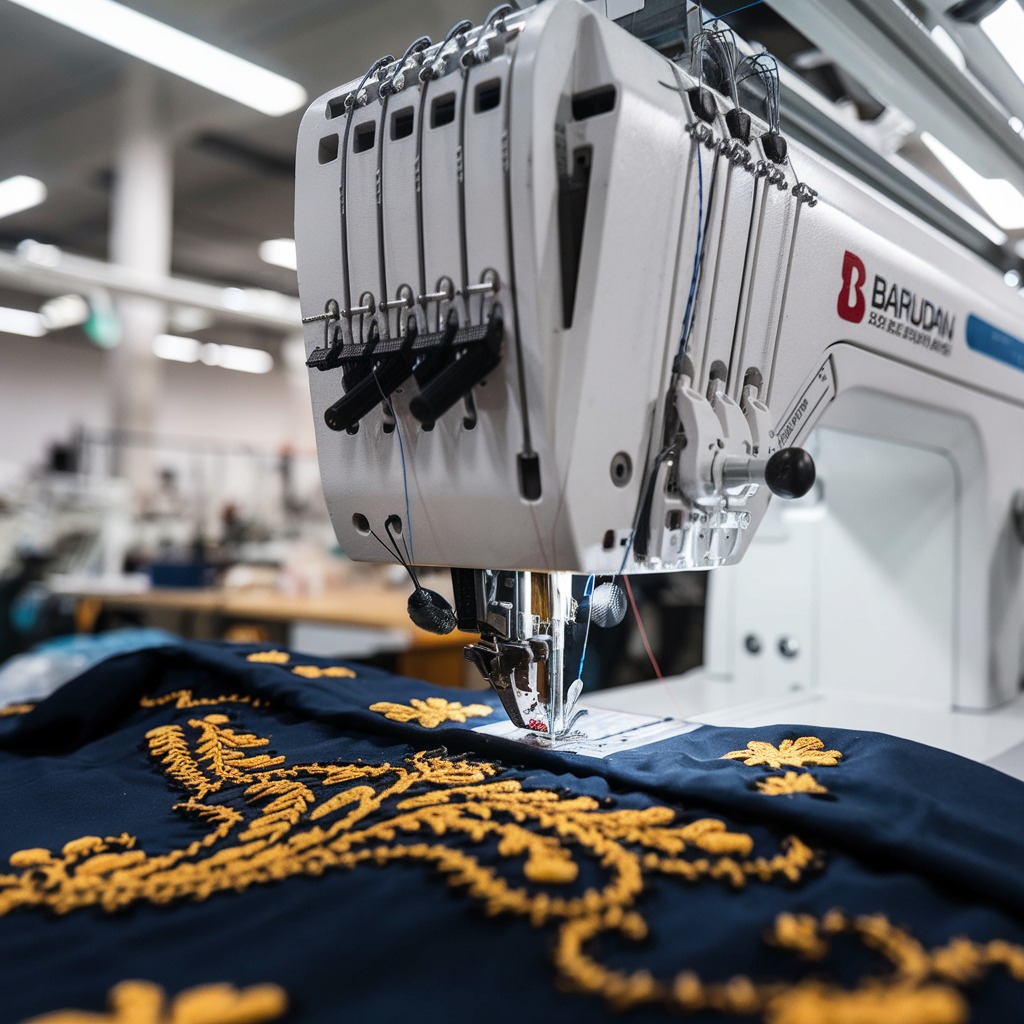
Quick answer: Regular maintenance is crucial for the longevity and performance of your Barudan BEAT series embroidery machine. This includes daily cleaning, weekly lubrication, and periodic inspection and replacement of wear parts like needles, rotary hooks, and trimmer blades to prevent common issues like thread breaks and poor stitch quality.
Maintaining your Barudan BEAT series embroidery machine is essential for consistent stitch quality, extended machine life, and minimizing downtime. This guide provides a comprehensive maintenance schedule and identifies common wear parts, helping you keep your machine in top working condition. Regular care prevents costly repairs and ensures your embroidery projects run smoothly.
Two-minute checks before you open anything
- Check needles for sharpness and straightness.
- Inspect the rotary hook area for lint and thread buildup.
- Verify thread tension is correct for each needle.
- Listen for any unusual noises during operation.
- Ensure all safety covers are in place and secure.
1. Needles high likelihood
How to tell
Frequent thread breaks, skipped stitches, dull or bent needle points, visible burrs on the needle eye or shaft. Poor stitch quality or damage to fabric.
Fix
- Visually inspect needles before each use for straightness, sharpness, and burrs.
- Replace needles after approximately 8 hours of continuous use or immediately if any damage is observed.
- Ensure the correct needle type and size are used for the fabric and thread.
Parts involved: Needles & needle bars →
2. Rotary Hook and Bobbin Case high likelihood
How to tell
Poor stitch quality, bird's nesting on the underside, frequent bobbin thread breaks, grinding noises from the hook area, visible burrs or nicks on the hook point or race. Bobbin case spring tension issues.
Fix
- Daily: Remove the bobbin case and clean out any lint or thread debris from the hook area.
- Weekly: Inspect the rotary hook for burrs or damage. Use a fine emery cloth to gently smooth any minor burrs. If heavily damaged, replace the hook.
- Check bobbin case tension regularly using a bobbin tension gauge. Adjust or replace the bobbin case if tension cannot be maintained.
Parts involved: Rotary hooks & bobbin cases →
Parts you may need for Barudan BEAT
In stock, tested before dispatch, Buyer Protection on every order. Part types for this problem: Needles & needle bars, Rotary hooks & bobbin cases, Cutters & trimmers, Head & mechanical parts.
 SFRM72-FU USB Floppy Emulator for Tajima, Barudan, Happy, ZSK, Brot...$ 65.09View part →
 Gotek SFRM72-FU SFRM72-FU-EG Floppy Drive Emulator for Tajima TMFX ...$ 113.99View part →
 Barudan SFRM72-DU26 Gotek USB Floppy Drive Emulator for BENS, BEAT,...$ 68.49View part →
 Hirose HSH-7.94ATR(MTQ) KHS12-RYP Rotary Hook for Tajima, Barudan, ...$ 18.09View part →
 Industrial BC-DBZ(1)-NBL6 Bobbin Case for Barudan TZ1 LE2, Brother ...$ 8.49View part →
 Koban KHS12-RYP Rotary Hook with Trimmer for Tajima, Barudan, SWF, ...$ 37.29View part →
All Barudan BEAT parts → Needles & Needle Bars → Rotary Hooks & Bobbin Cases → Cutters & Trimmers →
3. Thread Trimmer Blades (Moving and Fixed) medium likelihood
How to tell
Untrimmed threads after a trim command, long thread tails, frayed thread ends, or inconsistent trimming. Machine may stop with a 'trim error' message.
Fix
- Regularly clean lint and debris from around the trimmer blades.
- Inspect blades for dullness, nicks, or damage. Ensure they move freely.
- If trimming issues persist after cleaning, replace both the moving and fixed trimmer blades. Refer to your machine's manual for specific replacement instructions.
Parts involved: Cutters & trimmers →
4. Needle Bar Driver Fixing Base Block low likelihood
How to tell
Excessive play or wobble in the needle bar, knocking sounds during operation, inconsistent needle depth, or poor stitch formation specifically related to needle bar movement. May lead to needle breaks.
Fix
- Periodically check for excessive play in the needle bars by gently wiggling them.
- If play is detected, inspect the Needle Bar Driver Fixing Base Block for cracks or wear.
- If damaged, replace the Barudan HT230290 Needle Bar Driver Fixing Base Block for BEAT, BEVT, BEDT, BENZ, BEXY Series. This is a more involved repair and may require professional assistance to ensure correct alignment.
Use Barudan HT230290 Needle Bar Driver Fixing Base Block for BEAT, BEVT, BEDT, BENZ, BEXY Series.
Parts involved: Needles & needle bars → Head & mechanical parts → Screws, springs & small parts →
5. Thread Tension Discs and Springs medium likelihood
How to tell
Inconsistent thread tension, loops on the top or bottom of the fabric, frequent thread breaks at the tension assembly, or visible damage/corrosion on the tension discs or springs.
Fix
- Regularly clean lint and debris from between the tension discs.
- Inspect tension discs for nicks or grooves that could snag thread. Replace if damaged.
- Check tension springs for proper function and corrosion. Replace if weak or broken.
Parts involved: Thread path & tension →
6. Presser Foot medium likelihood
How to tell
Skipped stitches, fabric flagging (lifting with the needle), poor stitch quality, or visible wear/damage to the presser foot base or spring mechanism.
Fix
- Inspect the presser foot for burrs, nicks, or excessive wear on its underside.
- Ensure the presser foot moves freely and has proper up-and-down travel.
- Replace the presser foot if it's damaged or worn, as this can directly impact stitch quality and machine performance.
Parts involved: Presser feet & sewing parts →
Maintenance schedule
| When | What to do | Why |
|---|---|---|
| Daily (or every 8 hours of operation) | Clean the rotary hook area and bobbin case. | Removes lint and thread debris that can cause thread breaks, skipped stitches, and damage to the hook. |
| Daily (or every 8 hours of operation) | Oil the rotary hook and other specified daily oiling points. | Reduces friction and wear, ensuring smooth operation and preventing premature part failure. Refer to your manual for specific points. |
| Daily (or every 8 hours of operation) | Replace needles. | Dull or bent needles cause thread breaks, skipped stitches, and fabric damage. Proactive replacement maintains stitch quality. |
| Weekly (or every 40 hours of operation) | Clean under the needle plate and around the trimmer blades. | Removes accumulated lint and small thread pieces that can interfere with needle movement and trimming. |
| Weekly (or every 40 hours of operation) | Inspect and clean thread tension assemblies. | Ensures consistent thread tension by removing lint from between discs and checking for damage. |
| Weekly (or every 40 hours of operation) | Inspect presser feet for wear or damage. | Worn presser feet can lead to skipped stitches and fabric flagging. |
| Monthly (or every 160 hours of operation) | Thoroughly clean the entire machine, including head area, thread path, and under covers. | Prevents long-term buildup of lint and debris that can affect machine performance and cause overheating. |
| Monthly (or every 160 hours of operation) | Inspect and oil all specified monthly lubrication points. | Ensures all moving parts are adequately lubricated, preventing wear and reducing noise. Refer to your manual. |
| Monthly (or every 160 hours of operation) | Check and clean the thread trimmer blades. | Ensures clean cuts and prevents thread jams. Replace if dull or damaged. |
| Every 3-6 Months (or every 500-1000 hours of operation) | Inspect drive belts for tension and wear. | Loose or worn belts can cause timing issues and inconsistent stitching. Adjust or replace as needed. |
| Every 3-6 Months (or every 500-1000 hours of operation) | Inspect needle bars for excessive play. | Excessive play can indicate wear in the needle bar driver fixing block or other components, affecting stitch quality. |
| Annually (or every 2000 hours of operation) | Professional service and timing check. | A technician can perform in-depth cleaning, lubrication, timing adjustments, and inspect for wear on internal components not easily accessible. |
Stop and call a technician if
- If you encounter persistent error codes that cannot be resolved with basic troubleshooting.
- If you hear unusual grinding, knocking, or squealing noises that don't resolve with cleaning and oiling.
- For complex mechanical issues involving timing, motor problems, or circuit board failures.
- If you are uncomfortable performing a specific repair or adjustment, especially those involving critical machine timing or electrical components.
Prevent it coming back
- Always use high-quality needles, thread, and bobbin thread appropriate for your fabric and design.
- Ensure proper hooping to prevent fabric flagging and needle deflection.
- Keep your work area clean to minimize dust and lint accumulation in the machine.
- Avoid forcing the machine to sew through overly thick or inappropriate materials.
- Never operate the machine with loose screws or damaged parts.
- Use a surge protector to protect against power fluctuations.
Frequently asked questions
How often should I oil my Barudan BEAT machine?
Oiling frequency depends on usage. Generally, oil daily for heavy use, or weekly for lighter use. Always refer to your machine's manual for specific oiling points and recommended intervals. Use only approved embroidery machine oil.
What kind of oil should I use for my Barudan BEAT?
Always use high-quality, clear, non-staining embroidery machine oil. Avoid household oils or automotive lubricants, as these can damage your machine. Consult your machine's manual for specific oil recommendations.
Why is my Barudan BEAT machine making a grinding noise?
Grinding noises often indicate a lack of lubrication, debris in moving parts (especially the rotary hook area), or worn components like bearings or gears. Stop the machine immediately, clean and oil thoroughly, and inspect for damaged parts. If the noise persists, it's best to call a technician.
How do I know when to replace my needles?
Replace needles proactively after about 8 hours of sewing time, or immediately if you notice frequent thread breaks, skipped stitches, or if the needle appears bent, dull, or has burrs. A fresh needle is key to good stitch quality.
Can I upgrade my Barudan BEAT's floppy drive to USB?
Yes, many Barudan BEAT series machines can be upgraded with a USB floppy emulator. This allows you to use USB flash drives instead of floppy disks for design transfer. We offer several compatible models like the SFRM72-FU and SFR1M44-DU26 Gotek emulators.
From the Barudan BEVT-Z1501CII parts book
The assemblies involved in this problem, as the manufacturer lists them. Open a section to see every part number, which ones we stock, and get a price on the rest.
- 01a Head Bed A36 parts · 4 in stock
- Head Bed A30 parts · 4 in stock
- 01 A Head Bed A30 parts · 4 in stock
- 02c Thread Cut C22 parts · 4 in stock
- 04b Needle Bar B35 parts · 3 in stock
- 02a Thread Cut A36 parts · 1 in stock
Reference book: Barudan BEVT-Z1501CII. Part numbers differ by model - search yours below and we will confirm fit.
Did this guide fix your machine?
Rate it - it helps other operators find the right fix.
Not sure which part is failing?
Need the logo stitched too?
Get your logo digitized by the people who know this machine
Upload the artwork, see the stitch count and the exact price in 10 seconds, then order with a free sew-out preview. $1 per 1,000 stitches, $10 minimum, 24-hour delivery. Vector conversion from $12.
After the fix
Fixed it? Keep the rest of the shop moving.
OS 360 is the shop software from the team behind this parts store. Every job keeps its status, deadline and owner while a BEAT head is down, restock alerts fire for needles, hooks and bobbins before you run dry, and quotes, invoices and payment live in one place.
- Jobs with status, deadline and owner - nothing slips during downtime
- Inventory with restock alerts, this store one click away
- Instant quotes, invoices and one place to collect payment





