
Blog
Tajima TFKN Series: Common Problems & Fixes Guide


Quick answer: Common problems on Tajima TFKN machines include frequent thread breaks, needle breaks, and inconsistent stitch quality, often due to tension issues, worn parts, or incorrect settings. Regular maintenance and timely replacement of components like springs, sensors, and guides are key to reliable operation.
The Tajima TFKN series machines are workhorses in the embroidery industry, known for their reliability. However, like any complex machinery, they can encounter issues. This guide is designed to help operators quickly diagnose and resolve the most common problems, minimizing downtime and keeping your production running smoothly. We'll cover frequent thread breaks, needle breaks, poor stitch quality, and more, providing actionable steps and identifying relevant replacement parts.
Two-minute checks before you open anything
- Is the machine plugged in and powered on?
- Are all emergency stop buttons disengaged?
- Is the correct needle inserted and properly seated?
- Is the thread correctly threaded through the entire path, including all guides and tension discs?
- Is the bobbin correctly wound and inserted?
- Is the fabric properly hooped and secured?
- Are there any visible obstructions or loose components?
1. Frequent Thread Breaks high likelihood
How to tell
The machine stops unexpectedly during embroidery, often with an error message indicating a thread break. You'll see the thread snapped, either at the needle, in the thread path, or at the bobbin.
Fix
- Check the thread path for any snags, burrs, or obstructions from the cone to the needle. Ensure thread guides are clean and smooth.
- Verify thread tension settings. Too tight or too loose tension can cause breaks. Adjust upper and bobbin tension as needed.
- Inspect the needle for bends, burrs, or dullness. Replace the needle if any damage is found.
- Ensure the needle is inserted correctly and fully seated, with the scarf facing the hook.
- Clean the rotary hook area, removing any lint or thread fragments.
- Check the thread take-up spring for proper function and tension. Replace if weak or broken.
- Inspect the thread break sensor for cleanliness and proper alignment. Clean with compressed air if dusty.
Consider replacing the Tajima 0C0220060060 Hook Thread Take-Up Spring, Tajima 0C0220080000 EF0910000000 Spring Hook, Tajima 050320350000 Thread Block, Tajima 516503010011 MX0521010000 Thread Guide Collar Ceramic Coil 1.8mm, or the Onloyo 0J2602300A23 TC Sensor Substrate Thread Break Sensor.
Parts involved: Thread path & tension → Needles & needle bars → Rotary hooks & bobbin cases → Screws, springs & small parts → Sensors & switches →
2. Frequent Needle Breaks high likelihood
How to tell
A loud 'snap' sound, the machine stops, and the needle is visibly broken, often with a piece missing or bent.
Fix
- Ensure the correct needle type and size are being used for the fabric and thread combination.
- Verify the needle is inserted correctly, fully seated, and facing the right direction.
- Check the presser foot height and alignment. If it's too low or misaligned, it can hit the needle.
- Inspect the needle bar for any bends or damage. A bent needle bar will cause repeated breaks.
- Check the rotary hook timing. Incorrect timing can cause the needle to hit the hook.
- Examine the needle plate hole for burrs or damage that could snag the needle.
- Ensure the fabric is properly hooped and stabilized to prevent flagging (fabric movement during stitching).
Inspect the Tajima EF0613220000 EF0613210000 090460040020 090460040031 Presser Foot Bushing Guide Collar, Tajima 090420060017 Stopper Lower Dead Point Needle Bar Connecting Stud, or the Tajima Needle Bar Guide 090450036011, 090450049011, 09045005Y011.
Parts involved: Needles & needle bars → Presser feet & sewing parts → Rotary hooks & bobbin cases → Head & mechanical parts → Screws, springs & small parts →
Parts you may need for Tajima TFKN
In stock, tested before dispatch, Buyer Protection on every order. Part types for this problem: Thread path & tension, Needles & needle bars, Rotary hooks & bobbin cases, Screws, springs & small parts.
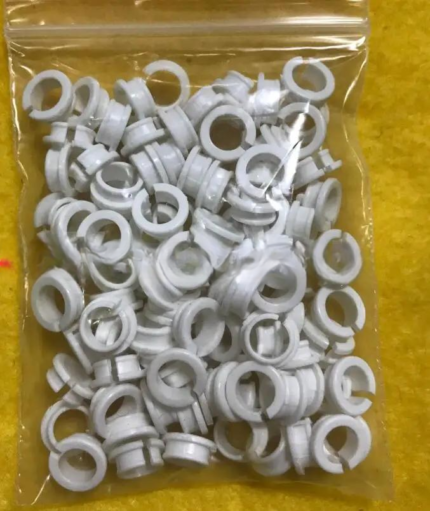 Tajima EF0613220000 EF0613210000 090460040020 090460040031 Presser ...$ 18.09View part →
 Tajima 0C0220080000 EF0910000000 Spring Hook for TMEG TMFD STNE TFK...$ 5.49View part →
 Tajima Synchronous Belt 623500270000, 623500360000, 623500400000, 6...$ 339.49View part →
 Onloyo 509179010000 EF0206000001 Oil-Bushing Bobbin Shaft Sleeve fo...$ 32.49View part →
 Tajima W35-S5M Synchronous Belt for TFMX, TMAR, TFGN, TMFD. PNs: 62...$ 322.49View part →
 Onloyo 502107010003 Stopper Collar 7.94mm Dia. for Tajima TMEG TMFD...$ 39.49View part →
All Tajima TFKN parts → Thread Path & Tension → Needles & Needle Bars → Rotary Hooks & Bobbin Cases →
3. Poor Stitch Quality (Skipped Stitches, Looping, Puckering) medium likelihood
How to tell
Stitches appear uneven, loose loops on the top or bottom of the fabric, gaps in the embroidery, or the fabric gathers and puckers.
Fix
- Adjust upper and bobbin thread tension. Looping on top usually means bobbin tension is too loose or upper tension too tight. Looping on bottom means upper tension is too loose or bobbin tension too tight.
- Check that the correct needle type and size are used for the thread and fabric. A ballpoint needle for knits, sharp for wovens.
- Ensure the needle is not dull or bent. Replace if necessary.
- Verify proper hooping and stabilization. Fabric flagging is a common cause of poor quality.
- Clean the thread path, tension discs, and rotary hook area from lint and debris.
- Check the presser foot height. If too high, it can cause flagging; if too low, it can restrict fabric movement.
- Inspect the thread guides and ceramic coils for wear or damage.
Consider replacing the Tajima 516503010011 MX0521010000 Thread Guide Collar Ceramic Coil 1.8mm, Tajima 0C0210010012 FN0903000000 Thread Tension Stud Bolt, or the Tajima EF0613220000 EF0613210000 090460040020 090460040031 Presser Foot Bushing Guide Collar.
Parts involved: Thread path & tension → Needles & needle bars → Presser feet & sewing parts → Rotary hooks & bobbin cases → Screws, springs & small parts →
4. Machine Not Reading USB/Design Files low likelihood
How to tell
The machine's control panel displays an error message related to file reading, or it simply doesn't recognize the USB device or design file.
Fix
- Ensure the USB drive is formatted correctly (usually FAT32) and the design files are in the correct format (e.g., .DST).
- Try a different USB drive. Some older machines can be particular about USB drive brands or capacities.
- Check the USB port for any physical damage or debris. Clean gently with compressed air.
- Ensure the design file name is not too long and contains only alphanumeric characters.
- If using an external USB linker, ensure it's properly connected and functioning.
- Restart the machine. Sometimes a simple reboot can resolve communication issues.
If using an external device, the Unbranded USB Linker External USB Reader for Tajima TFGN TFKN Embroidery Machines might be relevant.
Parts involved: Floppy, USB & memory → Control panels & displays → Circuit boards & electronics →
5. Unusual Noises or Vibrations medium likelihood
How to tell
Grinding, squeaking, knocking, or excessive vibration coming from the machine during operation.
Fix
- Stop the machine immediately. Do not continue running with unusual noises.
- Identify the source of the noise. Carefully observe the moving parts.
- Check for loose screws, bolts, or components. Tighten any that are loose.
- Lubricate all moving parts according to your machine's maintenance schedule. Refer to your manual for specific lubrication points and types.
- Inspect belts for wear, cracks, or proper tension. A loose or worn belt can cause slipping and noise.
- Check for obstructions or foreign objects caught in the moving mechanisms.
- Examine bearings and bushings for wear. Worn bearings can cause grinding or squealing.
Consider inspecting or replacing the Tajima Synchronous Belt 623500270000, 623500360000, 623500400000, 623500430000, Tajima W35-S5M Synchronous Belt, Onloyo 509179010000 EF0206000001 Oil-Bushing Bobbin Shaft Sleeve, Tajima 090430070032 Shockproof Pad A Damper Ring, or Tajima 090430080010 EF0643010000 Damper Ring B Shockproof Pad.
Parts involved: Lubrication & maintenance → Belts, pulleys & gears → Shafts, bearings & bushings → Screws, springs & small parts → Head & mechanical parts →
Maintenance schedule
| When | What to do | Why |
|---|---|---|
| Daily | Clean the rotary hook area and needle plate. | Removes lint and debris that can cause thread breaks and poor stitch quality. |
| Daily | Oil the rotary hook. | Ensures smooth operation and reduces wear on critical components. Refer to your manual for specific oiling points. |
| Weekly | Clean the entire thread path, including tension discs and thread guides. | Prevents thread snags and ensures consistent tension. |
| Weekly | Inspect needles and replace if dull or bent. | Prevents thread breaks, skipped stitches, and fabric damage. |
| Monthly / Every 200-300 hours | Lubricate other moving parts (e.g., needle bars, presser feet, shafts). | Reduces friction and wear, extending machine life. Consult your manual for specific points and lubricants. |
| Quarterly / Every 500-750 hours | Check and adjust belt tension. | Ensures proper timing and power transfer, preventing slippage and wear. |
| Annually / Every 1500-2000 hours | Professional service and calibration. | Comprehensive inspection, cleaning, and adjustment by a qualified technician to maintain optimal performance. |
Stop and call a technician if
- If the machine displays complex error codes that are not covered in the manual's basic troubleshooting section.
- If you suspect a major electrical fault, such as power supply issues or motor problems.
- If mechanical components are severely damaged, misaligned, or require specialized tools for repair (e.g., timing adjustments beyond basic needle/hook timing).
- If you've followed all troubleshooting steps and the problem persists, especially if it impacts machine safety or performance.
Prevent it coming back
- Perform daily cleaning of the rotary hook, needle plate, and thread path to remove lint and debris.
- Follow the manufacturer's recommended lubrication schedule strictly, using appropriate oils and greases.
- Regularly inspect needles for sharpness and bends, replacing them proactively.
- Ensure proper thread tension settings for each job and thread type.
- Use high-quality threads, needles, and backings suitable for your fabric.
- Properly hoop and stabilize fabrics to prevent flagging and distortion.
- Keep your machine's software and firmware updated as recommended by Tajima (if applicable).
Frequently asked questions
Why is my Tajima TFKN machine skipping stitches?
Skipped stitches are often caused by a dull or bent needle, incorrect needle type for the fabric, improper thread tension, or fabric flagging due to poor hooping. Check these first, and ensure your thread path is clear.
How often should I lubricate my Tajima TFKN?
Lubrication intervals vary depending on machine usage. As a general guideline, perform daily oiling of the rotary hook and weekly or monthly lubrication of other moving parts. Always refer to your Tajima TFKN operator's manual for the exact lubrication schedule and recommended oil types.
My TFKN machine won't turn on. What should I check?
First, ensure the machine is properly plugged into a working power outlet. Check the main power switch and any emergency stop buttons. If these are fine, it could indicate an internal electrical issue, which often requires a qualified technician.
Did this guide fix your machine?
Rate it - it helps other operators find the right fix.
Not sure which part is failing?
Need the logo stitched too?
Get your logo digitized by the people who know this machine
Upload the artwork, see the stitch count and the exact price in 10 seconds, then order with a free sew-out preview. $1 per 1,000 stitches, $10 minimum, 24-hour delivery. Vector conversion from $12.
After the fix
Fixed it? Keep the rest of the shop moving.
OS 360 is the shop software from the team behind this parts store. Every job keeps its status, deadline and owner while a TFKN head is down, restock alerts fire for needles, hooks and bobbins before you run dry, and quotes, invoices and payment live in one place.
- Jobs with status, deadline and owner - nothing slips during downtime
- Inventory with restock alerts, this store one click away
- Instant quotes, invoices and one place to collect payment





