
Blog
Tajima TEHX Series: Common Problems & Fixes Guide

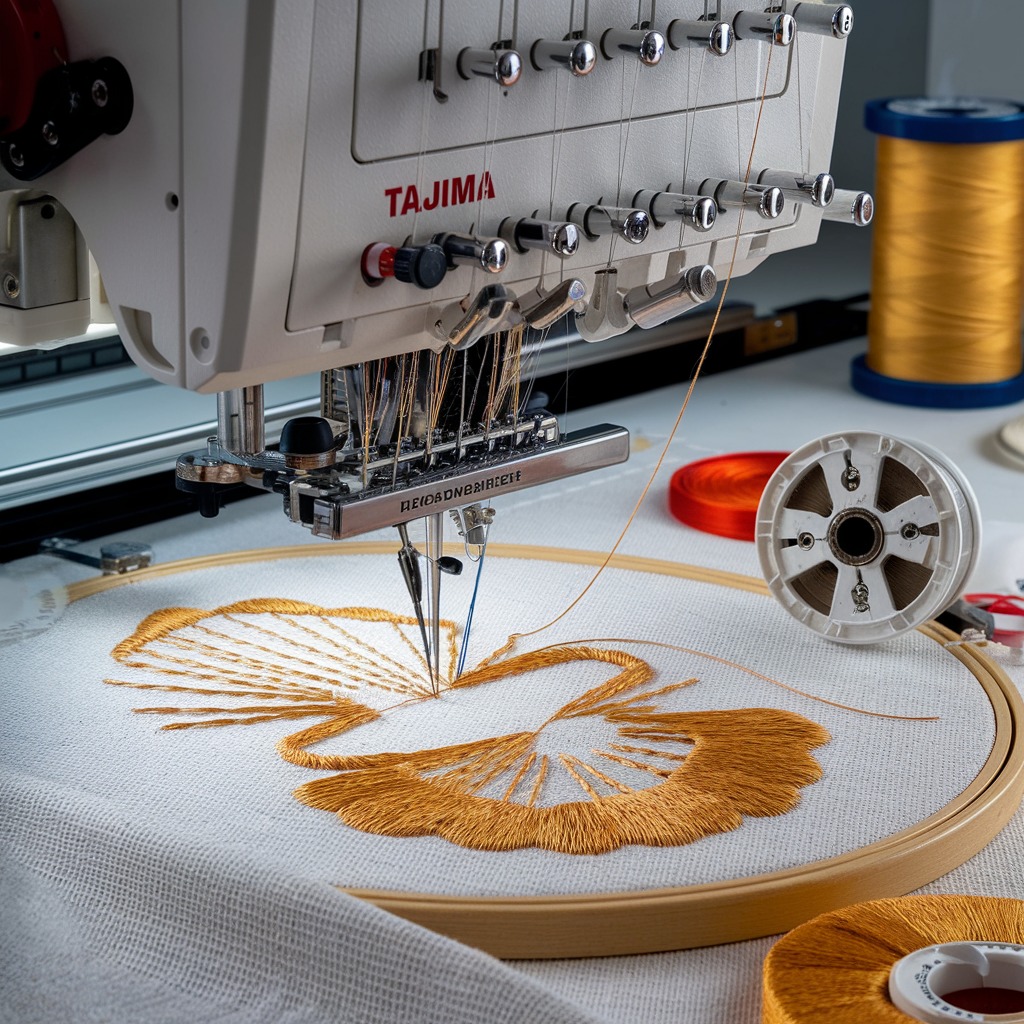
Quick answer: Common Tajima TEHX issues include thread breaks, skipped stitches, power failures, and distorted designs. Most can be resolved by checking thread path, tension, replacing worn needles, inspecting sensors, or replacing faulty power supplies or driver cards. Regular maintenance is key to prevention.
The Tajima TEHX series is a robust line of embroidery machines, but like all complex machinery, they can encounter issues. This guide provides common problems reported by operators, along with practical, step-by-step solutions to get your machine back up and running. We focus on issues you can often diagnose and fix yourself, identifying the parts most commonly involved.
Two-minute checks before you open anything
- Is the machine powered on and plugged in securely?
- Is the correct needle installed and inserted correctly?
- Is the machine threaded properly, from spool to needle?
- Is the bobbin wound correctly and inserted with proper tension?
- Is the fabric hooped tightly and securely?
- Are there any visible obstructions or lint buildup in the thread path or rotary hook area?
- Are all safety covers closed and interlocks engaged?
1. Frequent Thread Breaks or Skipped Stitches high likelihood
How to tell
The machine stops frequently due to thread snapping, or stitches appear uneven, loose, or missing from the design. This can occur at various points during embroidery.
Fix
- Check thread path for obstructions, burrs, or incorrect threading. Ensure thread guides are clean and smooth.
- Adjust thread tension. Start with the bobbin tension, then adjust upper thread tension for each needle.
- Replace the needle. A dull, bent, or incorrect needle is a common cause.
- Clean and inspect the thread sensor. Dust or lint can interfere with its operation.
- Verify the presser foot height and alignment. Incorrect settings can cause thread friction.
- Inspect the rotary hook for burrs or damage. Clean out any lint buildup.
- Check timing belts for proper tension and wear. Loose belts can affect machine timing.
Consider replacing 'Tajima TC Sensor Card & Thread Contact Set 0J2602300A22 0J2602300A23 FG7204010000 0J2602100010' or 'Premium 2 Set Thread Sensor Wheel for Tajima TEHX' if sensor issues persist. Inspect 'Tajima EF0613220000 EF0613210000 090460040020 090460040031 Presser Foot Bushing Guide Collar' for wear. Check 'MBL S5M1160 Timing Belt 30mm for Tajima TMAR TFMX TFGN TEJT TEHX Series Embroidery Machines' or 'Tajima TU10 W25-170/E Timing Belt 626400260000 BPT102517000' for wear or looseness. The 'Tajima Needle Bar Drive Reciprocator Assembly' or 'Tajima 090420060017 Stopper Lower Dead Point Needle Bar Connecting Stud' might be involved in severe timing issues.
Parts involved: Sensors & switches → Thread path & tension → Needles & needle bars → Presser feet & sewing parts → Belts, pulleys & gears → Rotary hooks & bobbin cases → Head & mechanical parts →
2. Machine Not Powering On or Intermittent Power medium likelihood
How to tell
The machine fails to turn on, or powers off unexpectedly during operation. Control panel lights may be off, or the machine may not respond to power button presses.
Fix
- Check the main power cable connection at both the machine and the wall outlet.
- Verify the power switch is in the 'ON' position.
- Test the power outlet with another device to ensure it's functional.
- Inspect the machine's internal power supply for visible damage or blown fuses (if accessible and safe to do so).
- If comfortable and qualified, use a multimeter to check the output voltage of the power supply.
A faulty 'Tajima PB0025A1PW00 Power Supply 150W 24V for TEHX-C1501, TMEZ, TMAR, TMBR-SC Embroidery Machines' is a common culprit for power issues.
Parts involved: Circuit boards & electronics → Cables & wiring →
Parts you may need for Tajima TEHX
In stock, tested before dispatch, Buyer Protection on every order. Part types for this problem: Sensors & switches, Thread path & tension, Needles & needle bars, Presser feet & sewing parts.
 Tajima PB0025A1PW00 Power Supply 150W 24V for TEHX-C1501, TMEZ, TMA...$ 140.99View part →
 Tajima EC6102050000 XY Axis Driver Card Board MP167-1 for Single He...$ 1,153.49View part →
 Tajima Needle Bar Drive Reciprocator Assembly for TFMX, TMFX, TMAR,...$ 27.09View part →
 Gotek SFR1M44-FU USB Floppy Emulator for Tajima TMFX TFMX TFMX-C TE...$ 58.99View part →
 MBL S5M1160 Timing Belt 30mm for Tajima TMAR TFMX TFGN TEJT TEHX Se...$ 86.99View part →
 Tajima TU10 W25-170/E Timing Belt 626400260000 BPT102517000 for TMA...$ 567.29View part →
All Tajima TEHX parts → Sensors & Switches → Thread Path & Tension → Needles & Needle Bars →
3. Distorted Designs or Incorrect X/Y Movement medium likelihood
How to tell
Embroidery designs appear stretched, compressed, or misaligned. The embroidery frame may move erratically or not at all in one or both axes.
Fix
- Ensure the embroidery hoop is securely fastened and the fabric is hooped tightly without wrinkles.
- Check for any obstructions preventing free movement of the X and Y carriages.
- Inspect the X and Y axis timing belts for looseness, wear, or damage. Adjust tension if necessary.
- Verify that the X and Y axis motors are securely mounted and their cables are connected properly.
- If the issue persists, the X/Y axis driver card may be failing.
Inspect 'MBL S5M1160 Timing Belt 30mm for Tajima TMAR TFMX TFGN TEJT TEHX Series Embroidery Machines' or 'Tajima TU10 W25-170/E Timing Belt 626400260000 BPT102517000' for proper tension and wear. A failing 'Tajima EC6102050000 XY Axis Driver Card Board MP167-1 for Single Head Tajima TMEX TEHX-C1501 TMFX TFMX Embroidery Machines' can cause these symptoms.
Parts involved: Belts, pulleys & gears → Motors & drivers → Circuit boards & electronics → Hoops & frames →
4. Floppy Drive Read Errors or USB Transfer Issues low likelihood
How to tell
The machine cannot read design files from the floppy disk or USB drive. Error messages related to disk access or file transfer appear on the control panel.
Fix
- Ensure the floppy disk or USB drive is correctly inserted and formatted for the machine.
- Try a different floppy disk or USB drive to rule out media corruption.
- Clean the floppy drive head (if applicable) using a specialized cleaning disk.
- If using a USB floppy emulator, ensure it is properly installed and configured.
- Check for any loose connections to the floppy drive or emulator.
If your floppy drive is consistently failing, consider upgrading to a 'Gotek SFR1M44-FU USB Floppy Emulator for Tajima TMFX TFMX TFMX-C TEHX Series' for more reliable design transfer.
Parts involved: Floppy, USB & memory →
Maintenance schedule
| When | What to do | Why |
|---|---|---|
| Daily | Clean under the needle plate and around the rotary hook. | Removes lint and debris that can cause thread breaks and poor stitch quality. |
| Daily/Weekly (refer to manual) | Lubricate specified moving parts with embroidery machine oil. | Reduces friction, prevents wear, and ensures smooth operation. |
| Weekly/Monthly | Inspect and clean thread sensors and tension assemblies. | Ensures accurate thread detection and consistent tension. |
| Monthly/Quarterly | Check timing belts for tension and wear. | Prevents skipped stitches, timing issues, and distorted designs. |
Stop and call a technician if
- If you suspect a major electrical fault or internal component failure beyond simple part replacement.
- If you are uncomfortable performing mechanical adjustments or repairs.
- If the machine displays complex error codes that are not easily resolved by basic troubleshooting.
- For issues requiring specialized tools or diagnostic equipment.
Prevent it coming back
- Perform daily cleaning, especially around the needle plate, rotary hook, and thread path.
- Follow the manufacturer's recommended lubrication schedule using appropriate embroidery machine oil.
- Regularly inspect needles and replace them proactively to avoid thread breaks and fabric damage.
- Keep thread tension balanced and consistent for all needles.
- Ensure your workspace is clean and free of dust and lint buildup.
- Use high-quality threads and backings to minimize machine stress.
- Periodically check timing belts for proper tension and signs of wear.
Frequently asked questions
How often should I replace my needles?
Needle replacement frequency depends on usage and material. For optimal performance, replace needles every 8-10 hours of continuous embroidery, or immediately if you notice thread breaks, skipped stitches, or dullness. Always use the correct needle type and size for your fabric and thread.
What kind of lubrication does my TEHX machine need?
Your Tajima TEHX machine requires specific embroidery machine oil for its moving parts. Refer to your machine's official manual for exact lubrication points, frequency, and recommended oil types. Typically, daily or weekly oiling of the rotary hook and other specified points is necessary.
My machine is making a strange noise. What should I do?
Unusual noises often indicate a mechanical issue. Immediately stop the machine and turn off the power. Inspect for loose screws, obstructions, or worn parts in the needle area, rotary hook, and X/Y drive systems. Do not operate the machine until the source of the noise is identified and resolved to prevent further damage.
Did this guide fix your machine?
Rate it - it helps other operators find the right fix.
Not sure which part is failing?
Need the logo stitched too?
Get your logo digitized by the people who know this machine
Upload the artwork, see the stitch count and the exact price in 10 seconds, then order with a free sew-out preview. $1 per 1,000 stitches, $10 minimum, 24-hour delivery. Vector conversion from $12.
After the fix
Fixed it? Keep the rest of the shop moving.
OS 360 is the shop software from the team behind this parts store. Every job keeps its status, deadline and owner while a TEHX head is down, restock alerts fire for needles, hooks and bobbins before you run dry, and quotes, invoices and payment live in one place.
- Jobs with status, deadline and owner - nothing slips during downtime
- Inventory with restock alerts, this store one click away
- Instant quotes, invoices and one place to collect payment





