
Blog
Tajima TMEX Series: Essential Maintenance Schedule & Wear Parts Guide

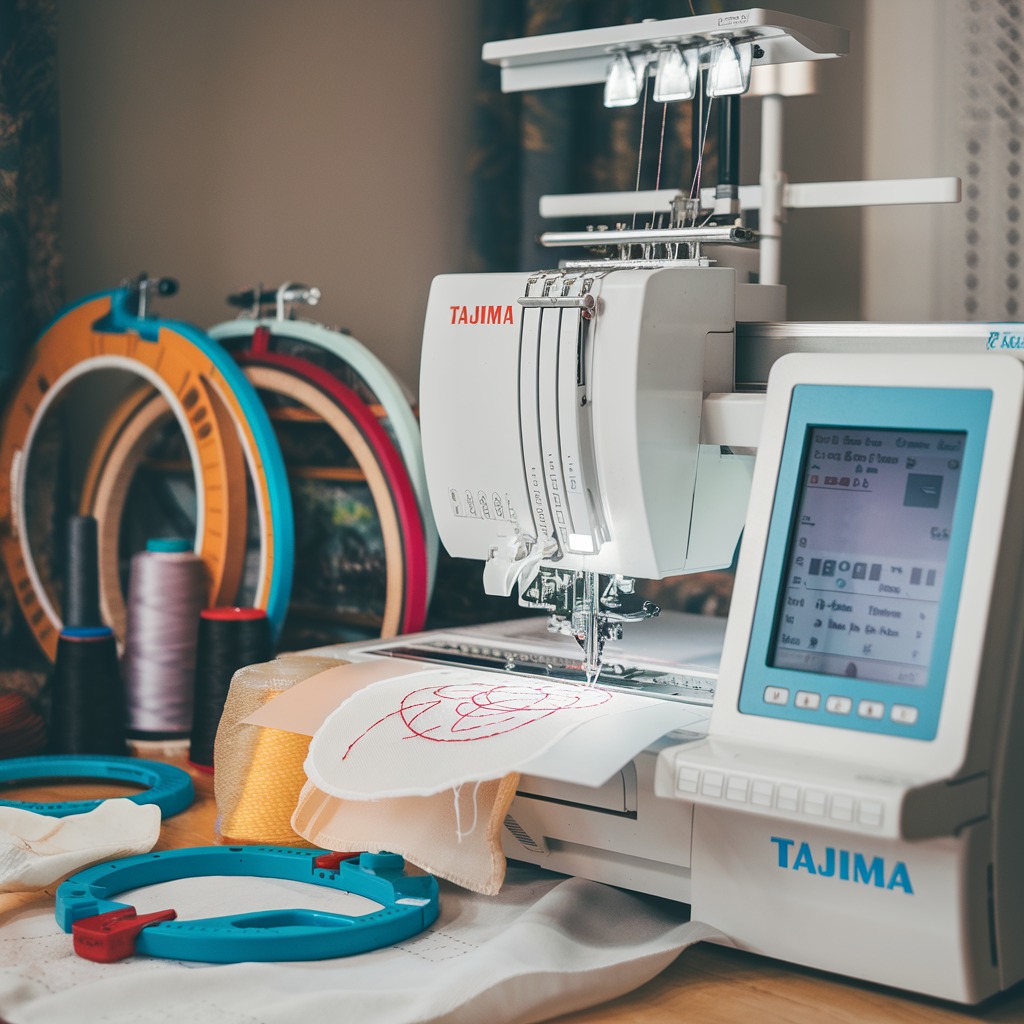
Quick answer: Regular maintenance for your Tajima TMEX series machine involves daily cleaning and lubrication, weekly checks of thread path components, and monthly inspections of wear parts like rotary hooks, belts, and trimmers. Key wear parts include needles, rotary hooks, trimmer knives, belts, and USB emulators.
The Tajima TMEX series embroidery machines are workhorses, known for their durability and consistent performance. However, like any precision machinery, they require regular maintenance to ensure optimal operation and extend their lifespan. This guide provides an essential maintenance schedule and highlights common wear parts, helping you keep your TMEX running smoothly and prevent costly downtime. Performing these routine checks and replacements will save you time and money in the long run.
Two-minute checks before you open anything
- Check needles for sharpness and straightness.
- Verify bobbin is correctly inserted and tension is adequate.
- Inspect the rotary hook area for lint and loose threads.
- Ensure all thread paths are clear and free of obstructions.
- Listen for any unusual noises during operation.
- Check for any loose screws or connections.
1. Needles high likelihood
How to tell
Skipped stitches, thread breaks, dull or bent needle points, burrs on the needle eye. A needle that is not perfectly straight or sharp will cause problems.
Fix
- Inspect needle points for sharpness and straightness before each use and after any thread break or collision.
- Replace needles immediately if bent, dull, or burred.
- Ensure the correct needle type and size are used for the fabric and thread.
Parts involved: Needles & needle bars →
2. Rotary Hook high likelihood
How to tell
Poor stitch quality, skipped stitches, thread breaks, excessive noise from the hook area, burrs or nicks on the hook point or race. The bobbin case may not sit correctly.
Fix
- Remove the bobbin case and inspect the rotary hook for any burrs, nicks, or rough spots. Use a magnifying glass if necessary.
- Gently polish small burrs with very fine sandpaper (600+ grit) or a specialized hook polishing tool, moving in the direction of thread travel. Do not change the hook's geometry.
- If damage is significant or polishing doesn't resolve issues, replace the rotary hook.
- Ensure the hook timing is correct after replacement (refer to your machine's manual).
Parts involved: Rotary hooks & bobbin cases →
Parts you may need for Tajima TMEX
In stock, tested before dispatch, Buyer Protection on every order. Part types for this problem: Needles & needle bars, Rotary hooks & bobbin cases, Cutters & trimmers, Thread path & tension.
 USB Emulator Converter 34-Pin to 26-Pin for Tajima TMEX TMFX Embroi...$ 25.09View part →
 Tajima 9ZJ4040A0000 USB Linker External Reader for TMEG, TMEF, TMBE...$ 257.49View part →
 SFRM72-FU USB Floppy Emulator for Tajima, Barudan, Happy, ZSK, Brot...$ 65.09View part →
 Richpeace RP-SFDR-IV U-A720 USB Emulator Reader for Tajima TMFX TME...$ 414.49View part →
 Tajima EC6102050000 XY Axis Driver Card Board MP167-1 for Single He...$ 1,153.49View part →
 Tajima 18-Tooth 3.5cm Fixed Wheel Pulley for TFMX TMEX TMEZ TFM 18-...$ 86.49View part →
All Tajima TMEX parts → Needles & Needle Bars → Rotary Hooks & Bobbin Cases → Cutters & Trimmers →
3. Bobbin Case high likelihood
How to tell
Inconsistent bobbin tension, thread breaks, lint buildup, burrs or nicks on the thread path within the case. Bobbin may not spin freely.
Fix
- Inspect the bobbin case for burrs, nicks, or grooves, especially where the thread passes.
- Clean out any lint or debris from the bobbin case and tension spring.
- Adjust bobbin tension as needed. If tension cannot be maintained or the case is visibly damaged, replace it.
Parts involved: Rotary hooks & bobbin cases →
4. Trimmer Knives (Fixed & Moving) high likelihood
How to tell
Incomplete thread trims, frayed thread ends after trimming, excessive noise during trimming, thread jams in the trimmer mechanism. Threads may be pulled instead of cut cleanly.
Fix
- Carefully inspect both the fixed and moving trimmer knives for dullness, nicks, or damage.
- Clean any lint or debris from the trimmer mechanism.
- If knives are dull or damaged, replace both the fixed and moving knives as a set for optimal performance.
- Ensure proper alignment and gap between the knives after replacement (refer to your machine's manual).
Parts involved: Cutters & trimmers →
5. Thread Guides & Tension Discs medium likelihood
How to tell
Thread breaks, inconsistent tension, grooving or wear marks on ceramic or metal guides, rough spots on tension discs. Thread may catch or fray as it passes through.
Fix
- Visually inspect all thread guides (ceramic, metal, plastic) for grooves, nicks, or sharp edges.
- Check tension discs for burrs, dirt, or signs of uneven wear. Ensure they open and close freely.
- Clean guides and discs thoroughly.
- Replace any guide or disc that shows significant wear or damage that could snag thread.
Parts involved: Thread path & tension →
6. Belts (X/Y Axis, Head Drive, Trimmer) medium likelihood
How to tell
Skipped stitches, misaligned designs, excessive noise (squealing, grinding), visible cracks, fraying, or stretching on the belt surface. Loss of tension or slippage.
Fix
- Visually inspect all belts for cracks, fraying, missing teeth, or excessive slack.
- Check belt tension according to your machine's manual. Belts should be taut but not overly tight.
- Clean any lint or debris from belts and pulleys.
- Replace any belt showing signs of wear or damage. Ensure correct belt type and length are used.
Parts involved: Belts, pulleys & gears →
7. Tajima 18-Tooth 3.5cm Fixed Wheel Pulley for TFMX TMEX TMEZ TFM 18-Axis Machines medium likelihood
How to tell
Excessive noise, vibration, belt slippage, or visible wear on the pulley teeth. May lead to inconsistent movement or timing issues.
Fix
- Inspect the pulley for worn or damaged teeth, cracks, or excessive wobble.
- Ensure the pulley is securely fastened to its shaft.
- Clean any debris from the pulley teeth.
- If damaged, replace with a new Tajima 18-Tooth 3.5cm Fixed Wheel Pulley.
Part number: Tajima 18-Tooth 3.5cm Fixed Wheel Pulley for TFMX TMEX TMEZ TFM 18-Axis Machines
Parts involved: Belts, pulleys & gears →
8. USB Emulator Converter 34-Pin to 26-Pin for Tajima TMEX TMFX Embroidery Machines medium likelihood
How to tell
Inability to load designs from USB, 'disk read error' messages, intermittent data transfer issues, or complete failure of the floppy drive replacement. The machine may not recognize the USB device.
Fix
- Check connections of the USB emulator to the machine's mainboard.
- Try a different USB stick to rule out media issues.
- If the emulator is unresponsive or consistently fails to read, replace it with a new USB Emulator Converter 34-Pin to 26-Pin for Tajima TMEX TMFX Embroidery Machines.
- Ensure the emulator is correctly configured (jumpers, if applicable) for your machine model.
Also consider Tajima 9ZJ4040A0000 USB Linker External Reader for TMEG, TMEF, TMBE, TMCE, TME-600, TME-DC, TMFD, TMFX Machines, SFRM72-FU USB Floppy Emulator for Tajima, Barudan, Happy, ZSK, Brother, Melco, Feiya, Ricoma Embroidery, Richpeace RP-SFDR-IV U-A720 USB Emulator Reader for Tajima TMFX TMEX TFHX & NEC FD1138C, or TAJIMA KP-BS-T-113 USB Reader for TME-C, TME-HC, TME-DC, TMEF, TMEF-H, TMEG, TMEG-XG, TMEG-VG, TMEX, TFHX, TMFX, TMFD Embroidery Machines depending on your specific setup.
Parts involved: Floppy, USB & memory →
9. Tajima 0J6104100000 CL0835000000 42mm Square Double-End Pulse Motor for TMEX TMFX TCMX Embroidery Machines low likelihood
How to tell
Head not moving correctly, inconsistent color changes, grinding noises from the head, or complete failure of a specific head function (e.g., needle bar up/down, color change). Error codes related to motor failure.
Fix
- Check wiring connections to the pulse motor for looseness or damage.
- Verify that the motor's shaft is not obstructed or binding.
- If the motor is unresponsive or exhibits erratic behavior, it may need replacement. Consult your machine's manual for diagnostic steps.
- Replace with a new Tajima 0J6104100000 CL0835000000 42mm Square Double-End Pulse Motor if diagnosed as faulty.
Part number: Tajima 0J6104100000 CL0835000000 42mm Square Double-End Pulse Motor for TMEX TMFX TCMX Embroidery Machines
Parts involved: Motors & drivers →
10. Tajima 090420060017 Stopper Lower Dead Point Needle Bar Connecting Stud for TMEG TMFD TMFX STNE TFKN STKN STKN-C TFGN TMEX TEMX TEHX TEJT TMLH TLMX low likelihood
How to tell
Inconsistent needle bar movement, excessive play in the needle bar, unusual noise from the needle bar mechanism, or incorrect needle depth. Can lead to skipped stitches or thread breaks.
Fix
- Inspect the connecting stud for wear, looseness, or damage.
- Ensure all fasteners securing the stud are tight.
- If the stud is worn or damaged, replace it with a new Tajima 090420060017 Stopper Lower Dead Point Needle Bar Connecting Stud.
- Verify needle bar timing and depth after replacement (refer to your machine's manual).
Part number: Tajima 090420060017 Stopper Lower Dead Point Needle Bar Connecting Stud for TMEG TMFD TMFX STNE TFKN STKN STKN-C TFGN TMEX TEMX TEHX TEJT TMLH TLMX
Parts involved: Needles & needle bars → Screws, springs & small parts →
11. Tajima Original Pantograph Servo Motor for TME, TMAR, TMEX Embroidery Machines low likelihood
How to tell
Pantograph not moving, jerky or inaccurate pantograph movement, loud grinding noises from the motor, or error codes related to X/Y axis movement. Designs may be distorted or misaligned.
Fix
- Check all cable connections to the servo motor and its driver.
- Inspect the motor for any physical damage or signs of overheating.
- If the motor is unresponsive or exhibits severe operational issues, it may require replacement. This is a complex repair; consider professional assistance.
- Replace with a new Tajima Original Pantograph Servo Motor if diagnosed as faulty.
Part number: Tajima Original Pantograph Servo Motor for TME, TMAR, TMEX Embroidery Machines
Parts involved: Motors & drivers →
12. Tajima EC6102050000 XY Axis Driver Card Board MP167-1 for Single Head Tajima TMEX TEHX-C1501 TMFX TFMX Embroidery Machines low likelihood
How to tell
Complete loss of X or Y axis movement, erratic pantograph movement, or specific error codes indicating driver board failure. Often accompanied by a non-responsive pantograph.
Fix
- Visually inspect the board for any burnt components, swollen capacitors, or signs of damage.
- Ensure all connectors are securely seated.
- If diagnosed as faulty (often requiring specialized testing), replace the board with a new Tajima EC6102050000 XY Axis Driver Card Board MP167-1.
- This is an advanced repair; consider professional assistance.
Part number: Tajima EC6102050000 XY Axis Driver Card Board MP167-1 for Single Head Tajima TMEX TEHX-C1501 TMFX TFMX Embroidery Machines
Parts involved: Circuit boards & electronics →
Maintenance schedule
| When | What to do | Why |
|---|---|---|
| Daily (or every 8-10 hours of operation) | Clean the rotary hook and bobbin case area. | Prevents lint buildup that can cause skipped stitches, thread breaks, and damage to the hook. |
| Daily (or every 8-10 hours of operation) | Oil the rotary hook and needle bars. | Ensures smooth operation of critical moving parts, reduces friction and wear. |
| Daily (or before each shift) | Inspect needles and replace if bent, dull, or burred. | Prevents skipped stitches, fabric damage, and thread breaks. |
| Weekly | Clean thread tension discs and thread guides. | Removes lint and debris that can cause inconsistent thread tension and thread breaks. |
| Weekly | Check and clean trimmer knives. | Ensures clean thread cuts and prevents thread jams. |
| Weekly | Inspect drive belts for tension and wear. | Prevents misaligned designs, skipped stitches, and ensures smooth movement of the pantograph and head. |
| Monthly (or every 100-150 hours) | Thoroughly clean the entire machine, including under the needle plate and inside the head. | Removes accumulated lint and debris that can interfere with machine operation and cause overheating. |
| Monthly (or every 100-150 hours) | Inspect rotary hook and bobbin cases for burrs or nicks. | Identifies wear early to prevent stitch quality issues and thread breaks. |
| Monthly (or every 100-150 hours) | Check all screws and fasteners for tightness. | Prevents parts from vibrating loose, which can lead to misalignment or damage. |
| Every 3-6 Months | Inspect and clean pulse motors and servo motors. | Ensures proper function of color change and pantograph movement, prevents overheating. |
| Annually (or every 1000-1500 hours) | Consider replacing major wear parts like drive belts, trimmer knives, and potentially the rotary hook assembly. | Proactive replacement of high-wear items prevents unexpected breakdowns and maintains machine performance. |
Stop and call a technician if
- If you encounter persistent error codes that you cannot resolve with basic troubleshooting.
- For complex mechanical issues like major timing adjustments (e.g., hook timing after a severe collision) or pantograph alignment.
- When replacing major electronic components like driver boards or main control boards.
- If you are unsure about a repair procedure and want to avoid further damage to your machine.
Prevent it coming back
- Always use high-quality needles, threads, and bobbins suitable for your machine and project.
- Keep your work area and machine clean, regularly removing lint and debris.
- Follow the manufacturer's recommended lubrication schedule and use appropriate oils/greases.
- Avoid forcing the machine or running it at excessively high speeds for extended periods.
- Perform regular visual inspections of all moving parts for signs of wear or damage.
- Ensure proper tension settings for both upper and bobbin threads to reduce stress on components.
Frequently asked questions
How often should I lubricate my Tajima TMEX machine?
Lubrication frequency depends on usage. Generally, daily oiling of the rotary hook and needle bars is recommended. Other moving parts may require weekly or monthly greasing. Always refer to your machine's specific manual for precise lubrication points and intervals.
What causes skipped stitches on a Tajima TMEX?
Skipped stitches can be caused by a dull or bent needle, incorrect needle size, improper tension, burrs on the rotary hook or bobbin case, incorrect hook timing, or issues with the thread path. Start by checking the needle and cleaning the hook area.
Can I upgrade my old Tajima TMEX floppy drive to USB?
Yes, you can upgrade your Tajima TMEX machine from a floppy drive to a USB emulator. We stock several compatible options like the USB Emulator Converter 34-Pin to 26-Pin for Tajima TMEX TMFX Embroidery Machines, which allows you to load designs via USB stick.
How do I know if my trimmer knives need replacing?
If your machine is consistently failing to cut threads cleanly, leaving frayed ends, or making unusual noises during trimming, it's a strong indication that your trimmer knives are dull or damaged. Inspect them visually for nicks or dull edges and replace both fixed and moving knives as a set if needed.
Did this guide fix your machine?
Rate it - it helps other operators find the right fix.
Not sure which part is failing?
Need the logo stitched too?
Get your logo digitized by the people who know this machine
Upload the artwork, see the stitch count and the exact price in 10 seconds, then order with a free sew-out preview. $1 per 1,000 stitches, $10 minimum, 24-hour delivery. Vector conversion from $12.
After the fix
Fixed it? Keep the rest of the shop moving.
OS 360 is the shop software from the team behind this parts store. Every job keeps its status, deadline and owner while a TMEX head is down, restock alerts fire for needles, hooks and bobbins before you run dry, and quotes, invoices and payment live in one place.
- Jobs with status, deadline and owner - nothing slips during downtime
- Inventory with restock alerts, this store one click away
- Instant quotes, invoices and one place to collect payment





