
Blog
Juki MO-6800 / 6900 Series: Common Problems & Fixes


Quick answer: Common problems with Juki MO-6800/6900 series overlock machines include skipped stitches, thread breakage, and fabric feeding issues. Most can be resolved by checking the needle, rethreading, adjusting tension, cleaning, or replacing worn parts like feed dogs or loopers.
The Juki MO-6800 and MO-6900 series industrial overlock machines are workhorses in many sewing operations, known for their speed and reliability. However, even the best machines encounter issues. This guide is designed to help operators quickly diagnose and fix the most common problems you might face, minimizing downtime and keeping your production running smoothly. We'll cover everything from skipped stitches to feeding issues, providing clear, actionable steps and identifying the parts most often involved.
Two-minute checks before you open anything
- Is the machine plugged in and powered on?
- Is the emergency stop button disengaged?
- Is the needle correctly inserted and not bent or dull?
- Is the machine threaded correctly, with all threads seated in tension discs?
- Are there any obvious obstructions (lint, fabric scraps) in the needle plate or looper area?
- Is the presser foot lowered?
1. Skipped Stitches or Uneven Seams high likelihood
How to tell
You'll notice gaps in the stitch line, loose loops on the fabric edge, or an inconsistent seam appearance. This often happens when sewing different fabric types or thicknesses.
Fix
- Ensure the correct needle type and size is installed for your fabric and thread. A dull or bent needle is a common culprit.
- Completely rethread the machine, following the correct thread path for all threads (needle, upper looper, lower looper). Ensure threads are seated correctly in all tension discs and guides.
- Adjust thread tension. Start by checking the needle thread tension, then the looper tensions. Refer to your machine's manual for recommended starting points.
- Inspect the loopers (upper and lower) for any burrs, damage, or incorrect timing. Even a slight misalignment can cause skipped stitches.
- Clean the area around the feed dogs and needle plate. Lint and debris can interfere with fabric movement and stitch formation.
- Check the presser foot pressure. Too little or too much pressure can affect fabric feeding and stitch quality.
Always use high-quality, appropriate needles. Worn or damaged loopers are critical components for stitch formation and may need replacement if damaged.
Parts involved: Needles & needle bars → Thread path & tension → Head & mechanical parts → Presser feet & sewing parts →
2. Frequent Thread Breakage high likelihood
How to tell
Threads (needle, upper looper, or lower looper) snap repeatedly during sewing, often with a loud 'pop' sound. This can lead to incomplete seams and frustration.
Fix
- Check the threading path meticulously for any snags, twists, or incorrect routing. Ensure threads are not catching on anything.
- Inspect all thread guides, tension discs, and the needle eye for burrs, sharp edges, or damage that could fray or cut the thread.
- Reduce thread tension slightly, especially if the thread feels excessively tight when pulled through the tension discs.
- Replace the needle. A bent, dull, or incorrectly inserted needle is a very common cause of thread breakage.
- Ensure you are using good quality thread that is appropriate for your machine and fabric. Cheap or old thread can be weak and prone to breaking.
- Clean out any lint or debris from the thread path, especially around the tension discs and loopers.
Any component that the thread passes through can cause breakage if it's damaged. Pay close attention to the needle and thread guides.
Parts involved: Thread path & tension → Needles & needle bars → Head & mechanical parts → Threads & supplies →
Parts you may need for Juki
In stock, tested before dispatch, Buyer Protection on every order. Part types for this problem: Rotary hooks & bobbin cases, Needles & needle bars, Thread path & tension, Presser feet & sewing parts.
 Flying Tiger DBx1 Industrial Lockstitch Needles, 100 pcs/box, Sizes...$ 12.09View part →
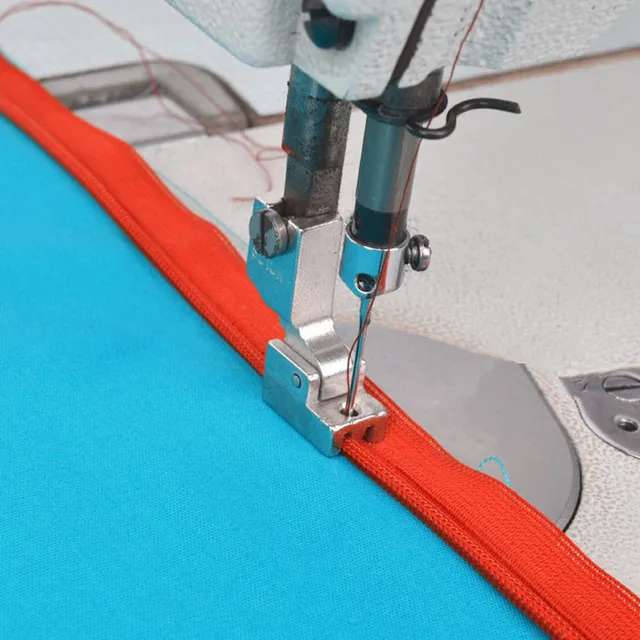 Industrial Sewing Machine Zipper Presser Foot S518N - Compatible wi...$ 8.49View part →
 Flying Tiger HAX1 15x1 Sewing Machine Needles 100-Pack for Brother ...$ 13.99View part →
 Industrial BC-DBZ(1)-NBL6 Bobbin Case for Barudan TZ1 LE2, Brother ...$ 8.49View part →
 BC-DBZ(1)-NBL6 Bobbin Case for Barudan TZ1, Brother BAS-400, JUKI L...$ 8.49View part →
 Rotary Hook HSH-7.94B HSH-7.94A B1830-127-OAO for JUKI DDL-5550 DDL...$ 16.49View part →
All Juki parts → Rotary Hooks & Bobbin Cases → Needles & Needle Bars → Thread Path & Tension →
3. Fabric Not Feeding Properly / Machine Jamming medium likelihood
How to tell
The fabric either doesn't move forward, moves unevenly, or gets bunched up under the presser foot. The machine might make a grinding noise or stop entirely.
Fix
- Lift the presser foot and clear any fabric scraps, lint, or thread tangles from the feed dog area and under the needle plate.
- Check the feed dogs for wear or damage. If the teeth are dull or broken, they won't grip the fabric effectively.
- Ensure the presser foot is correctly installed and not loose. Check for any damage to the underside of the presser foot.
- Adjust the presser foot pressure. If it's too low, the fabric may slip; if too high, it might impede movement.
- Verify that the stitch length setting is not at zero. If it is, the feed dogs will not move the fabric.
- Inspect the feed dog height. It should be slightly above the needle plate when the needle is at its highest point. Adjust if necessary (refer to your manual).
Worn feed dogs are a primary cause. We stock Replacement Feed Dog Set #401-59820 + #700-00782 and Feed Dog 401-59836 for Juki MO-6804. Ensure your presser foot is also in good condition.
Parts involved: Presser feet & sewing parts → Head & mechanical parts → Screws, springs & small parts →
4. Machine Not Powering On / No Response low likelihood
How to tell
The machine is completely unresponsive when the power switch is turned on. No lights, no motor hum, nothing happens.
Fix
- Check the power cord connection at both the machine and the wall outlet. Ensure it's securely plugged in.
- Verify that the wall outlet has power by plugging in another appliance.
- Check the machine's main power switch and any emergency stop buttons. Ensure they are in the 'on' or 'run' position.
- Inspect the power cord for any visible damage, cuts, or frayed wires.
- If accessible, check the machine's internal fuse (refer to your manual for location and type).
- If all external power checks pass, the issue might be with the internal electronics, such as the control box PCB.
The JUKI SC-920 Control Box PCB Assembly 400-87119 400-85908 is a critical component for the machine's electrical functions. If external power is confirmed, this board is a likely suspect.
Parts involved: Cables & wiring → Motors & drivers → Circuit boards & electronics → Sensors & switches →
Maintenance schedule
| When | What to do | Why |
|---|---|---|
| Daily | Clean lint from needle plate, feed dogs, and looper area. | Prevents buildup that can cause skipped stitches, thread breakage, and feeding issues. |
| Weekly / Every 40-50 hours | Thoroughly clean under the needle plate and around loopers. Check for loose screws. | Ensures all components move freely and prevents wear from debris. Loose screws can lead to misalignment and damage. |
| Monthly / Every 160-200 hours | Lubricate all designated oiling points as per your machine's manual. Inspect feed dogs and presser foot for wear. | Proper lubrication reduces friction and wear, extending machine life. Early detection of worn parts prevents more significant problems. |
| Annually / Every 2000 hours | Professional service and tune-up by a qualified technician. | Ensures optimal performance, checks for internal wear, and performs complex adjustments like timing and calibration. |
Stop and call a technician if
- If the machine is completely unresponsive after checking power and fuses.
- If you suspect a major electrical fault with the control box PCB or motor.
- If there's persistent grinding, knocking, or burning smells.
- If you've followed all troubleshooting steps and the problem persists.
- For complex mechanical adjustments like looper timing or feed dog height adjustments that are beyond your comfort level or manual instructions.
Prevent it coming back
- Regularly clean lint and debris from the needle plate, feed dogs, and looper area.
- Use high-quality needles appropriate for your fabric and thread, and replace them frequently (e.g., every 8 hours of continuous use or at the start of a new project).
- Ensure proper thread tension for all threads; incorrect tension is a leading cause of many issues.
- Lubricate the machine according to the manufacturer's schedule and recommendations in your manual.
- Always use good quality thread that is free of knots, slubs, or weak spots.
- Perform routine checks for loose screws or worn parts, addressing them before they cause bigger problems.
Frequently asked questions
How often should I clean my Juki MO-6800/6900?
For optimal performance, clean your Juki MO-6800/6900 daily, especially around the feed dogs, needle plate, and looper area. A more thorough cleaning, including removing the needle plate, should be done weekly or after every 40-50 hours of operation, depending on usage and fabric type.
What type of oil should I use for my Juki MO-6800/6900?
Always refer to your Juki MO-6800/6900 instruction manual for the specific type of sewing machine oil recommended by the manufacturer. Using the wrong type of oil can damage internal components. Generally, high-quality, clear, non-staining sewing machine oil is required.
My machine is making unusual noises. What could be wrong?
Unusual noises often indicate a lack of lubrication, loose components, or interference. Check for loose screws, especially around the needle plate and presser foot. Lubricate all moving parts as per your manual. If the noise persists, it could be a more serious mechanical issue like worn bearings or gears, requiring professional inspection.
Why is my Juki MO-6800/6900 skipping stitches only on certain fabrics?
Skipping stitches on specific fabrics often points to an incorrect needle type or size for that material. Try a ballpoint needle for knits, a sharp needle for wovens, or a larger size for thicker fabrics. Adjusting thread tension and ensuring the presser foot pressure is appropriate for the fabric's thickness can also help.
Did this guide fix your machine?
Rate it - it helps other operators find the right fix.
Not sure which part is failing?
Need the logo stitched too?
Get your logo digitized by the people who know this machine
Upload the artwork, see the stitch count and the exact price in 10 seconds, then order with a free sew-out preview. $1 per 1,000 stitches, $10 minimum, 24-hour delivery. Vector conversion from $12.
After the fix
Fixed it? Keep the rest of the shop moving.
OS 360 is the shop software from the team behind this parts store. Every job keeps its status, deadline and owner while a Juki head is down, restock alerts fire for needles, hooks and bobbins before you run dry, and quotes, invoices and payment live in one place.
- Jobs with status, deadline and owner - nothing slips during downtime
- Inventory with restock alerts, this store one click away
- Instant quotes, invoices and one place to collect payment





