
Blog
Barudan BEKY Series Embroidery Machine Maintenance Guide


Quick answer: Regular maintenance for your Barudan BEKY series machine involves daily cleaning and lubrication, weekly checks of thread path components, monthly inspection of critical wear parts like the rotary hook and trimmer blades, and periodic replacement of high-wear items such as needles and hooks to ensure optimal performance and longevity.
Maintaining your Barudan BEKY series embroidery machine is crucial for its longevity, stitch quality, and consistent performance. Regular preventative maintenance helps identify potential issues before they become major problems, reduces downtime, and ensures your machine operates at peak efficiency. This guide outlines a comprehensive maintenance schedule and highlights common wear items to keep your BEKY running smoothly.
Two-minute checks before you open anything
- Check for any loose threads or lint buildup around the needle bar, rotary hook, and tension assemblies.
- Verify that all needles are straight and sharp.
- Listen for any unusual noises during machine operation.
- Ensure the bobbin case is clean and the bobbin spins freely.
- Check that the thread path is clear and free of obstructions.
1. Needles high likelihood
How to tell
Frequent thread breaks, skipped stitches, burrs on the needle eye, bent or dull needle points, or unusual needle noise during sewing.
Fix
- Visually inspect each needle for any signs of bending, burrs, or a dull point. Run a finger gently over the needle point (away from the tip) to feel for roughness.
- Replace any damaged or dull needles immediately with the correct type and size for your fabric and thread.
- Ensure needles are inserted correctly and fully seated in the needle bar with the scarf facing the hook.
Parts involved: Needles & needle bars →
2. Rotary Hook Assembly high likelihood
How to tell
Poor stitch quality, thread shredding, bird's nesting under the fabric, excessive noise from the hook area, or visible nicks/burrs on the hook point or race.
Fix
- Remove the bobbin case and thoroughly clean the hook area of all lint and thread debris.
- Inspect the hook point for any nicks, burrs, or signs of wear. Check the hook race for smoothness.
- If damage is visible, replace the rotary hook assembly. Refer to your machine's manual for specific replacement instructions and hook timing adjustments.
- After replacement, ensure the hook timing is correctly set according to the manufacturer's specifications.
We stock Koban KHS20-RYP2 Rotary Hook Jumbo 2.0X with Trimmer for Barudan BEKY BEXY.
Parts involved: Rotary hooks & bobbin cases →
Parts you may need for Barudan BEKY
In stock, tested before dispatch, Buyer Protection on every order. Part types for this problem: Needles & needle bars, Rotary hooks & bobbin cases, Cutters & trimmers, Thread path & tension.
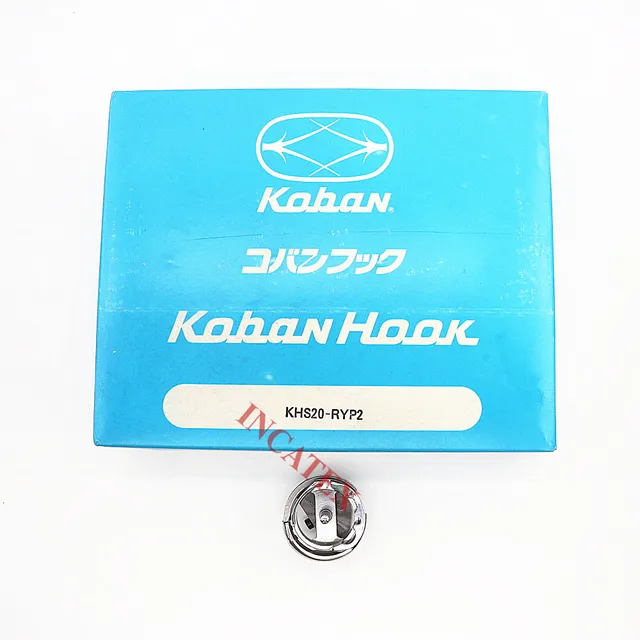 Koban KHS20-RYP2 Rotary Hook Jumbo 2.0X with Trimmer for Tajima TMA...$ 74.99View part →
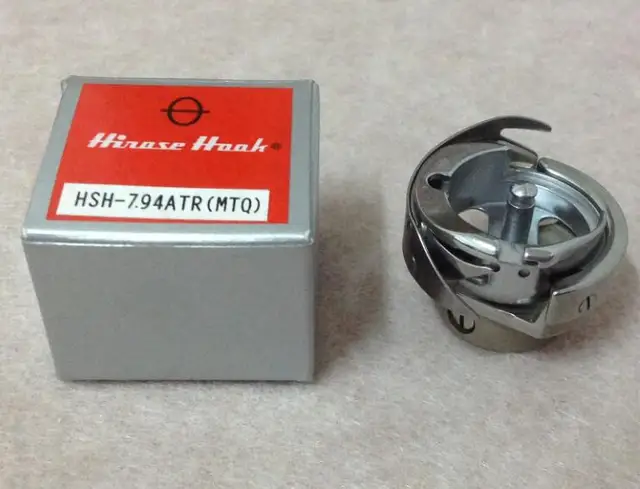 Hirose HSH-7.94ATR(MTQ) KHS12-RYP Rotary Hook for Tajima, Barudan, ...$ 18.09View part →
 Industrial BC-DBZ(1)-NBL6 Bobbin Case for Barudan TZ1 LE2, Brother ...$ 8.49View part →
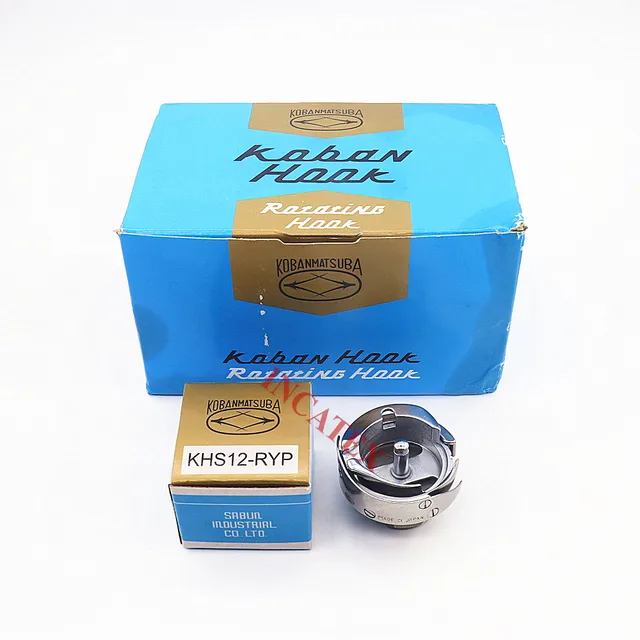 Koban KHS12-RYP Rotary Hook with Trimmer for Tajima, Barudan, SWF, ...$ 37.29View part →
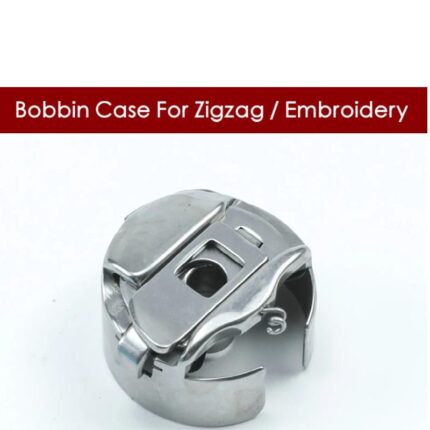 BC-DBZ(1)-NBL6 Bobbin Case for Barudan TZ1, Brother BAS-400, JUKI L...$ 8.49View part →
 Gotek SFRM72-FU Floppy Drive Emulator USB Reader for Tajima, Baruda...$ 59.29View part →
All Barudan BEKY parts → Needles & Needle Bars → Rotary Hooks & Bobbin Cases → Cutters & Trimmers →
3. Thread Trimmer Blades (Moving and Fixed Knives) medium likelihood
How to tell
Incomplete thread trims, frayed thread ends after trimming, machine stopping with trim errors, or excessive thread tails left after a trim.
Fix
- Carefully inspect both the moving and fixed trimmer blades for dullness, nicks, or excessive lint buildup.
- Clean any lint or debris from around the blades.
- If blades appear dull or damaged, they will need to be replaced. Consult your machine's manual for the correct procedure and any necessary adjustments after replacement.
- Ensure the blades are properly aligned and making clean contact.
Parts involved: Cutters & trimmers →
4. Thread Tension Discs and Springs medium likelihood
How to tell
Inconsistent stitch quality, looping on top or bottom of the fabric, frequent thread breaks, or visible grooves/wear on the tension discs.
Fix
- Remove the tension discs and clean any lint or debris accumulated between them.
- Inspect the discs for grooves or damage. Check the tension springs for proper function and ensure they are not bent or weak.
- If discs are grooved or springs are weak, replace the affected components.
- Reassemble and test the tension settings, adjusting as necessary for your thread and fabric.
Parts involved: Thread path & tension →
5. Drive Belts (X/Y Axis, Main Shaft) low likelihood
How to tell
Unusual noises (squealing, grinding), jerky movement of the pantograph or needle bar, skipped stitches, or visible cracks, fraying, or looseness in the belts.
Fix
- Visually inspect all accessible drive belts for signs of wear, cracking, fraying, or excessive slack.
- Check belt tension according to your machine's service manual. Belts that are too loose can slip, and belts that are too tight can cause premature wear on bearings.
- If a belt is worn or damaged, it should be replaced. This often requires specific tools and knowledge of belt routing and tensioning, so refer to your manual or consult a technician.
Parts involved: Belts, pulleys & gears →
6. USB Floppy Emulator low likelihood
How to tell
Machine fails to read designs from USB, 'disk read error' messages, slow design loading, or intermittent data transfer issues. This is typically a replacement for an older, failing floppy drive.
Fix
- Ensure the USB drive is properly formatted and contains compatible design files.
- Try a different USB drive to rule out issues with the drive itself.
- If the emulator is consistently failing to read or transfer data, it may need replacement.
- Installation typically involves removing the old floppy drive and connecting the new emulator, often a plug-and-play process, but consult the emulator's instructions.
We stock Gotek SFRM72-FU USB Floppy Emulator for Barudan BEAT BED BEKY and EILASUNG FDD-UDD U144K USB Floppy Drive Emulator for Barudan.
Parts involved: Floppy, USB & memory →
Maintenance schedule
| When | What to do | Why |
|---|---|---|
| Daily (or every 8 hours of operation) | Clean the rotary hook area | Removes lint and thread debris that can cause stitch problems, thread breaks, and hook damage. |
| Daily (or every 8 hours of operation) | Oil the rotary hook | Ensures smooth operation of the hook, reduces friction and wear, and prevents overheating. |
| Daily (or every 8 hours of operation) | Clean under the needle plate | Removes lint and small thread pieces that can interfere with needle movement and stitch formation. |
| Daily (or every 8 hours of operation) | Wipe down machine exterior | Prevents dust and lint from accumulating and entering internal components. |
| Weekly (or every 40 hours of operation) | Clean thread path components | Removes lint from thread guides, tension discs, and take-up levers to ensure consistent thread flow and tension. |
| Weekly (or every 40 hours of operation) | Inspect needles | Identifies dull, bent, or burred needles that can cause thread breaks and fabric damage. |
| Weekly (or every 40 hours of operation) | Check thread trimmer function | Ensures clean cuts and prevents thread jams or incomplete trims. |
| Monthly (or every 160 hours of operation) | Lubricate needle bars and presser feet | Reduces friction and wear on moving parts in the head, ensuring smooth operation. |
| Monthly (or every 160 hours of operation) | Inspect rotary hook for wear | Early detection of nicks or burrs can prevent major stitch quality issues and damage to other parts. |
| Monthly (or every 160 hours of operation) | Clean tension assemblies thoroughly | Ensures accurate and consistent thread tension by removing hidden lint and debris. |
| Every 3-6 Months (or every 500-1000 hours) | Inspect drive belts for wear and tension | Prevents slippage, jerky movements, and ensures accurate pantograph and head movement. |
| Every 3-6 Months (or every 500-1000 hours) | Check for loose screws and connections | Tightens any components that may have vibrated loose, preventing further damage or misalignment. |
| Annually (or every 2000 hours) | Professional service/inspection | A technician can perform deeper cleaning, timing adjustments, and inspect internal components not easily accessible to the operator. |
Stop and call a technician if
- If you encounter persistent error codes that you cannot resolve with basic troubleshooting.
- If the machine exhibits unusual grinding noises, smoke, or burning smells.
- For complex mechanical adjustments like main shaft timing or pantograph alignment.
- If electrical components or circuit boards appear damaged.
- When you are unsure about a repair procedure and risk causing further damage.
Prevent it coming back
- Always use high-quality needles appropriate for your fabric and thread type, and replace them regularly.
- Use only high-quality embroidery thread to minimize lint and thread breaks.
- Keep your workspace clean and free of dust and debris that can enter the machine.
- Avoid forcing the machine to sew through overly thick or inappropriate materials.
- Ensure proper thread tension settings for each job to prevent strain on machine components.
- Never operate the machine if you hear unusual noises; stop immediately and investigate.
Frequently asked questions
How often should I lubricate my Barudan BEKY machine?
Lubrication frequency depends on usage. Generally, daily oiling of the rotary hook and needle bar area is recommended for machines in constant use. Other points may require weekly or monthly lubrication. Always refer to your Barudan BEKY operator's manual for specific lubrication points and schedules.
What kind of oil should I use for my Barudan BEKY?
Always use high-quality, clear, non-staining sewing machine oil specifically designed for embroidery machines. Avoid using general-purpose oils, as they can gum up mechanisms and stain fabric. Check your machine's manual for any specific oil grade recommendations.
Why is my Barudan BEKY making strange noises?
Unusual noises can indicate several issues, including lack of lubrication, worn bearings, loose components, or debris in moving parts. Stop the machine, clean thoroughly, lubricate, and inspect for any loose or damaged parts. If the noise persists, it's best to consult your manual or a qualified technician.
How do I know when to replace the rotary hook on my BEKY?
Replace your rotary hook if you notice consistent thread shredding, poor stitch quality, bird's nesting, or if the hook point has visible nicks, burrs, or excessive wear. Regular inspection during cleaning will help you catch wear early.
Can I perform all maintenance myself?
Many routine maintenance tasks like cleaning, oiling, and replacing needles or hooks can be performed by the operator. However, more complex tasks like timing adjustments, motor replacements, or electrical repairs should typically be handled by a certified technician to avoid further damage.
From the Barudan BEVT-Z1501CII parts book
The assemblies involved in this problem, as the manufacturer lists them. Open a section to see every part number, which ones we stock, and get a price on the rest.
- 02c Thread Cut C22 parts · 4 in stock
- 04b Needle Bar B35 parts · 3 in stock
- 10g Pantograph Drive G38 parts · 1 in stock
- 02a Thread Cut A36 parts · 1 in stock
- 02 A Thread Cut A29 parts · 1 in stock
- Thread Cut A29 parts · 1 in stock
Reference book: Barudan BEVT-Z1501CII. Part numbers differ by model - search yours below and we will confirm fit.
Did this guide fix your machine?
Rate it - it helps other operators find the right fix.
Not sure which part is failing?
Need the logo stitched too?
Get your logo digitized by the people who know this machine
Upload the artwork, see the stitch count and the exact price in 10 seconds, then order with a free sew-out preview. $1 per 1,000 stitches, $10 minimum, 24-hour delivery. Vector conversion from $12.
After the fix
Fixed it? Keep the rest of the shop moving.
OS 360 is the shop software from the team behind this parts store. Every job keeps its status, deadline and owner while a BEKY head is down, restock alerts fire for needles, hooks and bobbins before you run dry, and quotes, invoices and payment live in one place.
- Jobs with status, deadline and owner - nothing slips during downtime
- Inventory with restock alerts, this store one click away
- Instant quotes, invoices and one place to collect payment