
Blog
Tajima TMAR Series: Common Problems & Fixes Guide

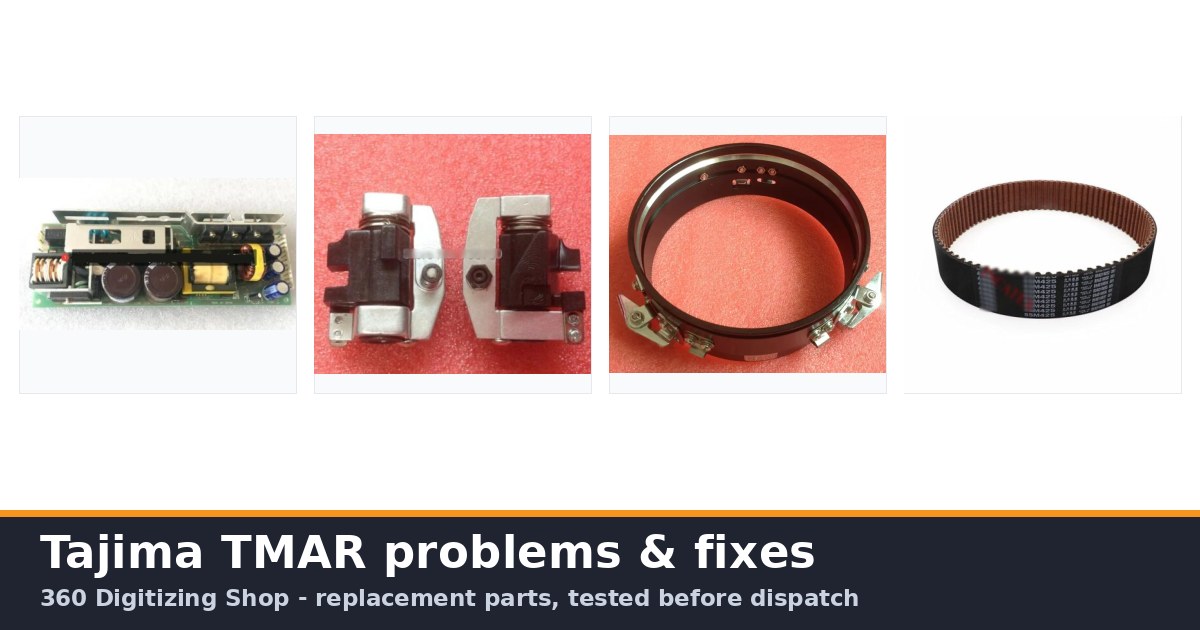
Quick answer: Common Tajima TMAR issues include thread breaks, needle breaks, poor stitch quality, and machine slowdowns. Most are resolved by checking thread path, tension, needles, hooks, and ensuring proper maintenance and part replacement.
The Tajima TMAR series is a workhorse in the embroidery industry, known for its precision and reliability. However, like all complex machinery, operators may encounter common issues that can interrupt production. This guide, written by experienced technicians at 360 Digitizing Shop, provides practical troubleshooting steps for the most frequent problems reported on TMAR machines. We focus on clear, actionable advice to get your machine running smoothly again, often by identifying and replacing key wear parts that we stock.
Two-minute checks before you open anything
- Is the machine powered on and connected securely?
- Are all emergency stops disengaged?
- Is the correct design loaded and selected?
- Is the fabric properly hooped and secured?
- Are the correct needle and thread types installed for the job?
- Is the thread path clear and correctly threaded?
- Are the upper and bobbin tensions set appropriately?
1. Frequent Thread Breaks high likelihood
How to tell
The machine stops frequently with a thread break error, or you observe threads snapping during embroidery. This can happen at any point in the sewing cycle.
Fix
- Check the entire thread path from the cone to the needle for tangles, snags, or obstructions. Ensure the thread is correctly seated in all guides and tension discs.
- Inspect the needle for burrs, bends, or dullness. Replace if necessary. Use the correct needle size and type for your thread and fabric.
- Verify upper and bobbin thread tensions are correctly balanced. Adjust the upper tension discs and check the bobbin case tension.
- Clean the thread break sensor (TCS sensor). Dust and lint can interfere with its operation. Check the Tajima TC Sensor Card & Thread Contact Set 0J2602300A22 0J2602300A23 FG7204010000 0J2602100010 for damage.
- Examine the rotary hook for nicks, burrs, or lint buildup. Clean or replace the KHS20-R Jumbo Rotary Hook or Koban KHS20-RYP2 Rotary Hook Jumbo 2.0X if damaged.
- Ensure the thread is not too old, dry, or of poor quality, which can make it brittle.
- Check for correct timing between the needle and the rotary hook. Refer to your machine manual for adjustment procedures.
Consider replacing the Tajima TC Sensor Card & Thread Contact Set 0J2602300A22 0J2602300A23 FG7204010000 0J2602100010 if cleaning doesn't resolve sensor issues. A worn KHS20-R Jumbo Rotary Hook or Koban KHS20-RYP2 Rotary Hook Jumbo 2.0X can cause thread damage.
Parts involved: Thread path & tension → Needles & needle bars → Rotary hooks & bobbin cases → Sensors & switches →
2. Needle Breakage high likelihood
How to tell
Needles snap frequently, often accompanied by a loud 'clunk' sound. This can occur during penetration, loop formation, or thread trimming.
Fix
- Ensure the correct needle size and type are used for the fabric and thread. A needle that is too fine for dense material or too thick for delicate fabric can break.
- Check the needle for proper insertion and seating in the needle bar. It should be fully inserted and oriented correctly.
- Inspect the presser foot for damage or misalignment that could be hitting the needle. Check the Tajima EF0613220000 EF0613210000 090460040020 090460040031 Presser Foot Bushing Guide Collar for wear.
- Verify the rotary hook timing. If the hook point hits the needle, it will cause breakage. This is a critical adjustment.
- Examine the needle plate hole for burrs or damage. A rough edge can deflect or break the needle.
- Check for bent needle bars or issues with the Tajima Needle Bar Drive Reciprocator Assembly. A bent needle bar will cause consistent needle strikes.
- Reduce machine speed if embroidering on very dense materials or with complex designs, especially if breaks occur during high-speed operation.
A worn Tajima EF0613220000 EF0613210000 090460040020 090460040031 Presser Foot Bushing Guide Collar can lead to presser foot misalignment. Damage to the Tajima Needle Bar Drive Reciprocator Assembly can cause needle bar issues.
Parts involved: Needles & needle bars → Rotary hooks & bobbin cases → Presser feet & sewing parts → Head & mechanical parts →
Parts you may need for Tajima TMAR
In stock, tested before dispatch, Buyer Protection on every order. Part types for this problem: Rotary hooks & bobbin cases, Needles & needle bars, Thread path & tension, Presser feet & sewing parts.
 Tajima EF0613220000 EF0613210000 090460040020 090460040031 Presser ...$ 18.09View part →
 KHS20-R Jumbo Rotary Hook for TAJIMA TME-DC, TMFX, TMB, TMAR, TMEZ ...$ 21.29View part →
 EF6600000000 JHX-G8L1000 1000P/R Rotary Encoder for Chinese Tajima ...$ 92.49View part →
 Genuine Japanese MBL S5M1270 Timing Belt 20mm for Tajima TFMX, TMAR...$ 68.99View part →
 Tajima PB0025A1PW00 Power Supply 150W 24V for TEHX-C1501, TMEZ, TMA...$ 140.99View part →
 Tajima Embroidery Machine Gauge for TFMX, TMAR, TFGN, TMEZ Series M...$ 44.09View part →
All Tajima TMAR parts → Rotary Hooks & Bobbin Cases → Needles & Needle Bars → Thread Path & Tension →
3. Poor Stitch Quality / Uneven Stitching medium likelihood
How to tell
Stitches appear loose, tight, uneven, or inconsistent across the design or between different heads. Puckering or looping on the top or bottom of the fabric.
Fix
- Adjust upper and bobbin thread tensions. A common cause of poor stitch quality is unbalanced tension. The bobbin thread should show about 1/3 on the underside of the top stitch.
- Ensure the correct needle size and type for the fabric and thread. A dull or bent needle can also cause skipped stitches or uneven tension.
- Check for proper hooping. Fabric must be taut and secure in the hoop without being stretched or distorted. Use appropriate backing.
- Inspect the thread path for any obstructions, lint, or damage to thread guides that could impede smooth thread flow.
- Clean and lubricate the rotary hook. Lint and debris can affect thread loop formation. Check the KHS20-R Jumbo Rotary Hook or Koban KHS20-RYP2 Rotary Hook Jumbo 2.0X for wear.
- Verify the presser foot height and pressure. If it's too high or too low, it can affect fabric stability and stitch formation. Check the Tajima EF0613220000 EF0613210000 090460040020 090460040031 Presser Foot Bushing Guide Collar.
- Examine the design for digitizing errors. Poorly digitized designs can lead to puckering or distorted stitches regardless of machine settings.
Worn tension discs or a damaged KHS20-R Jumbo Rotary Hook / Koban KHS20-RYP2 Rotary Hook Jumbo 2.0X can directly impact stitch quality. Ensure your Cap Frame Base Hoop is in good condition.
Parts involved: Thread path & tension → Needles & needle bars → Rotary hooks & bobbin cases → Presser feet & sewing parts → Hoops & frames →
4. Machine Slowing Down or Freezing medium likelihood
How to tell
The machine operates slower than usual, hesitates, or completely stops and becomes unresponsive. Error codes related to motor or communication might appear.
Fix
- Check for any physical obstructions in the sewing area or pantograph movement. Clear any tangled threads or debris.
- Inspect all timing belts for wear, looseness, or damage. This includes the MBL S5M1270 Timing Belt 20mm, Tajima Genuine MBL Trimming Belt S5M425 25mm, W20-S5M0950/G Timing Belt, MBL S5M1160 Timing Belt 30mm, Tajima Synchronous Belt 623500270000, 623500360000, 623500400000, 623500430000, MBL S5M900 Main Shaft Motor Belt 25mm, MBL S5M1225 Main Shaft Motor Belt 30mm, Tajima TU10 W25-170/E Timing Belt 626400260000 BPT102517000, and Tajima W25-S5M Synchronous Drive Belt 25mm. Tighten or replace as needed.
- Verify the power supply. Fluctuations or insufficient power can affect machine performance. Check the Tajima PB0025A1PW00 Power Supply 150W 24V.
- Check the main motor and pantograph servo motor for overheating or unusual noises. The Tajima Original Pantograph Servo Motor might be failing.
- Examine the rotary encoder (e.g., Tajima EF6600000000 JHX-G8L1000 1000P/R Rotary Encoder) for damage or loose connections. This component provides critical position feedback.
- Review the machine's display for any error codes. Consult your manual for specific troubleshooting steps related to the code.
- If using a USB or floppy drive, ensure the design file is not corrupted and the data transfer is complete. A faulty Tajima Card Reader Display Belt could also be a factor.
Worn timing belts (e.g., MBL S5M1270 Timing Belt 20mm, MBL S5M900 Main Shaft Motor Belt 25mm) are a common cause. A failing Tajima PB0025A1PW00 Power Supply 150W 24V or Tajima Original Pantograph Servo Motor can lead to slowdowns. The Tajima EF6600000000 JHX-G8L1000 1000P/R Rotary Encoder is crucial for precise movement.
Parts involved: Belts, pulleys & gears → Motors & drivers → Circuit boards & electronics → Sensors & switches → Cables & wiring → Floppy, USB & memory →
5. Trimming Issues (Thread Nests or Untrimmed Threads) low likelihood
How to tell
Threads are not cut cleanly, resulting in long tails, thread nests under the fabric, or the machine stopping due to a trimming error.
Fix
- Clean the cutter blades and surrounding area. Lint and debris can prevent the blades from operating correctly. Check the Tajima High-Speed Plastic Cutter Assembly FD Motor.
- Inspect the cutter blades for dullness or damage. Replace if necessary. Sharp blades are essential for clean cuts.
- Verify the timing of the trimming mechanism. Incorrect timing can lead to partial cuts or missed trims.
- Check the tension of the trimming belt (e.g., Tajima Genuine MBL Trimming Belt S5M425 25mm). A loose belt can cause inconsistent trimming.
- Ensure the Tajima Electromagnet Drive, Buckle Wire, Lock Wire, Fine Thread Sensor Accessory Kit components are functioning correctly, as these are involved in the trimming sequence.
- Adjust the thread pull-back settings if available, to ensure enough thread is presented for a clean cut.
A worn Tajima High-Speed Plastic Cutter Assembly FD Motor or dull blades are primary culprits. The Tajima Genuine MBL Trimming Belt S5M425 25mm ensures the cutter operates smoothly.
Parts involved: Cutters & trimmers → Belts, pulleys & gears → Solenoids & magnets → Sensors & switches →
Maintenance schedule
| When | What to do | Why |
|---|---|---|
| Daily | Clean the rotary hook, needle plate, and thread path. | Removes lint and debris that can cause thread breaks, poor stitch quality, and machine wear. |
| Weekly / Every 40-50 operating hours | Lubricate the rotary hook and other specified points. Inspect needles and thread guides. | Ensures smooth operation, reduces friction, and identifies worn components before they cause major issues. |
| Monthly / Every 200 operating hours | Check and clean tension assemblies. Inspect timing belts for wear and tension. Clean under the needle plate. | Maintains consistent stitch quality and prevents unexpected breakdowns from worn belts or dirty tensioners. |
| Quarterly / Every 500 operating hours | Perform a thorough cleaning of the entire machine. Check all electrical connections and cables. Inspect all pulleys and gears. | Comprehensive maintenance to ensure all systems are functioning optimally and to catch potential problems early. |
Stop and call a technician if
- If you encounter persistent error codes that you cannot resolve with basic troubleshooting.
- If the machine exhibits unusual grinding noises, smoke, or burning smells.
- For complex mechanical adjustments, such as main shaft timing or head timing, if you are not experienced.
- If electrical components, such as power supplies or circuit boards, appear damaged or faulty.
- When you suspect a major component failure (e.g., main motor, pantograph motor) that requires specialized tools or expertise for diagnosis and replacement.
Prevent it coming back
- Perform regular cleaning of the machine, especially the needle area, rotary hook, and thread path.
- Use only high-quality needles, threads, and backing materials appropriate for your fabric.
- Ensure proper hooping techniques to prevent fabric movement and puckering.
- Follow the manufacturer's recommended lubrication schedule using the specified oils.
- Regularly inspect wear parts like needles, rotary hooks, belts, and tension components for signs of wear and replace them proactively.
- Maintain a stable power supply to the machine to prevent electrical issues.
- Keep your machine's software and firmware updated as recommended by Tajima.
Frequently asked questions
How often should I clean my Tajima TMAR machine?
Daily cleaning of the rotary hook, needle area, and thread path is recommended. More thorough cleaning and lubrication should be performed weekly or after every 40-50 hours of operation. Always refer to your machine's manual for specific intervals and procedures.
What type of oil should I use for my Tajima TMAR?
Always use high-quality, clear, non-staining sewing machine oil specifically designed for industrial embroidery machines. Consult your Tajima TMAR manual for the exact specifications and recommended oil type.
My TMAR machine is making a strange noise. What should I do?
Immediately stop the machine. Investigate the source of the noise. Common causes include loose screws, worn bearings, belt issues, or debris in moving parts. Do not operate the machine until the noise is identified and resolved to prevent further damage.
Can I use generic parts on my Tajima TMAR?
While some generic parts may fit, using genuine or high-quality aftermarket parts designed for Tajima TMAR series machines is highly recommended. Inferior parts can lead to poor performance, increased wear, and potential damage to other components. We stock a wide range of compatible parts.
Did this guide fix your machine?
Rate it - it helps other operators find the right fix.
Not sure which part is failing?
Need the logo stitched too?
Get your logo digitized by the people who know this machine
Upload the artwork, see the stitch count and the exact price in 10 seconds, then order with a free sew-out preview. $1 per 1,000 stitches, $10 minimum, 24-hour delivery. Vector conversion from $12.
After the fix
Fixed it? Keep the rest of the shop moving.
OS 360 is the shop software from the team behind this parts store. Every job keeps its status, deadline and owner while a TMAR head is down, restock alerts fire for needles, hooks and bobbins before you run dry, and quotes, invoices and payment live in one place.
- Jobs with status, deadline and owner - nothing slips during downtime
- Inventory with restock alerts, this store one click away
- Instant quotes, invoices and one place to collect payment





