
Blog
Pfaff Embroidery Machine Troubleshooting: A Technician’s Guide

Quick answer: Most Pfaff embroidery machine issues stem from incorrect threading, worn needles, improper tension, or lint buildup. Systematically check these areas first, ensuring high-quality consumables are used.
This guide provides practical, step-by-step troubleshooting for common issues encountered with Pfaff embroidery machines. As a technician, I've focused on concrete diagnostics and repair actions you can perform at the machine to get back to embroidering. Always refer to your specific Pfaff model's manual for detailed diagrams and settings.
Two-minute checks before you open anything
- Is the machine correctly threaded, including all guides and tension disks?
- Is the needle new, sharp, correctly sized for the fabric, and inserted correctly?
- Is the bobbin wound evenly and inserted correctly into the bobbin case?
- Are the tension settings appropriate for your thread and fabric?
- Is the machine clean, especially the bobbin area and thread path?
- Is the fabric hooped securely and taut, without puckering?
1. Thread Breakage high likelihood
How to tell
The upper thread snaps repeatedly during embroidery, leaving incomplete designs.
Fix
- Inspect the needle for burrs, bends, or dullness. Replace with a new, correct size needle for your fabric and thread type. Ensure the needle's scarf is facing the correct direction (usually towards the back).
- Re-thread the machine completely, ensuring the thread passes through all guides and is seated firmly in the tension disks. Listen for a 'click' when seating the thread in the upper tension assembly.
- Adjust upper thread tension: If stitches are too tight on the underside or the thread snaps, reduce the upper tension incrementally (e.g., by 0.5). Test on scrap fabric. If stitches are too loose, increase tension.
- Verify the bobbin is wound evenly, not too full or too loose. Ensure the bobbin thread feeds smoothly from the bobbin case with light, consistent resistance.
- Use high-quality embroidery thread. Low-quality, old, or improperly stored thread can be weak or inconsistent.
Parts involved: Needles & needle bars → Thread path & tension → Rotary hooks & bobbin cases → Threads & supplies →
2. Needle Breakage medium likelihood
How to tell
The needle snaps suddenly, often with a loud 'crack' sound. This can damage the needle plate or rotary hook.
Fix
- Ensure the correct needle type and size are used for the fabric and stabilizer. Heavy fabrics require larger, stronger needles (e.g., 90/14 or 100/16).
- Check that the needle is inserted fully into the needle clamp with the flat side facing the correct direction (refer to your machine manual). Tighten the needle clamp screw securely.
- Verify the fabric is hooped tautly and securely without wrinkles or slack. Loose fabric can 'bounce' and cause the needle to hit the hoop or presser foot.
- Inspect the needle plate for any burrs or damage from previous needle strikes. Smooth with fine-grit sandpaper if minor, otherwise replace the needle plate.
- If embroidering thick materials, ensure the machine's presser foot height or pressure is adjusted appropriately (if available on your model) to allow the fabric to move freely without excessive drag.
Parts involved: Needles & needle bars → Presser feet & sewing parts → Hoops & frames → Threads & supplies →
Parts you may need for Pfaff
In stock, tested before dispatch, Buyer Protection on every order. Part types for this problem: Needles & needle bars, Thread path & tension, Rotary hooks & bobbin cases, Threads & supplies.
 Flying Tiger HAX1 15x1 Sewing Machine Needles 100-Pack for Brother ...$ 13.49View part →
 60WT 75D/2 PET-75 Thin Polyester Embroidery Thread 4000M for Brothe...$ 12.49View part →
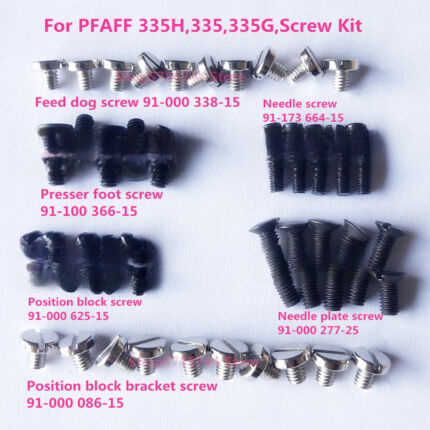 PFAFF 335H, 335, 335G Needle Plate, Feed Dog, Needle, Presser Foot,...$ 27.09View part →
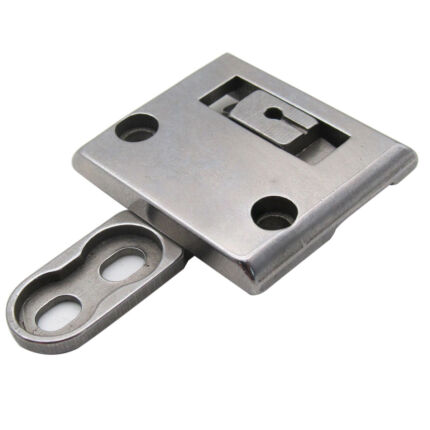 CKPSMS 46498S 46497S Throat Plate & Feed Dog Set for Pfaff 335 Sewi...$ 19.49View part →
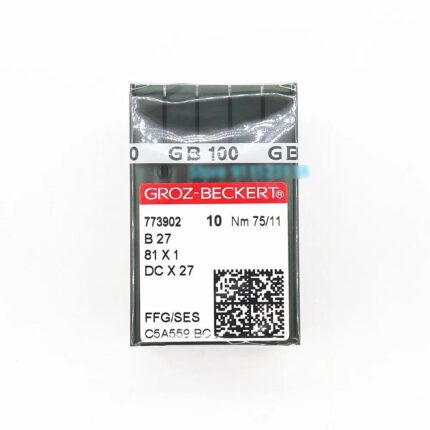 Groz-Beckert B27 DCX27 81X1 FFG/SES Industrial Sewing Needles Nm 75...$ 37.49View part →
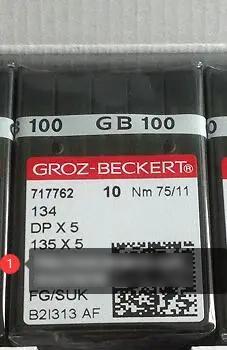 Groz-Beckert 134 DPX5 135X5 Industrial Sewing Needles 100-Pack for ...$ 39.29View part →
All Pfaff parts → Needles & Needle Bars → Thread Path & Tension → Rotary Hooks & Bobbin Cases →
3. Bobbin Thread Not Feeding / Skipped Bobbin Stitches high likelihood
How to tell
No bobbin thread appears on the top side of the fabric, stitches are incomplete, or the machine makes looping stitches on the top.
Fix
- Remove the bobbin and re-wind it, ensuring the thread winds evenly and smoothly onto the bobbin. Avoid overfilling.
- Insert the bobbin correctly into the bobbin case, ensuring the thread tail is facing the correct direction and passes through the tension spring. Refer to your machine manual for the specific insertion method (e.g., clockwise/counter-clockwise rotation).
- Clean the bobbin case and the area beneath the needle plate. Remove all lint, thread snippets, and debris using a brush or vacuum. Pay attention to the bobbin tension spring area.
- Check the bobbin case tension. If the bobbin thread pulls out too easily or with too much resistance, adjust the small screw on the bobbin case incrementally (a quarter turn at a time). The bobbin should unspool smoothly when held by its thread and gently tugged.
Parts involved: Rotary hooks & bobbin cases → Lubrication & maintenance → Threads & supplies →
4. Skipped Stitches (Upper Thread) medium likelihood
How to tell
Gaps appear in the embroidery design where stitches should be, or stitches are inconsistent.
Fix
- Replace the needle with a new, sharp needle of the correct type and size for your fabric. A dull or bent needle is a primary cause of skipped stitches.
- Re-thread the machine completely, ensuring the thread is properly seated in all guides and tension disks. Ensure the presser foot is raised when threading to open the tension disks.
- Verify the fabric is hooped tightly and evenly. Any slack or movement in the fabric during stitching can cause skipped stitches. Use appropriate stabilizer for the fabric type.
- Check upper and bobbin thread tension. Imbalanced tension can prevent proper loop formation for stitch pickup. Adjust incrementally and test.
Parts involved: Needles & needle bars → Thread path & tension → Hoops & frames → Threads & supplies →
5. Tension Issues / Poor Stitch Quality high likelihood
How to tell
Stitches are too loose (loops on top or bottom), too tight (puckering fabric), or generally uneven and messy.
Fix
- Re-thread the entire machine, upper and bobbin. Ensure the thread is correctly seated in all guides and tension disks. The presser foot must be raised when threading the upper thread.
- Adjust upper thread tension: Start with the manufacturer's recommended setting (often 4-5). If loops are on top, increase upper tension. If loops are on the bottom or fabric puckers, decrease upper tension. Adjust in small increments (0.5) and test on scrap fabric.
- Check bobbin tension: The bobbin thread should pull smoothly from the bobbin case with consistent, light resistance. If necessary, adjust the small screw on the bobbin case in tiny increments (e.g., 1/8 turn).
- Ensure high-quality thread and appropriate stabilizer are used. Inconsistent thread thickness or inappropriate stabilizer can mimic tension problems.
- Clean the thread path, especially the tension disks and bobbin area, to remove lint or debris that could impede thread flow.
Parts involved: Thread path & tension → Rotary hooks & bobbin cases → Threads & supplies → Lubrication & maintenance →
6. Machine Not Starting / No Power medium likelihood
How to tell
The machine does not power on, no display, no response when the power switch is flipped.
Fix
- Verify the power cord is securely plugged into both the machine and a working wall outlet. Test the outlet with another appliance.
- Check the machine's power cord for any visible damage (frays, cuts). If damaged, replace it.
- Locate the machine's fuse (refer to your manual for location, often near the power inlet). If the fuse is blown (filament broken), replace it with a fuse of the exact same amperage and type. Do not use a higher-rated fuse.
- If the machine has an external power supply or transformer, ensure its indicator light is on (if applicable) and that its output cable is securely connected to the machine.
Fuses are typically standard electrical components, but always match the rating specified by the manufacturer.
Parts involved: Cables & wiring → Circuit boards & electronics →
7. Machine Freezing or Lagging low likelihood
How to tell
The machine becomes unresponsive, display freezes, or operations slow down significantly during use.
Fix
- Turn off the machine, unplug it from the power source for 5-10 minutes, then plug it back in and restart. This can clear temporary software glitches.
- Check the Pfaff support website for any available firmware or software updates for your specific machine model. Follow the manufacturer's instructions carefully for installation.
- If the machine feels unusually warm, allow it to cool down for 15-30 minutes before resuming operation. Ensure adequate ventilation around the machine.
- If using a USB stick for designs, try a different, known-good USB stick. Corrupt design files or faulty USB media can cause issues.
Parts involved: Control panels & displays → Floppy, USB & memory →
8. Hoop Detection Issues medium likelihood
How to tell
The machine displays an error message indicating it cannot detect the hoop, or it fails to recognize the attached hoop size.
Fix
- Ensure the hoop is correctly and securely attached to the embroidery unit. It should 'click' or lock firmly into place. Wiggle it gently to confirm it's seated.
- Inspect the hoop's attachment points and the machine's hoop sensor area for any lint, dust, or debris. Gently clean these areas with a soft, dry cloth or a small brush.
- Verify you are using the correct hoop for the selected design and that the machine's settings match the physical hoop attached. Some machines require manual hoop selection.
- Check the embroidery unit's connection to the main machine. Ensure it's fully seated and locked if it's a detachable unit.
Parts involved: Hoops & frames → Sensors & switches →
Stop and call a technician if
- If the machine makes unusual grinding or clunking noises.
- If the machine consistently displays error codes not covered in the manual's basic troubleshooting.
- If the needle bar or rotary hook timing appears to be off.
- If the machine fails to power on after checking the fuse and power supply.
- For any internal mechanical or electronic issues that require disassembly beyond basic cleaning and part replacement.
Prevent it coming back
- Clean the bobbin area, under the needle plate, and thread path regularly (after every 8-10 hours of use or each major project).
- Change needles frequently (after 8-10 hours of use or per project) and always use the correct type and size for your fabric and thread.
- Use high-quality embroidery thread and appropriate stabilizers for your projects.
- Perform routine lubrication according to your Pfaff machine's manual. Do not over-lubricate.
- Keep machine firmware and software updated by checking the Pfaff support website for your model.
- Ensure fabric is always hooped tautly and securely, using the correct stabilizer.
Frequently asked questions
How often should I change my embroidery machine needle?
Change your needle after every 8-10 hours of embroidery time, or at the start of a new project. For very dense designs or metallic threads, change it more frequently. A fresh needle prevents many common issues.
What is the best way to clean my Pfaff embroidery machine?
Regularly clean the bobbin area, under the needle plate, and the thread path with a soft brush or vacuum. Avoid compressed air, as it can push lint deeper into the machine. Refer to your manual for specific cleaning points and lubrication instructions.
Why is my fabric puckering during embroidery?
Puckering is often caused by incorrect tension (usually too tight upper tension), using the wrong type or insufficient amount of stabilizer for your fabric and design density, or the fabric not being hooped tautly enough. Adjust tension, ensure proper stabilization, and re-hoop the fabric securely.
Did this guide fix your machine?
Rate it - it helps other operators find the right fix.
Not sure which part is failing?
Need the logo stitched too?
Get your logo digitized by the people who know this machine
Upload the artwork, see the stitch count and the exact price in 10 seconds, then order with a free sew-out preview. $1 per 1,000 stitches, $10 minimum, 24-hour delivery. Vector conversion from $12.
After the fix
Fixed it? Keep the rest of the shop moving.
OS 360 is the shop software from the team behind this parts store. Every job keeps its status, deadline and owner while a Pfaff head is down, restock alerts fire for needles, hooks and bobbins before you run dry, and quotes, invoices and payment live in one place.
- Jobs with status, deadline and owner - nothing slips during downtime
- Inventory with restock alerts, this store one click away
- Instant quotes, invoices and one place to collect payment





