
Blog
Ricoma SWD Series: Common Problems and Fixes Guide

Quick answer: Most common Ricoma SWD series issues like thread breaks, skipped stitches, and poor stitch quality can be resolved by checking thread path, needle condition, bobbin, and tension. For color change problems, inspect the color change motor. Ensure hoops are correctly attached and in good condition.
The Ricoma SWD series is a robust line of embroidery machines, but like all complex machinery, operators may encounter common issues. This guide provides practical, step-by-step solutions for the most frequently reported problems, helping you diagnose and fix issues quickly to minimize downtime. We'll cover everything from thread breaks to color change malfunctions, focusing on actionable advice and identifying the parts most commonly involved.
Two-minute checks before you open anything
- Is the machine properly threaded from spool to needle?
- Is the bobbin correctly wound and inserted, with appropriate tension?
- Is the needle new, sharp, and inserted correctly (flat side to the back)?
- Is the fabric hooped tightly and evenly, with suitable stabilizer?
- Are all tension discs clean and free of lint?
- Is the correct hoop size selected on the control panel?
- Are there any visible obstructions in the thread path or rotary hook area?
1. Frequent Thread Breaks high likelihood
How to tell
The machine stops frequently with a 'Thread Break' error message, or you observe the thread snapping during embroidery.
Fix
- Re-thread the machine completely, ensuring the thread passes through all guides and tension discs correctly.
- Check the needle for burrs, bends, or dullness. Replace if necessary with the correct type and size for your fabric and thread.
- Inspect the bobbin for proper winding, tension, and ensure it's inserted correctly into the bobbin case.
- Clean the thread path, including tension discs, thread guides, and the rotary hook area, to remove lint or debris.
- Adjust upper thread tension. If too tight, it can cause breaks. Refer to your machine manual for recommended settings.
- Ensure the thread is of good quality and suitable for machine embroidery.
Parts involved: Needles & needle bars → Thread path & tension → Rotary hooks & bobbin cases → Threads & supplies →
2. Skipped Stitches or Poor Stitch Quality high likelihood
How to tell
Embroidery appears loose, stitches are missing, or the design looks uneven and messy. Bobbin thread may be visible on top.
Fix
- Replace the needle. A bent or dull needle is a primary cause of skipped stitches.
- Check the bobbin tension. If too loose, it can cause loops on top. If too tight, it can cause skipped stitches.
- Verify the upper thread tension. Adjust as needed to achieve balanced stitches (1/3 bobbin thread showing on the underside).
- Ensure the fabric is properly hooped, taut, and stabilized. Loose hooping can lead to poor stitch formation.
- Clean the rotary hook area. Lint and debris can interfere with stitch formation.
- Check the presser foot height. If too high or too low, it can affect stitch quality. Consult your manual for adjustment.
Parts involved: Needles & needle bars → Thread path & tension → Rotary hooks & bobbin cases → Presser feet & sewing parts → Hoops & frames →
Parts you may need for Ricoma
In stock, tested before dispatch, Buyer Protection on every order. Part types for this problem: Rotary hooks & bobbin cases, Needles & needle bars, Thread path & tension, Presser feet & sewing parts.
 20HS24 NEMA 8 Stepper Motor for Tajima, Barudan, Brother, Happy, Ri...$ 55.29View part →
 Groz-Beckert DBxK5 RG Embroidery Needles (500 Pcs) for Tajima Barud...$ 85.99View part →
 42HS60 Nema 17 Stepper Motor for CNC 3018 3040 6040, 3D Printers, L...$ 33.49View part →
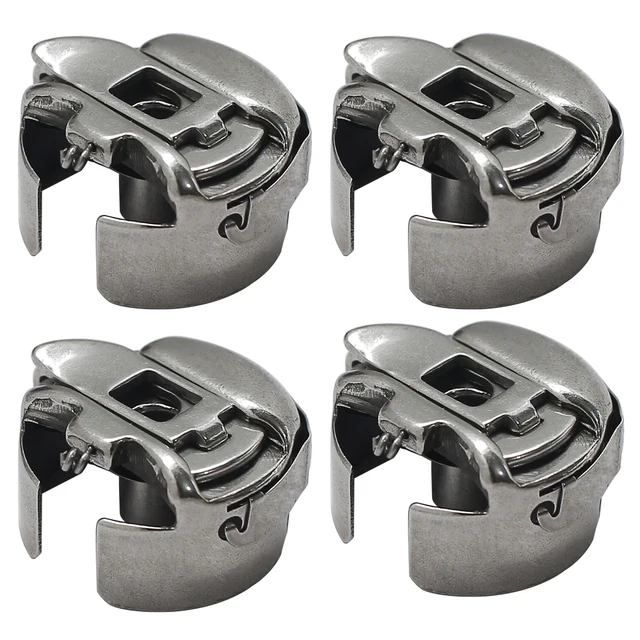 BC-DBZ(3)-NBL Small L Pigtail Embroidery Bobbin Case for Barudan, M...$ 16.09View part →
 Nema 23 Stepper Motor 57HS5628 23HS5628 2.8A 126N.cm 4-Lead for Taj...$ 53.49View part →
 GATYZTORY 60x75cm Colorful Cat Paint by Numbers Kit with Frame for ...$ 15.99View part →
All Ricoma parts → Rotary Hooks & Bobbin Cases → Needles & Needle Bars → Thread Path & Tension →
3. Machine Jams or Needles Break Frequently medium likelihood
How to tell
The machine makes a loud thudding noise, stops abruptly, or the needle snaps during operation.
Fix
- Immediately turn off the machine. Carefully remove any jammed fabric or thread.
- Check the needle for proper insertion and ensure it's not bent. Replace if damaged.
- Inspect the bobbin case and rotary hook for damage or thread nests. Clean thoroughly.
- Ensure the hoop is correctly attached, tightened, and not interfering with the needle plate or head movement.
- Verify the design is digitized correctly and not causing excessive stress on the needle (e.g., too many stitches in one area).
- Check for loose screws or components in the needle bar or presser foot area.
Parts involved: Needles & needle bars → Rotary hooks & bobbin cases → Hoops & frames → Screws, springs & small parts →
4. Color Change Malfunction medium likelihood
How to tell
The machine fails to change colors, stops during a color change, or displays an error related to the color change mechanism.
Fix
- Turn off and restart the machine to clear any temporary errors.
- Manually check the color change mechanism for any obstructions, loose threads, or debris.
- Inspect the wiring connected to the color change motor for any visible damage or disconnections.
- If the motor is unresponsive or making unusual noises, it may need replacement. This often involves the Ricoma 17H2059-12-6B Color Change Stepping Motor.
- Ensure all sensors related to color change are clean and unobstructed.
Ricoma 17H2059-12-6B Color Change Stepping Motor for EM, MT, TC, SWD, CHT Series
Parts involved: Motors & drivers → Sensors & switches → Cables & wiring →
5. Hooping Issues (Fabric Slipping, Incorrect Alignment) low likelihood
How to tell
Fabric shifts during embroidery, designs are misaligned, or the hoop detaches during operation.
Fix
- Ensure the fabric is hooped tightly and evenly, without wrinkles. Use appropriate stabilizer for the fabric type.
- Verify that the hoop arms are securely attached to the machine's drive mechanism.
- If using a hooping station, ensure it's correctly assembled and aligned. Check for wear on the station's components.
- For cap frames, ensure the cap is seated firmly and the frame is properly locked into the machine.
- Inspect the hoop itself for cracks, bends, or worn-out tension screws that prevent proper tensioning.
- Ensure the correct hoop size is selected on the machine's control panel.
Sewtalent Hooping Station Kit for Ricoma EM1010, MT, TC, SWD, CHT Series Embroidery Machines, Ricoma Cap Frame for EM-1010, TC, MT, SWD, CHT2, CHT3 Series Embroidery Machines
Parts involved: Hoops & frames → Screws, springs & small parts →
Maintenance schedule
| When | What to do | Why |
|---|---|---|
| Daily | Clean the bobbin case, rotary hook, and needle plate area. | Prevents lint and thread residue buildup that can cause thread breaks and poor stitch quality. |
| Weekly | Clean thread path, tension discs, and under the needle plate. Lubricate specified points. | Ensures smooth thread flow, consistent tension, and reduces wear on moving parts. Refer to your manual for lubrication points. |
| Monthly | Inspect belts, check for loose screws, and clean the machine exterior. | Helps identify potential issues early and maintains overall machine performance. |
| Annually | Professional servicing by a qualified technician. | Ensures proper calibration, timing, and addresses wear on internal components for long-term reliability. |
Stop and call a technician if
- If the machine displays persistent error codes that cannot be cleared by basic troubleshooting.
- If there is significant mechanical damage, unusual grinding noises, or parts that appear broken or misaligned.
- If electrical issues occur, such as power fluctuations or the machine failing to power on.
- If you suspect a main circuit board or motor failure beyond simple replacement (e.g., timing issues after motor replacement).
- If you are uncomfortable performing a specific repair or adjustment outlined in the manual.
Prevent it coming back
- Perform daily cleaning of the bobbin case, rotary hook, and needle plate area to prevent lint buildup.
- Use high-quality needles appropriate for your fabric and thread, and replace them regularly (e.g., every 8-10 hours of sewing or after major thread breaks).
- Always use good quality embroidery thread and bobbins.
- Ensure proper hooping with adequate stabilization for your fabric type.
- Follow the lubrication schedule outlined in your Ricoma SWD manual, using only recommended machine oil.
- Regularly check for loose screws and tighten them as needed.
- Keep your work area clean and free of debris that could enter the machine.
Frequently asked questions
Why does my Ricoma SWD machine keep breaking needles?
Needle breaks are often caused by a bent or dull needle, incorrect needle size for the fabric/thread, improper hooping (fabric not taut), or timing issues. Check and replace your needle first, then ensure proper hooping and clean the bobbin area.
How often should I clean my Ricoma SWD embroidery machine?
You should perform daily cleaning of the bobbin case, rotary hook, and needle plate area. A more thorough weekly cleaning, including thread path and tension discs, is recommended. Refer to your machine's manual for specific cleaning intervals and procedures.
What kind of oil should I use for my Ricoma SWD?
Always use high-quality, clear, non-staining sewing machine oil specifically designed for embroidery machines. Consult your Ricoma SWD manual for the exact specifications and recommended lubrication points.
My machine's stitches look loose. What should I do?
Loose stitches typically indicate a tension issue. First, re-thread the upper thread completely. Then, check your bobbin tension. Adjust upper thread tension slightly, and ensure your fabric is properly hooped and stabilized.
From the Ricoma MT-1501 parts book
The assemblies involved in this problem, as the manufacturer lists them. Open a section to see every part number, which ones we stock, and get a price on the rest.
- 03.machine Head/color Change System18 parts · 1 in stock
- 04.needle Bar Case29 parts · 0 in stock
- 02.rotary Hook Base18 parts · 0 in stock
- 12.cap Frame12 parts · 0 in stock
- 09.thread Tension Base12 parts · 0 in stock
- 08.thread Stand12 parts · 0 in stock
Reference book: Ricoma MT-1501. Part numbers differ by model - search yours below and we will confirm fit.
Did this guide fix your machine?
Rate it - it helps other operators find the right fix.
Not sure which part is failing?
Need the logo stitched too?
Get your logo digitized by the people who know this machine
Upload the artwork, see the stitch count and the exact price in 10 seconds, then order with a free sew-out preview. $1 per 1,000 stitches, $10 minimum, 24-hour delivery. Vector conversion from $12.
After the fix
Fixed it? Keep the rest of the shop moving.
OS 360 is the shop software from the team behind this parts store. Every job keeps its status, deadline and owner while a Ricoma head is down, restock alerts fire for needles, hooks and bobbins before you run dry, and quotes, invoices and payment live in one place.
- Jobs with status, deadline and owner - nothing slips during downtime
- Inventory with restock alerts, this store one click away
- Instant quotes, invoices and one place to collect payment