Blog
Brother Embroidery Machine: Skipped Stitches Troubleshooting Guide

Quick answer: Skipped stitches on a Brother embroidery machine are most often caused by an incorrect, bent, or dull needle, improper thread tension, or issues with fabric hooping. Addressing these common points will usually resolve the problem.
Skipped stitches are a common and frustrating issue for Brother embroidery machine operators, resulting in incomplete or inconsistent designs. This guide provides practical, step-by-step solutions to diagnose and fix the most frequent causes of skipped stitches, helping you restore your machine's performance.
Two-minute checks before you open anything
- Is the needle new, straight, and the correct type/size for your fabric and thread?
- Is the upper thread correctly seated in all guides and tension discs?
- Is the bobbin wound evenly and inserted correctly?
- Is the fabric hooped tautly without puckering or excessive stretching?
1. Bent, Dull, or Incorrect Needle high likelihood
How to tell
Stitches skip inconsistently, or consistently on certain fabric types. A bent needle may cause a slight thudding sound. A dull needle might snag fabric. Visually inspect the needle tip for bends, burrs, or dullness. Ensure the needle type (e.g., ballpoint for knits, sharp for wovens) and size are appropriate for the fabric and thread weight.
Fix
- Power off the machine.
- Loosen the needle clamp screw and remove the old needle.
- Select a new needle of the correct type and size for your current fabric and thread. Consult your machine's manual for recommendations.
- Insert the new needle fully into the needle bar with the flat side facing the back of the machine.
- Tighten the needle clamp screw securely.
Parts involved: Needles & needle bars →
2. Incorrect Thread Tension high likelihood
How to tell
Stitches appear uneven, loops are visible on the top or bottom of the fabric, or thread breaks. Skipped stitches occur when the upper and bobbin threads do not interlock correctly. Test on a scrap piece of the same fabric.
Fix
- Completely re-thread the upper thread path. Ensure the thread is seated correctly in all guides and tension discs, including the take-up lever.
- Check the bobbin: ensure it's wound evenly, inserted correctly into the bobbin case, and the thread unwinds smoothly without snags.
- Adjust the upper thread tension dial incrementally (e.g., 1/4 turn at a time). Test after each adjustment. Start with the manufacturer's recommended setting (often a middle value).
- If upper tension adjustments don't resolve the issue, and you suspect bobbin tension, refer to your machine's manual for instructions on checking and adjusting bobbin case tension. This usually involves a small screw on the bobbin case and should be done very carefully, making only tiny adjustments.
Parts involved: Thread path & tension → Rotary hooks & bobbin cases →
Parts you may need for Brother
In stock, tested before dispatch, Buyer Protection on every order. Part types for this problem: Needles & needle bars, Thread path & tension, Rotary hooks & bobbin cases, Hoops & frames.
 Bobbin Case & 2 Metal Bobbins for Brother, Janome, Singer, Babylock...$ 5.59View part →
 11PCS Low Shank Presser Foot Kit Set for Singer Brother Janome Kenm...$ 23.49View part →
 PET-121 40WT 120D/2 Polyester Embroidery Thread 4000M Spool, 80 Mad...$ 17.49View part →
 Flying Tiger DBx1 Industrial Lockstitch Needles, 100 pcs/box, Sizes...$ 10.99View part →
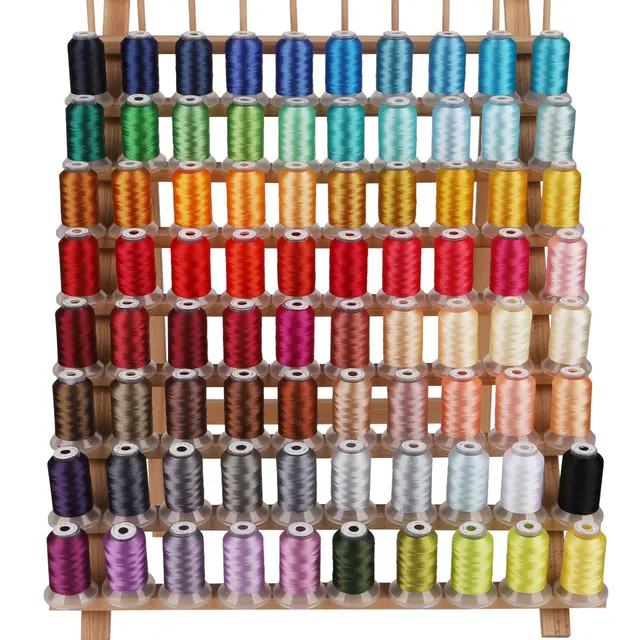 PET-80 80 Madeira Colors Embroidery Thread Set - Premium 40WT Polye...$ 15.99View part →40 Weight 120D/2 Polyester Embroidery Thread 4000M PET-121 for Brot...$ 17.49View part →
All Brother parts → Needles & Needle Bars → Thread Path & Tension → Rotary Hooks & Bobbin Cases →
3. Improper Fabric Hooping medium likelihood
How to tell
The fabric shifts or puckers during embroidery, leading to inconsistent stitch formation or gaps. The design may look distorted.
Fix
- Remove the hoop from the machine.
- Ensure the fabric is taut in the hoop, like a drum, but not overstretched, which can distort the design.
- Check that the fabric is secured evenly around all sides of the hoop.
- If using stabilizer, ensure it is appropriate for the fabric type and securely hooped with the fabric, or adhered properly if using a sticky-back type.
- Re-insert the hoop securely into the machine's embroidery unit.
Parts involved: Hoops & frames →
4. Dirty Machine or Needle Plate medium likelihood
How to tell
Skipped stitches occur, sometimes accompanied by thread breaks or unusual noises. Lint, dust, or thread bits can obstruct the needle's path or interfere with bobbin thread pickup.
Fix
- Power off and unplug the machine.
- Remove the needle plate screws and lift the needle plate.
- Using a small brush and/or vacuum, carefully clean out all lint and thread debris from the bobbin area, feed dogs, and under the needle plate.
- Clean the tension discs by flossing with a piece of thread or a thin cloth.
- Inspect the bobbin case for any nicks or burrs that could snag thread. If found, replace the bobbin case.
- Reinstall the needle plate and secure its screws.
Parts involved: Lubrication & maintenance → Rotary hooks & bobbin cases → Presser feet & sewing parts →
5. Bobbin Thread Issues medium likelihood
How to tell
Skipped stitches, especially when the bobbin thread is involved in the skip. The bobbin may spin erratically, or the thread may snag.
Fix
- Remove the bobbin and inspect it. Ensure it is wound evenly and smoothly, without lumps or loose sections.
- If the bobbin is poorly wound, re-wind it or use a new, pre-wound bobbin.
- Ensure the bobbin is inserted correctly into the bobbin case according to your machine's manual (e.g., clockwise or counter-clockwise rotation).
- Verify you are using the correct type and size of bobbin specified for your Brother machine. Using an incorrect bobbin can cause tension and feeding issues.
Parts involved: Rotary hooks & bobbin cases → Threads & supplies →
6. Incorrect Presser Foot Pressure low likelihood
How to tell
Fabric shifts or puckers under the presser foot during stitching, leading to missed stitches. This is more noticeable with very thick or very thin/slippery fabrics.
Fix
- Locate the presser foot pressure adjustment on your machine (refer to your manual for its location and operation).
- Adjust the pressure: increase pressure for thicker fabrics to hold them more firmly; decrease pressure for very delicate or thin fabrics to prevent marking or stretching.
- Test the adjustment on a scrap piece of your fabric until the fabric feeds smoothly without shifting or distortion.
Parts involved: Presser feet & sewing parts →
7. Machine Speed Too Fast low likelihood
How to tell
Skipped stitches occur, particularly on intricate designs, delicate fabrics, or when the machine is running at its maximum speed. The machine may not have enough time to form a proper stitch.
Fix
- Reduce the machine's embroidery speed setting on the control panel.
- Test at a slower speed, especially for complex areas of the design or when working with challenging materials.
- Gradually increase speed if stitch quality remains good, finding a balance between speed and stitch integrity.
Stop and call a technician if
- If you have systematically gone through all troubleshooting steps and still experience skipped stitches.
- If the machine is making unusual grinding or clunking noises that suggest internal mechanical issues.
- If the needle bar or hook timing seems incorrect (requires specialized tools and knowledge to adjust).
Prevent it coming back
- Always use the correct needle type and size for your fabric and thread.
- Change needles regularly (every 8-10 hours of use or at the start of a new project).
- Keep your machine clean, especially the bobbin area, needle plate, and tension discs.
- Use good quality, fresh embroidery thread.
- Ensure fabric is hooped correctly and tautly, without overstretching.
- Perform regular machine maintenance as recommended in your Brother machine's manual.
Frequently asked questions
Why does my Brother embroidery machine skip stitches only on certain fabrics?
Skipping stitches on specific fabrics often indicates an incorrect needle type or size. Stretchy fabrics need a ballpoint needle, while tightly woven fabrics require a sharp needle. Ensure the needle size matches your thread weight and fabric density. Also, check your hooping technique for that specific fabric.
Can old thread cause skipped stitches?
Yes, old or poor-quality thread can cause skipped stitches. Old thread can become brittle, lose its elasticity, or have inconsistent thickness, leading to breaks, snags, and improper loop formation. Always use fresh, good-quality embroidery thread.
How often should I change my embroidery machine needle?
It's recommended to change your embroidery machine needle every 8-10 hours of sewing time, or at the start of a new project. Change it immediately if you hit a hoop, hear a thud, or notice any signs of bending, dullness, or burrs.
Did this guide fix your machine?
Rate it - it helps other operators find the right fix.
Not sure which part is failing?
Need the logo stitched too?
Get your logo digitized by the people who know this machine
Upload the artwork, see the stitch count and the exact price in 10 seconds, then order with a free sew-out preview. $1 per 1,000 stitches, $10 minimum, 24-hour delivery. Vector conversion from $12.
After the fix
Fixed it? Keep the rest of the shop moving.
OS 360 is the shop software from the team behind this parts store. Every job keeps its status, deadline and owner while a Brother head is down, restock alerts fire for needles, hooks and bobbins before you run dry, and quotes, invoices and payment live in one place.
- Jobs with status, deadline and owner - nothing slips during downtime
- Inventory with restock alerts, this store one click away
- Instant quotes, invoices and one place to collect payment