
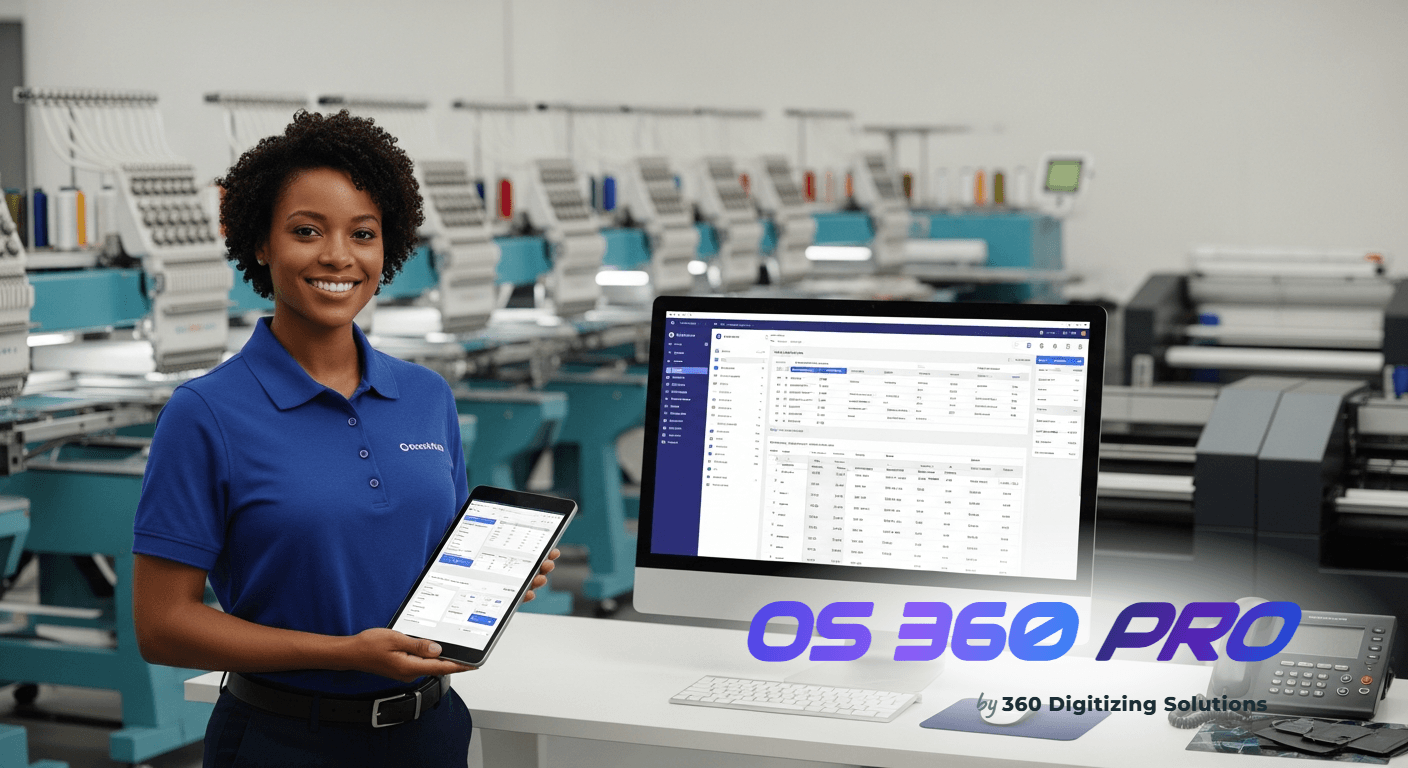
Are you dreading the manual work required for **generating tax ready profit loss** statements? You’re not alone. For many apparel decoration shop owners, tax season transforms into a stressful marathon of sifting through spreadsheets and bank statements. The challenge of accurately generating tax ready profit loss reports can feel overwhelming, especially when relying on fragmented data and manual reconciliation. This guide will walk you through the essential checklist for preparing clean income and expense categories, and show you how OS 360 Pro can simplify this crucial financial task.
Running a busy shop means juggling orders, managing production, and keeping customers happy. When it comes to your finances, operating on gut feeling or loosely organized documents can lead to missed opportunities and, worse, compliance issues. Without a clear, real-time understanding of your income and expenses, making informed business decisions becomes a guessing game.
Imagine having a system that automatically tracks your revenue, helps you categorize financial data, and provides the core insights you need for effortless tax preparation. OS 360 Pro is designed to bring this level of clarity and efficiency to your print shop, moving you away from the days of spreadsheet stress and towards a more organized, profitable future.
Generating Tax-Ready Profit and Loss Statements for Print Shops
1. Streamlining Your Income Streams
One of the biggest hurdles in generating tax ready profit loss statements is accurately capturing and categorizing all incoming revenue. Many shop owners find themselves piecing together sales data from various sources: cash payments, credit card transactions via different terminals, and online payments through platforms like Stripe or PayPal. This fragmented approach is incredibly time-consuming and opens the door to costly errors.
Imagine trying to reconcile hundreds of individual transactions from multiple bank accounts and payment gateways at year-end. Each missed payment, incorrectly recorded sale, or unapplied deposit throws off your entire financial picture.
This manual aggregation not only delays your tax preparation but also obscures your shop’s true financial performance throughout the year, making it hard to identify peak seasons or slow periods.
The operational headache here is significant:
- Manual Data Entry: Each sale, whether cash or digital, often requires manual recording into a spreadsheet, increasing the risk of typos and omissions.
- Disparate Sources: Revenue comes from multiple channels (in-person, online, direct bank transfers), each requiring separate reconciliation.
- Time Consumption: Aggregating and verifying all revenue sources can consume days, if not weeks, of valuable time that could be spent on growing your business.
- Lack of Real-time Visibility: Without a consolidated view, it’s impossible to know your exact revenue performance on any given day or week.
This manual process delays your understanding of the shop’s true financial health. It prevents you from quickly identifying profitable services or areas that need improvement, making proactive financial management nearly impossible.
Without an accurate, real-time pulse on your income, you’re essentially flying blind when it comes to business growth and tax compliance.
- Gather all bank statement PDFs, credit card processing reports, and cash receipts.
- Manually log each sale and payment into a spreadsheet, categorizing by payment type and service.
- Reconcile these entries against your actual bank deposits and payment gateway reports to identify discrepancies.
The OS 360 Pro Solution
- Automated Payment Capture: OS 360 Pro seamlessly integrates with popular payment gateways like Stripe and PayPal. When a client pays an invoice through these channels, the payment is automatically recorded and reconciled against the corresponding order. This eliminates manual entry and ensures every dollar received is accounted for without you lifting a finger.
- Core Analytics & Revenue Tracking: Gain instant access to basic revenue tracking directly on your dashboard. This means you can see “Today’s Revenue” and a “Revenue (Last 30 Days)” chart without any manual calculation.
- How to use it: Simply log into your OS 360 Pro account. The Dashboard is the first page you’ll see. Here, prominently displayed, are key performance indicator (KPI) cards including “Today’s Revenue” and a visual “Revenue (Last 30 Days)” line chart. This gives you an immediate, up-to-date overview of your sales performance.
2. Consolidating All Your Revenue Streams
For shop owners, ensuring every single dollar earned is accurately recorded is foundational for generating tax ready profit loss statements. The reality for many is a scattered financial landscape.
Revenue trickles in from various sources: direct cash payments, credit card transactions processed through different systems, and online payments via Stripe or PayPal. Keeping track of these disparate income streams manually is a recipe for overlooked transactions and an incomplete financial picture.
Imagine the frustration of trying to reconcile dozens of transactions from multiple platforms at the end of the month, only to find discrepancies that take hours to resolve.
Each unrecorded sale or unapplied payment means your P&L statement will be inaccurate, potentially leading to incorrect tax filings or missed opportunities to reinvest profits. This manual aggregation not only consumes valuable time but also introduces a high risk of human error.
This challenge manifests in several key ways:
- Fragmented Records: Sales data often resides in different places – a cash ledger, a POS system report, individual payment gateway dashboards.
- Reconciliation Headaches: Matching payments received to specific jobs or invoices manually is tedious and error-prone, especially with high transaction volumes.
- Incomplete Data: It’s easy to miss smaller transactions or forget to log cash payments, leading to an underreported revenue total.
- Delayed Insights: Without a centralized system, understanding your total revenue at any given moment is impossible, forcing you to wait for laborious month-end consolidations.
Incomplete revenue records directly lead to inaccurate P&L statements. This can result in reporting less income than you actually earned, potentially raising red flags during an audit, or simply giving you a skewed view of your business’s true profitability.
Such inaccuracies hinder strategic planning and make it difficult to grow your shop effectively.
- Combine reports from all payment processors (Stripe, PayPal, POS systems) and your cash register summaries.
- Manually verify that each payment corresponds to a specific order or invoice.
- Create a master spreadsheet to sum all revenue, carefully categorizing by source.
The OS 360 Pro Solution
- Cloud-based Invoice Tracking: Every invoice you generate in OS 360 Pro lives in the cloud, with its status updated in real-time. This means you always know which invoices are “Sent,” “Paid,” or “Overdue.” This central repository ensures no revenue is ever lost or unaccounted for.
- How to use it: From your main navigation, click Invoices. You will see a detailed table listing every invoice with its unique Invoice #, Customer, Amount, Due Date, and Status (e.g., Paid, Sent, Overdue). To review a specific invoice, simply click on its Invoice # to view all line items and payment history.
- Automated Payment Capture: When clients pay their invoices through your integrated Stripe or PayPal accounts, OS 360 Pro automatically marks the invoice as paid and records the transaction. This eliminates the need for manual reconciliation and ensures immediate, accurate revenue recognition.
- How to use it: When sending an invoice (from Invoices, click an invoice, then click Send to Client), your clients will have the option to pay directly through Stripe or PayPal. Once they complete the payment, OS 360 Pro updates the invoice status to “Paid” automatically.
3. Gaining Real-time Financial Clarity
Many apparel decoration shop owners operate with a significant time lag in understanding their financial performance. This often means waiting until the end of the month, quarter, or even year to compile all financial data manually. Without real-time insights, business decisions are made based on outdated information or, worse, pure speculation. This severely impacts your ability to proactively manage cash flow, identify profit margins, and efficiently work towards generating tax ready profit loss statements.
The operational reality of delayed financial reporting is harsh. You might be under the impression that certain jobs are highly profitable, only to discover later that hidden costs or inefficiencies ate into your margins. Conversely, you might be missing opportunities to scale up popular services because you lack immediate data on their success. This reactive approach leaves you vulnerable to unexpected financial challenges and prevents strategic growth.
The common struggles include:
- Delayed Reporting: Financial data is only available after extensive manual compilation, often weeks after transactions occur.
- Blind Decision-Making: Business choices are made without current data, risking suboptimal pricing, inventory, or staffing.
- Cash Flow Surprises: Unexpected dips in cash flow can catch you off guard without real-time visibility into incoming payments and outstanding invoices.
- Inefficient Tax Preparation: The annual scramble to consolidate old data for P&L statements becomes a massive, stressful undertaking instead of a simple review.
The impact of this lack of immediate insight is profound. It hinders strategic planning, making it difficult to optimize operations, manage inventory levels, or even plan for future investments. Without a real-time pulse on your finances, you’re always reacting, never truly leading your business forward. This makes the annual task of compiling P&L statements an arduous retrospective rather than a simple review of well-organized data.
- Wait for bank statements and payment processor reports to close at month-end.
- Manually compile and categorize all income and expenses into a spreadsheet template.
- Review the compiled data, often weeks after the period has ended, to assess financial health.
The OS 360 Pro Solution
- Core Analytics & Basic Revenue Tracking: Your OS 360 Pro Dashboard provides an immediate snapshot of your shop’s financial health. See “Today’s Revenue,” “Pending Invoices,” and “Open Orders” at a glance. This real-time data empowers you to make timely decisions, understand cash flow, and proactively manage your business.
- How to use it: From the main navigation menu, click on Dashboard. The top section features four clear KPI cards: “Today’s Revenue,” “Active Jobs,” “Pending Invoices,” and “Open Orders.” These update in real-time, giving you a quick overview. Below, the “Revenue (Last 30 Days)” chart visually represents your recent financial trends without any manual calculation needed.
- Cloud-based Invoice Tracking: All your invoices are stored and updated in the cloud, giving you live status updates. You can instantly see which clients owe you money and which payments have been received, ensuring you always have an accurate picture of your receivables.
- How to use it: Navigate to Invoices from the left sidebar. Here, you can filter invoices by status (Paid, Sent, Overdue) to quickly identify outstanding payments. This allows for proactive follow-ups and better cash flow management.
Five more ways OS 360 Pro keeps your shop ahead
Need help estimating your garment spoilage in the ink mixing & reclaiming department?
Managing garment spoilage challenges in your ink mixing & reclaiming line is critical. Learn the standard spreadsheet metrics to identify and eliminate unapproved designs.
Need help securing your mesh tension in the direct-to-garment dtg department?
Managing mesh tension challenges in your direct-to-garment dtg line is critical. Learn the standard spreadsheet metrics to identify and eliminate incorrect setups.
Need help tracking your supplier lead times in the screen printing department?
Managing supplier lead times challenges in your screen printing line is critical. Learn the standard spreadsheet metrics to identify and eliminate double-data entry.
Need help estimating your ink waste in the digitizing prep department?
Managing ink waste challenges in your digitizing prep line is critical. Learn the standard spreadsheet metrics to identify and eliminate thread breakages.
The True Cost of Manual Management
See exactly how a modern shop management system compares against traditional workflows when it comes to generating tax ready profit loss statements.
| Comparison Aspect | Manual Sheets & Gut Feeling | OS 360 Pro |
|---|---|---|
| Revenue Data Collection | Requires sifting through multiple bank statements, credit card reports, and cash logs. Highly fragmented and prone to missing data. | Automated capture from Stripe & PayPal integrations, consolidated invoice tracking, ensuring all revenue is accurately recorded in one place. |
| Accuracy for Tax Preparation | High risk of human error from manual data entry and reconciliation, leading to potentially incorrect income figures for P&L. | Reduced error rates due to automation; real-time updates provide a clean, verifiable record of all income, simplifying P&L compilation. |
| Time Investment | Days or even weeks spent each month/quarter on compiling, categorizing, and verifying financial data. Significant time sink during tax season. | Minimal time required for financial data collection. Core analytics are available instantly, drastically cutting down preparation time for tax-ready reports. |
| Financial Insight | Delayed, retrospective insights. Business decisions are made without current data, hindering proactive management and growth. | Real-time core analytics provide immediate visibility into revenue trends, active jobs, and pending invoices, enabling informed strategic decisions. |
| Payment Reconciliation | Manual matching of payments to invoices is tedious, especially with varied payment methods, often resulting in unapplied payments. | Automatic reconciliation of payments received via Stripe and PayPal directly against corresponding invoices, ensuring accurate and up-to-date payment statuses. |




