
What is this case study? This page documents a real completed vector art / raster-to-vector conversion order produced by 360 Digitizing Solutions. To protect client privacy, company and brand names have been anonymized. Browse specs, before/after images, and production notes below.
Vector Art Conversion and Spot-Color Separation for Apparel Print
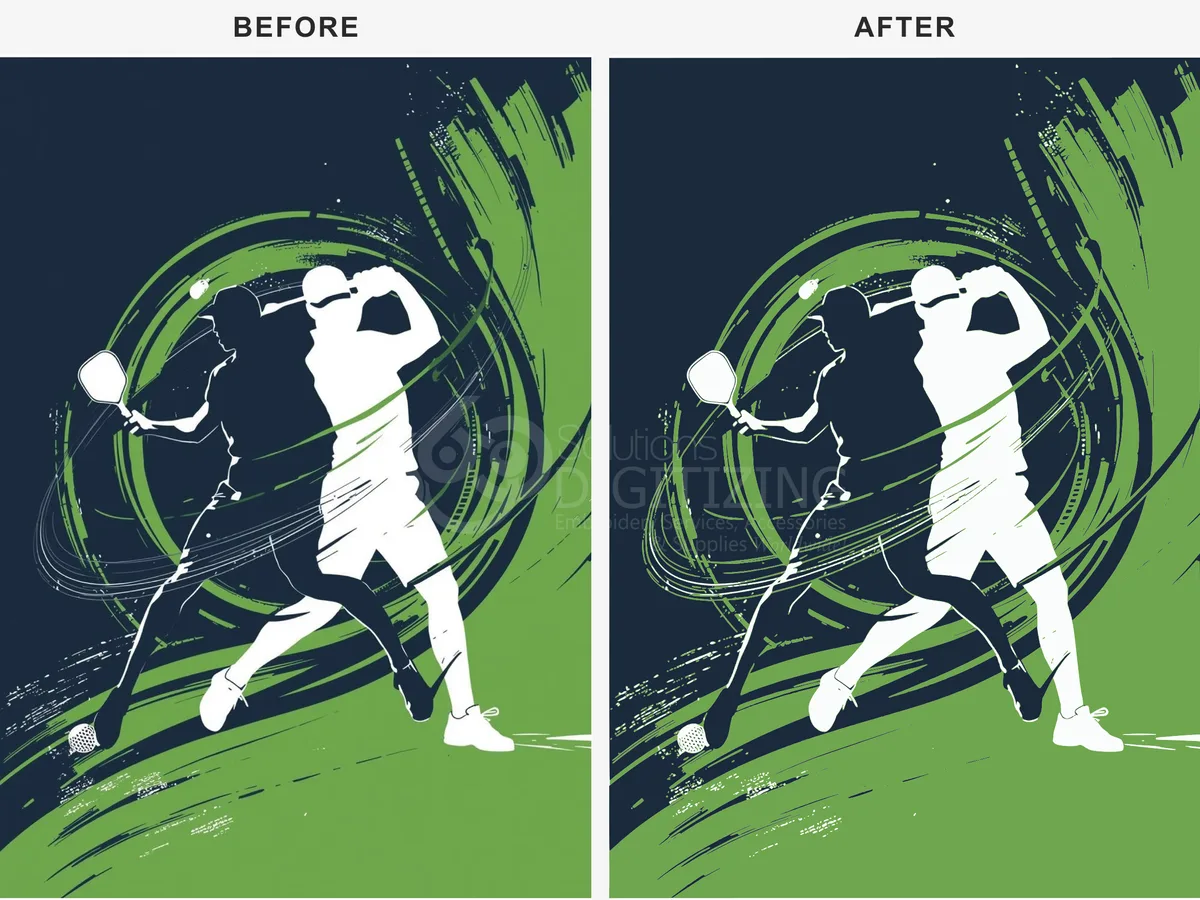
A local apparel business needed their artwork prepared for high-quality screen printing. We turned their design into clean, scalable vector paths with precise spot-color separation.
Final Vector Artwork
Order Specifications
Project Background
For screen printing, printing directly from low-quality raster images results in blurry edges, pixelation, and poor color definition. The client needed the artwork completely reconstructed into clean vector paths that could scale infinitely without any loss in quality.
Additionally, the print shop required the file to be pre-separated into spot colors. Screen printing relies on separate screens for each ink color, meaning every color in the design had to be isolated onto its own layer with precise registration marks.
Our team took on the challenge of manually tracing the artwork to ensure every curve and corner remained sharp. The goal was to deliver a production-ready file that would look crisp on everything from small chest prints to large back designs.
Vectorization & Color-Separation Process
Once the vector geometry was perfected, we focused on color accuracy. We analyzed the design and reduced the palette to a specific set of spot colors, matching them to the Pantone Matching System (PMS) requested by the client’s printing partner. This step guarantees that the printed inks match the digital design exactly.
Next, we executed the spot-color separation. We isolated each color channel onto its own dedicated layer, applying proper trapping to prevent any gaps or shifting during the physical screen-printing process. Registration marks were added to ensure the printer could align the screens perfectly on the press.
- ✓ Manual vector tracing for ultra-clean paths and minimal node density.
- ✓ Precise spot-color separation matching Pantone color standards.
- ✓ Trapping and registration setup for flawless screen alignment.
Final Outcome
By providing the separated spot-color layers in industry-standard formats, we saved the client hours of prepress preparation. The printing production went smoothly, with no registration errors or color mismatches on the production floor.
Need Print-Ready Vector Art?
We convert any logo or artwork into clean, scalable vector files with proper spot-color separation — ready for screen printing, cutting, and large-format output.
Frequently Asked Questions
What is spot-color separation and why is it necessary? +
Spot-color separation involves dividing a multi-colored design into individual solid color layers. This is essential for screen printing, as each color requires its own physical screen and ink run.
Why is manual tracing better than automatic vectorization? +
Automatic tracing tools often create too many anchor points, jagged edges, and inaccurate shapes. Manual tracing ensures clean paths, smooth curves, and optimized files that are easy for printing and cutting machines to read.
Disclaimer: All logos and designs are the property of their respective copyright/trademark owners. This case study is for the sole purpose of demonstrating 360 Digitizing Solutions’ technique and quality. We do not claim ownership of the original artwork, nor are these designs for sale.
Brand Representative? Request Portfolio Privacy/Removal (Corporate Email Required)



