
Blog
Janome MC500E Troubleshooting: Common Embroidery Machine Problems & Fixes


Quick answer: Most Janome MC500E issues, like thread breaks or poor stitch quality, are often resolved by rethreading, cleaning the bobbin area, or replacing the needle.
The Janome MC500E is a robust embroidery machine, but like any precision equipment, it can encounter issues. This guide is designed to help you diagnose and fix the most common problems operators report, getting your machine back to perfect stitching quickly. We'll cover everything from simple thread breaks to more complex tension adjustments, focusing on practical steps you can take right at your machine.
Two-minute checks before you open anything
- Is the machine plugged in and powered on?
- Is the embroidery arm properly attached and locked?
- Is the bobbin correctly wound and inserted?
- Is the top thread correctly threaded through all guides and tension discs?
- Is the needle inserted correctly and not bent or dull?
- Is the correct hoop size selected on the machine's display for the physical hoop being used?
1. Frequent Thread Breaks high likelihood
How to tell
The top thread snaps repeatedly during embroidery, often with a 'thread break' error message on the screen. Stitches may appear incomplete or missing.
Fix
- Re-thread the entire machine, ensuring the thread is seated correctly in all guides and tension discs.
- Replace the needle with a new, sharp needle appropriate for your fabric and thread type. Ensure it's inserted correctly with the flat side facing the back.
- Clean the bobbin case area thoroughly, removing any lint or thread scraps.
- Check the thread path for any burrs or rough spots that might be snagging the thread.
- Adjust the top thread tension. If too tight, it can cause breaks. Start with the recommended setting and adjust incrementally.
- Ensure the bobbin is wound evenly and inserted correctly. Use pre-wound bobbins if available and recommended.
A fresh needle is often the simplest solution. Ensure your bobbin case is free of damage.
Parts involved: Needles & needle bars → Thread path & tension → Rotary hooks & bobbin cases → Lubrication & maintenance →
2. Skipped Stitches or Poor Stitch Quality high likelihood
How to tell
Stitches are missing, uneven, or form loops on the top or bottom of the fabric. The embroidery design looks messy or incomplete.
Fix
- Replace the needle. A bent or dull needle is a primary cause of skipped stitches.
- Check the needle insertion; it must be fully seated and oriented correctly.
- Ensure the fabric is properly hooped, taut, and without wrinkles. Use appropriate stabilizer for your fabric.
- Clean the bobbin area and feed dogs to remove lint that might interfere with stitch formation.
- Adjust top and bobbin thread tension. Loops on top usually mean the bobbin tension is too loose or top tension too tight. Loops on the bottom mean the top tension is too loose or bobbin tension too tight.
- Verify the correct bobbin is being used for your machine model.
A damaged hoop can lead to uneven fabric tension, affecting stitch quality. Consider a replacement like the Sewtalent Hat Hoop 100x60mm for Janome MC500E if your existing hoop is compromised.
Parts involved: Needles & needle bars → Hoops & frames → Thread path & tension → Rotary hooks & bobbin cases → Lubrication & maintenance →
Parts you may need for Janome MC500E
In stock, tested before dispatch, Buyer Protection on every order. Part types for this problem: Needles & needle bars, Thread path & tension, Rotary hooks & bobbin cases, Lubrication & maintenance.
 Sew Tech Embroidery Hat Hoop for Janome Memory Craft MC500E, MC300E...$ 112.49View part →
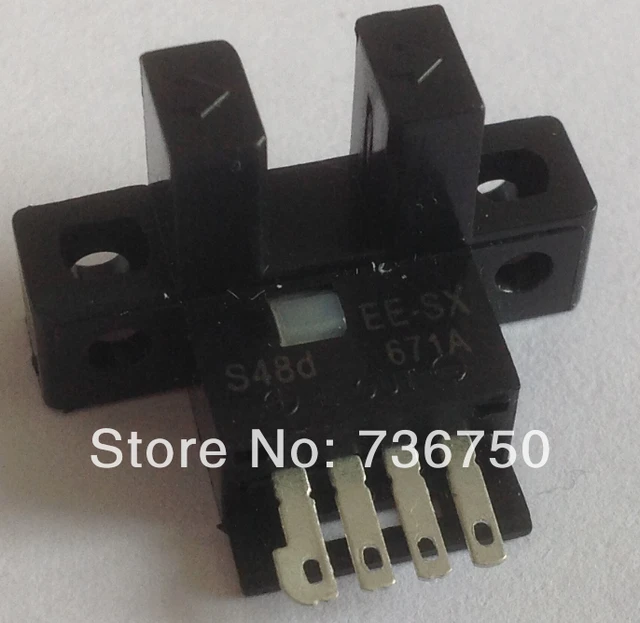 Sew Tech Embroidery Hat Hoop for Janome Memory Craft MC500E, MC300E...$ 22.99View part →
 Bobbin Case & 2 Metal Bobbins for Brother, Janome, Singer, Babylock...$ 5.59View part →
 Flying Tiger DBx1 Industrial Lockstitch Needles, 100 pcs/box, Sizes...$ 12.09View part →
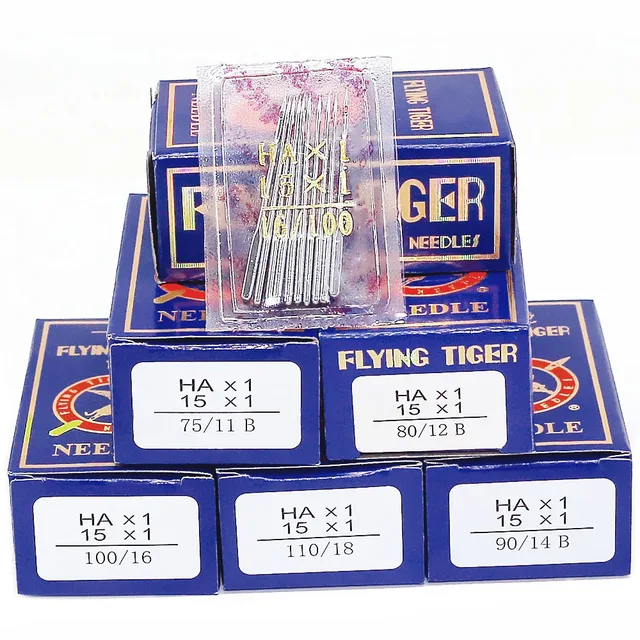 Flying Tiger HAX1 15x1 Sewing Machine Needles 100-Pack for Brother ...$ 13.99View part →
 Nema 17 Double Shaft Stepper Motor for Tajima Barudan Brother PR Ja...$ 26.49View part →
All Janome MC500E parts → Needles & Needle Bars → Thread Path & Tension → Rotary Hooks & Bobbin Cases →
3. Machine Jams or Loud Noises medium likelihood
How to tell
The machine stops abruptly, makes grinding or clunking noises, or the needle gets stuck. The embroidery arm may struggle to move.
Fix
- Immediately turn off the machine. Carefully remove the hoop and fabric.
- Inspect the bobbin area for tangled thread, fabric scraps, or a jammed bobbin case. Clear any obstructions.
- Check the needle for damage. Replace if bent or broken.
- Manually turn the handwheel (if accessible and safe to do so) to see if the mechanism moves freely. Do not force it.
- Ensure the embroidery arm is securely attached and free of obstructions.
- If the noise persists or the machine remains jammed after clearing visible obstructions, stop use and consult a technician.
A damaged rotary hook or bobbin case can cause severe jams. Check for nicks or burrs.
Parts involved: Rotary hooks & bobbin cases → Needles & needle bars → Head & mechanical parts → Hoops & frames → Lubrication & maintenance →
4. Hoop Not Moving or Misalignment medium likelihood
How to tell
The embroidery hoop does not move, moves erratically, or the design is stitched in the wrong location or off-center.
Fix
- Ensure the hoop is correctly attached to the embroidery unit and locked into place.
- Verify that the correct hoop size is selected on the machine's display, matching the physical hoop being used.
- Check for any obstructions around the embroidery arm or under the hoop that might impede movement.
- Ensure the fabric is taut and securely hooped, not sagging or interfering with the machine's movement.
- Power cycle the machine (turn off, wait 30 seconds, turn on) to reset the system.
- If using a specialized hoop like a hat hoop, ensure it's installed according to its specific instructions.
Ensure your hoop, such as the Sew Tech Embroidery Hat Hoop for Janome Memory Craft MC500E, is not bent or damaged, as this can affect its proper seating and movement.
Parts involved: Hoops & frames → Sensors & switches → Motors & drivers → Head & mechanical parts →
5. Machine Not Powering On or Display Issues low likelihood
How to tell
The machine does not turn on, the display remains blank, or shows error codes that do not clear.
Fix
- Check the power cord connection at both the machine and the wall outlet.
- Try plugging the machine into a different known-good electrical outlet.
- Ensure the power switch is in the 'ON' position.
- If the display is blank but the machine seems to have power, try a power cycle (turn off, unplug, wait a minute, plug in, turn on).
- Consult your machine's manual for specific error codes displayed and their recommended solutions.
If basic power checks fail, this often indicates an internal electrical issue requiring professional diagnosis.
Parts involved: Cables & wiring → Circuit boards & electronics → Control panels & displays →
Maintenance schedule
| When | What to do | Why |
|---|---|---|
| After every 8-10 hours of use | Clean bobbin area and under needle plate | Removes lint and thread buildup that can cause tension issues or jams. |
| Before each new project | Replace needle | Ensures sharp, undamaged needle for optimal stitch quality and prevents thread breaks. |
| Monthly or as per manual | Lubricate moving parts | Reduces friction and wear, ensuring smooth operation and extending machine lifespan. Refer to your manual for specific lubrication points and oil type. |
| Annually | Professional servicing | A technician can perform deeper cleaning, timing adjustments, and check for wear on internal components. |
Stop and call a technician if
- If the machine makes grinding or clunking noises that don't resolve after clearing visible obstructions.
- If the machine does not power on despite checking power connections and outlets.
- If error codes persist after following manual troubleshooting steps and power cycling.
- If the embroidery arm or needle bar is visibly bent or damaged.
- If you suspect internal electrical or mechanical damage.
Prevent it coming back
- Regularly clean the bobbin case and feed dog area to remove lint and thread scraps.
- Always use high-quality embroidery thread and needles appropriate for your fabric.
- Perform routine lubrication as specified in your machine's manual.
- Ensure the machine is covered when not in use to prevent dust accumulation.
- Check for loose screws or worn parts periodically.
Frequently asked questions
Why does my Janome MC500E keep breaking needles?
Needle breaks are often caused by a bent or dull needle, incorrect needle size for the fabric/thread, improper hooping (fabric not taut), or timing issues. Always start by replacing the needle and re-hooping your fabric correctly.
How often should I clean my Janome MC500E?
It's recommended to clean the bobbin area and under the needle plate after every 8-10 hours of embroidery or after completing a large project. Regular cleaning prevents lint buildup that can cause tension problems and jams.
What kind of thread should I use for my MC500E?
Always use high-quality embroidery thread. The type (rayon, polyester, metallic) depends on your project, but consistency in quality is key to avoiding issues like shredding and breaking. Match your needle size to your thread and fabric.
My machine is making a strange noise. What should I do?
Immediately stop the machine and turn it off. Check for any visible obstructions like tangled thread in the bobbin area or around the needle. If the noise persists after clearing, or if you can't identify the source, it's best to consult a technician.
Did this guide fix your machine?
Rate it - it helps other operators find the right fix.
Not sure which part is failing?
Need the logo stitched too?
Get your logo digitized by the people who know this machine
Upload the artwork, see the stitch count and the exact price in 10 seconds, then order with a free sew-out preview. $1 per 1,000 stitches, $10 minimum, 24-hour delivery. Vector conversion from $12.
After the fix
Fixed it? Keep the rest of the shop moving.
OS 360 is the shop software from the team behind this parts store. Every job keeps its status, deadline and owner while a MC500E head is down, restock alerts fire for needles, hooks and bobbins before you run dry, and quotes, invoices and payment live in one place.
- Jobs with status, deadline and owner - nothing slips during downtime
- Inventory with restock alerts, this store one click away
- Instant quotes, invoices and one place to collect payment