
Blog
Brother BAS series Embroidery Machine Maintenance Guide


Quick answer: Regular maintenance, including daily cleaning, weekly lubrication, and periodic inspection of wear parts like needles, bobbin cases, and rotary hooks, is crucial for the longevity and performance of your Brother BAS series embroidery machine. Always refer to your machine's manual for specific lubrication points and intervals.
Maintaining your Brother BAS series embroidery machine is key to its longevity and consistent performance. Regular cleaning, lubrication, and inspection of wear parts will prevent costly downtime and ensure high-quality embroidery. This guide provides a comprehensive maintenance schedule and identifies common wear items to help you keep your machine in top condition.
Two-minute checks before you open anything
- Check needle for damage and replace if necessary.
- Ensure bobbin is wound evenly and inserted correctly.
- Verify thread path is clear and tension is set appropriately.
- Check for any loose screws or unusual noises.
- Wipe down the machine exterior to remove dust.
1. Needles high likelihood
How to tell
Skipped stitches, frequent thread breaks, burrs or rough spots on the needle, dull point, or a bent needle. Inspect visually and by running a finger gently along the point.
Fix
- Inspect needles before each use and after any thread break or fabric snag.
- Replace needles immediately if any damage (burrs, bends, dullness) is found.
- Ensure you are using the correct needle size and type for your fabric and thread combination.
Always keep a supply of various needle sizes and types on hand. Needles are a consumable item and should be replaced regularly, even if not visibly damaged, to maintain stitch quality.
Parts involved: Needles & needle bars →
2. Bobbin Case high likelihood
How to tell
Inconsistent bobbin tension, frequent bobbin thread breaks, bird's nesting on the underside of the fabric, or visible nicks, burrs, or wear marks inside the bobbin case or on the tension spring. The bobbin may not spin freely or may wobble.
Fix
- Remove the bobbin case and bobbin.
- Thoroughly clean out any lint, dust, or thread fragments from inside the bobbin case and around the tension spring.
- Inspect the entire bobbin case for any nicks, burrs, or rough edges, especially where the thread passes. Pay close attention to the tension spring for damage or embedded debris.
- If any damage is found, replace the bobbin case with a new one.
- Ensure the bobbin case tension is correctly set (refer to your machine manual for guidance).
We stock: Industrial BC-DBZ(1)-NBL6 Bobbin Case for Barudan TZ1 LE2, Brother BAS-400, JUKI LZ Machines; BC-DBZ(1)-NBL6 Bobbin Case for Barudan TZ1, Brother BAS-400, JUKI LZ Series; 4 Bobbin Cases BC-DBZ(1)-NBL B1837-027-0A0 609NBL6 for Barudan Brother BAS-400 JUKI LZ Singer 20U.
Parts involved: Rotary hooks & bobbin cases →
Parts you may need for Brother
In stock, tested before dispatch, Buyer Protection on every order. Part types for this problem: Needles & needle bars, Rotary hooks & bobbin cases, Thread path & tension, Belts, pulleys & gears.
 Bobbin Case & 2 Metal Bobbins for Brother, Janome, Singer, Babylock...$ 5.59View part →
 Flying Tiger DBx1 Industrial Lockstitch Needles, 100 pcs/box, Sizes...$ 12.09View part →
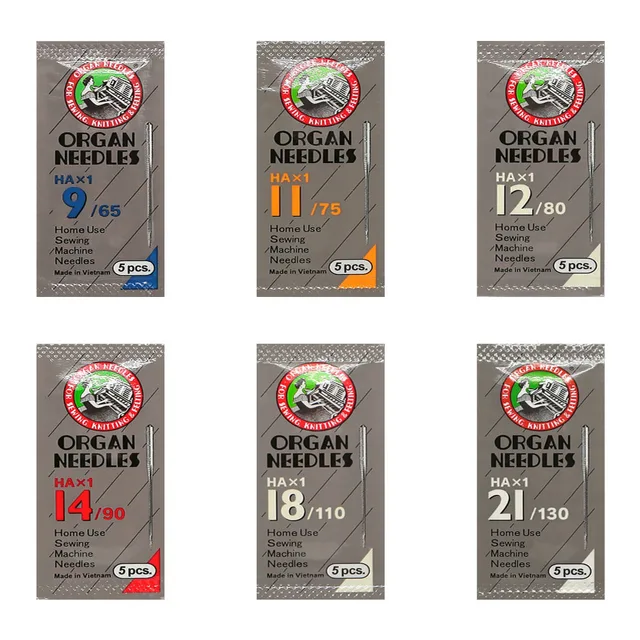 ORGAN HAX1 Household Sewing Machine Needles for SINGER & BROTHER, S...$ 6.49View part →
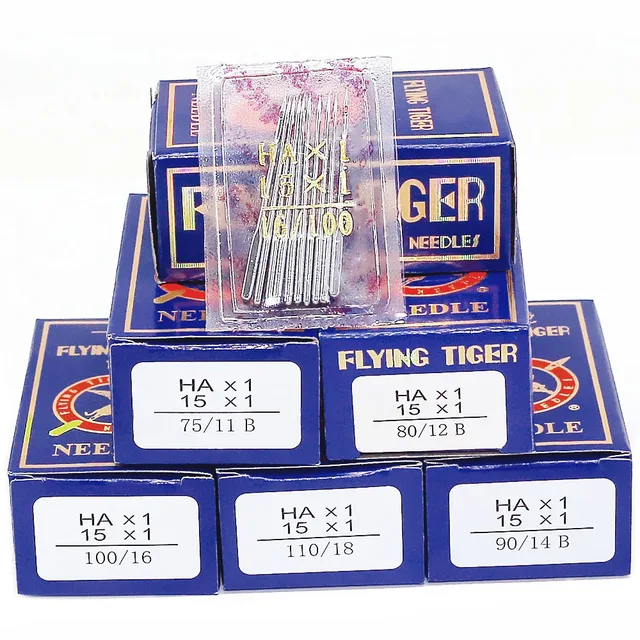 Flying Tiger HAX1 15x1 Sewing Machine Needles 100-Pack for Brother ...$ 13.99View part →
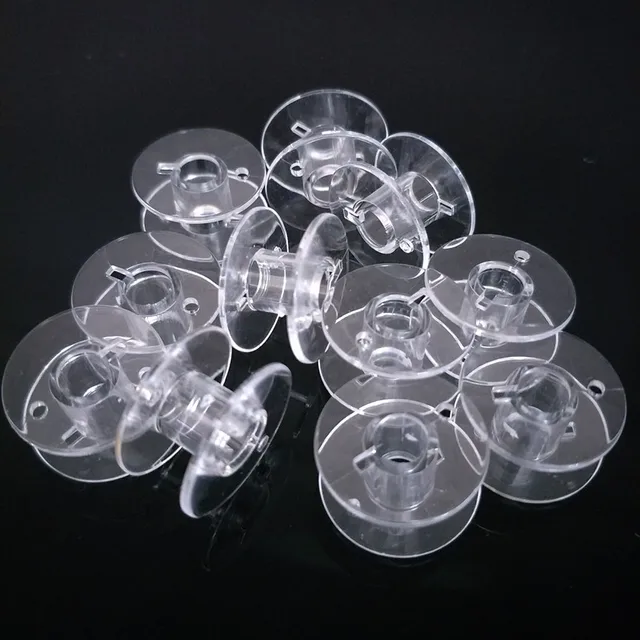 10pcs Clear Plastic Bobbins for Brother & Singer Sewing Machines | ...$ 6.49View part →
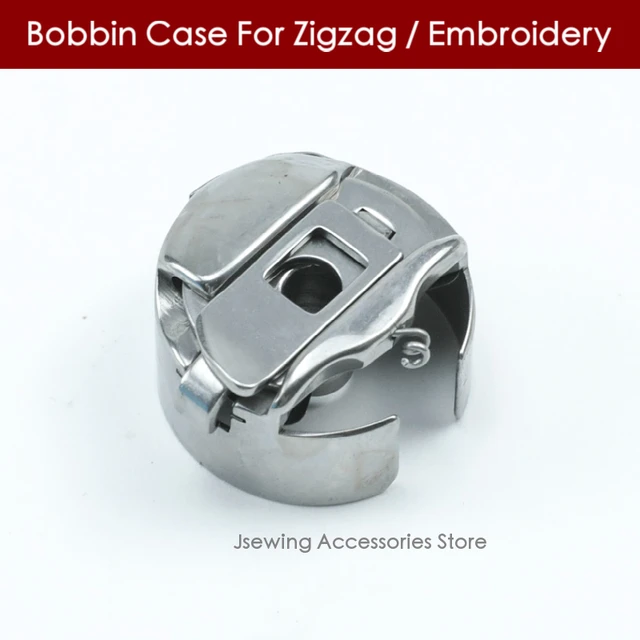 Industrial BC-DBZ(1)-NBL6 Bobbin Case for Barudan TZ1 LE2, Brother ...$ 8.49View part →
All Brother parts → Needles & Needle Bars → Rotary Hooks & Bobbin Cases → Thread Path & Tension →
3. Rotary Hook medium likelihood
How to tell
Skipped stitches, looping, frequent thread breaks (especially top thread), unusual noise from the hook area, or visible nicks, burrs, or wear on the hook point or race. Stitch quality degrades over time.
Fix
- Remove the needle plate and bobbin case.
- Carefully inspect the rotary hook for any nicks, burrs, or rough spots, particularly on the hook point and the thread path within the hook race. Use a magnifying glass if available.
- Clean out all lint and debris from the hook area.
- If significant wear or damage is present, the rotary hook should be replaced. This often requires removing the needle bar and potentially other components.
- Ensure the hook timing is correct after replacement (refer to your machine manual or consult a technician).
We stock: KHS20-R Jumbo Rotary Hook for TAJIMA TME-DC, TMFX, TMB, TMAR, TMEZ & BROTHER BAS-415, BAS-416, BAS-423 Embroidery Machines; Rotary Hook SA203601 130.09.514 for Brother KE484C KE484CX BAS-300M Embroidery Machines; HR12MC(1)TR 875TR Rotary Hook for BROTHER BAS-6150, BAS-6200, LT2-B872, TN-875B-405, TYPICAL GC6872, GC6875; Hirose HR12MC(1)/Z Rotary Hook for Brother BAS-612, LT2-B875, JACK JK5875-3, Sunstar KM-790BL. Choose the correct hook for your specific BAS model.
Parts involved: Rotary hooks & bobbin cases →
4. Thread Tension Discs and Thread Path Components medium likelihood
How to tell
Inconsistent thread tension, frequent thread breaks, looping stitches, or visible grooves, nicks, or burrs on tension discs, thread guides, or the take-up lever eyelet. Thread may not glide smoothly.
Fix
- Inspect all thread guides, tension discs, and the take-up lever for any nicks, burrs, or rough spots that could snag the thread.
- Clean thoroughly between the tension discs with a piece of dental floss or a thin cloth to remove lint and wax buildup.
- If any components are visibly damaged or excessively worn, they should be replaced. This may require disassembly of the tension assembly.
While individual tension disc replacements are less common, keeping the entire thread path clean and smooth is vital. Worn components can often be polished or replaced individually.
Parts involved: Thread path & tension →
5. Belts (Timing and Drive) low likelihood
How to tell
Machine skipping stitches, misaligned designs, unusual grinding or squealing noises, machine slowing down, or visible cracks, fraying, stretching, or missing teeth on the belts. Machine may not start or move correctly.
Fix
- Visually inspect all accessible belts for signs of wear, cracking, fraying, or stretching.
- Check belt tension (refer to your machine manual for proper tensioning).
- If a belt is damaged or excessively worn, it must be replaced. This can be a complex procedure often requiring partial disassembly of the machine.
- Ensure proper alignment of pulleys and gears when replacing belts.
Belt replacement is typically an advanced maintenance task. If you're unsure, it's best to consult a qualified technician.
Parts involved: Belts, pulleys & gears →
Maintenance schedule
| When | What to do | Why |
|---|---|---|
| Daily (or before each shift) | Clean the bobbin case area and under the needle plate. | Removes lint and thread fragments that can cause tension issues, skipped stitches, and damage to the bobbin case or rotary hook. |
| Daily (or before each shift) | Inspect and replace needles. | Dull or bent needles cause skipped stitches, thread breaks, and can damage the rotary hook or needle plate. |
| Daily (or before each shift) | Wipe down the machine exterior. | Prevents dust and lint from accumulating and entering internal mechanisms. |
| Weekly (or every 40-50 operating hours) | Thoroughly clean the rotary hook area. | Removes stubborn lint and debris that can affect hook timing and stitch quality. Inspect the rotary hook for wear (see 'Rotary Hook' in causes). |
| Weekly (or every 40-50 operating hours) | Lubricate the rotary hook and other specified oiling points. | Reduces friction and wear, ensuring smooth operation and preventing premature part failure. Refer to your machine manual for exact oiling points and frequency. |
| Weekly (or every 40-50 operating hours) | Clean thread tension discs and thread path components. | Removes lint and wax buildup that can cause inconsistent thread tension and breaks. Inspect for nicks or burrs (see 'Thread Tension Discs' in causes). |
| Monthly (or every 150-200 operating hours) | Inspect and clean the bobbin case. | Ensures consistent bobbin tension and prevents damage from nicks or burrs. Replace if damaged (see 'Bobbin Case' in causes). |
| Monthly (or every 150-200 operating hours) | Check for loose screws and tighten as needed. | Vibrations from operation can loosen screws, affecting machine stability and component alignment. |
| Annually (or every 1000-1500 operating hours) | Inspect drive belts for wear and tension. | Worn or improperly tensioned belts can lead to timing issues, skipped stitches, and machine malfunction. Replace if cracked, frayed, or stretched (see 'Belts' in causes). |
| Annually (or every 1000-1500 operating hours) | Professional service and calibration. | A technician can perform deeper cleaning, inspect internal components, check timing, and recalibrate the machine for optimal performance and longevity. |
Stop and call a technician if
- If the machine is making grinding noises or seizing up.
- If you suspect a motor or electronic control board issue (e.g., Brother BAS-311E Electronic Control Board for BAS-311E, BAS-311, BAS-311G, BAS-311H, BAS-326E, BAS-326G, BAS-300A, BAS-300G or Brother DH4-981 Control Panel Board for BE-1201B, BE-1204B, BE-1206B, BAS-415, BAS-423, BAS-416A Machines).
- If the machine's timing is off and you are not experienced in adjusting it.
- If you encounter error codes that are not resolved by basic troubleshooting.
- If a major component like a drive belt or main shaft needs replacement and you are uncomfortable with the procedure.
- For complex issues with the SFDR-I U-F144-1 USB Floppy Emulator for Brother BAS-401, BAS-410, BAS-411, BAS-412 (Replaces TEAC FD-235HF-C529) if it's not reading designs.
Prevent it coming back
- Always use high-quality needles, threads, and bobbins suitable for your machine and project.
- Avoid pulling on the fabric while embroidering, as this can bend needles or damage the hook.
- Keep your work area clean and free of dust and lint.
- Use a surge protector for your machine to protect against power fluctuations.
- Do not force the machine if it jams; investigate the cause gently.
- Store your machine in a clean, dry environment when not in use.
Frequently asked questions
How often should I clean my Brother BAS series machine?
You should perform a quick cleaning daily, especially around the bobbin case and needle area. A more thorough cleaning, including under the needle plate and around the rotary hook, should be done weekly or after every 40-50 hours of operation, whichever comes first.
What kind of oil should I use for my embroidery machine?
Always use high-quality, non-staining sewing machine oil (typically 10W or 20W). Never use household oils or automotive oils, as they can gum up the machine and stain your projects. Refer to your machine's manual for specific oil recommendations and lubrication points.
Why is my machine making a strange noise?
Unusual noises can indicate several issues, including lack of lubrication, a loose or worn part, thread caught in the mechanism, or a dull/bent needle. Stop the machine immediately, clean and lubricate it, and inspect all moving parts for damage. If the noise persists, consult your machine manual or a technician.
How often should I replace my needles?
Needles should be replaced frequently. A good rule of thumb is to replace them after every 8 hours of continuous sewing, or at the start of a new project, or immediately if you notice skipped stitches, thread breaks, or any visible damage to the needle.
Can I perform all maintenance myself?
Many routine maintenance tasks like cleaning, oiling, and needle/bobbin case replacement can be done by the operator. However, more complex repairs, timing adjustments, or replacement of internal components like drive belts or circuit boards may require a trained technician. Always refer to your machine's manual for guidance.
Did this guide fix your machine?
Rate it - it helps other operators find the right fix.
Not sure which part is failing?
Need the logo stitched too?
Get your logo digitized by the people who know this machine
Upload the artwork, see the stitch count and the exact price in 10 seconds, then order with a free sew-out preview. $1 per 1,000 stitches, $10 minimum, 24-hour delivery. Vector conversion from $12.
After the fix
Fixed it? Keep the rest of the shop moving.
OS 360 is the shop software from the team behind this parts store. Every job keeps its status, deadline and owner while a Brother head is down, restock alerts fire for needles, hooks and bobbins before you run dry, and quotes, invoices and payment live in one place.
- Jobs with status, deadline and owner - nothing slips during downtime
- Inventory with restock alerts, this store one click away
- Instant quotes, invoices and one place to collect payment