
Blog
Janome MC9500 Maintenance Guide: Keep Your Embroidery Machine Running Smoothly


Quick answer: Regular maintenance for your Janome MC9500 involves daily cleaning of the thread path and bobbin area, weekly inspection of needles and tension, and monthly checks of moving parts and lubrication. This prevents common issues like skipped stitches, thread breaks, and poor embroidery quality.
Keeping your Janome MC9500 embroidery machine well-maintained is crucial for consistent stitch quality, preventing costly repairs, and extending its lifespan. This guide provides a comprehensive maintenance schedule and identifies common wear parts, helping you keep your machine running smoothly for years to come. Regular cleaning, inspection, and timely replacement of worn components are key to trouble-free embroidery.
Two-minute checks before you open anything
- Check needle for bends or dullness.
- Ensure bobbin is wound evenly and inserted correctly.
- Verify thread is correctly seated in all tension discs and guides.
- Check for any loose threads or lint in the bobbin case area.
- Ensure the hoop is securely attached and the fabric is taut.
1. Needles high likelihood
How to tell
Skipped stitches, thread shredding, needle breaks, dull or bent needle point, burrs on the needle eye. You might also hear a slight 'thud' as the needle penetrates fabric instead of a smooth entry.
Fix
- Turn off the machine and raise the needle to its highest position.
- Loosen the needle clamp screw with a screwdriver.
- Remove the old needle, noting its orientation (flat side to the back).
- Insert a new needle, ensuring the flat side faces the back and it's pushed up as far as it will go.
- Tighten the needle clamp screw securely.
- Perform a test stitch on scrap fabric.
Parts involved: Needles & needle bars →
2. Rotary Hook and Bobbin Case medium likelihood
How to tell
Poor bobbin tension, loose or looping stitches on the underside, thread nests, frequent thread breaks, unusual noise from the bobbin area. Inspect the hook for nicks, burrs, or excessive lint buildup.
Fix
- Turn off the machine and remove the needle plate.
- Remove the bobbin case and bobbin.
- Carefully remove any lint, dust, or thread bits from the hook area using a small brush or vacuum.
- Inspect the hook race for any nicks or burrs that could snag thread. If found, very gently polish with a fine emery board or replace the hook.
- Check the bobbin case for damage, especially around the tension spring. Replace if damaged.
- Reinsert the bobbin case and bobbin, ensuring it's seated correctly.
- Replace the needle plate and perform a test stitch.
Parts involved: Rotary hooks & bobbin cases →
Parts you may need for Janome MC9500
In stock, tested before dispatch, Buyer Protection on every order. Part types for this problem: Needles & needle bars, Rotary hooks & bobbin cases, Thread path & tension, Cutters & trimmers.
 Sew Tech Embroidery Hat Hoop for Janome Memory Craft MC500E, MC300E...$ 112.49View part →
 Sew Tech Embroidery Hat Hoop for Janome Memory Craft MC500E, MC300E...$ 22.99View part →
 Bobbin Case & 2 Metal Bobbins for Brother, Janome, Singer, Babylock...$ 5.59View part →
 Flying Tiger DBx1 Industrial Lockstitch Needles, 100 pcs/box, Sizes...$ 12.09View part →
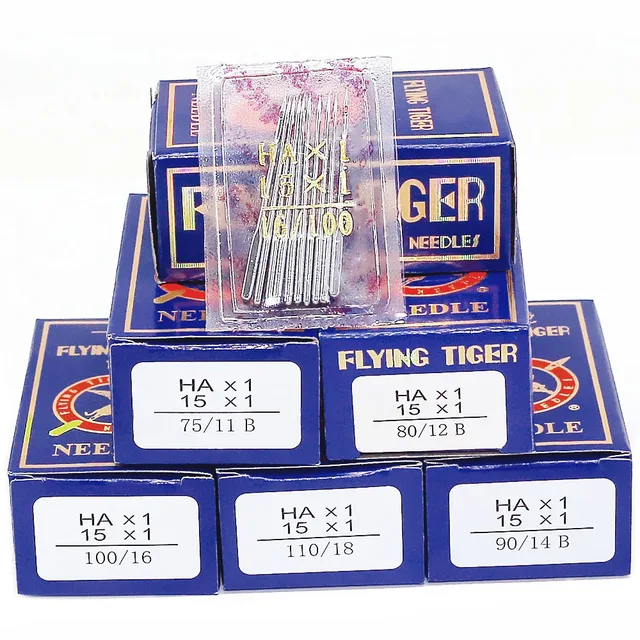 Flying Tiger HAX1 15x1 Sewing Machine Needles 100-Pack for Brother ...$ 13.99View part →
 Groz-Beckert DBxK5 RG Embroidery Needles (500 Pcs) for Tajima Barud...$ 85.99View part →
All Janome MC9500 parts → Needles & Needle Bars → Rotary Hooks & Bobbin Cases → Thread Path & Tension →
3. Thread Path Components (Tension Discs, Thread Guides) medium likelihood
How to tell
Inconsistent thread tension, thread shredding, thread breaks, poor stitch quality. Visually inspect all thread guides and tension discs for nicks, burrs, or grooves worn into the metal/plastic.
Fix
- Turn off the machine and remove all thread.
- Carefully inspect each thread guide from the spool pin to the needle for any sharp edges or damage. Use a magnifying glass if necessary.
- Check the tension discs for lint buildup or grooves. Use a piece of dental floss to clean between the discs.
- If any guides are nicked, they may need to be replaced by a technician. For minor burrs, very gentle polishing with a fine emery cloth might help, but be cautious not to alter the shape.
- Ensure all components are clean and smooth. Retread the machine and test stitch.
Parts involved: Thread path & tension →
4. Automatic Thread Trimmer Blades low likelihood
How to tell
Threads not cutting cleanly, frayed thread ends after trimming, thread jams during trimming, or the machine reporting a trimmer error. This often indicates dull blades or accumulated lint interfering with the mechanism.
Fix
- Turn off the machine and unplug it.
- Access the trimmer mechanism (refer to your machine's manual for location, often under the needle plate or near the hook).
- Carefully clean any lint or debris from around the blades using a small brush or tweezers.
- Inspect the blades for dullness or damage. If they appear dull or nicked, they will need replacement.
- Replacing trimmer blades can be complex and may require specific tools and calibration. It is often best performed by a qualified technician.
- If you are comfortable, follow the manual's instructions for blade replacement and reassembly. Test the trimmer function thoroughly.
Parts involved: Cutters & trimmers →
5. Hoops and Frames low likelihood
How to tell
Fabric not holding securely, hoop slipping in the machine, uneven embroidery, fabric puckering, or visible cracks/damage to the hoop plastic or metal. The tension screw might also be stripped or difficult to tighten.
Fix
- Inspect the inner and outer hoops for any cracks, warping, or damage.
- Check the hoop's attachment points to the machine for wear or looseness.
- Ensure the tension screw mechanism is working smoothly and can securely hold fabric.
- If the hoop is damaged, warped, or no longer holds fabric securely, it needs to be replaced.
- For Janome MC9500, compatible hoops include 'Sew Tech Embroidery Hat Hoop for Janome Memory Craft MC500E, MC300E, MC350E, MC9500, and Elna 820, 830 – Perfect Sewing Machine JA335 Insert Frame' or 'Sewtalent Hat Hoop 100x60mm for Janome MC500E, MC400E, MC350E, MC300E & Elna eXpressive 820, 830'.
- Replace the damaged hoop with a new, compatible one.
We stock various compatible hoops like the Sew Tech Embroidery Hat Hoop for Janome Memory Craft MC9500 and Sewtalent Hat Hoop 100x60mm.
Parts involved: Hoops & frames →
Maintenance schedule
| When | What to do | Why |
|---|---|---|
| Daily (or every 8-10 hours of use) | Clean the bobbin case and rotary hook area. | Removes lint and thread bits that can cause thread breaks, poor tension, and machine jams. |
| Daily (or every 8-10 hours of use) | Clean the thread path and tension discs. | Prevents thread shredding and ensures consistent thread tension for even stitches. |
| Daily (or every 8-10 hours of use) | Change the needle. | A sharp, undamaged needle prevents skipped stitches, fabric damage, and thread breaks. |
| Weekly (or every 40-50 hours of use) | Thoroughly clean under the needle plate. | Removes accumulated lint and debris that can interfere with stitch formation and trimmer function. |
| Weekly (or every 40-50 hours of use) | Inspect all thread guides for nicks or burrs. | Damaged guides can shred thread, leading to breaks and poor stitch quality. |
| Weekly (or every 40-50 hours of use) | Check for loose screws on the needle clamp, presser foot, and needle plate. | Ensures all components are secure, preventing vibration and potential damage. |
| Monthly (or every 100-150 hours of use) | Lubricate according to your Janome MC9500 manual. | Reduces friction and wear on moving parts, ensuring smooth operation and extending machine life. (Always refer to your manual for specific oiling points and frequency). |
| Monthly (or every 100-150 hours of use) | Inspect drive belts for wear, fraying, or looseness. | Worn belts can affect timing and machine performance. Replacement may require a technician. |
| Annually (or every 500 hours of use) | Professional servicing. | A technician can perform deeper cleaning, check timing, calibrate sensors, and identify potential issues before they become major problems. |
Stop and call a technician if
- If you hear grinding noises or persistent knocking sounds.
- If the machine displays error codes you cannot resolve with basic troubleshooting.
- If you suspect internal mechanical issues, such as motor problems or timing issues.
- If you need to replace complex parts like circuit boards, main drive belts, or internal sensors.
- For annual professional servicing to ensure optimal performance and longevity.
Prevent it coming back
- Always use high-quality embroidery threads and needles appropriate for your fabric.
- Change needles regularly, especially after 6-8 hours of embroidery or if you notice any stitching issues.
- Avoid pulling fabric while the needle is in it, as this can bend the needle or throw off timing.
- Keep your sewing area clean and dust-free to prevent lint from entering the machine.
- Use proper hooping techniques to avoid fabric shifting and needle strikes on the hoop.
- Unplug the machine when performing any cleaning or maintenance to prevent accidental starts.
Frequently asked questions
How often should I clean my Janome MC9500?
You should perform a light cleaning of the bobbin area and thread path daily or after every 8-10 hours of use. A more thorough cleaning, including checking for lint in less accessible areas, should be done weekly or every 40-50 hours of use.
What kind of oil should I use for my Janome MC9500?
Always refer to your Janome MC9500's instruction manual for specific lubrication requirements. Generally, a high-quality, clear sewing machine oil (often called 'white oil') is recommended. Do not use general-purpose oils like WD-40 or cooking oils, as they can gum up the machine.
Why is my Janome MC9500 making a strange noise?
Unusual noises can indicate several issues: a dull or bent needle, lint buildup in the bobbin area, incorrect thread tension, a loose screw, or a part that needs lubrication. Stop the machine, inspect the needle, clean the bobbin area, and check for any obvious obstructions. If the noise persists, consult your manual or a technician.
Can I use any brand of needle in my Janome MC9500?
While many brands make compatible needles, it's best to use high-quality needles designed for embroidery machines and the specific fabric you're working with. Always ensure the needle system (e.g., 130/705H) matches what your machine requires, as specified in your manual.
Did this guide fix your machine?
Rate it - it helps other operators find the right fix.
Not sure which part is failing?
Need the logo stitched too?
Get your logo digitized by the people who know this machine
Upload the artwork, see the stitch count and the exact price in 10 seconds, then order with a free sew-out preview. $1 per 1,000 stitches, $10 minimum, 24-hour delivery. Vector conversion from $12.
After the fix
Fixed it? Keep the rest of the shop moving.
OS 360 is the shop software from the team behind this parts store. Every job keeps its status, deadline and owner while a MC9500 head is down, restock alerts fire for needles, hooks and bobbins before you run dry, and quotes, invoices and payment live in one place.
- Jobs with status, deadline and owner - nothing slips during downtime
- Inventory with restock alerts, this store one click away
- Instant quotes, invoices and one place to collect payment