
Blog
Janome MC300E Troubleshooting: Common Embroidery Machine Problems & Fixes


Quick answer: Most Janome MC300E embroidery machine problems, such as thread breaks, skipped stitches, or poor stitch quality, are often resolved by re-threading, changing the needle, cleaning the bobbin area, or adjusting tension. Regular maintenance is key to preventing these issues.
The Janome MC300E series is a popular choice for home embroidery, known for its reliability. However, like all machines, it can encounter common issues. This guide provides practical, step-by-step solutions to the most frequent problems reported by operators, helping you get back to embroidering quickly. We focus on common fixes you can perform yourself, along with identifying the parts that might be causing the trouble.
Two-minute checks before you open anything
- Is the machine correctly threaded (upper and bobbin)?
- Is the needle new, correctly inserted, and appropriate for the project?
- Is the bobbin wound evenly and inserted correctly?
- Are the tension settings appropriate for your thread and fabric?
- Is the bobbin area clean and free of lint?
- Is the embroidery hoop securely attached and taut?
1. Frequent Thread Breaking or Shredding high likelihood
How to tell
The upper thread snaps frequently during embroidery, often appearing fuzzy or shredded. This can lead to incomplete designs and frustration.
Fix
- Re-thread the machine completely, ensuring the thread is correctly seated in all guides and tension discs. Make sure the presser foot is up when threading the upper tension unit.
- Change the needle. Use a new, sharp needle appropriate for your fabric and thread type. A dull, bent, or incorrect needle is a common culprit.
- Check thread tension. If the thread is shredding, the upper tension might be too tight. Adjust it slightly lower. If it's breaking, ensure it's not too loose causing tangles.
- Inspect the entire thread path for burrs or rough spots, especially around the needle eye, tension discs, and thread guides. Run a piece of pantyhose or a thin cloth through the path to check for snags.
- Clean the bobbin case and rotary hook area thoroughly. Lint and debris can interfere with thread movement and cause breaks.
- Ensure the bobbin is wound evenly and correctly inserted. An improperly wound or inserted bobbin can cause upper thread issues.
A fresh needle is often the simplest fix. Consider replacing your Janome New Home Bobbin Case for MC10000, MC10001, MC300E, MC350E, MC5000, MC9000 Embroidery Machines if it shows signs of wear or damage.
Parts involved: Needles & needle bars → Thread path & tension → Rotary hooks & bobbin cases → Threads & supplies →
2. Skipped Stitches or Inconsistent Stitch Quality high likelihood
How to tell
Stitches are missing from the design, or appear loose, uneven, or looped on the top or bottom of the fabric. This indicates a problem with loop formation.
Fix
- Change the needle. A bent, dull, or incorrect needle is the most common cause of skipped stitches. Ensure it's inserted correctly and fully seated with the flat side facing the back.
- Re-thread both the upper thread and the bobbin thread. Make sure the bobbin is inserted correctly and spinning in the right direction (usually clockwise for drop-in bobbins).
- Adjust thread tension. Skipped stitches can result from tension that is too loose or too tight. Test and adjust both upper and bobbin tension.
- Check the fabric and stabilizer combination. Inadequate stabilization can cause the fabric to 'bounce' during stitching, leading to skipped stitches. Use appropriate stabilizer for your fabric.
- Clean the bobbin case and rotary hook area. Lint buildup can disrupt the hook's ability to catch the needle thread loop.
- Ensure the embroidery hoop is taut and securely fastened in the machine. Loose hooping can lead to fabric movement and skipped stitches.
Ensure your Janome New Home Bobbin Case for MC10000, MC10001, MC300E, MC350E, MC5000, MC9000 Embroidery Machines is clean and free of nicks. Check your hoops like the Sewtalent Hat Hoop 100x60mm for Janome MC500E, MC400E, MC350E, MC300E & Elna eXpressive 820, 830 for proper tension.
Parts involved: Needles & needle bars → Thread path & tension → Rotary hooks & bobbin cases → Hoops & frames → Threads & supplies →
Parts you may need for Janome MC300E
In stock, tested before dispatch, Buyer Protection on every order. Part types for this problem: Rotary hooks & bobbin cases, Needles & needle bars, Thread path & tension, Hoops & frames.
 Sew Tech Embroidery Hat Hoop for Janome Memory Craft MC500E, MC300E...$ 112.49View part →
 Sew Tech Embroidery Hat Hoop for Janome Memory Craft MC500E, MC300E...$ 22.99View part →
 Janome New Home Bobbin Case for MC10000, MC10001, MC300E, MC350E, M...$ 42.09View part →
 Bobbin Case & 2 Metal Bobbins for Brother, Janome, Singer, Babylock...$ 5.59View part →
 Flying Tiger DBx1 Industrial Lockstitch Needles, 100 pcs/box, Sizes...$ 12.09View part →
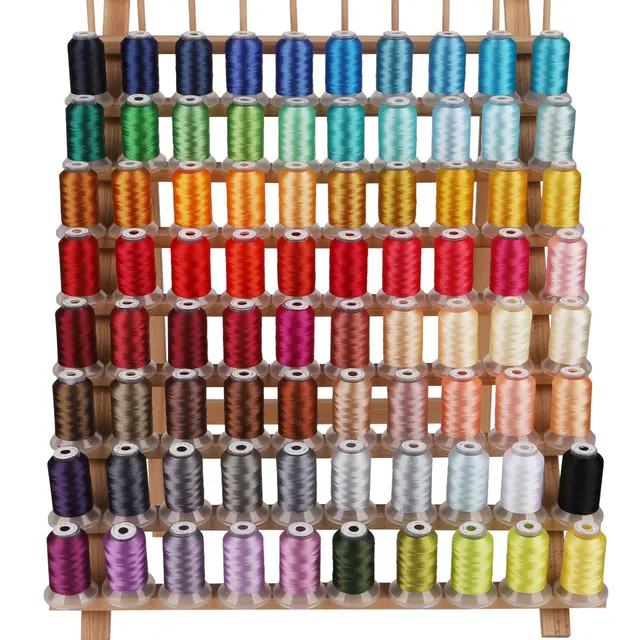 PET-80 80 Madeira Colors Embroidery Thread Set - Premium 40WT Polye...$ 16.29View part →
All Janome MC300E parts → Rotary Hooks & Bobbin Cases → Needles & Needle Bars → Thread Path & Tension →
3. Bobbin Thread Nesting or Tangling (Bird's Nest) medium likelihood
How to tell
A mass of tangled thread forms on the underside of the fabric, often accompanied by loud noises or the machine jamming. This is usually a top tension issue.
Fix
- The most common cause is incorrect upper threading. Lift the presser foot, remove the upper thread, and re-thread the machine carefully, ensuring the thread is fully seated in the tension discs.
- Check upper thread tension. If the upper tension is too loose, the bobbin thread will be pulled to the top, creating a nest underneath. Increase the upper tension slightly.
- Inspect the bobbin case for lint, debris, or damage. Clean it thoroughly. Ensure the bobbin is inserted correctly and the thread is coming off in the right direction.
- Ensure the bobbin is wound evenly and not too full or too loose. Rewind the bobbin if necessary.
- Change the needle. A bent or dull needle can interfere with proper loop formation, leading to nesting.
A clean and properly functioning Janome New Home Bobbin Case for MC10000, MC10001, MC300E, MC350E, MC5000, MC9000 Embroidery Machines is crucial. Ensure your upper thread is good quality.
Parts involved: Thread path & tension → Rotary hooks & bobbin cases → Needles & needle bars → Threads & supplies →
4. Machine Not Recognizing Hoop or Hoop Movement Issues low likelihood
How to tell
The machine displays an error message related to the hoop (e.g., 'Hoop not set' or 'Incorrect hoop size'), or the hoop does not move smoothly during embroidery, or jams.
Fix
- Ensure the correct hoop size is selected on the machine's display for the hoop you are using. The machine needs to know which hoop is attached.
- Verify the hoop is securely attached to the embroidery unit carriage. It should click firmly into place.
- Check for any obstructions around the embroidery unit's movement path. Remove any fabric, stabilizer, or other items that might be blocking its travel.
- Inspect the hoop itself for damage or warping. A bent or damaged hoop may not fit correctly or move smoothly.
- Clean the sensors that detect the hoop. Refer to your machine's manual for their exact location, but they are typically small optical sensors on the embroidery unit.
- Power cycle the machine. Turn it off, wait 30 seconds, and turn it back on to reset the system.
Ensure you are using a compatible hoop like the Sewtalent Hat Hoop 100x60mm for Janome MC500E, MC400E, MC350E, MC300E & Elna eXpressive 820, 830 or the Sew Tech Embroidery Hat Hoop for Janome Memory Craft MC500E, MC300E, MC350E, MC9500, and Elna 820, 830 – Perfect Sewing Machine JA335 Insert Frame. Check for any physical damage to the hoop.
Parts involved: Hoops & frames → Sensors & switches → Control panels & displays →
Maintenance schedule
| When | What to do | Why |
|---|---|---|
| After every 8-10 hours of embroidery or major project | Clean the bobbin case, rotary hook area, and under the needle plate. | Prevents lint buildup that can cause thread breaks, skipped stitches, and poor stitch quality. |
| Every 2-3 projects or 20-30 hours of use | Change the needle. | A dull or bent needle is a primary cause of many embroidery issues, including thread breaks and skipped stitches. |
| Monthly or after heavy use | Wipe down the machine exterior and check for any loose screws or connections. | Maintains overall machine cleanliness and identifies potential issues before they become major problems. |
| Annually or as per manual | Consider professional servicing. | Ensures internal components are properly lubricated, adjusted, and cleaned for long-term performance. |
Stop and call a technician if
- If the machine displays an error code that cannot be resolved by basic troubleshooting or power cycling.
- If the machine makes unusual grinding or loud noises that persist after cleaning and re-threading.
- If the embroidery unit fails to move at all, or moves erratically, and is not related to a hoop issue.
- If the machine's motor seems to be struggling or overheating.
- If you suspect an electrical issue, such as power fluctuations or the machine not turning on.
Prevent it coming back
- Always use the correct needle type and size for your fabric and thread, and change it regularly (every 8-10 hours of sewing or after every project).
- Use good quality embroidery thread and bobbins. Cheap thread can cause frequent breaks and lint buildup.
- Clean the bobbin case, rotary hook area, and under the needle plate frequently to remove lint and debris.
- Ensure your fabric is properly stabilized and hooped tautly, without puckers or wrinkles.
- Perform regular maintenance as recommended in your machine's manual, including oiling if specified.
- Keep your machine covered when not in use to prevent dust accumulation.
Frequently asked questions
Why does my Janome MC300E keep breaking needles?
Needle breaks are often caused by using the wrong needle type or size for your fabric/thread, a bent or dull needle, incorrect needle insertion, hitting the hoop, or inadequate stabilization causing fabric flagging. Always use a fresh, correct needle and ensure your hoop is taut.
How often should I clean my Janome MC300E?
You should clean the bobbin area and under the needle plate after every 8-10 hours of embroidery or after every major project. A more thorough cleaning and oiling (if recommended by your manual) should be done regularly, typically every few months depending on usage.
My Janome MC300E stitches are loose on top, what's wrong?
Loose stitches on top usually indicate that the upper thread tension is too loose, or the bobbin tension is too tight. Re-thread the upper thread ensuring it's properly seated in the tension discs (with the presser foot up). Adjust the upper tension dial to a higher number.
Can I use any brand of embroidery thread in my Janome MC300E?
While many brands are compatible, using high-quality embroidery thread is recommended for optimal performance and to minimize issues like breaking or shredding. Always match your needle size to your thread weight.
Did this guide fix your machine?
Rate it - it helps other operators find the right fix.
Not sure which part is failing?
Need the logo stitched too?
Get your logo digitized by the people who know this machine
Upload the artwork, see the stitch count and the exact price in 10 seconds, then order with a free sew-out preview. $1 per 1,000 stitches, $10 minimum, 24-hour delivery. Vector conversion from $12.
After the fix
Fixed it? Keep the rest of the shop moving.
OS 360 is the shop software from the team behind this parts store. Every job keeps its status, deadline and owner while a MC300E head is down, restock alerts fire for needles, hooks and bobbins before you run dry, and quotes, invoices and payment live in one place.
- Jobs with status, deadline and owner - nothing slips during downtime
- Inventory with restock alerts, this store one click away
- Instant quotes, invoices and one place to collect payment