
Blog
Brother BE / KE series Embroidery Machine Troubleshooting: Common Problems and Fixes


Quick answer: Common problems with Brother BE / KE series embroidery machines often involve power supply issues, motor malfunctions (X/Y/Z axis), or control board failures. Start by checking power connections and error codes, then inspect motors and PCBs for signs of damage or malfunction. Many issues can be resolved by replacing specific components like stepping motors or control boards.
The Brother BE / KE series industrial embroidery machines are workhorses, but like any complex machinery, they can encounter issues. This guide provides common troubleshooting steps for operators to diagnose and fix problems, helping you minimize downtime and maintain productivity. We focus on issues frequently reported by users and offer practical solutions, including identifying the parts most often responsible.
Two-minute checks before you open anything
- Is the machine plugged in and receiving power?
- Are there any error messages on the display?
- Is the thread path clear and correctly threaded?
- Is the bobbin correctly inserted and wound?
- Are there any visible obstructions in the embroidery area or under the needle plate?
- Is the needle new, sharp, and inserted correctly?
1. Machine Not Powering On or Intermittent Power high likelihood
How to tell
The machine does not turn on, or powers off unexpectedly. The display remains blank, or lights flicker. No response when the power switch is engaged.
Fix
- Check the main power cable connection to the machine and the wall outlet. Ensure it is securely plugged in.
- Verify the power outlet is functional by plugging in another device.
- Inspect the machine's power switch for damage or loose connections.
- If the machine has a fuse, check if it is blown and replace it if necessary (refer to your machine's manual for fuse location and specifications).
- If power is intermittent or completely absent, the Power Control PCB Board may be faulty.
- Disconnect power, then carefully inspect the Power Control PCB Board for any visible signs of burning, bulging capacitors, or loose connections. If damage is evident, replacement is necessary.
For KE-430D, 311G, 326G, RH9820 models, consider replacing the Brother SA3739301 Power Control PCB Board.
Parts involved: Circuit boards & electronics → Cables & wiring →
2. X/Y/Z Axis Motor Errors or Movement Issues medium likelihood
How to tell
The embroidery frame (X/Y axis) does not move correctly, moves erratically, or an error code related to X, Y, or Z axis motors appears on the display. The needle bar (Z axis) might not move up/down, or the machine might stop mid-stitch with a motor error.
Fix
- Check for any physical obstructions preventing the X/Y frame or Z-axis (needle bar) from moving freely. Clear any tangled thread or debris.
- Inspect the belts and pulleys connected to the X/Y/Z motors for looseness, damage, or slippage. Tighten or replace as needed.
- Ensure all motor cables are securely connected to the motors and the main control board.
- If the motor is making unusual noises (grinding, humming) but not moving, or if an axis is completely unresponsive, the stepping motor itself may be faulty.
- Replace the affected X, Y, or Z axis stepping motor.
For KE-430D models, consider replacing the Brother SA3465001 SA3472001 SA3469001 Stepping Motor X/Y/Z. For KE-430F, KE-430, KE-430 Series, the Brother Original 220V AC Stepping Motor may be required.
Parts involved: Motors & drivers → Belts, pulleys & gears → Cables & wiring →
Parts you may need for Brother
In stock, tested before dispatch, Buyer Protection on every order. Part types for this problem: Circuit boards & electronics, Motors & drivers, Belts, pulleys & gears, Cables & wiring.
 Bobbin Case & 2 Metal Bobbins for Brother, Janome, Singer, Babylock...$ 5.59View part →
 Flying Tiger DBx1 Industrial Lockstitch Needles, 100 pcs/box, Sizes...$ 12.09View part →
 ORGAN HAX1 Household Sewing Machine Needles for SINGER & BROTHER, S...$ 6.49View part →
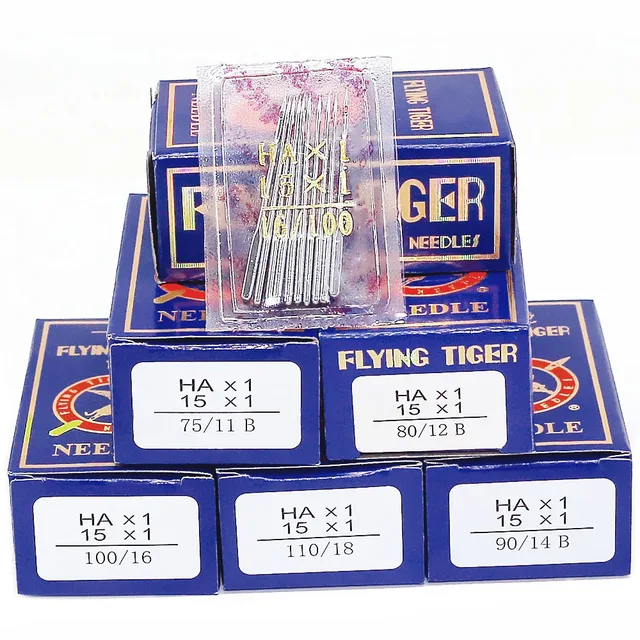 Flying Tiger HAX1 15x1 Sewing Machine Needles 100-Pack for Brother ...$ 13.99View part →
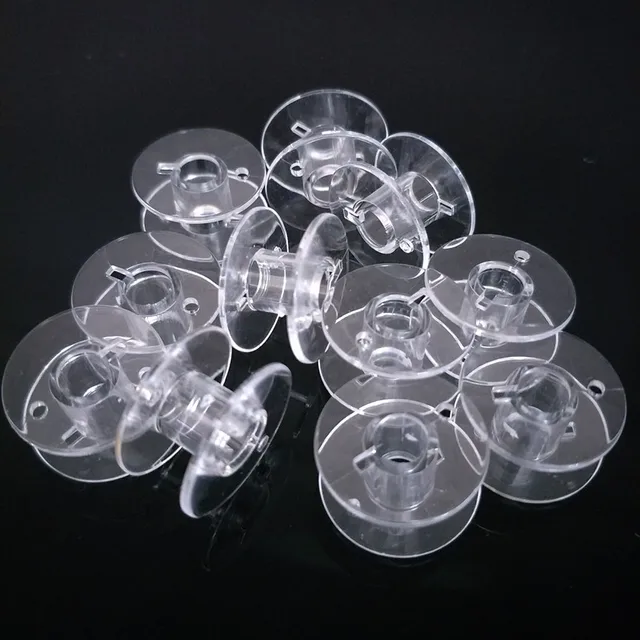 10pcs Clear Plastic Bobbins for Brother & Singer Sewing Machines | ...$ 6.49View part →
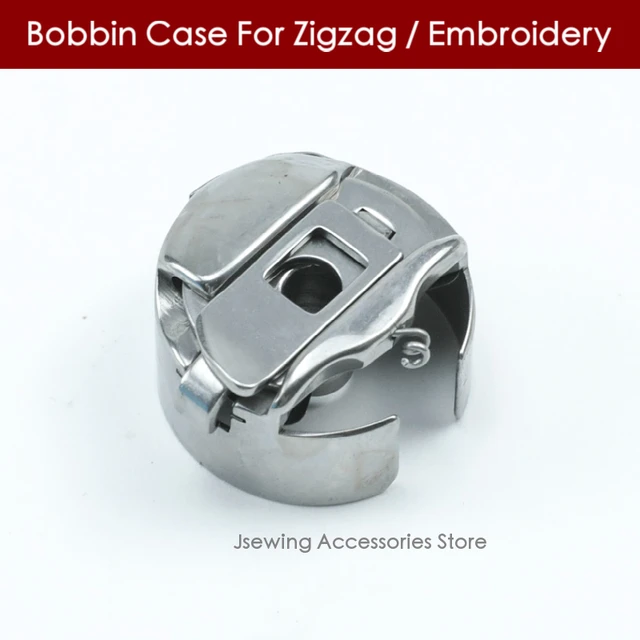 Industrial BC-DBZ(1)-NBL6 Bobbin Case for Barudan TZ1 LE2, Brother ...$ 8.49View part →
All Brother parts → Circuit Boards & Electronics → Motors & Drivers → Belts, Pulleys & Gears →
3. Machine Freezes, Displays Garbled Text, or Unresponsive Controls medium likelihood
How to tell
The machine's display shows unusual characters, the control panel buttons do not respond, or the machine stops mid-operation without a clear error code, requiring a power cycle to reset.
Fix
- Perform a hard reset by turning the machine off, waiting 30 seconds, and turning it back on.
- Check for any loose ribbon cables connecting the control panel to the main board.
- Ensure the machine's internal memory (if applicable) is not full or corrupted. Try deleting old designs or performing a factory reset (consult your manual).
- If the issues persist, the main control board (motherboard) may be failing or corrupted. This can lead to erratic behavior and unresponsiveness.
- Replace the main control board.
For KE-430F BE-438F models, consider the Brother 430F 438F Mainboard Electronic Control Motherboard. For KE-430D, BE-438D models, the Brother 430D PCB ASSY Computer Board Motherboard is the relevant part.
Parts involved: Circuit boards & electronics → Control panels & displays → Cables & wiring →
4. Skipped Stitches or Poor Stitch Quality low likelihood
How to tell
Stitches are missing from the design, loops appear on the fabric surface, or the stitching looks uneven and loose. This can sometimes be accompanied by thread breaks.
Fix
- Ensure the correct needle size and type are being used for the fabric and thread. Replace the needle if it is bent, dull, or burred.
- Re-thread the machine completely, ensuring the thread path is clear and tension discs are clean and free of debris.
- Adjust the upper and bobbin thread tension. Test with a scrap piece of fabric.
- Check the bobbin case for damage or lint buildup. Ensure the bobbin is wound correctly and inserted properly.
- Inspect the rotary hook for nicks, burrs, or damage. A damaged hook can interfere with loop formation and cause skipped stitches.
- Clean and lubricate the rotary hook area as per your machine's maintenance schedule.
If the rotary hook is damaged, a replacement like the Rotary Hook SA203601 130.09.514 (check compatibility for your specific KE/BE model) might be needed.
Parts involved: Needles & needle bars → Thread path & tension → Rotary hooks & bobbin cases → Lubrication & maintenance →
Maintenance schedule
| When | What to do | Why |
|---|---|---|
| Daily | Clean the bobbin case, rotary hook area, and thread path. | Prevents lint buildup that can cause thread breaks, skipped stitches, and machine jams. |
| Weekly / Every 40-60 hours | Lubricate specified points (refer to manual) and perform a more thorough cleaning. | Ensures smooth operation of moving parts and extends machine lifespan. Prevents wear and tear. |
| Monthly / Every 200 hours | Inspect belts, pulleys, and motor connections for wear or looseness. Check for loose screws. | Identifies potential mechanical failures before they cause significant downtime or damage. |
| Annually / Every 1000 hours | Professional servicing by a qualified technician. | Comprehensive inspection, calibration, and replacement of worn parts to maintain peak performance and prevent major breakdowns. |
Stop and call a technician if
- If you are uncomfortable performing any repair steps involving electrical components or complex mechanical adjustments.
- If the machine displays persistent error codes that cannot be resolved with manual troubleshooting.
- If the machine is experiencing multiple, unrelated issues simultaneously.
- If you suspect a major component failure (e.g., mainboard, motor) and lack the specialized tools or expertise for replacement.
- For any issues that could void your machine's warranty if not handled by an authorized service provider.
Prevent it coming back
- Perform daily cleaning of the bobbin area, needle plate, and thread path to remove lint and debris.
- Follow the manufacturer's recommended lubrication schedule using the specified oil type.
- Regularly inspect needles for damage and replace them proactively.
- Ensure proper thread tension settings for each project to prevent stress on machine components.
- Keep the machine's environment clean, dust-free, and at a stable temperature.
- Avoid forcing the machine to sew through overly thick or unsuitable materials.
Frequently asked questions
How often should I clean my Brother BE / KE series machine?
For optimal performance, clean your machine daily, especially the bobbin area, thread path, and needle plate. A more thorough cleaning and lubrication should be performed weekly or after every 40-60 hours of operation, referring to your machine's specific manual for exact intervals and lubrication points.
What should I do if my machine displays an error code?
First, consult your machine's operator's manual for the specific error code. It will provide detailed troubleshooting steps. Often, error codes point to issues like thread breaks, motor overloads, or sensor malfunctions. If the manual's steps don't resolve the issue, it may indicate a faulty component like a sensor, motor, or control board.
Can I replace parts on my Brother BE / KE series machine myself?
Many common parts like needles, rotary hooks, and even some stepping motors can be replaced by an experienced operator or technician. However, for complex electronic components like mainboards or power control PCBs, it is often recommended to have a qualified technician perform the replacement to ensure proper installation and calibration, and to avoid further damage.
Did this guide fix your machine?
Rate it - it helps other operators find the right fix.
Not sure which part is failing?
Need the logo stitched too?
Get your logo digitized by the people who know this machine
Upload the artwork, see the stitch count and the exact price in 10 seconds, then order with a free sew-out preview. $1 per 1,000 stitches, $10 minimum, 24-hour delivery. Vector conversion from $12.
After the fix
Fixed it? Keep the rest of the shop moving.
OS 360 is the shop software from the team behind this parts store. Every job keeps its status, deadline and owner while a Brother head is down, restock alerts fire for needles, hooks and bobbins before you run dry, and quotes, invoices and payment live in one place.
- Jobs with status, deadline and owner - nothing slips during downtime
- Inventory with restock alerts, this store one click away
- Instant quotes, invoices and one place to collect payment